Clinic CMS
Audience: Tenant owners, clinic doctors, and reception staff.
Purpose: Front door to Clinic CMS — daily workflow and configuration by role.
Clinic CMS (receptionists see Reception desk) covers outpatient booking, the waiting-room queue, consultations, prescriptions, and OPD billing.
Pick the kind of help you need
The Academy organises every guide as learn, do, look up, understand.
New here? Start with the tutorial Set up your clinic Tenant-owner walkthrough — create a practice, add locations, assign staff, configure rules, and open the schedule for booking. How-to guides Get a specific task done 25 Reference Look up exact facts 2 Tutorials Learn the whole flow by doing 2 Explanation Understand the why 1
Assign clinic staff in Users settings Book an appointment Book expected follow-ups Check in from appointments Collect consultation fee Configure clinical fields Configure practice locations Create a clinic practice Follow up on procedures Manage clinic doctors Manage doctor tags and favourites Manage OPD invoices Manage patient instruction presets Print token and prescription Reschedule or cancel an appointment Run a consultation Save a diagnostic preset Set consultation slots and fees Set prescription print template Suggest a procedure in consultation Triage the queue Update practice settings View appointment detail View patient history View the dashboard
Daily workflow
Dashboard → Appointments (book / check-in) → Queue → Consultation → Invoices
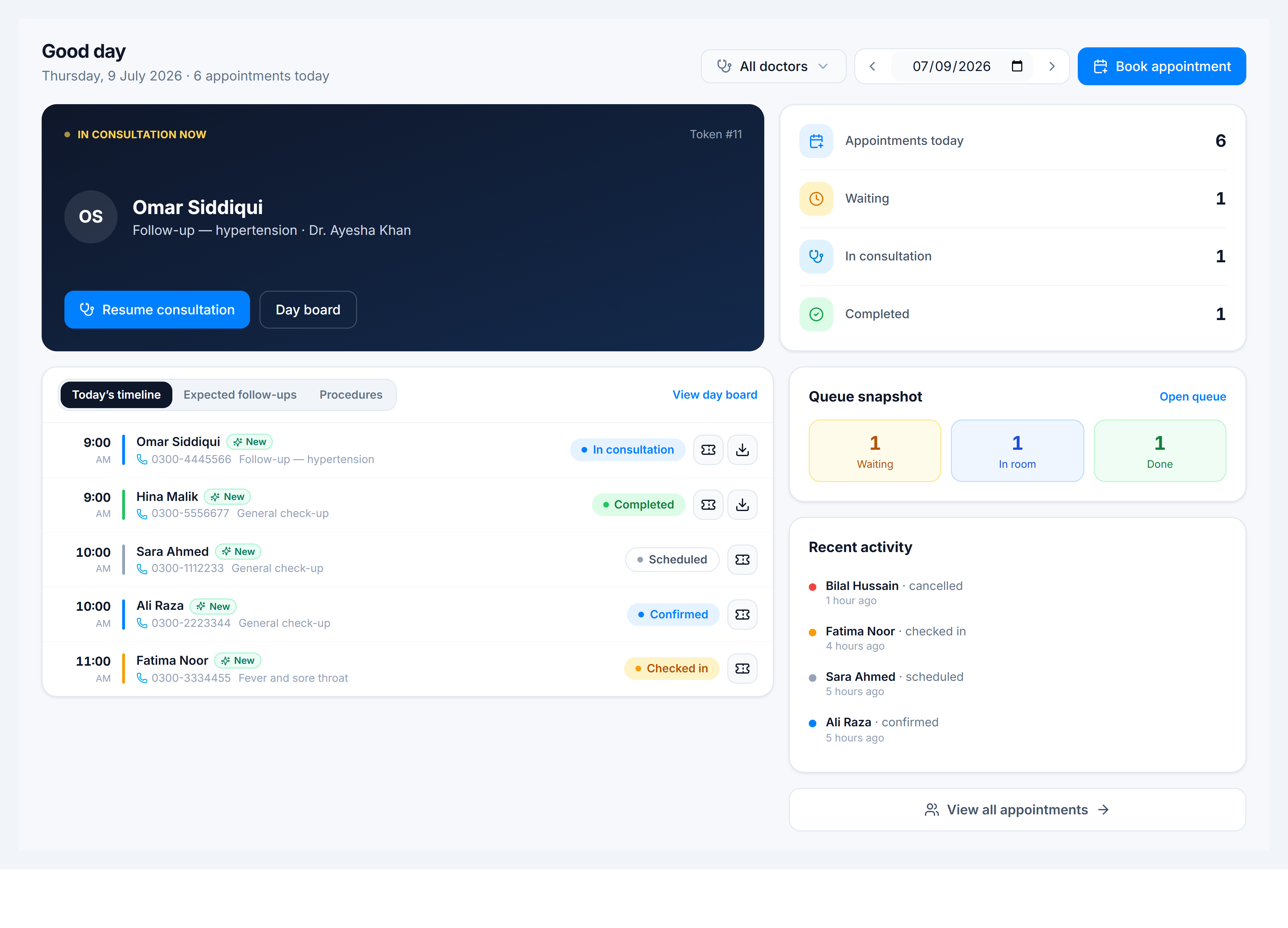
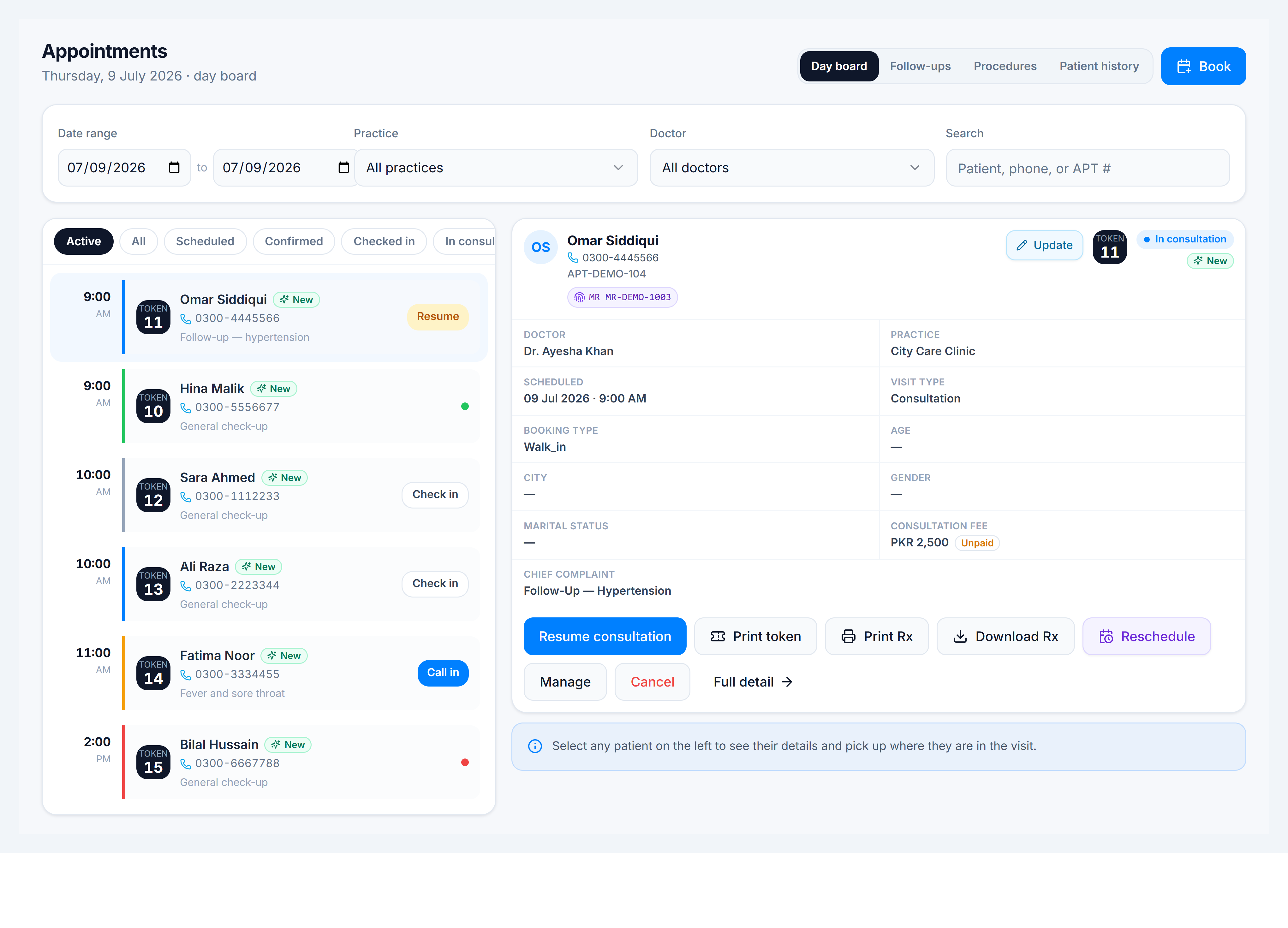
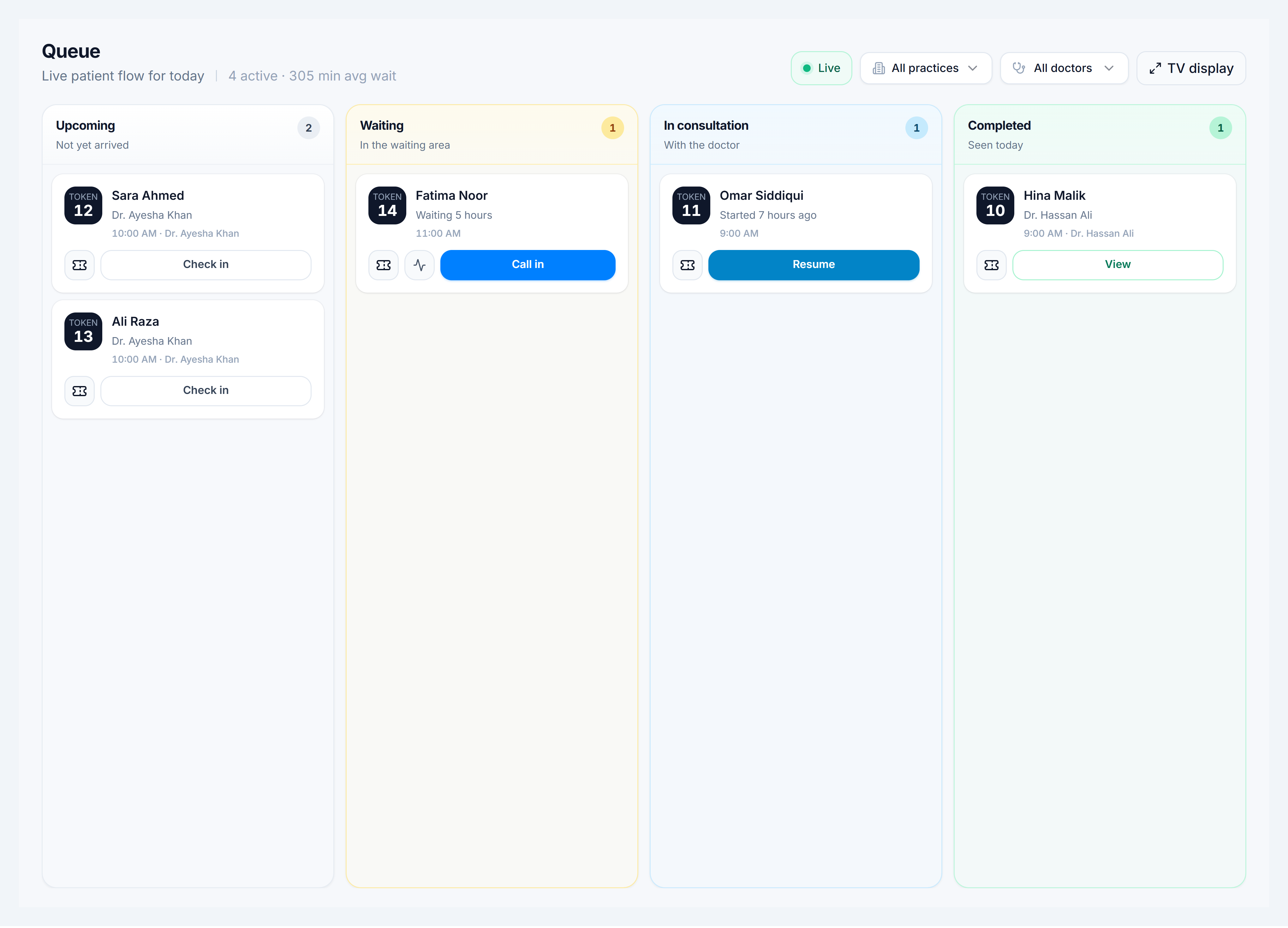
Key routes
| Screen | Route |
|---|---|
| Dashboard | /clinic/dashboard |
| Appointments | /clinic/appointments |
| Appointment detail | /clinic/appointments/:appointment_number |
| Queue | /clinic/queue |
| Consultation | /clinic/consultations/:consultation_number |
| Invoices | /clinic/invoices |
| Doctors | /clinic/doctors |
| Practices hub | /clinic/practices |
| Clinical Fields | /clinic/clinical-fields |
| Consultation Slots | /clinic/consultation-slots |
| Create practice (Admin → System → Clinic Practices) | /settings/clinic-practices |