Book expected follow-ups
When to use this: a doctor saved a follow-up date during a consultation and reception needs to book the return visit before the due date.
Who can do this: Receptionists and tenant owners with appointment access.
Where to go
Clinical → Clinic CMS → Appointments → Follow-ups tab
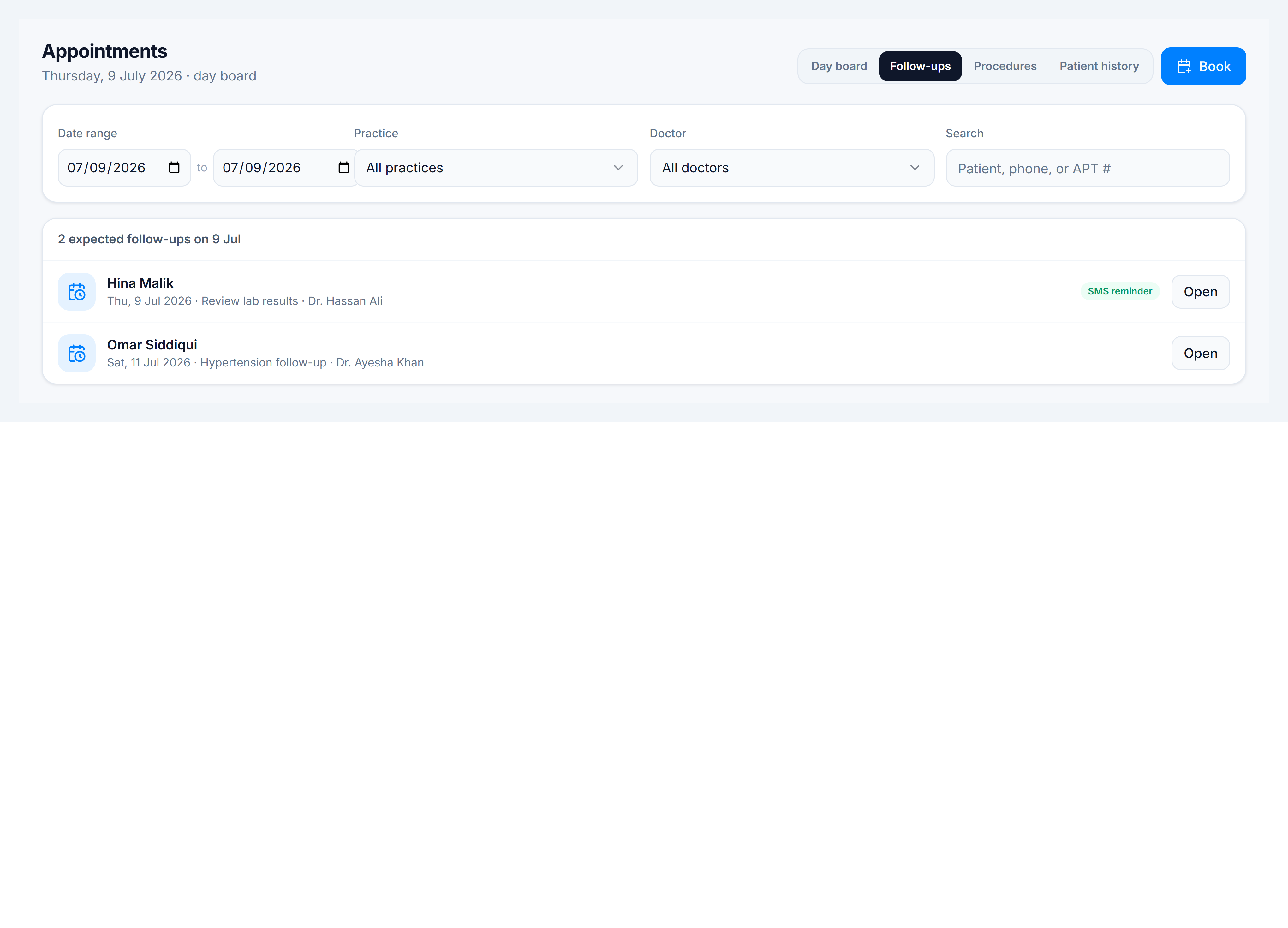
What you see
Each row shows:
| Column | Meaning |
|---|---|
| Patient | Who should return |
| Date & reason | Due date and doctor’s note (e.g. review labs) |
| Doctor | Which clinician ordered the follow-up |
| SMS reminder | Whether an SMS reminder is scheduled |
Steps
- Open Appointments and switch to Follow-ups.
- Adjust the date range if you are planning ahead (defaults to today).
- Find the patient — note the due date and reason.
- Click Open to view the originating consultation, or go to Book appointment and schedule a new visit on the due date.
- After booking, the patient appears on the Day board on the scheduled date — proceed with check-in.
You’re done when
The follow-up is booked on the day board (or marked complete if the patient already attended).