Follow up on procedures
When to use this: a doctor suggested a procedure during consultation, or a procedure invoice was raised and reception needs to chase payment or scheduling.
Who can do this: Receptionists and tenant owners.
Where to go
Clinical → Clinic CMS → Appointments → Procedures tab
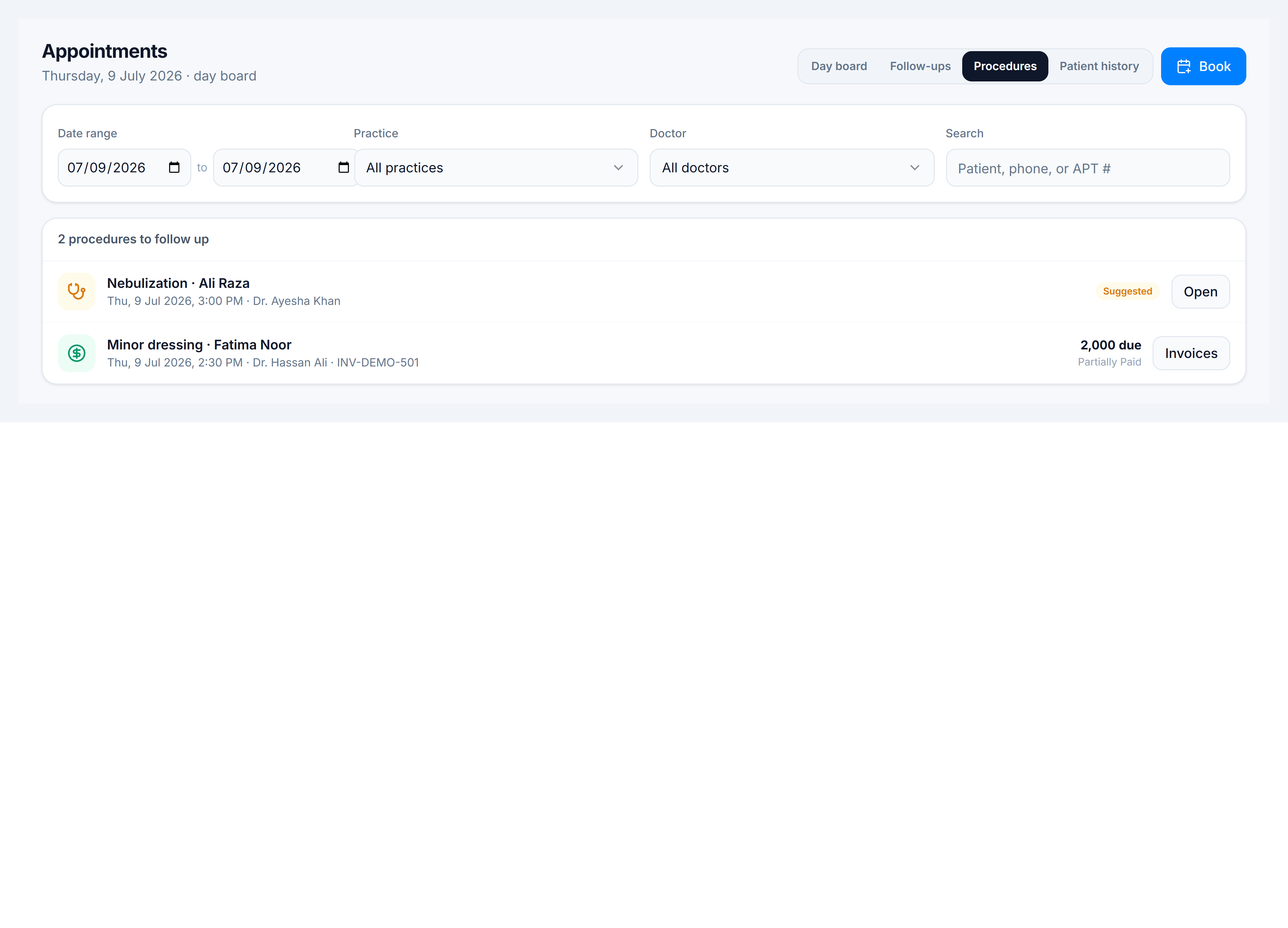
Two kinds of rows
| Kind | Badge | What to do |
|---|---|---|
| Suggested | Amber Suggested | Patient has not committed — call them, then open the consultation or book a slot |
| Invoice | Green amount / Settled | Procedure was invoiced — collect remaining balance or confirm completion |
Steps
- Open Appointments → Procedures.
- Filter by Practice or Doctor if the list is long.
- For Suggested rows — click Open to review the consultation note, then help the patient decide and book.
- For Invoice rows — click Invoices to open billing, collect payment, or mark complete.
- After scheduling, the patient may also appear on the Day board if an appointment was created.