Configure clinical fields
When to use this: you want consultations to show your note structure — extra sections for diet, private notes, or custom complaint fields — instead of the generic SOAP layout alone.
Who can do this: Doctors with a linked clinic doctor profile. Each doctor’s template is personal. Receptionists and tenant owners without a doctor profile cannot edit this page.
Where to go
Clinical → Clinic CMS → Clinical Fields (/clinic/clinical-fields)
You can also open it from a consultation via Configure fields in the workspace header.
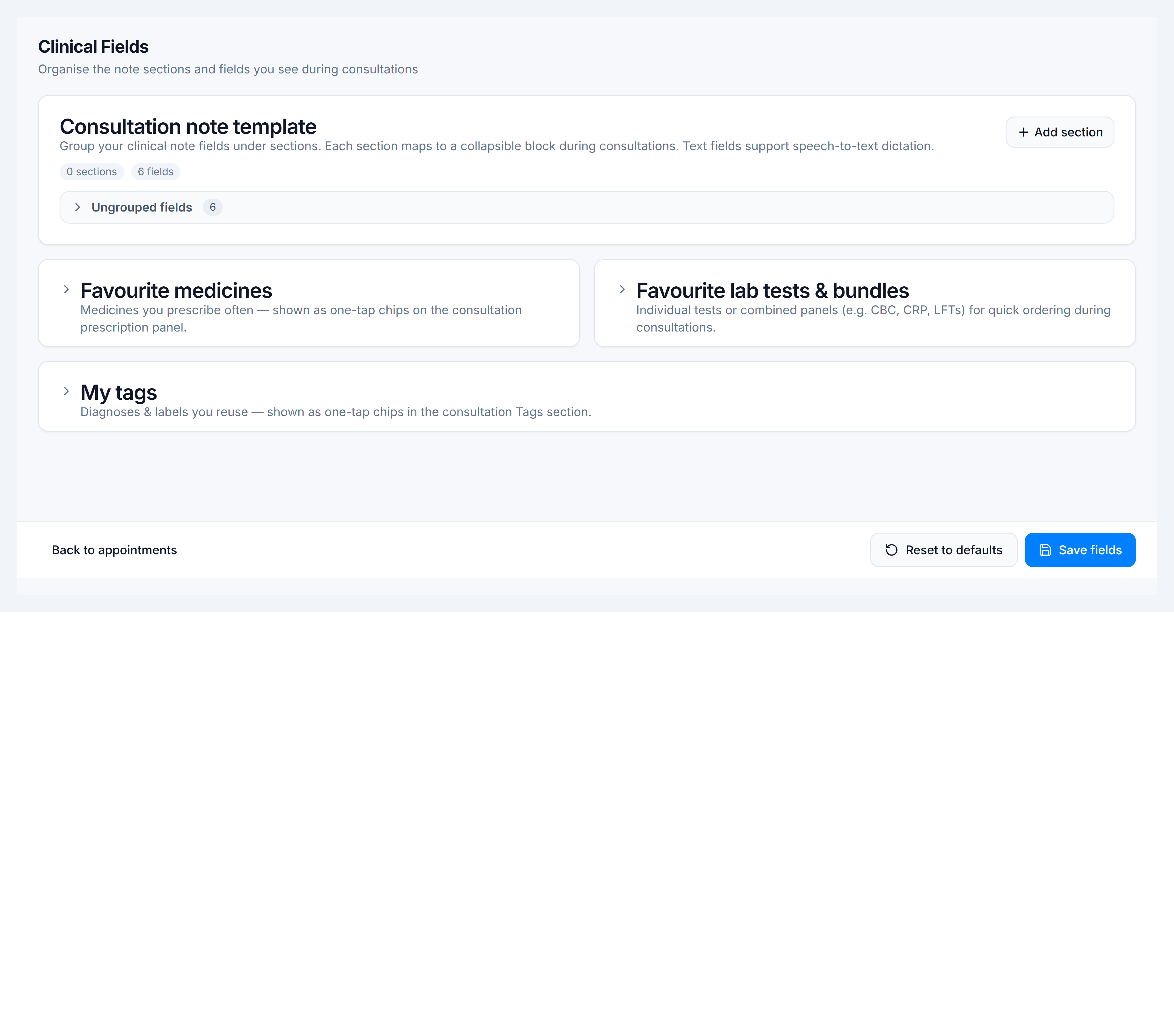
Consultation note template
- Under Consultation note template, use Add section to create a collapsible block (e.g. Examination, Plan).
- Inside each section, Add field and pick a type (text, textarea, number, date, etc.).
- Reorder with the arrow controls; rename sections inline.
- Toggle Dictate on fields where you use speech-to-text during consults.
- Click Save fields.
Use Reset to defaults to restore the standard template if you need a clean slate.
What appears in consultations
Saved sections map to collapsible blocks in the consultation workspace Clinical notes area. Standard SOAP fields remain available alongside your custom template.
Favourite medicines, labs, and tags
Below the template editor, expand:
| Panel | Purpose |
|---|---|
| Favourite medicines | Quick-add chips when prescribing |
| Favourite lab tests & bundles | One-tap lab orders |
| My tags | Reusable visit tags (e.g. Follow-up, VIP) |
| Patient instruction presets | Reusable snippets for Instructions for patient |
These are documented in detail on Manage doctor tags and favourites and Manage patient instruction presets.
You’re done when
Clinical fields saved toast appears and your next consultation shows the updated sections.