Order Management — Release Notes v1.5
Order Management — Dispatch Station (v1.5)
| Release version | OMS 1.5 — “Dispatch Station” · Ailaaj One 1.4.0 |
| Release date | 19 June 2026 |
| Applies to | /dispatch kiosk · Insights → Reports v2.0 → Live Dispatch Board |
| Availability | GA — configure tenant riders, badge QRs, and warehouse wall QRs before first use |
What this release is
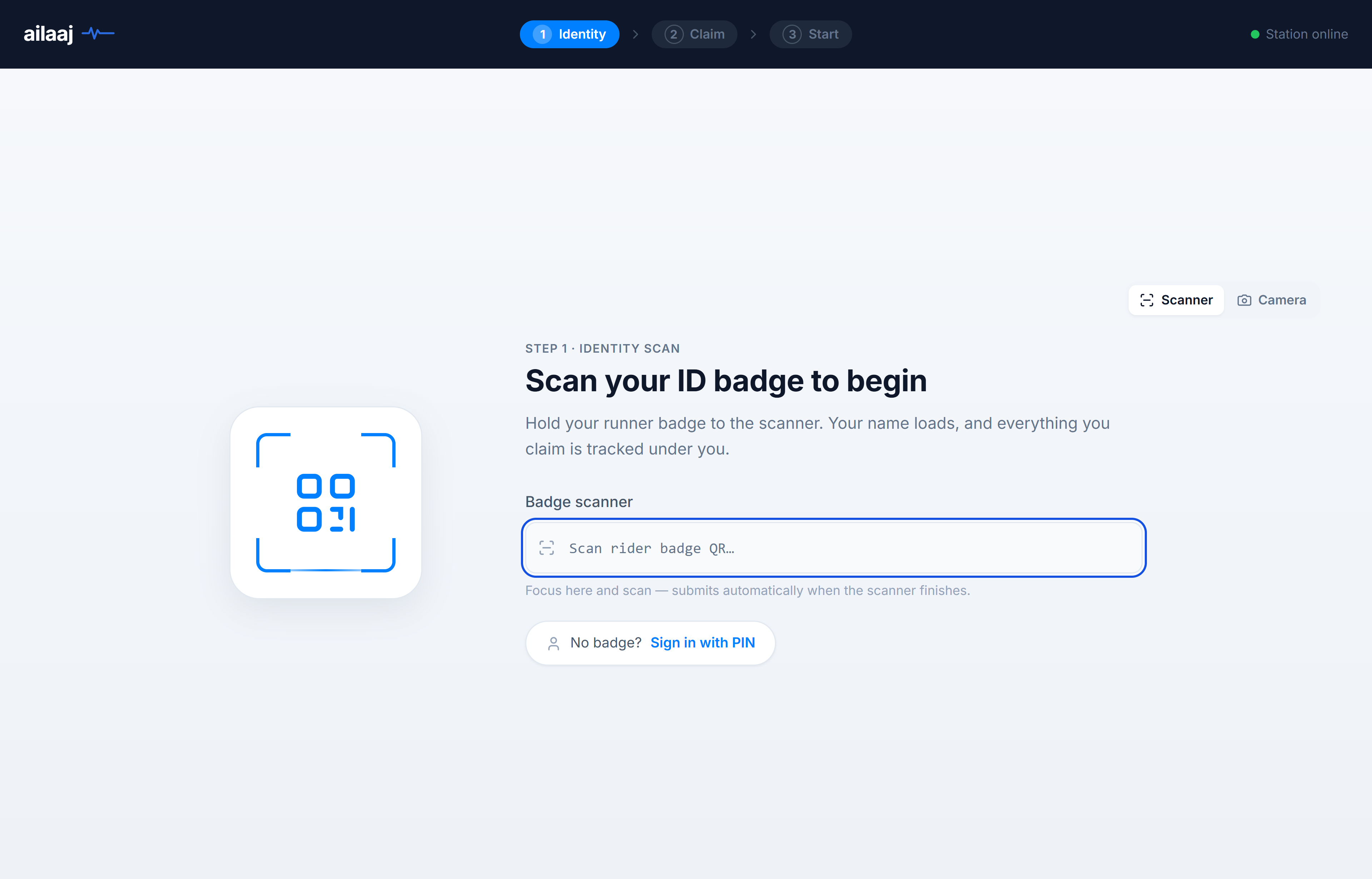
Hospital pharmacy runners can use a dedicated dispatch kiosk to scan their badge, claim packed picklists from the rack, start a trip (thermal trip sheet + bag label), and close the run by scanning the warehouse wall QR on return. Picklists are marked delivered with ward handoff, source reference (Ref#), and exact delivery timestamp.
Works as a standalone public URL (/dispatch) or inside the staff app (Sell → Dispatch). Supervisors watch the same trips on Live Dispatch Board — own-fleet handoff, not third-party courier assignment from the pack screen.
New Features
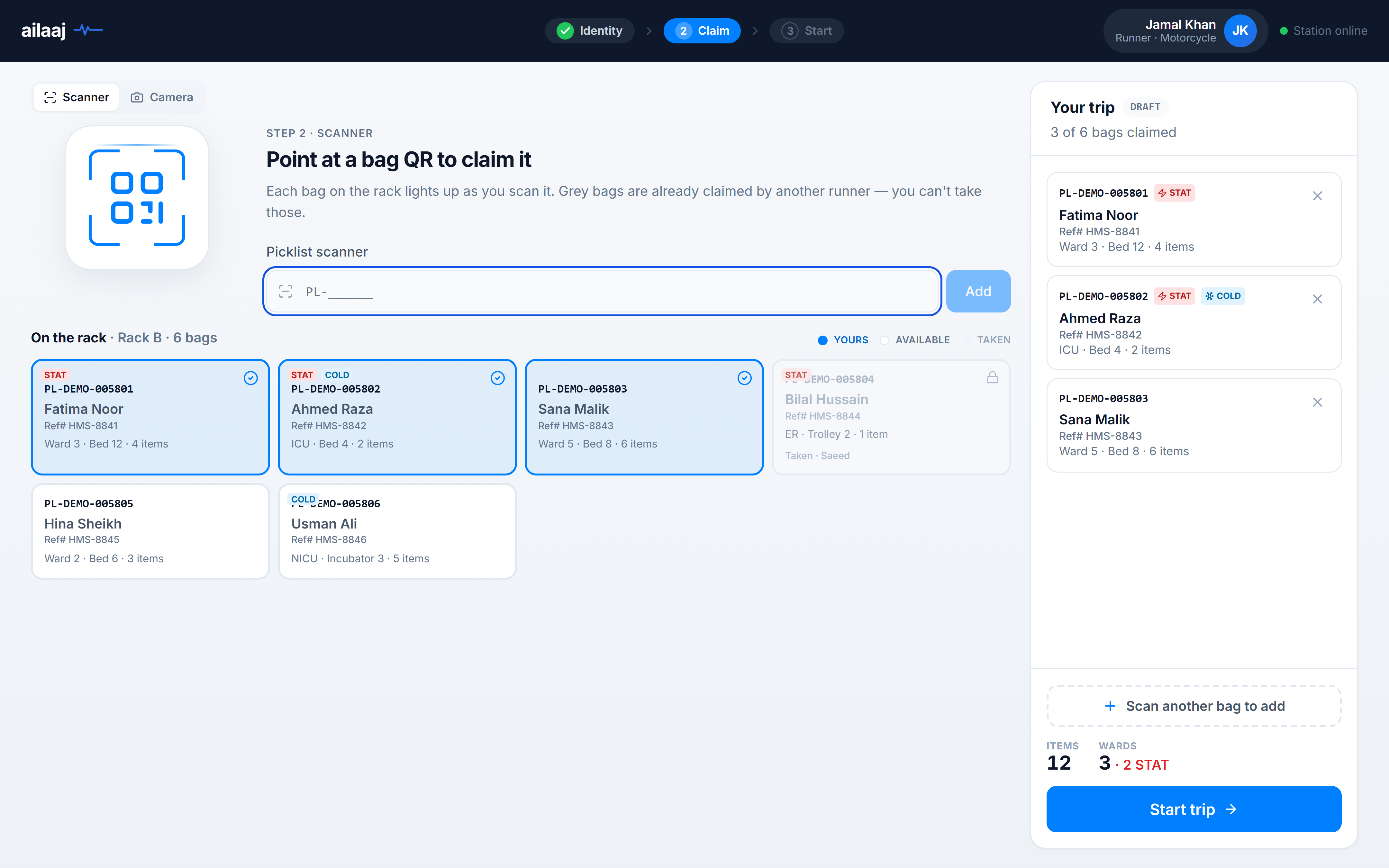
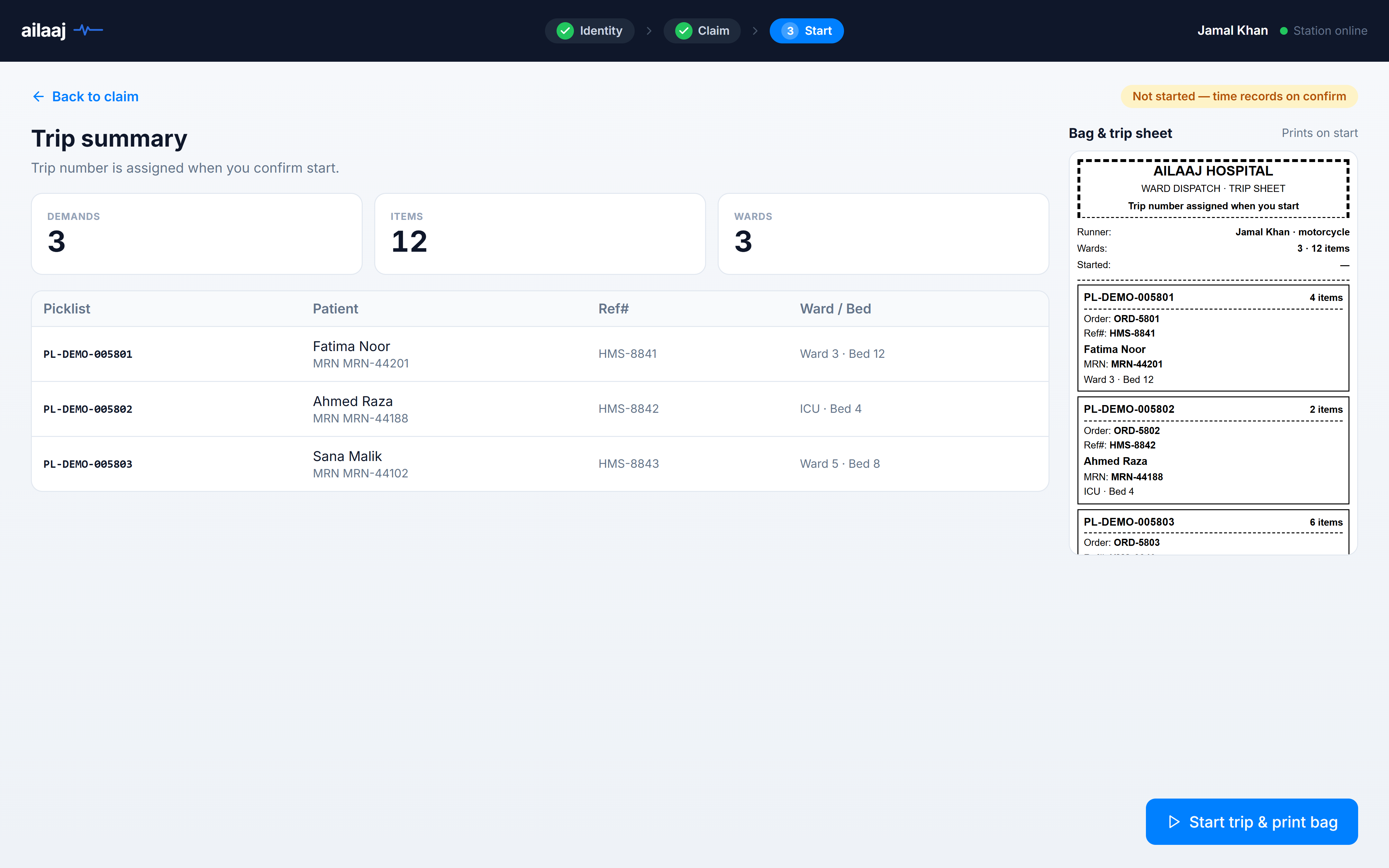
- Three-step kiosk — Identity (badge scan) → Claim (rack grid + trip sidebar) → Start (trip summary and bag & trip sheet preview before dispatch).
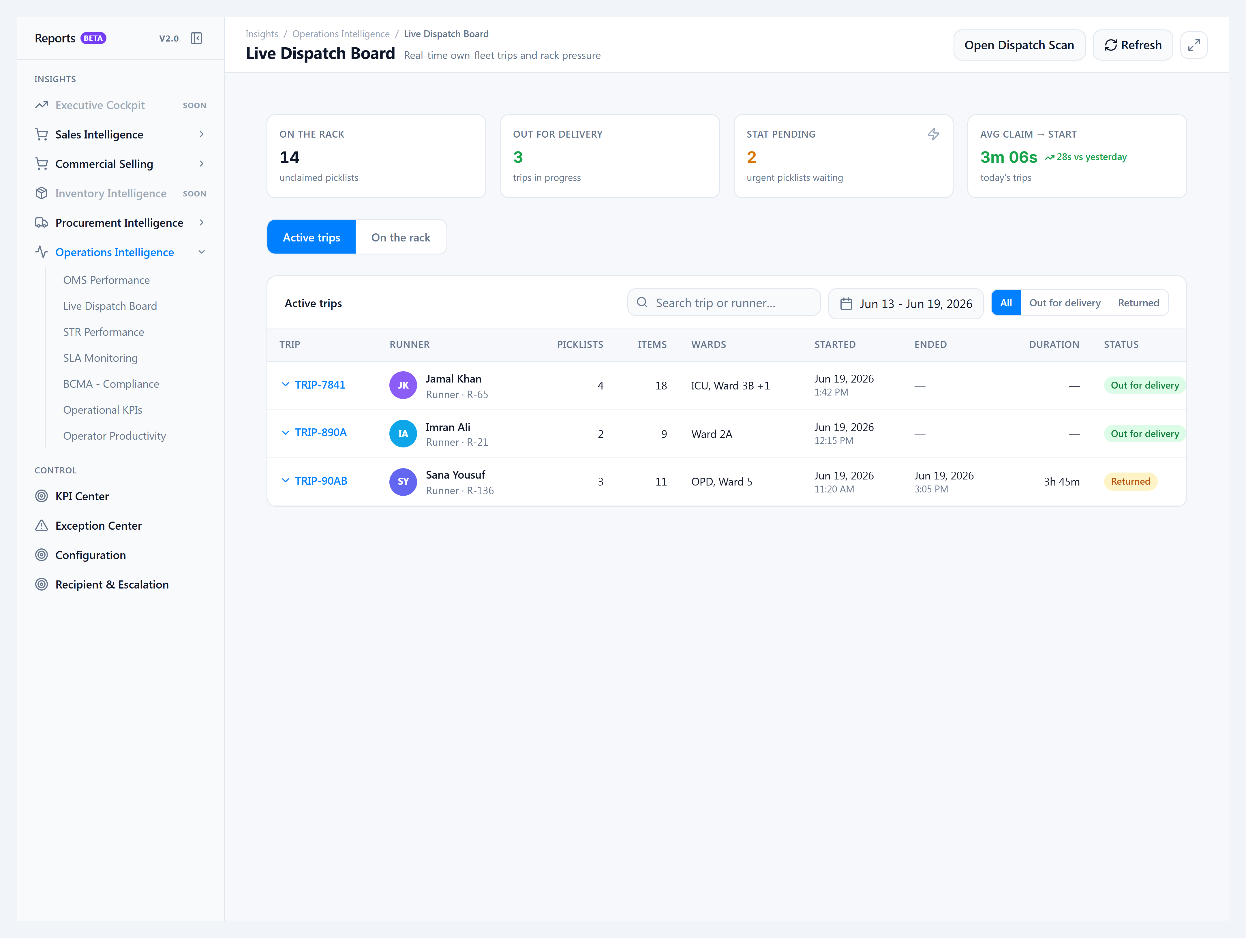
- Live Dispatch Board — Reports v2 supervisor console: rack backlog, trips out for delivery (with wards), STAT pressure, On the rack supervisor claim tab, date range (default 7 days) + search + pagination, and returned trips filter.
- On the rack board — Yours / Available / Taken tiles with patient, Ref#, ward · bed, MRN, and item count; camera or USB scanner; scan mode preference saved in the browser.
- Trip sheet — thermal print lists each picklist; trip label TRIP-XXXX with CODE128 barcode for re-entry; preview matches print output.
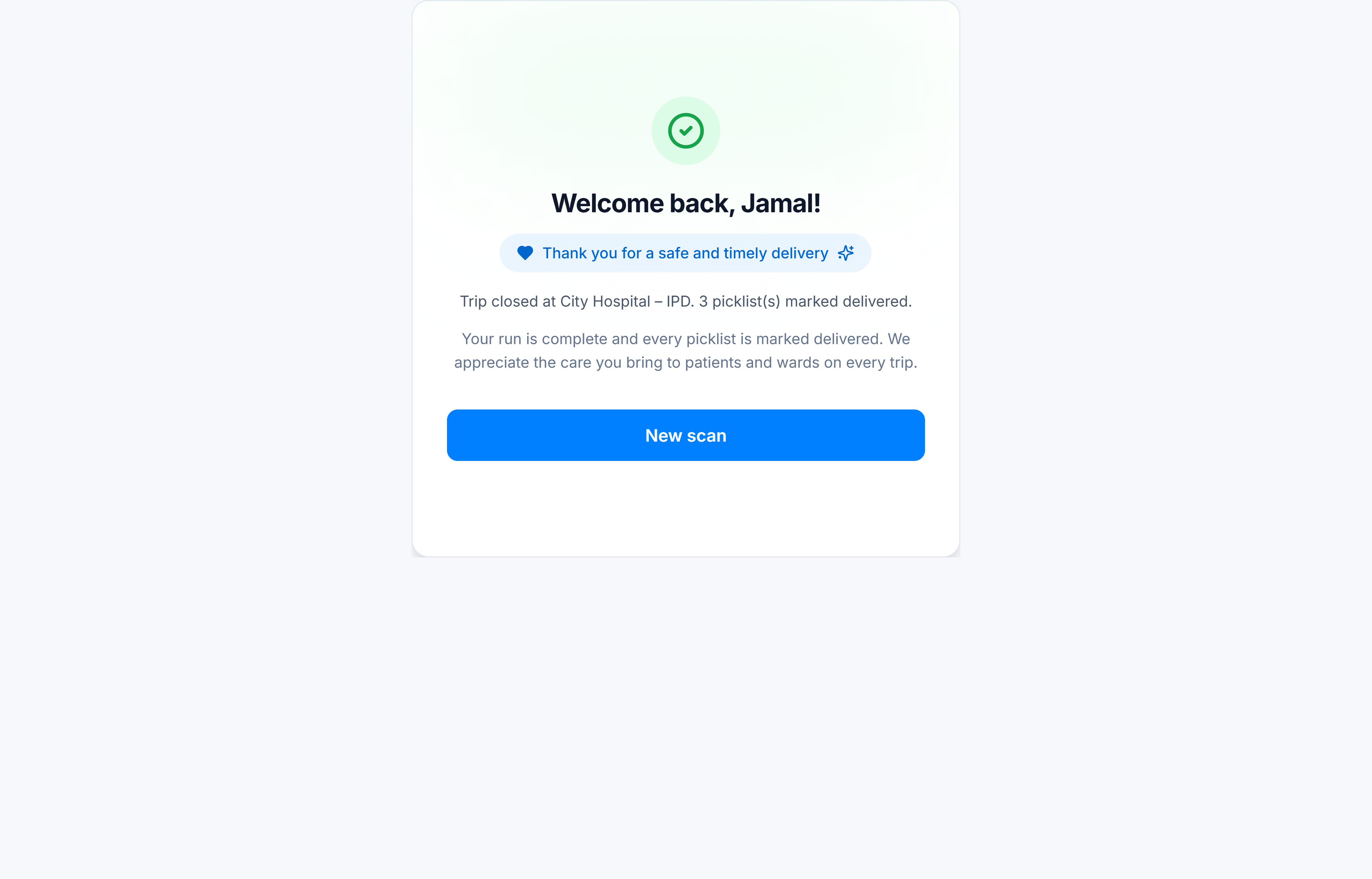
- Return & end trip — active-trip re-entry guard; scan warehouse wall QR to close; optional trip notes; celebration screen on success.
- Delivery credit — on trip close, picklists move to delivered with ward handoff on
delivered_to_nameand full timestamptz onactual_delivery_date. - Academy screenshots — all Dispatch Station guide images (kiosk steps and Live Dispatch Board) mount the real shipped UI in the docs screenshot gallery with deterministic demo fixture data — no tenant PII, no live DB. Re-capture with
npm run docs:screenshotswhen the screen changes.
Improvements
- Scanner vs Camera tab remembered per kiosk browser for devices without a camera.
- Scan another bag focuses and highlights the picklist input after each add.
- Clear taken-bag errors — a bag already on another runner’s active trip shows who claimed it, not a generic “not packed yet” message.
- Existing picklist fields — uses
assigned_rider_id,assigned_rider_name, andtracking_number(trip label) already on picklists; no parallel dispatch model for staff to learn.
Bug Fixes
- End-trip delivery fields — ward handoff and exact delivery time are written correctly when the warehouse QR closes the trip.
- Taken picklist messaging — scanning a dispatched bag on another runner’s trip no longer misreports the picklist as unpackaged.
Known Issues
- Trip sheet printing uses the browser print path — the kiosk PC should have a default receipt printer configured.
- Re-entry only works while the trip is still active; completed trips cannot be re-opened from the kiosk.
Notes for operators
- Where to open: bookmark
/dispatchon the dispatch PC, or Sell → Smart Counter → Dispatch inside the app. - Supervisor board: Insights → Reports v2.0 → Live Dispatch Board (
/reports/v2/operations/live-dispatch). - Runner setup: each runner needs a tenant rider row and a printed badge QR; assign rider ↔ warehouse links for the racks they serve.
- Warehouse QR: post the wall QR at the return dock (
ailaaj:wh:<warehouse-uuid>) for end-trip scan. - Database: apply dispatch migrations after deploy — see Prod migrate v1.5 (operator runbook, not repeated here).
Related docs
- Dispatch Station guide — overview and screenshots
- Run the Dispatch kiosk
- Live Dispatch Board
- What’s New — 1.4.0 — timeline entry on the Academy home