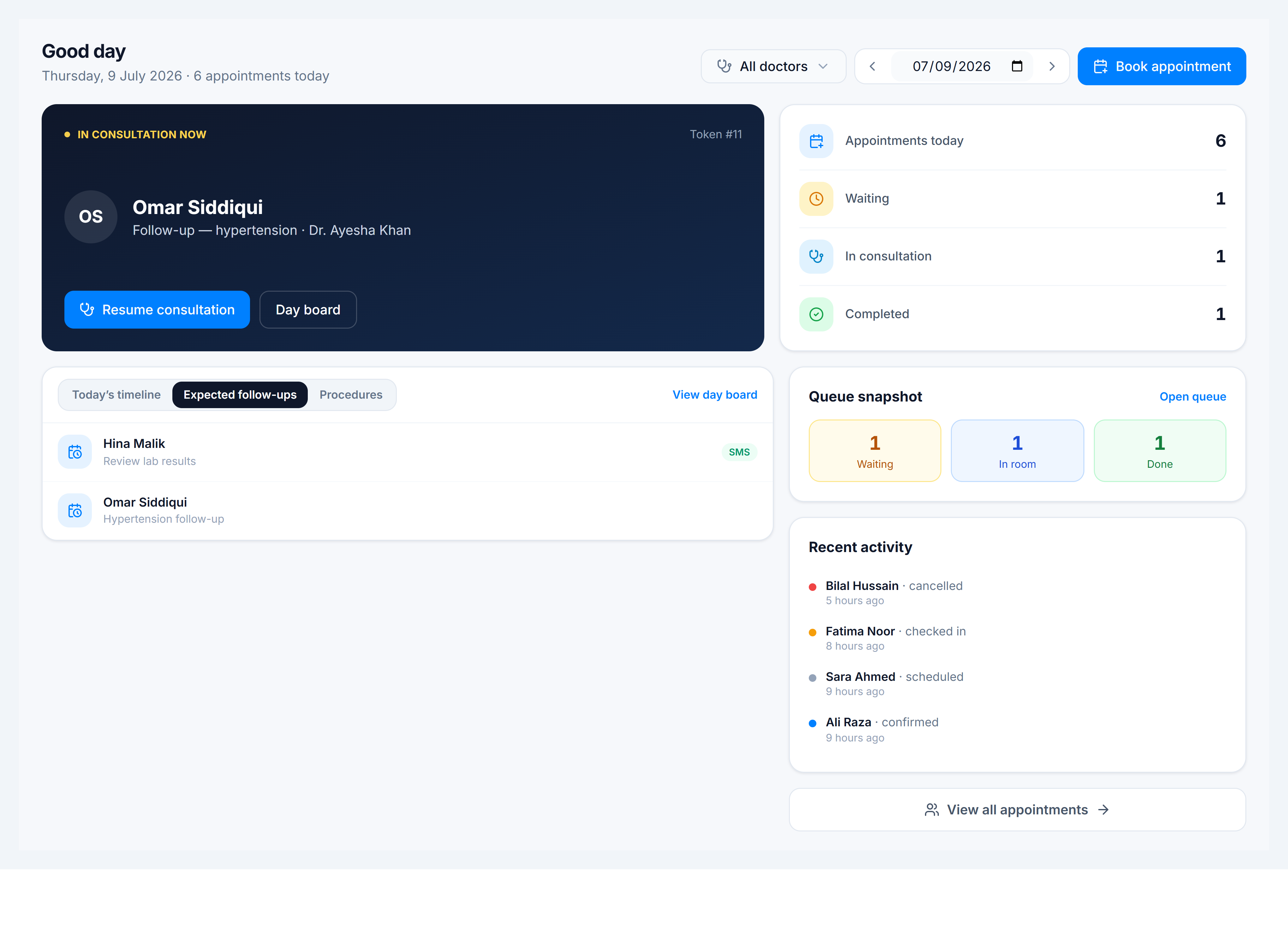
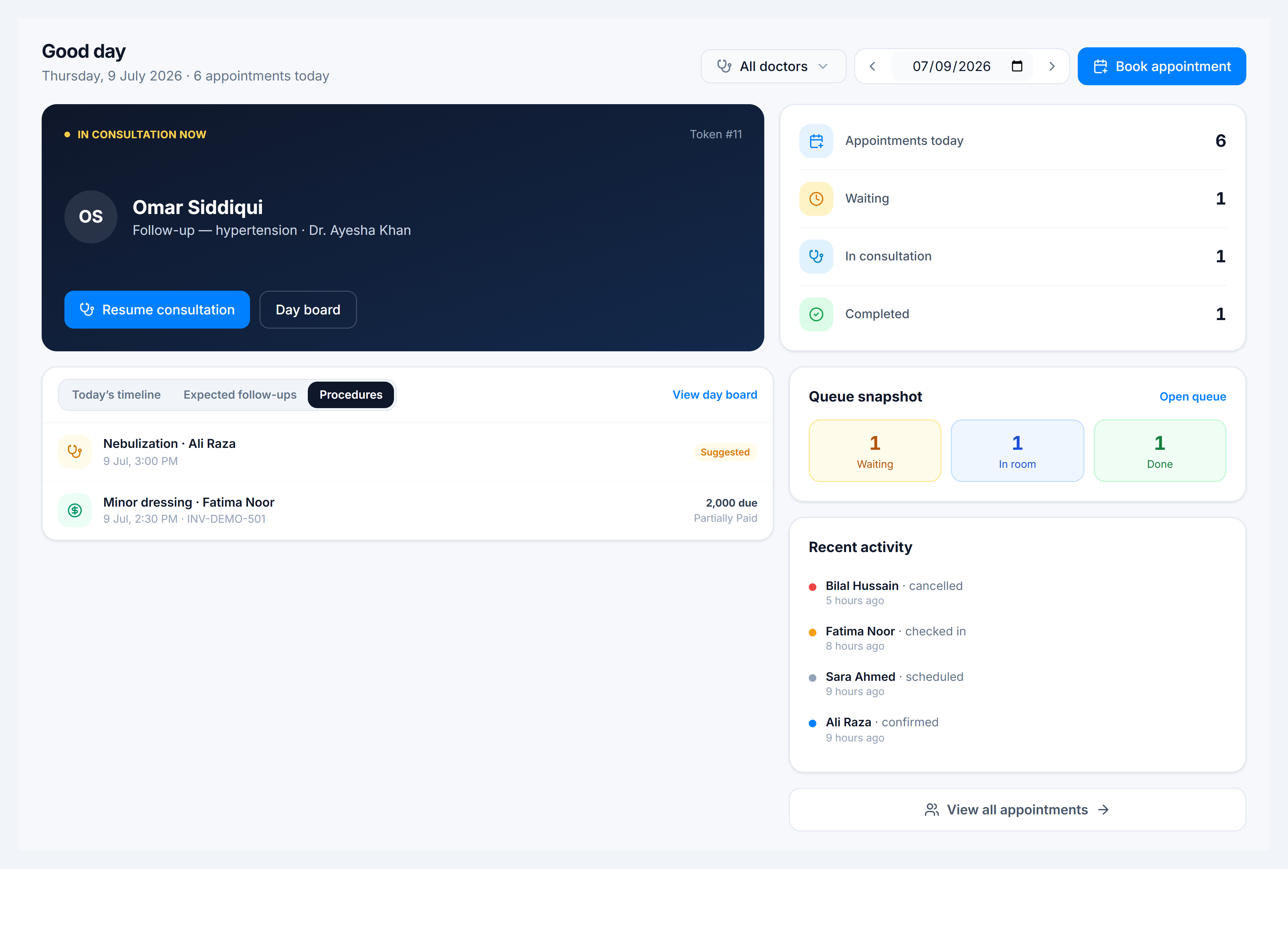
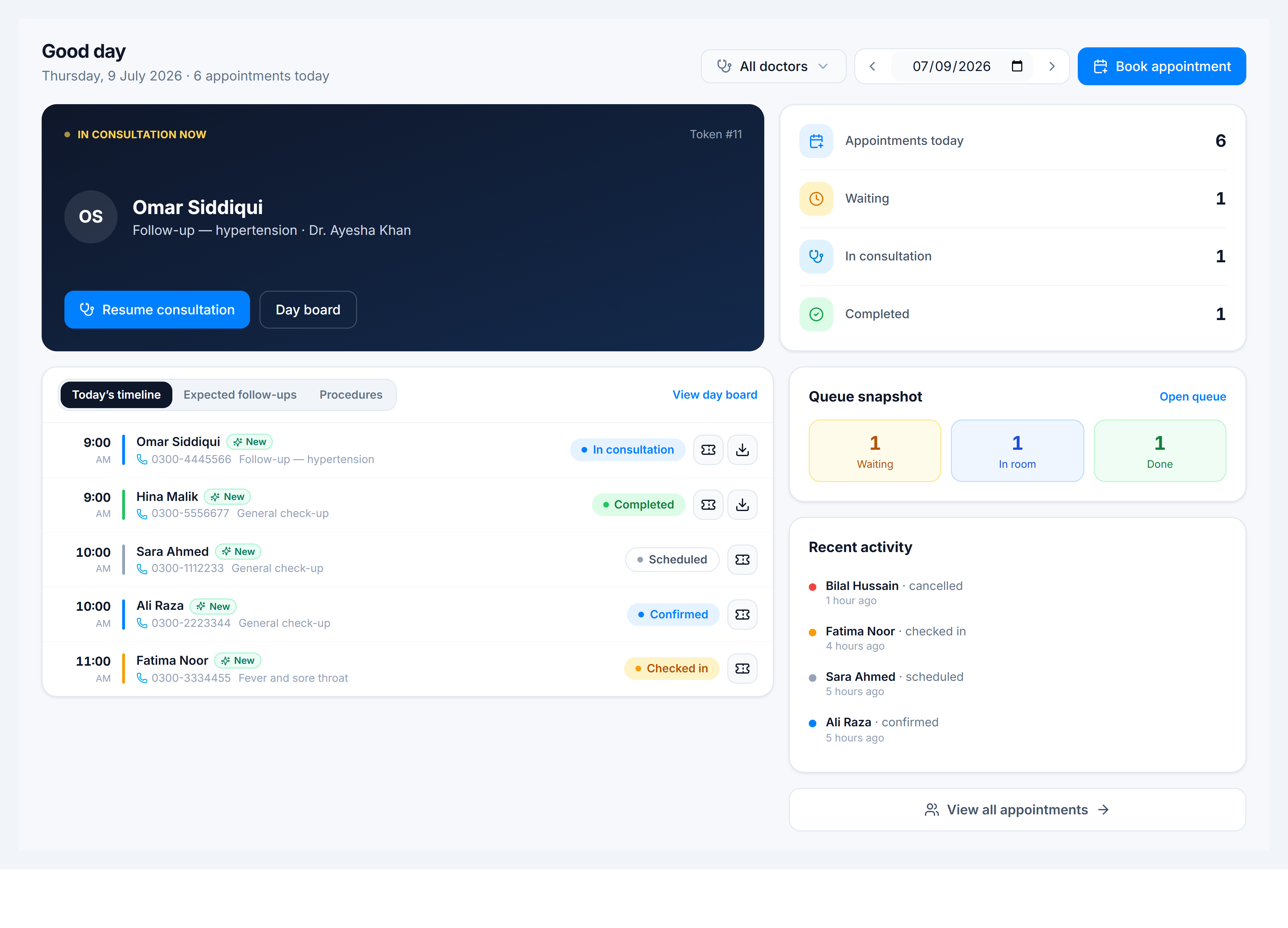
View the dashboard
Steps
- Open Dashboard (
/clinic/dashboard). - Use the date control to move off today if reviewing another day.
- Filter by practice and doctor — defaults to all visible practices.
- Read the header stats: scheduled, arrived, in consultation, completed counts.
- On Today’s timeline, each card shows token, patient, doctor, status, and actions (open consult, print token, download Rx).
- Switch tabs:
- Expected follow-ups — patients due for return visits
- Procedures — upcoming procedure appointments