Products (PIMS)
Audience: Catalog managers and pharmacists who maintain SKUs, pricing, and storefront content — plus anyone supporting or evaluating PIMS.
Purpose: This is the front door to the Products guide. It explains the list screen at a glance, then points you to tasks, rules, and the value story.
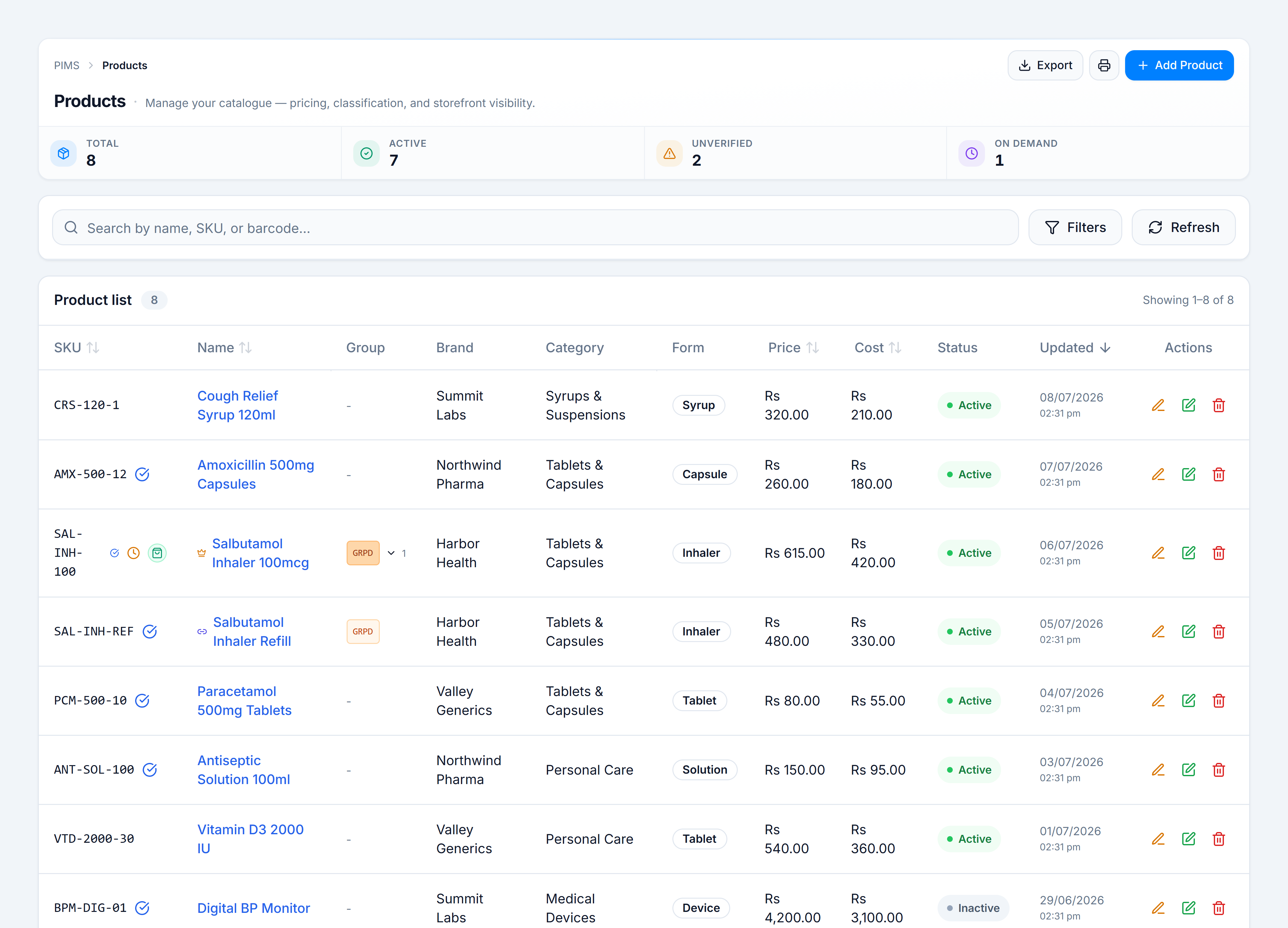
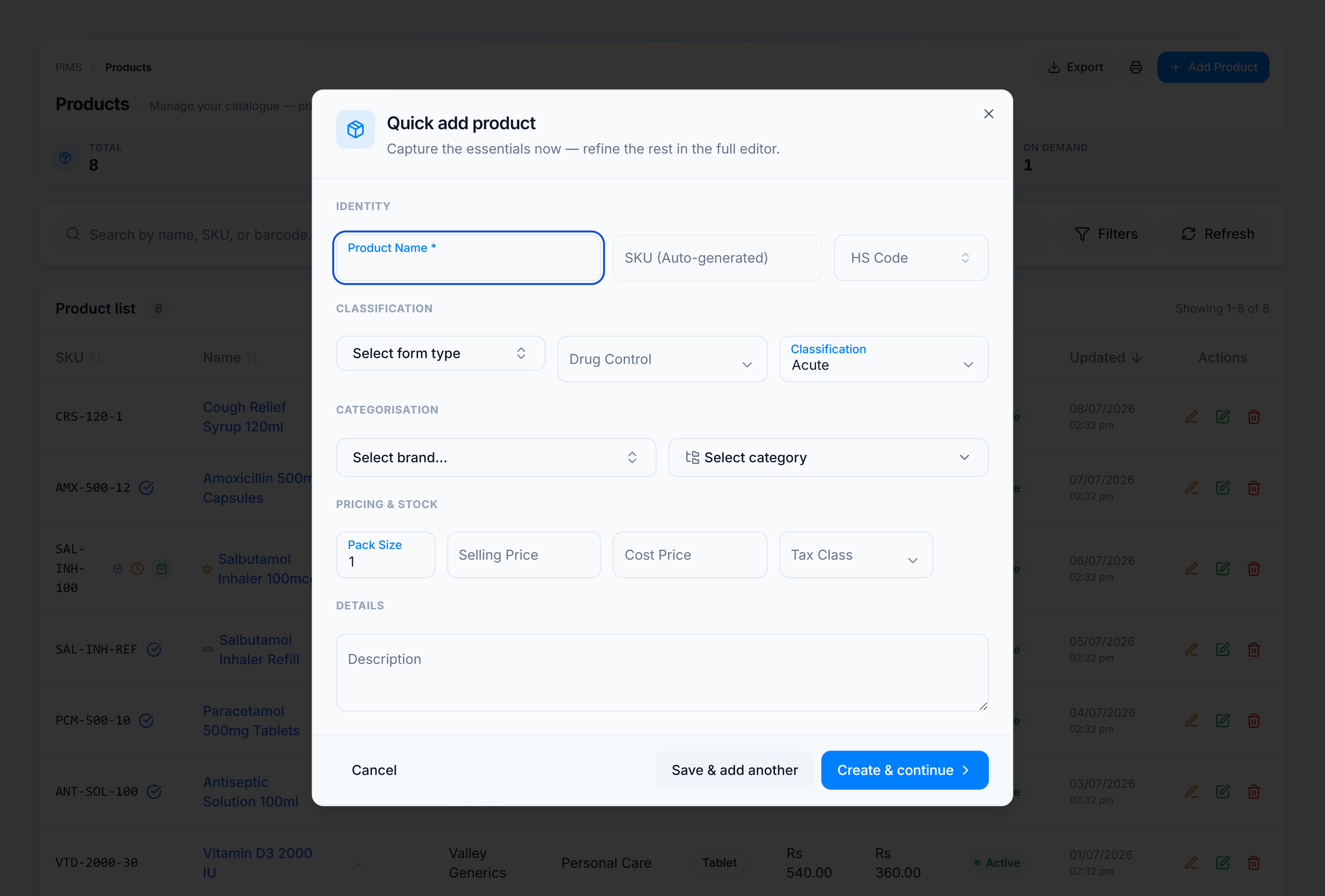
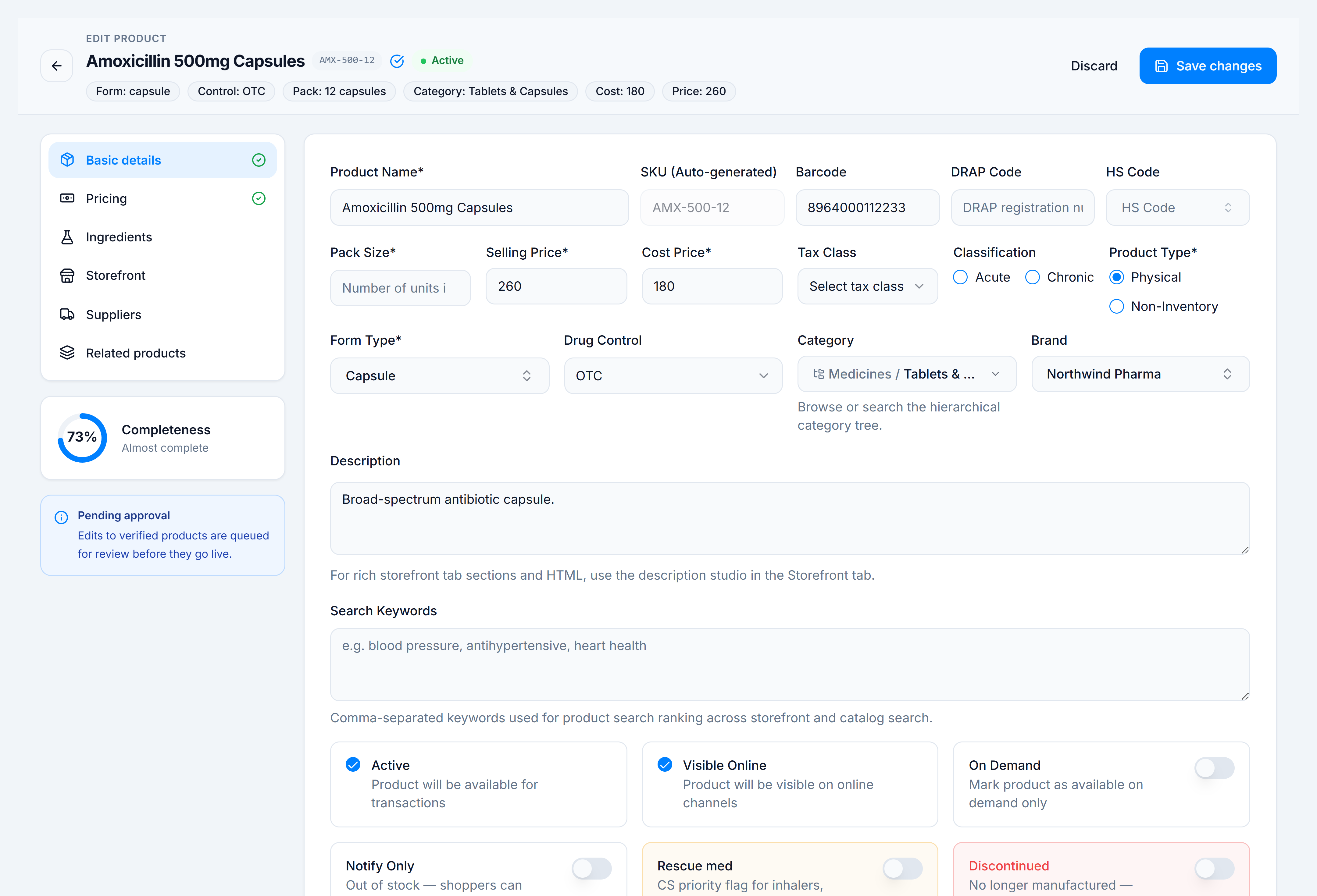
Products is your master catalogue — every SKU your pharmacy sells or fulfils. The redesigned list page combines a KPI summary strip, search and filters, a sortable product table with inline price edits, and quick paths to add, export, print stickers, and hub sync (when paired).
Pick the kind of help you need
The Academy organises every guide as learn, do, look up, understand.
New here? Start with the tutorial Add your first product Walk through Quick Add and the full product editor for a new catalogue SKU. How-to guides Get a specific task done 7 Reference Look up exact facts 2 Tutorial Learn the whole flow by doing 1 Explanation Understand the why 1
The screen
How to get there
In the app sidebar: Catalog → Products.
The route is /pims/products.
Related guides
- Categories — internal taxonomy and storefront mappings that products link to.
- Brands — brand master data referenced on each product.