Manage OPD invoices
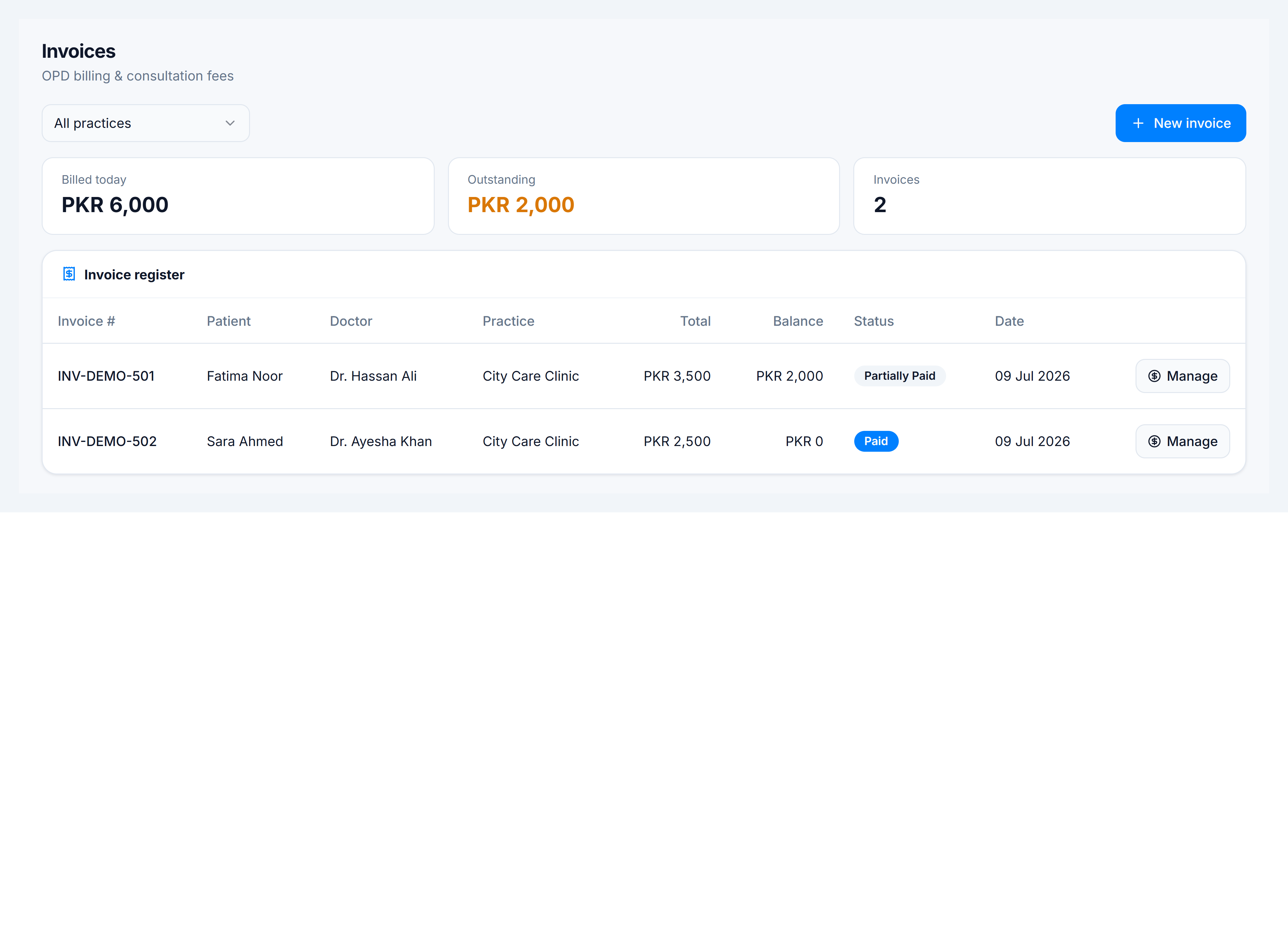
When to use this: you need to raise a procedure invoice, collect a balance, or review OPD billing across practices.
Who can do this: Receptionists and tenant owners with invoice access. Standard consultation fees are collected separately — see Collect consultation fee.
Where to go
| Screen | Route |
|---|---|
| Tenant-wide register | Clinical → Clinic CMS → Invoices (/clinic/invoices) |
| Practice-scoped list | Practices → select a practice → Invoices tab |
Both show the same invoice types; the practice hub pre-filters to one branch.
Create an invoice
- Click New invoice.
- Select Patient, Doctor, and Practice.
- Add line items — pick a procedure from the doctor’s fee list or enter a custom line.
- Save — status starts as Issued or Partially paid once payments are recorded.
Record payment or adjust
- Find the row in the register.
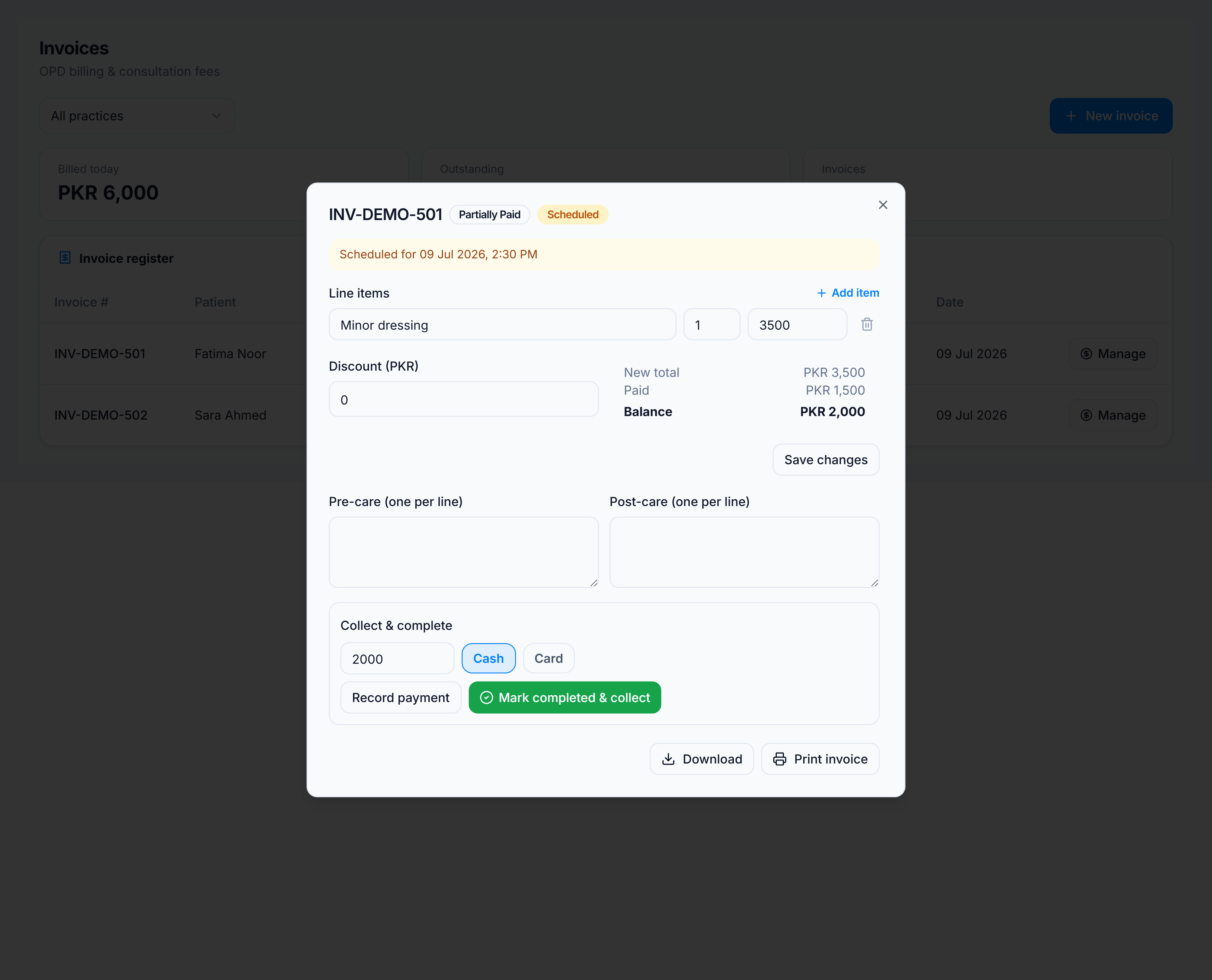
- Click Manage on an invoice with a remaining balance.
- Enter Amount, Method (cash/card), and optional note.
- Print or download the invoice PDF when settled.