View appointment detail
When to use this: reception opened an appointment from the day board or patient history and needs the full single-visit view — not the split day-board layout.
Where to go
Click Open on an appointments row, or navigate to /clinic/appointments/:appointment_number.
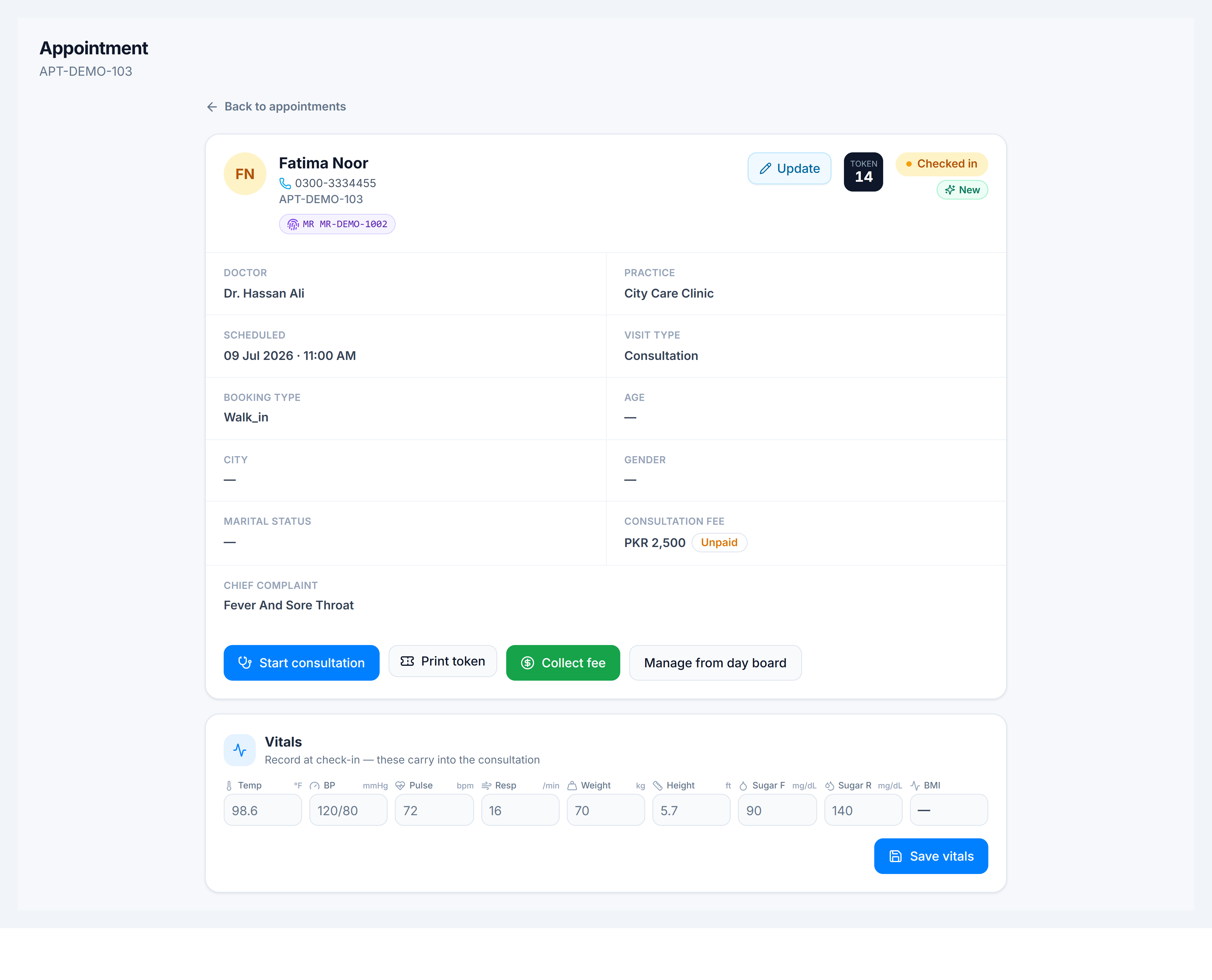
What you can do
| Action | When |
|---|---|
| Start / Resume consultation | Patient is checked in or in progress |
| Print token | Waiting-room display |
| Collect fee | Before or during the visit — opens the payment dialog |
| Record vitals | After check-in, before the doctor starts (arrived status only) |
| Print / Download Rx | After consultation with a saved prescription |
| Print receipt | After fee is paid or waived |
Vitals on this page
When status is Checked in and no consultation exists yet, reception can enter weight, height, BP, pulse, and temperature here. Values carry into the consultation workspace when the doctor starts.