Reorders
Audience: Procurement and warehouse leads who buy between the big distributor cycles, and anyone evaluating or supporting the screen.
Purpose: Front door to Reorders — open a system, read what triggered, then create purchase orders.
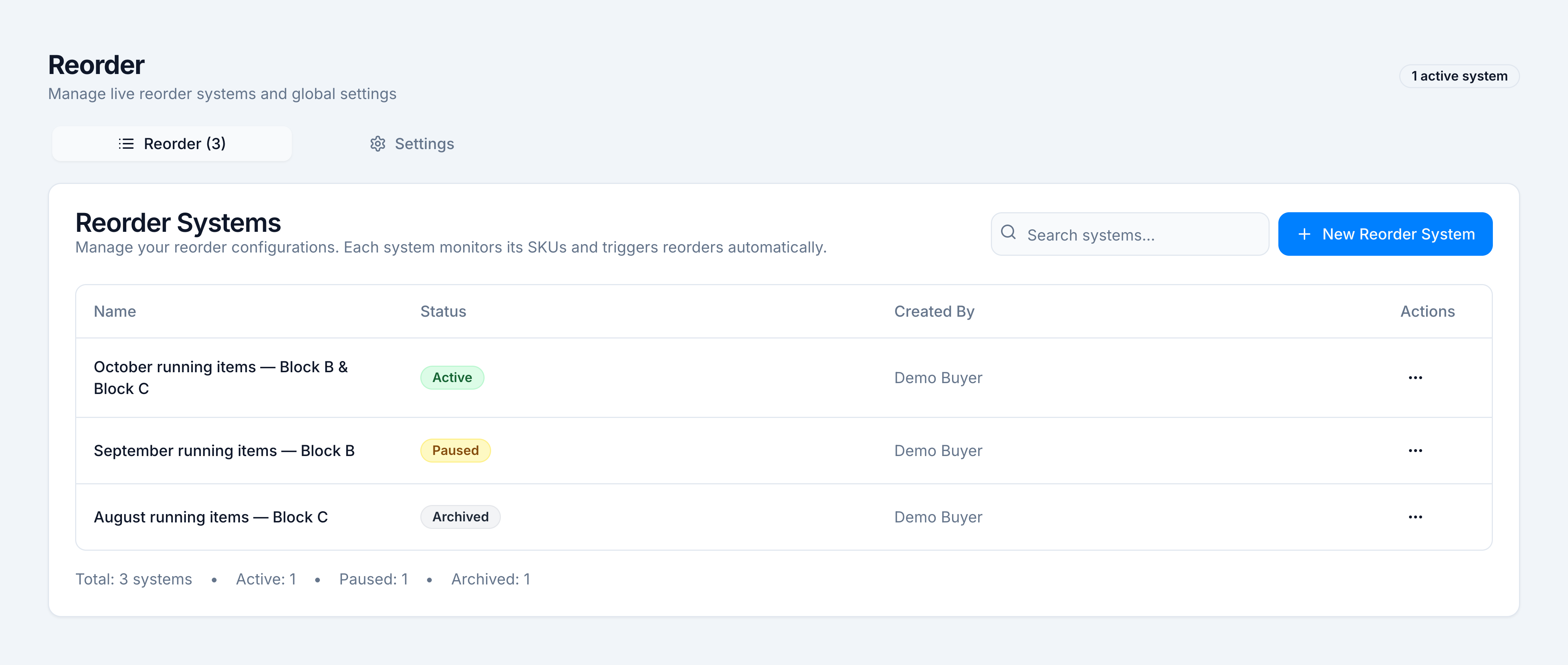
Demo data: Every table in this topic uses the fixture system October running items — Block B & Block C for Demo Pharmacy. Those SKUs, warehouses, and rupee amounts are sample data, not a live tenant.
Reorders watches the SKUs you chose and flags a line when stock will not last through the supplier’s lead time. Cover comes from sales velocity, lead time, and a one-day operational buffer. The suggested packs cover the rest of the current buying cycle.
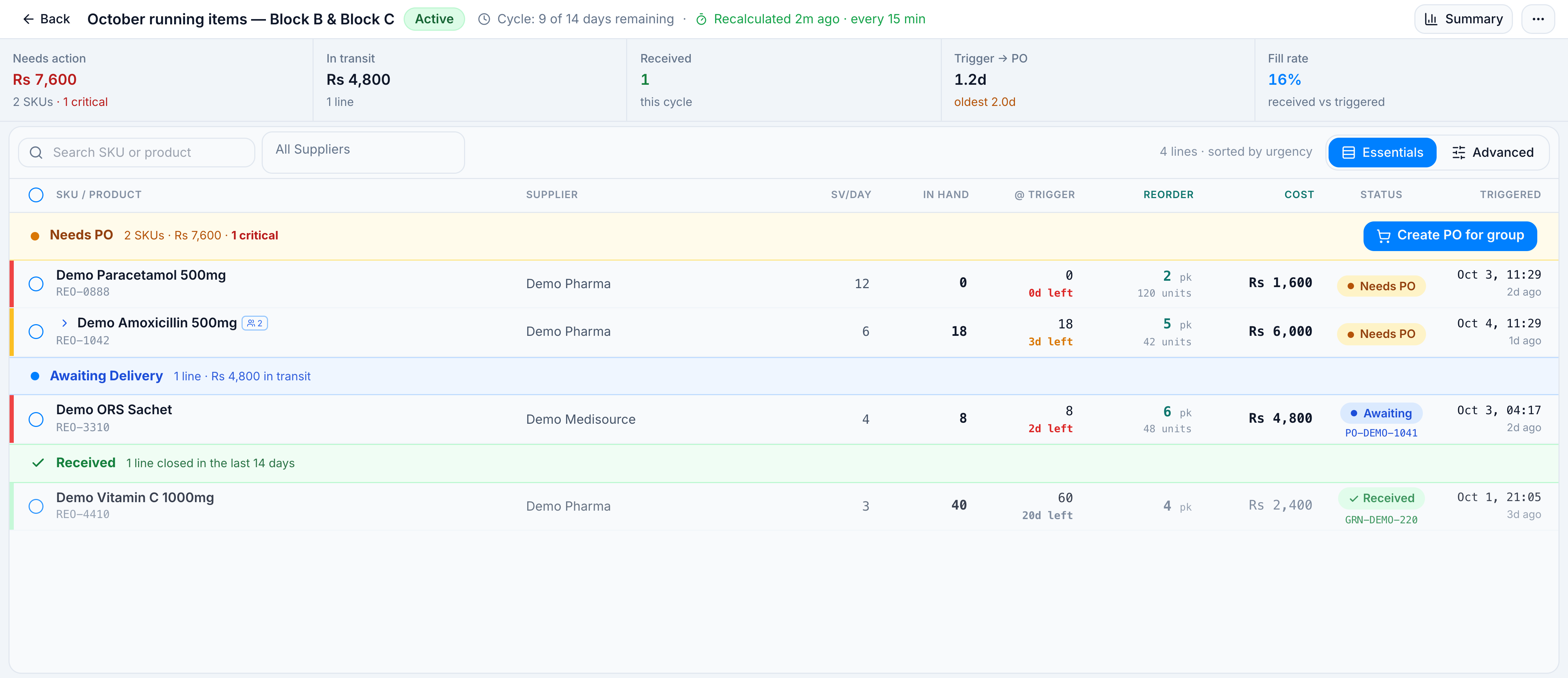
The sample system below is what a populated screen looks like. Your own systems will show different SKUs and totals.
| Demo value | |
|---|---|
| System | October running items — Block B & Block C |
| Status | Active |
| Created by | Demo Buyer |
| Warehouses | Demo Block B, Demo Block C (central stock sits at Demo Central) |
| SKUs watched | 6 |
| Cycle | 9 of 14 days remaining |
| Lines this cycle | 4 (2 still need a PO) |
| Needs action | Rs 7,600 · 2 SKUs · 1 critical |
Four lines from that system, used throughout the how-tos:
| SKU | Product | SV/day | Stock days | Packs | Supplier | Status |
|---|---|---|---|---|---|---|
| REO-1042 | Demo Amoxicillin 500mg | 6.0 | 3.0 | 5 | Demo Pharma | PO Needs to be Made |
| REO-0888 | Demo Paracetamol 500mg | 12.0 | 0 | 2 | Demo Pharma | PO Needs to be Made |
| REO-3310 | Demo ORS Sachet | 4.0 | 2.0 | 6 | Demo Medisource | Awaiting Delivery |
| REO-4410 | Demo Vitamin C 1000mg | 3.0 | 20 | 4 | Demo Pharma | GRN Received |
Amoxicillin is a group. The alternate REO-1043 Demo Amoxil 500mg shares the same line; the buy is raised on the primary SKU.
Pick the kind of help you need
The Academy organises every guide as learn, do, look up, understand.
How to get there
In the left sidebar, open Replenish Stock → Planning → Reorders.
The same screen is also listed under Insights → Forecasting → Reorders when that intent is on. Both open /reorders.
The list is the Reorder tab (Reorder Systems). New Reorder System starts a system. Settings (sales windows, cycle length, buffer, warehouse mapping) shows only when your role can edit reorder settings.
A planned cover buy for a named run lives on the sibling screen Replenish Stock → Planning → Demand Forecast. Reorders is the live list between those buys.