Inventory Put-Away
Audience: Warehouse operators and managers who slot stock after goods receipt — plus anyone evaluating or supporting WMS put-away.
Purpose: Front door to Inventory Put-Away (
/wms/inventory-put-away). Distinct from Inventory Management (read-only stock) and Batch Update (line edits).Related: Warehouse Layout for bin codes · Goods Receipt upstream.
What shipped: Put-Away release notes.
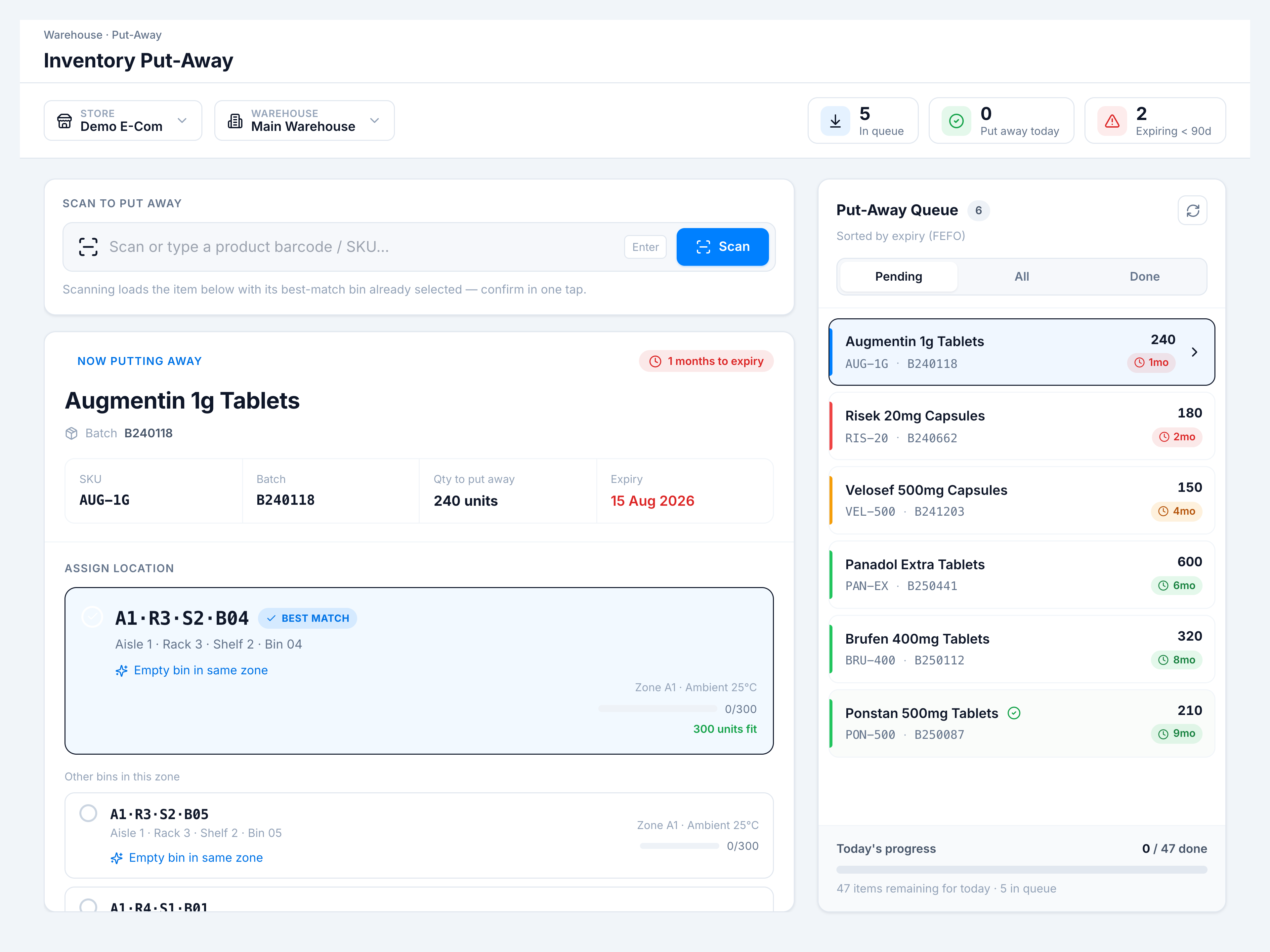
Inventory Put-Away is the scan-first workflow for assigning bins after receipt. Pick store and warehouse, scan or select a pending line, review the best-match bin (same SKU / zone), confirm in one tap, and work the FEFO queue on the right.
Pick the kind of help you need
The Academy organises every guide as learn, do, look up, understand.
The screen
How to get there
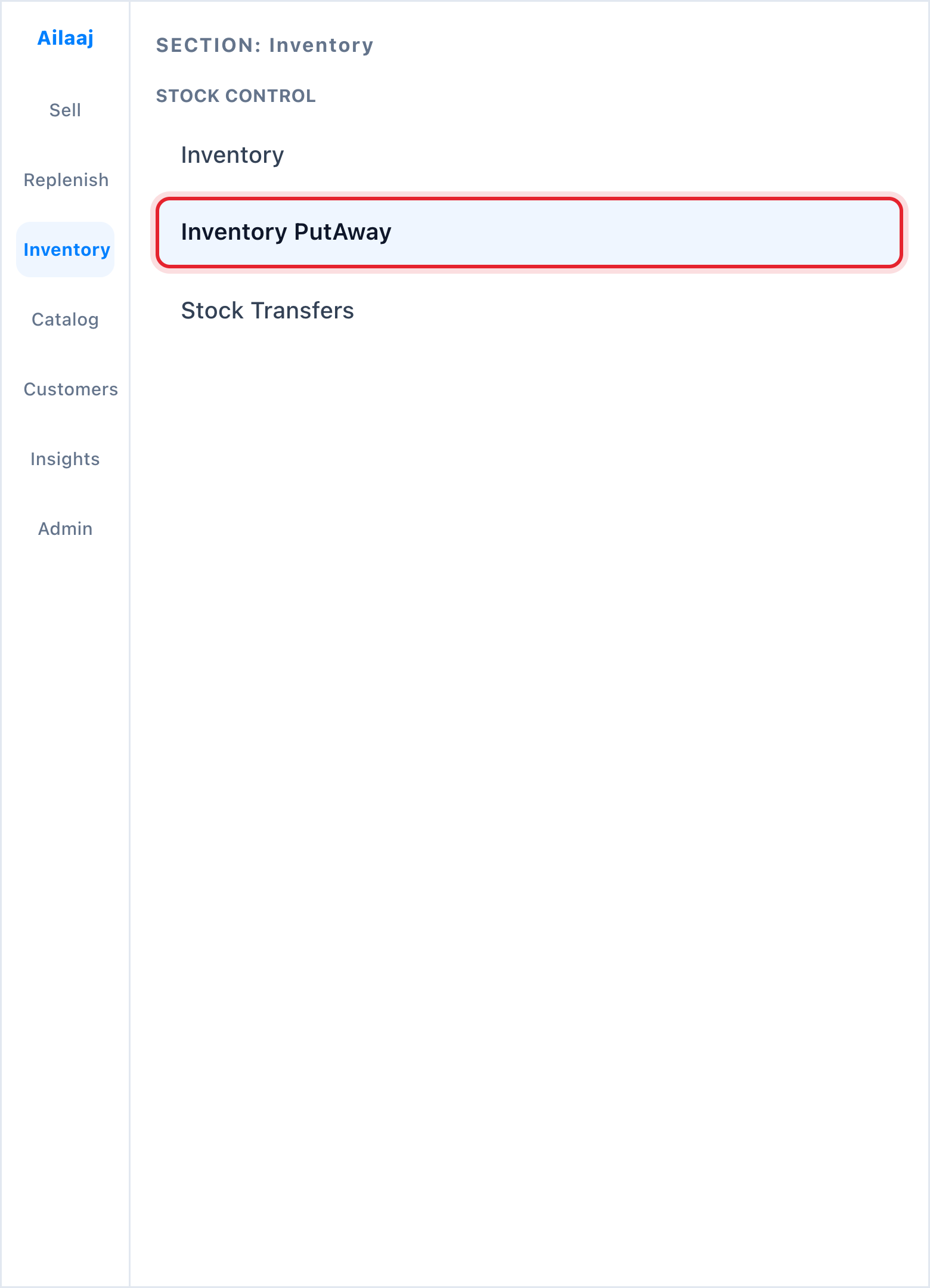
Inventory → Stock Control → Inventory PutAway (/wms/inventory-put-away).