Dispatch Station
Audience: Hospital pharmacy runners (kiosk), supervisors (Live Dispatch Board), dispatch leads, and IT.
Purpose: This is the front door to Dispatch Station — print rider and warehouse QRs, run the public kiosk, and supervise own-fleet trips from Reports v2.
Release: OMS v1.5.0 release notes.
Dispatch Station is the own-fleet runner flow at /dispatch: scan a rider badge, claim packed picklists from the rack, print a trip sheet, deliver to wards, then scan the warehouse wall QR to close the trip. Supervisors watch the same rack and active trips on the Live Dispatch Board — runners claim themselves; staff supervise instead of assigning from the pack screen.
Pick the kind of help you need
The Academy organises every guide as learn, do, look up, understand.
The screen
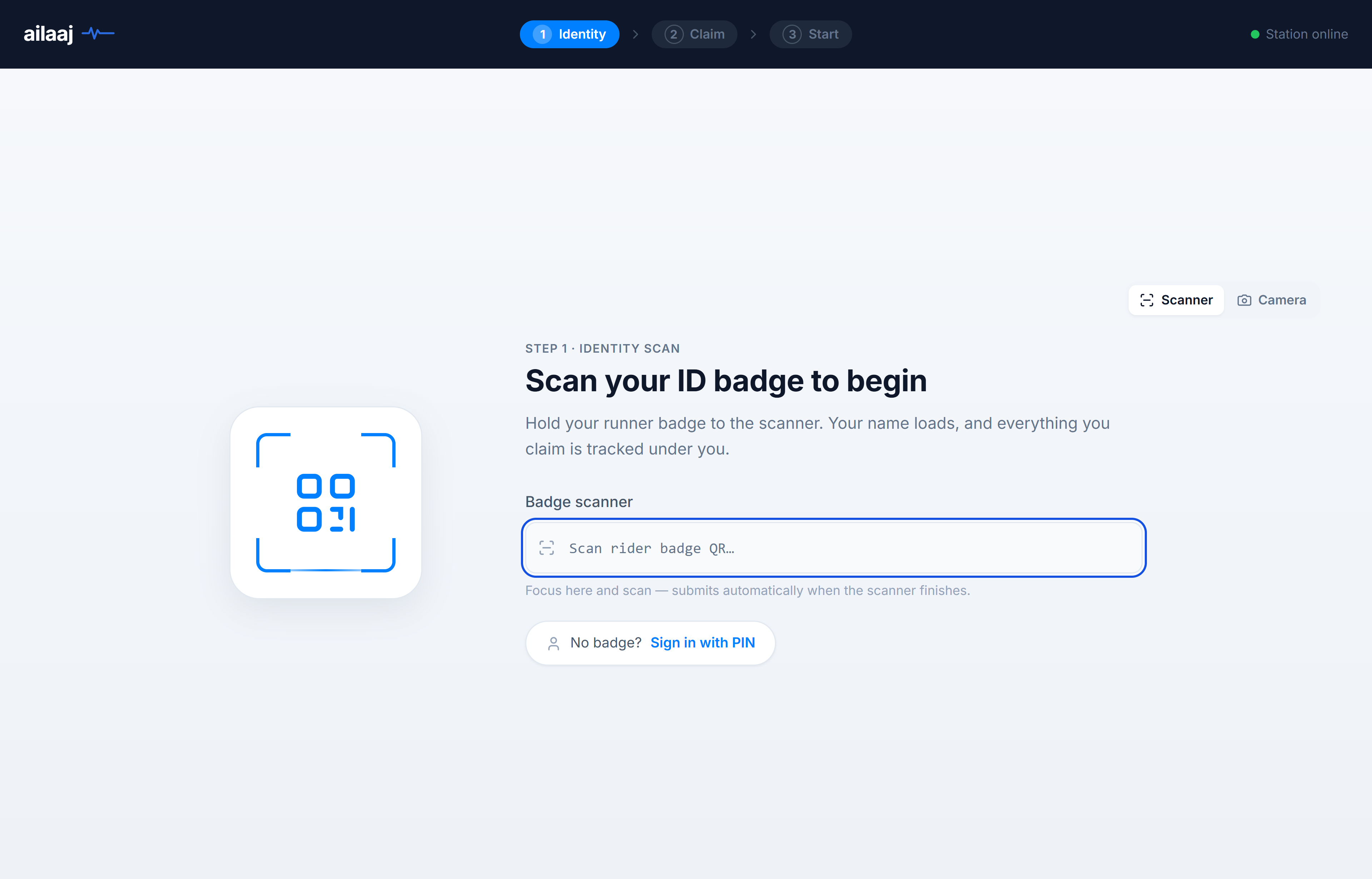
How to get there
Public kiosk (no login): open /dispatch on the dispatch PC (bookmark recommended).
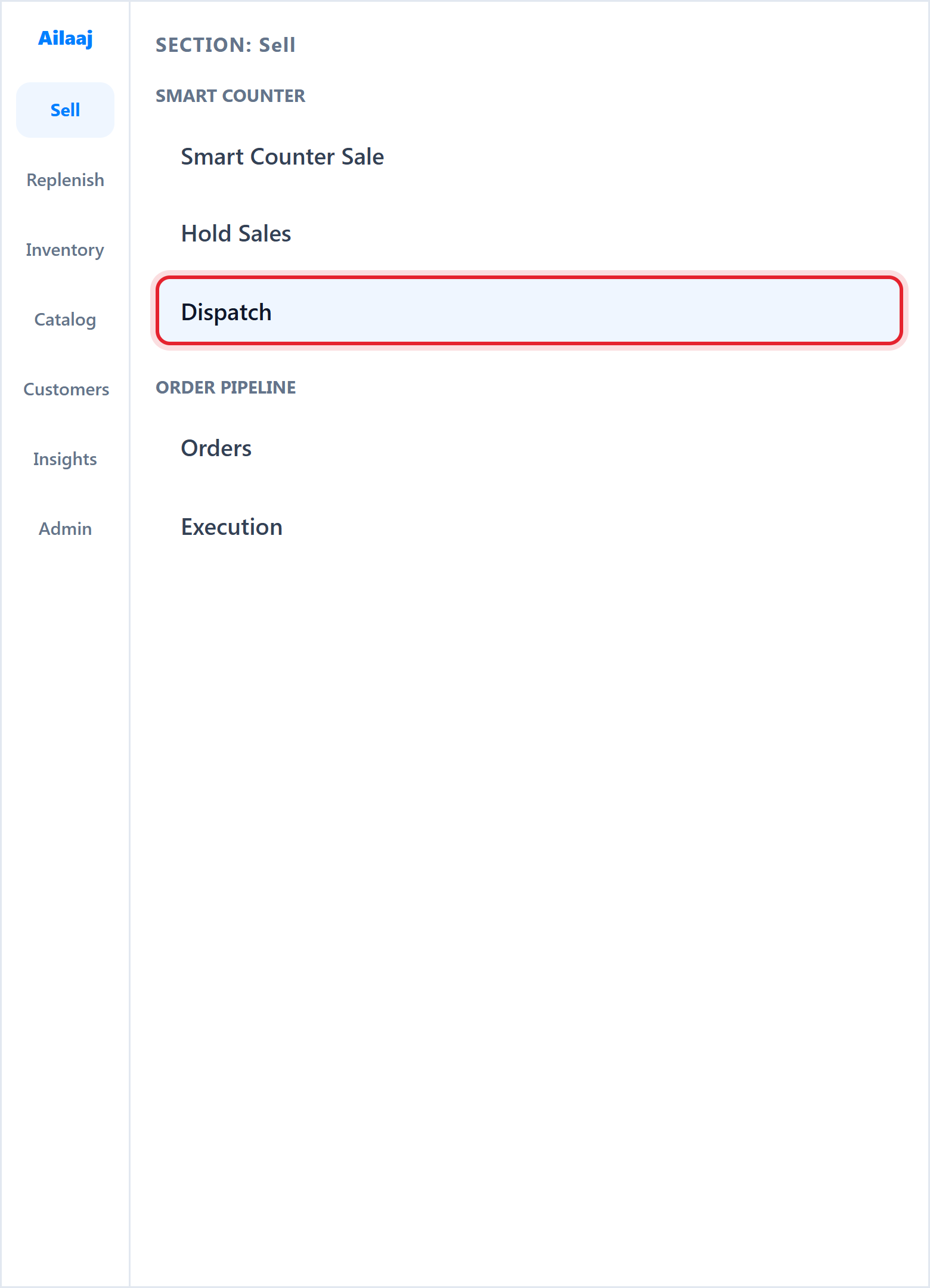
Inside the staff app: Sell → Smart Counter → Dispatch (same kiosk with sidebar).
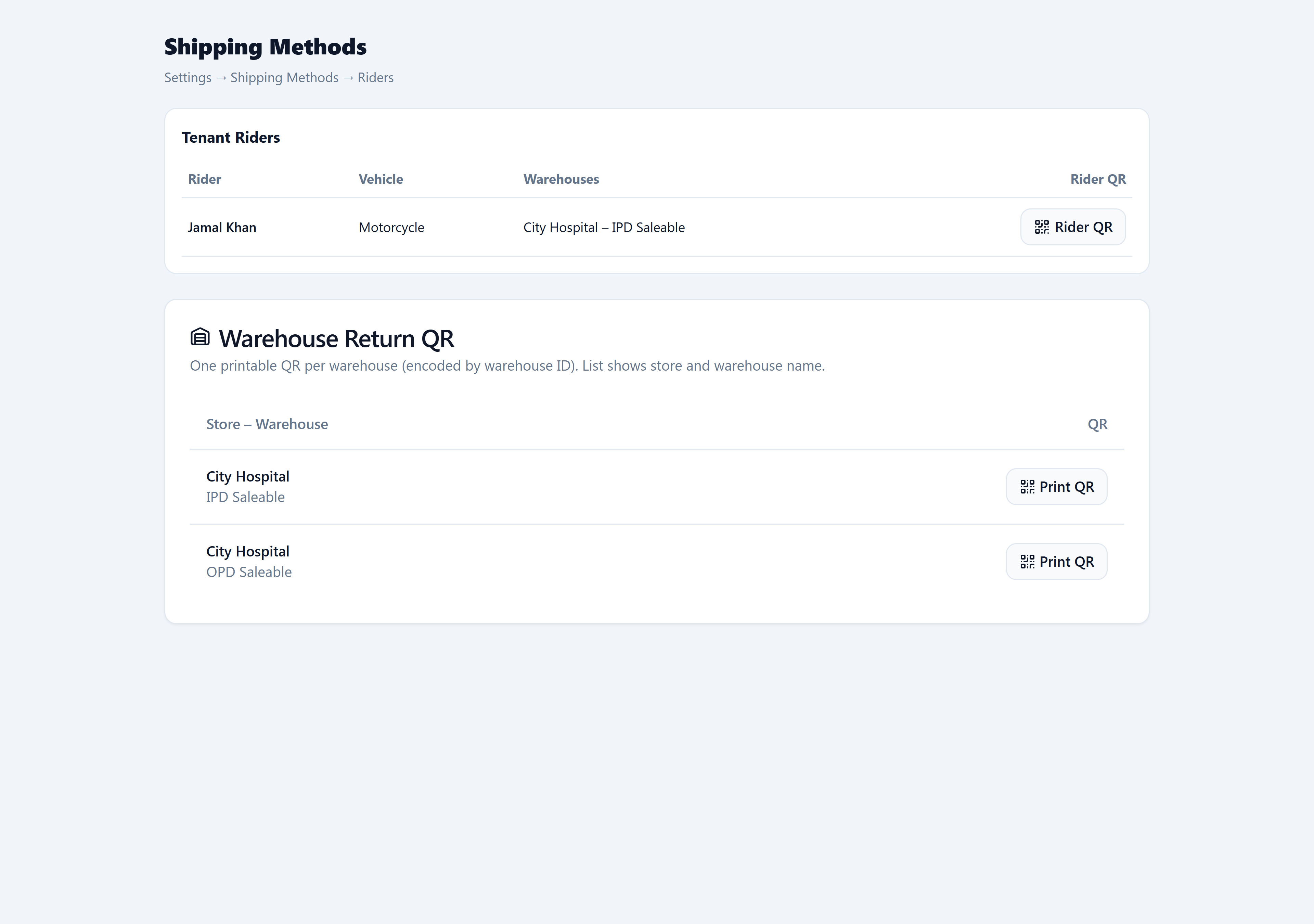
Print rider & warehouse QRs: Admin → Operations → Shipping Methods (Riders tab).
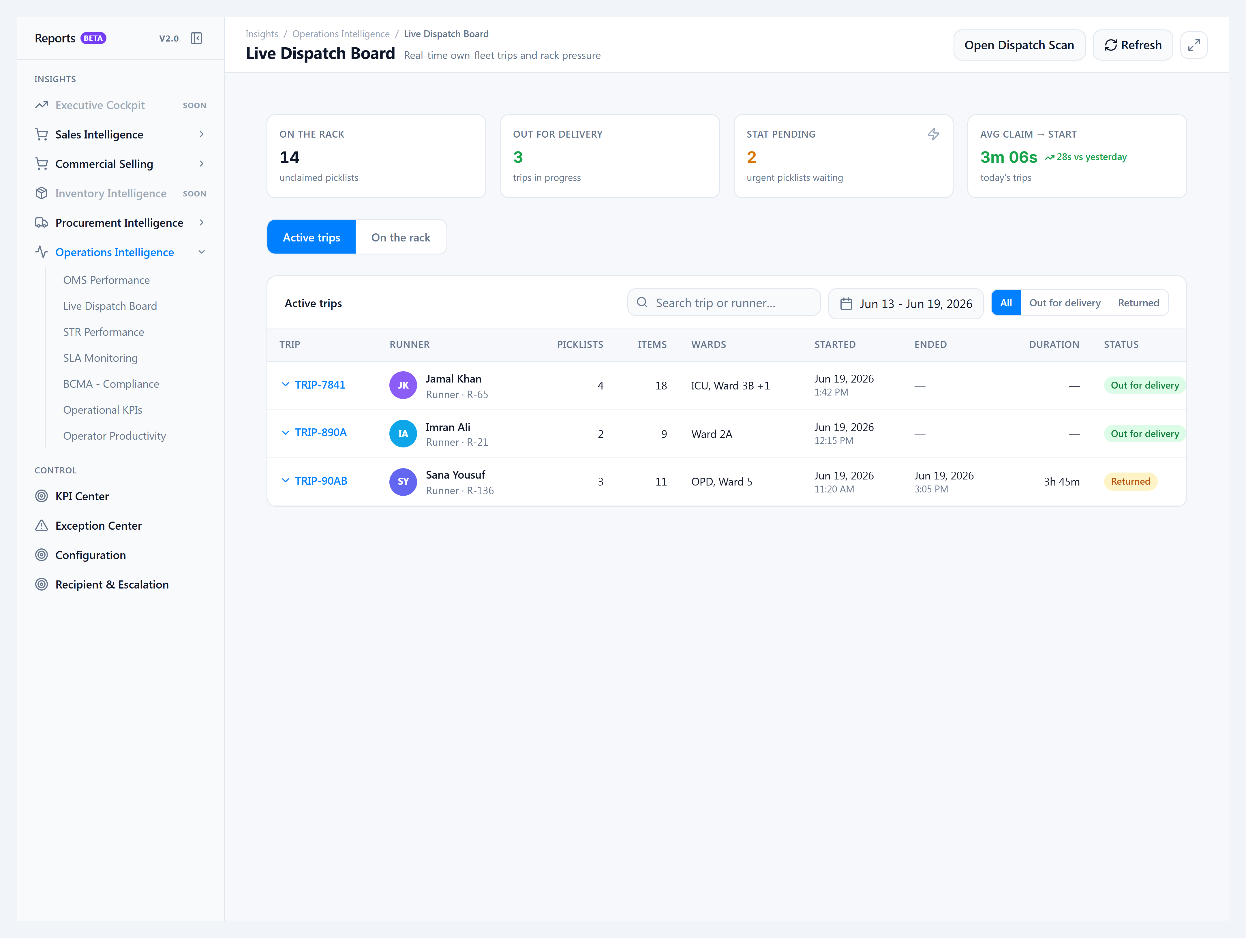
Supervisor board: Insights → Reports v2.0 → Live Dispatch Board — /reports/v2/operations/live-dispatch.
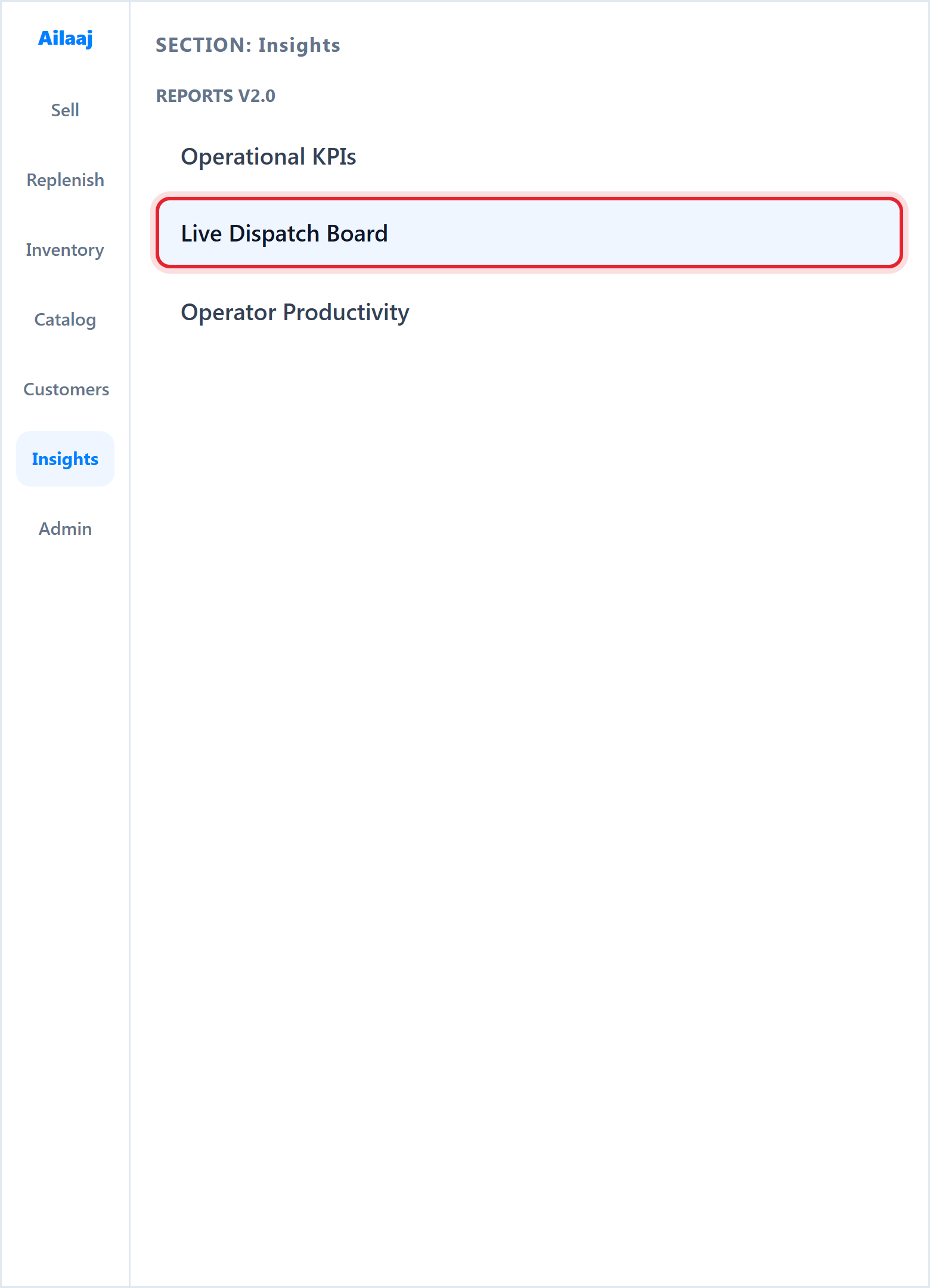
Supervisor view · Live Dispatch Board
Staff don’t assign trips from the pack screen anymore — they supervise. The board shows rack pressure, who’s out for delivery, STAT backlog, and returned trips in your date range.