Update practice settings
When to use this: you need to change how a branch runs day to day — contact details, invoice numbering, queue tokens, appointment rules, or prescription defaults.
Who can do this: Tenant owner (practice administrator). Doctors and receptionists cannot open the Practices hub.
Where to go
- Clinical → Clinic CMS → Practices (
/clinic/practices) - Select the practice card
- Open the Settings tab (
/clinic/practices/:practiceId/settings)
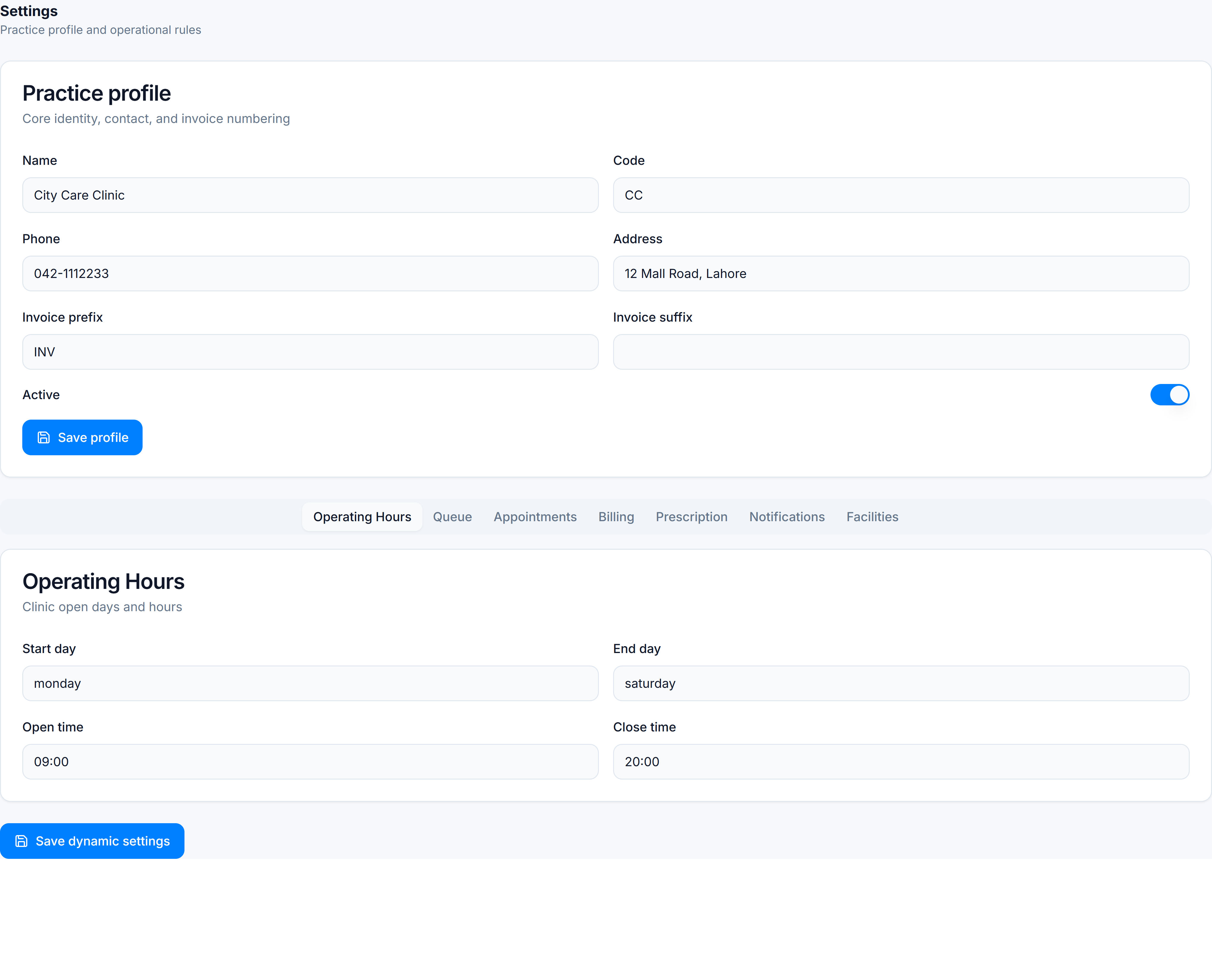
Practice profile
Update and click Save profile:
| Field | Purpose |
|---|---|
| Name / Code | Display name and short code |
| Phone / Address | Shown on invoices and internal records |
| Invoice prefix / suffix | OPD invoice numbering pattern |
| Active | Inactive practices are hidden from booking |
Operational rules (tabs)
Each tab controls one area. Edit values, then click Save dynamic settings:
| Tab | Controls |
|---|---|
| Operating Hours | Default clinic open days and hours |
| Queue | Token generation, queue board behaviour |
| Appointments | Booking defaults, walk-in rules |
| Billing | Currency, tax, default consultation fee |
| Prescription | Rx header/footer text, whether reception can edit Rx |
| Notifications | Patient reminder preferences |
| Facilities | Emergency and accessibility flags |
Switching practices
Use Practices in the sidebar to pick another branch. Each practice has its own settings — changes do not copy automatically.
You’re done when
Saved toast appears and the values persist after refresh.