Manage doctor tags and favourites
When to use this: you prescribe the same medicines, order the same labs, or label visits with the same tags often — and want one-tap access during consultations.
Who can do this: Doctors only. Settings are stored on your doctor profile, not shared across the whole practice unless another doctor configures their own copy.
Where to go
Clinical → Clinic CMS → Clinical Fields (/clinic/clinical-fields) — scroll to the collapsible panels below the note template.
You can also manage tags inline during a consultation (Tags section) and save new tags to your library from there.
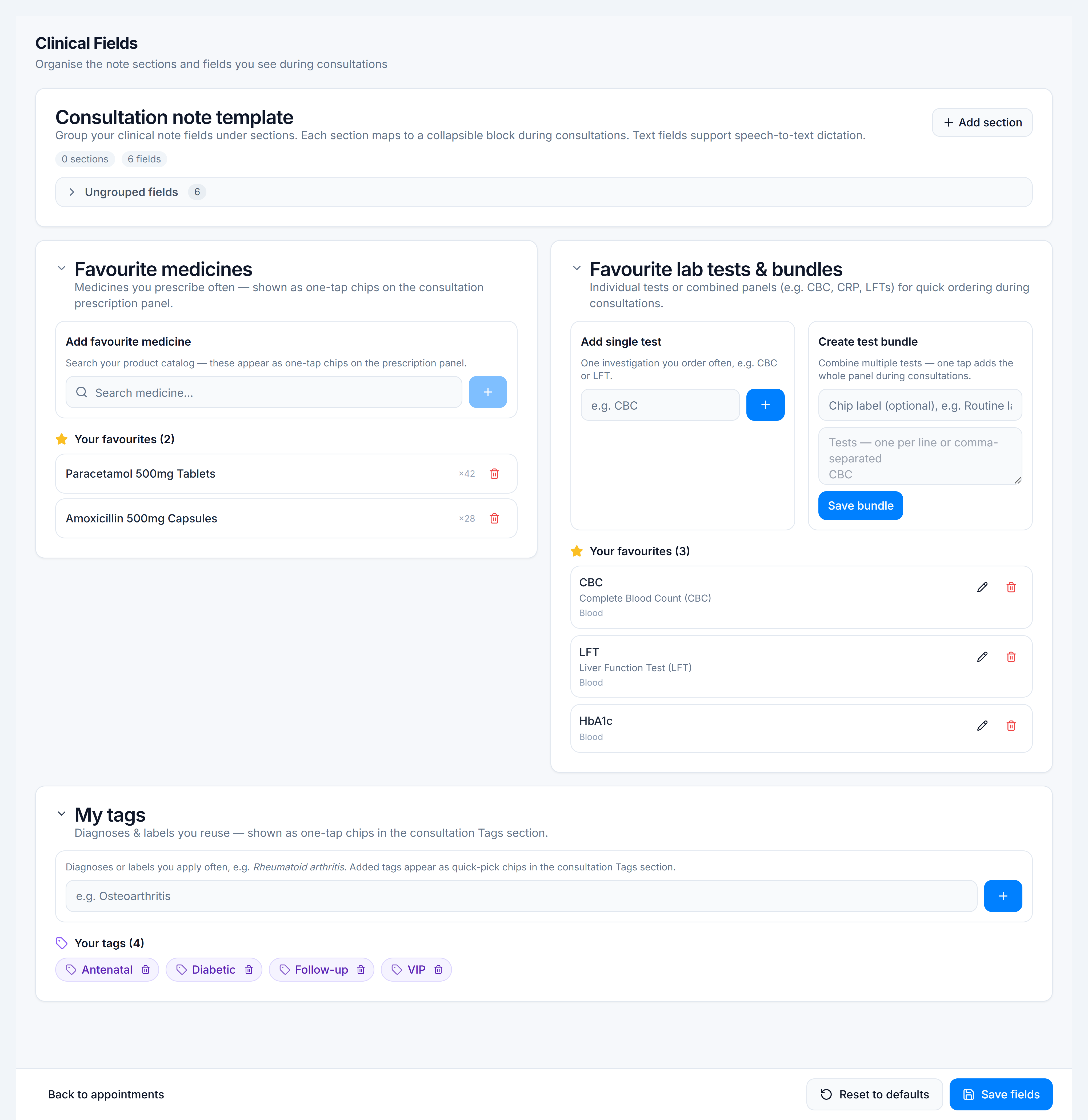
My tags
- Expand My tags.
- Add a tag name (e.g. Diabetic, Antenatal, Follow-up 2w).
- Tags appear as chips in the consultation Tags section for quick assignment to the current visit.
Tags on a visit are separate from the tag vocabulary — the vocabulary is what you maintain here.
Favourite medicines
- Expand Favourite medicines.
- Search and add products or generic ingredients you prescribe frequently.
- In a consultation, favourites appear as quick-pick chips in the Prescription section.
When you prescribe a medicine often, the workspace may also offer to save dosing as a personal preset for that line item.
Favourite lab tests & bundles
- Expand Favourite lab tests & bundles.
- Add test names (CBC, LFT, HbA1c, etc.) with optional short name and specimen.
- In a consultation, tap a favourite to add it to Lab tests instantly.
Diagnostic presets (during consultation)
Named bundles that combine multiple medicines + lab tests + diagnosis text for a recurring condition are saved from the consultation workspace via Diagnostic presets — not on this setup page. They complement favourites for whole-workflow shortcuts.