Suggest a procedure in consultation
When to use this: the doctor recommends a procedure (nebulization, dressing, ECG, etc.) and reception needs to convert it to a billable invoice when the patient agrees.
Doctor — suggest during consultation
- Open the Consultation workspace.
- Scroll to the Procedures card (right column).
- Click Suggest procedure.
- Pick from the doctor’s procedure fee list — procedures configured under Consultation Slots → OPD procedures for that doctor (e.g. Nebulization, Minor dressing).
- Adjust price, schedule date, pre/post-care notes, and save.
The suggestion appears on the printed prescription and on Appointments → Procedures for reception.
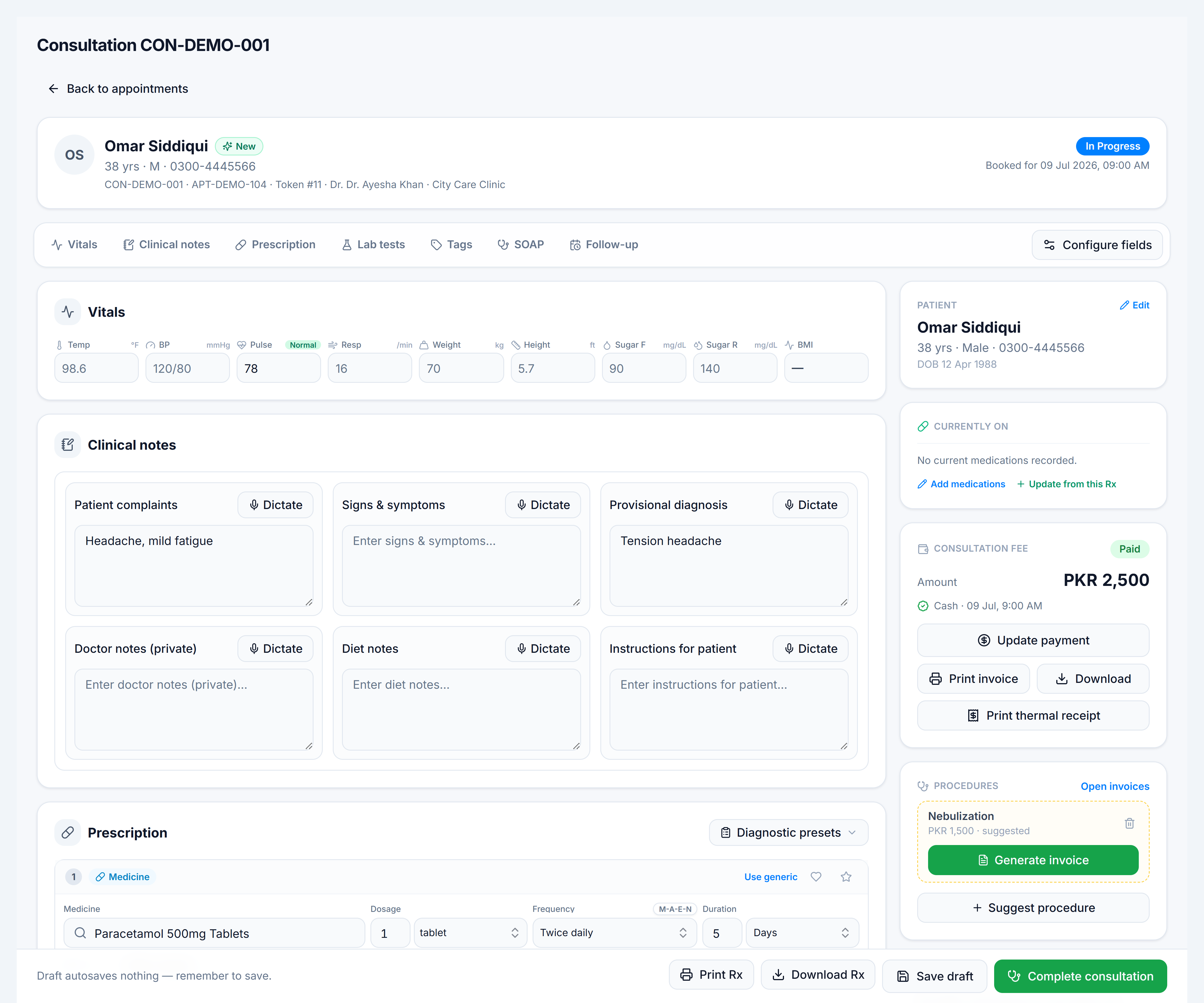
Reception — generate invoice
- When the patient agrees, click Generate invoice on the suggestion (doctor can also do this).
- The invoice appears in Invoices and on the Procedures appointments tab.
- Collect payment via Manage on the invoice register.
Lifecycle
| Stage | Where it shows |
|---|---|
| Suggested | Consultation Procedures card · Appointments Procedures tab (amber) |
| Invoiced | Invoice register · Procedures tab (green balance) |
| Completed | Invoice marked complete after the procedure is performed |