Track my tickets
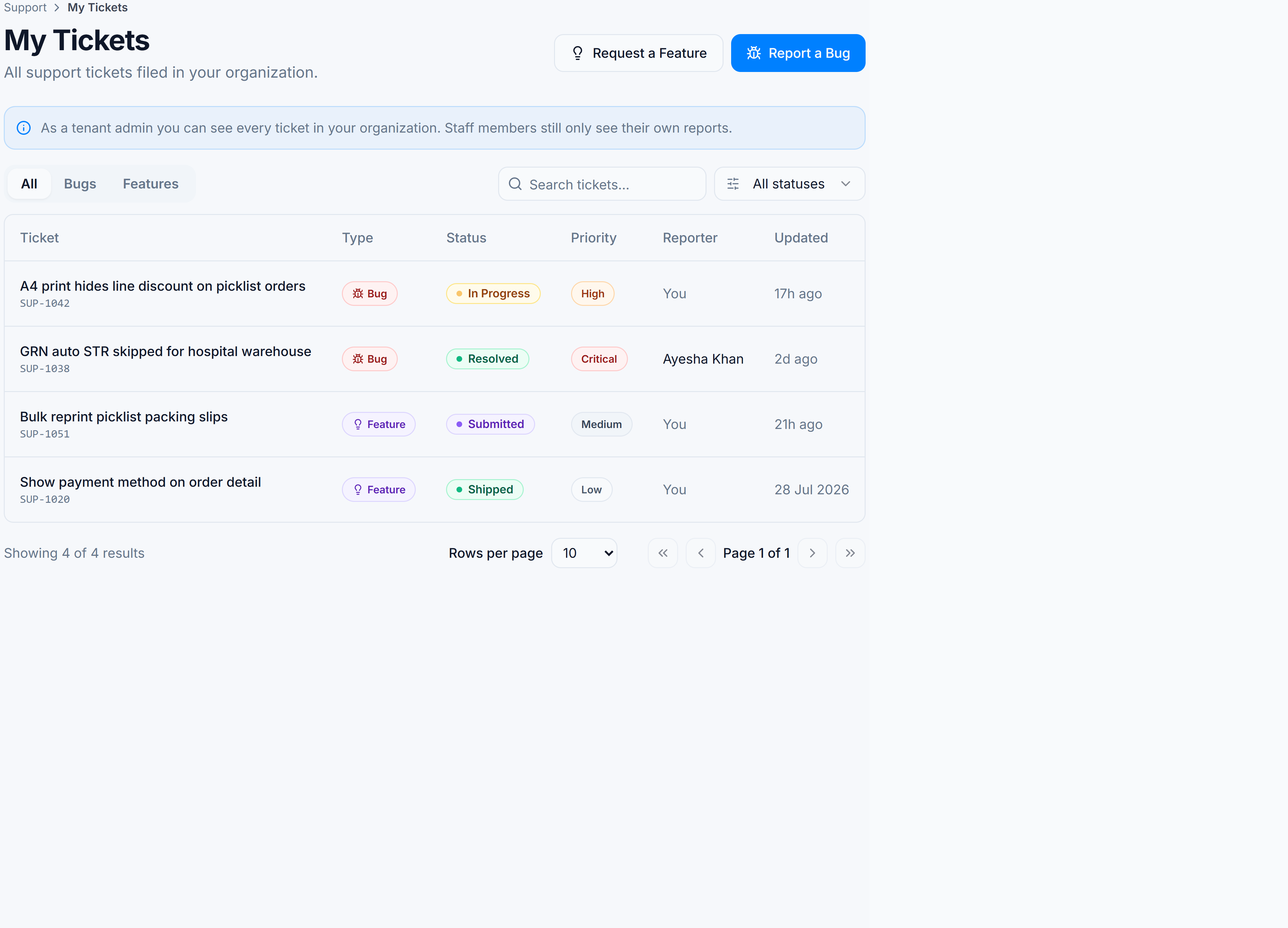
Goal: see the status of bugs and feature requests you have already submitted. Where: Support → Help → My Tickets (
/support/tickets).
When you’d do this
- Check whether a bug is still Reported, being worked on, or Resolved
- See if a feature idea is Under Review, Shipped, or Declined
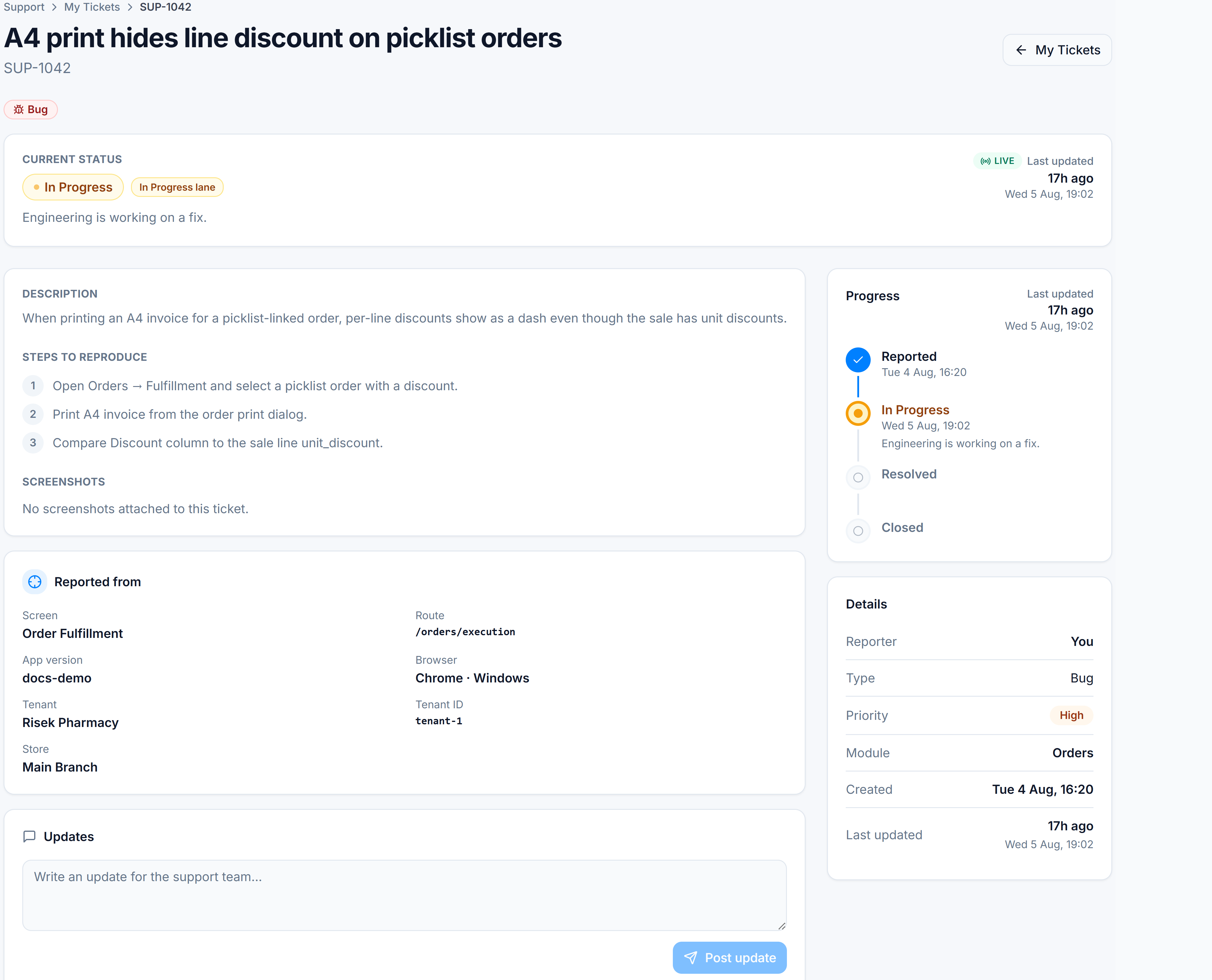
- Open a ticket for the full description and timeline
Steps
- Open Support → Help → My Tickets.
- Use All / Bugs / Features and the status filter to narrow the list.
- Click a row to open the ticket detail and status timeline.
- If the status is Waiting on you, post an update in the ticket thread with the missing detail.
Success looks like
You can find every ticket you submitted, read its friendly status, and understand the next step from the timeline hint.
Status at a glance
| Kind | Typical labels |
|---|---|
| Bug | Reported → In Progress → Resolved → Closed |
| Feature | Submitted → Under Review → Shipped (or Declined) |
Full definitions: Ticket statuses & fields.