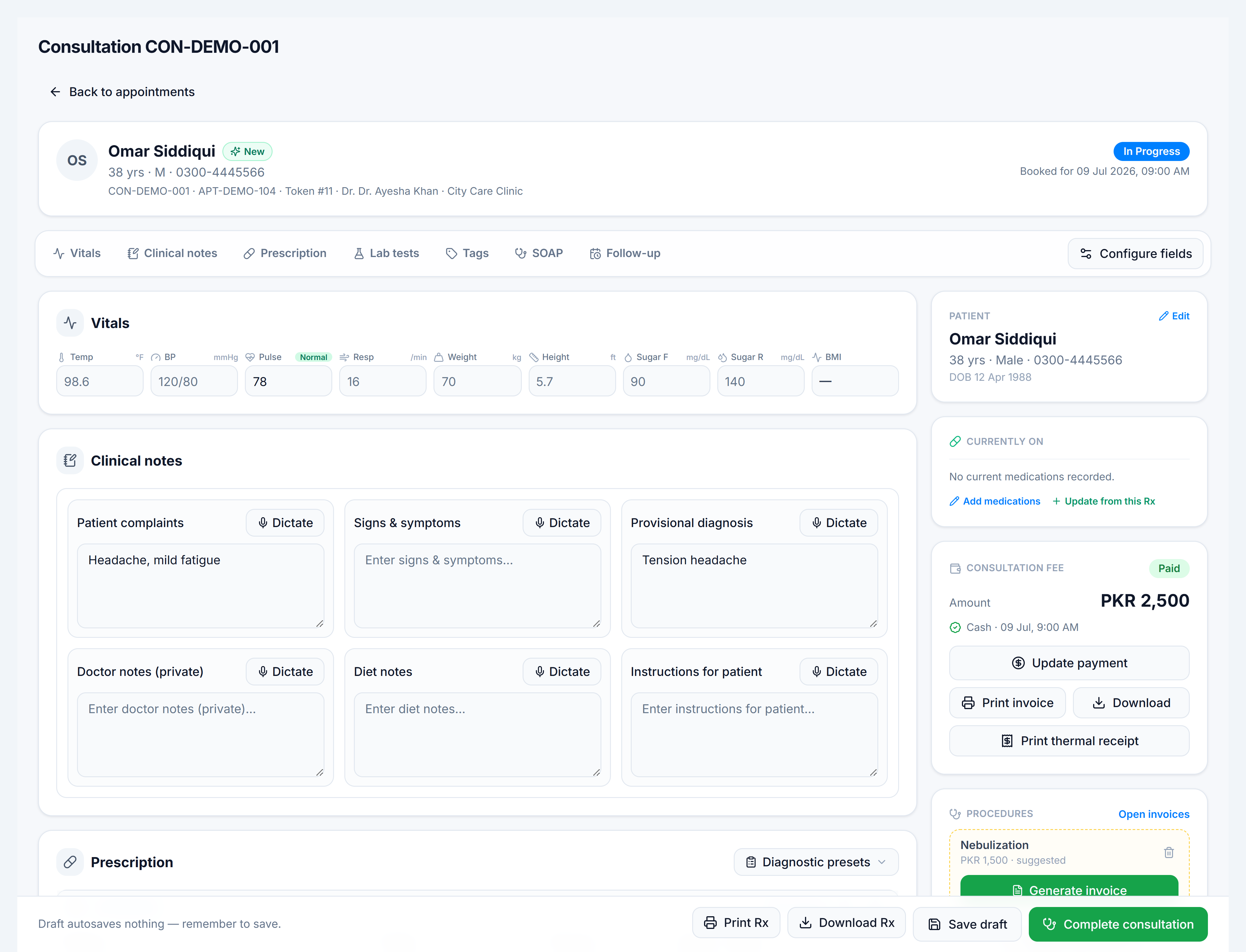
Run a consultation
Steps
- From Appointments or Queue, click Start / Resume on an
in_progressorarrivedrow — or open/clinic/consultations/:consultation_numberdirectly. - Review the patient header — demographics, visit badge, appointment link.
- Complete Clinical notes — SOAP fields plus any sections you configured under Clinical fields.
- Enter Vitals — BMI calculates from height and weight.
- Add Medicines and Lab orders — use favourites or search.
- Set Follow-up date and instructions if needed.
- Review Billing — fee, discount, payment status.
- Complete consultation when finished — prescription can be printed/downloaded.