Set consultation slots and fees
When to use this: the appointment calendar shows no open times, or you need to set OPD fees before reception collects payment.
Who sees what
| Role | View |
|---|---|
| Doctor | Own weekly availability and fees across assigned locations |
| Tenant owner | Pick any doctor from the dropdown and manage their schedule and fees |
Receptionists book against slots but cannot edit schedules.
Where to go
Clinical → Clinic CMS → Consultation Slots (/clinic/consultation-slots)
Doctors can also open Edit profile here to update PMDC number, specialization, default slot duration, and consultation rate.
Set weekly availability
- Select a location (if you work at more than one site).
- On the week grid, add or drag availability blocks for each day.
- Choose slot duration (5–60 minutes) — must match how appointments are booked.
- Click Save schedule.
Blocks must fall within the location’s operating hours (set by the tenant owner under Configure practice locations).
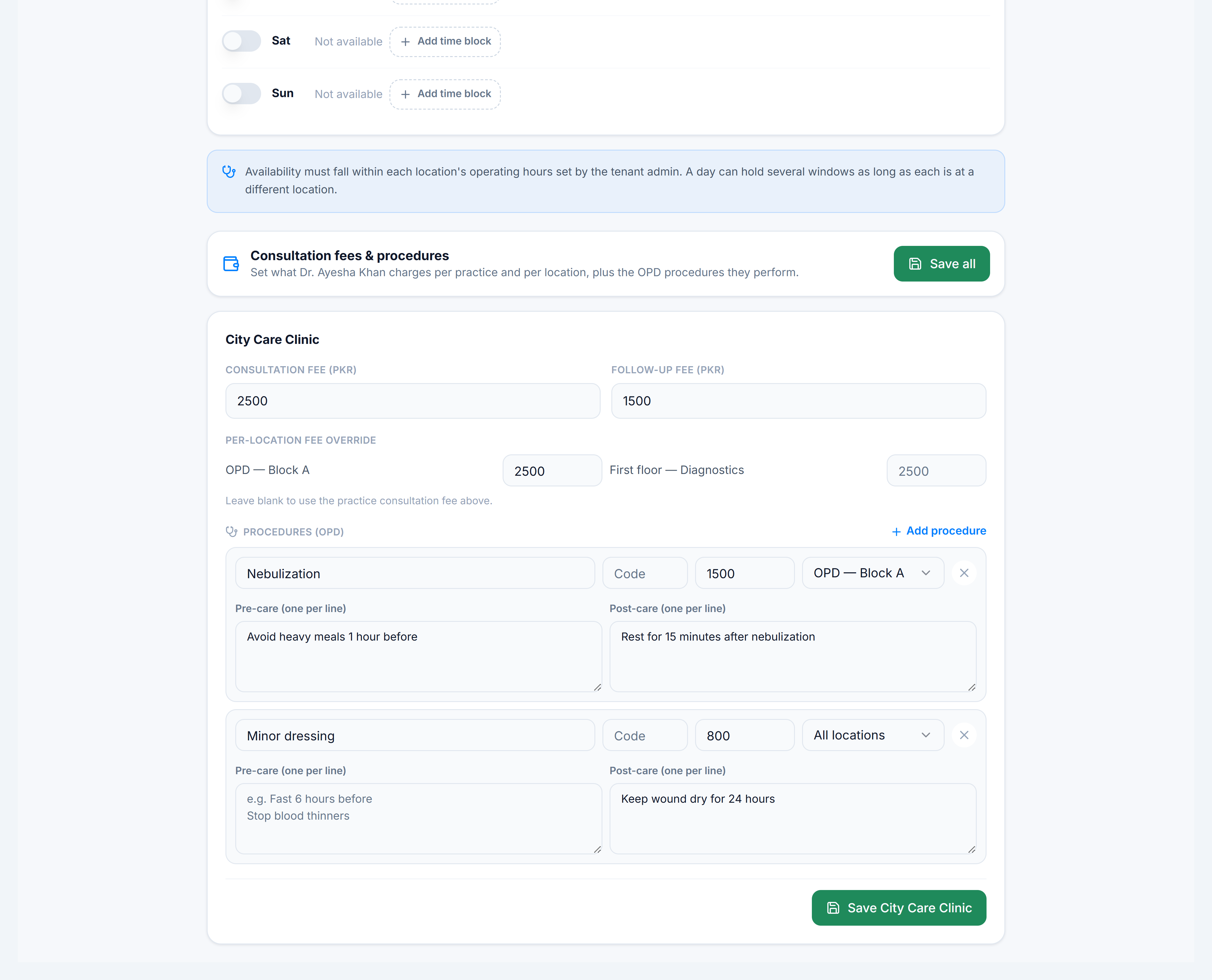
Set consultation fees
Scroll to the Fees card:
| Field | Purpose |
|---|---|
| Consultation fee | Default OPD charge for this practice |
| Follow-up fee | Reduced fee for return visits (if used) |
| Location override | Different fee per site, optional |
| OPD procedures | Quick fee list for common procedures |
Fees feed into check-in and the consultation Consultation fee card.
Edit doctor profile
Click Edit profile (or Edit my profile) to update:
- Display name, specialization, PMDC number
- Default consultation duration (minutes)
- Base consultation rate
Tenant owners editing another doctor can also toggle Active.
You’re done when
Save schedule succeeds, the booking calendar shows open slots for that doctor, and a test appointment can be booked.
If it goes wrong
| Situation | Fix |
|---|---|
| No slots on calendar | Confirm location hours, doctor assignment, and at least one availability block |
| Slots greyed out | Block may be outside location operating hours |
| Wrong fee at check-in | Update fees here and refresh the appointment row |