Assign clinic staff in Users settings
When to use this: you have created at least one clinic practice and location, and need staff accounts before booking or consultations can run.
Who can do this: Tenant owner only. Doctors and receptionists cannot create users or change practice assignments.
Where to go
Admin → Settings → Users (/settings/users)
This is separate from Clinic → Doctors, which shows the doctor roster after users exist. User creation always starts in Settings.
Create a clinic doctor
- Open Admin → Settings → Users.
- Click Create user (or Add user).
- Enter Full name, Email, and Password.
- Set Role to Clinic Doctor.
- Under Clinic Practices & Locations, tick each practice location where this doctor consults.
- Click Create user.
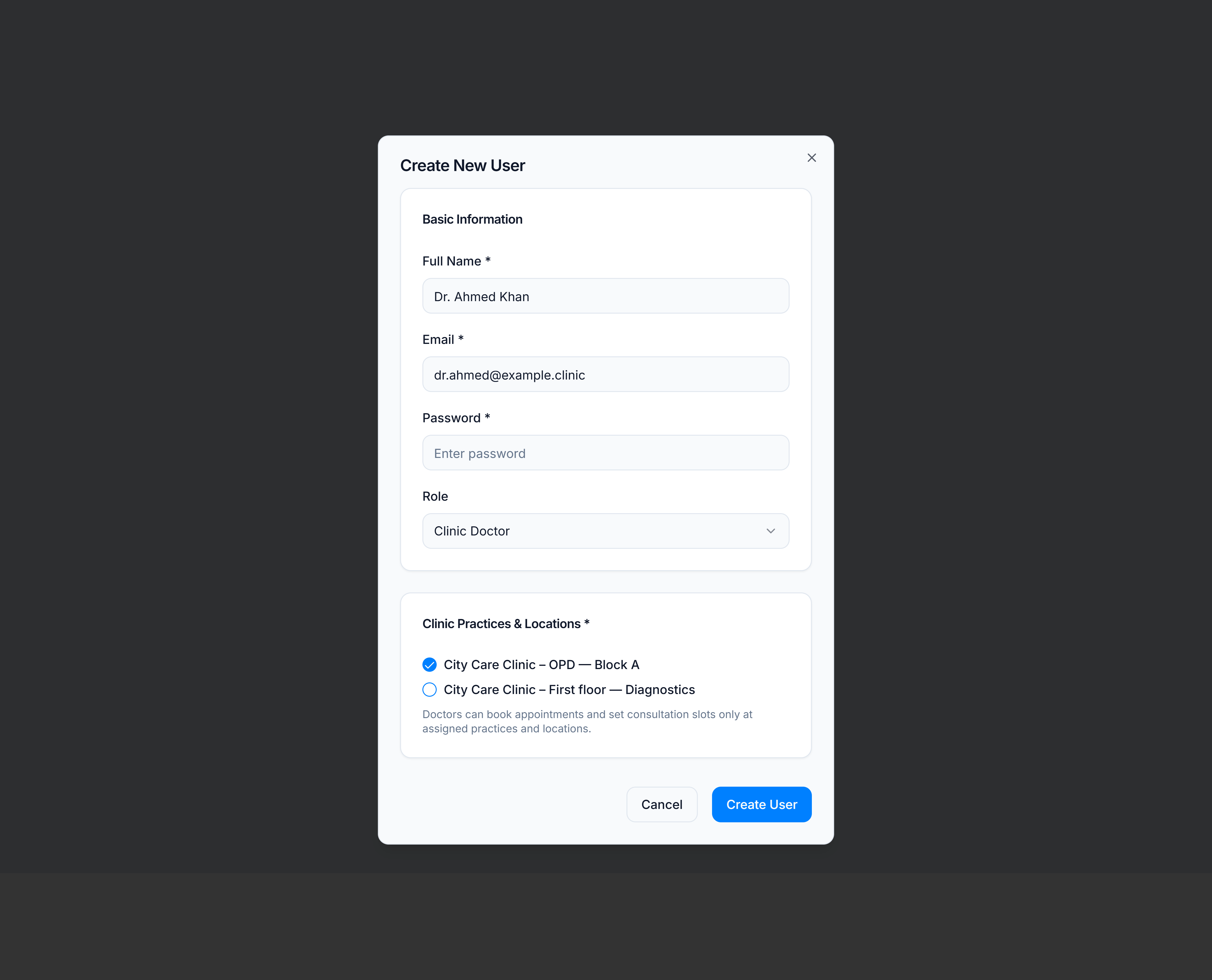
Doctors only see appointments, slots, and consultations for locations they are assigned to. After the account exists, set their schedule in Consultation slots & fees.
Create a clinic receptionist
Follow the same steps, but choose Clinic Receptionist as the role.
Receptionists can book appointments with all doctors at their assigned practices and locations. They cannot open consultation slots, clinical fields, or the doctor roster admin pages.
Update an existing user
To move a doctor or receptionist to another branch:
- Admin → Settings → Users → Edit on the user row.
- Change Clinic Practices & Locations — add or remove location checkboxes.
- Save.
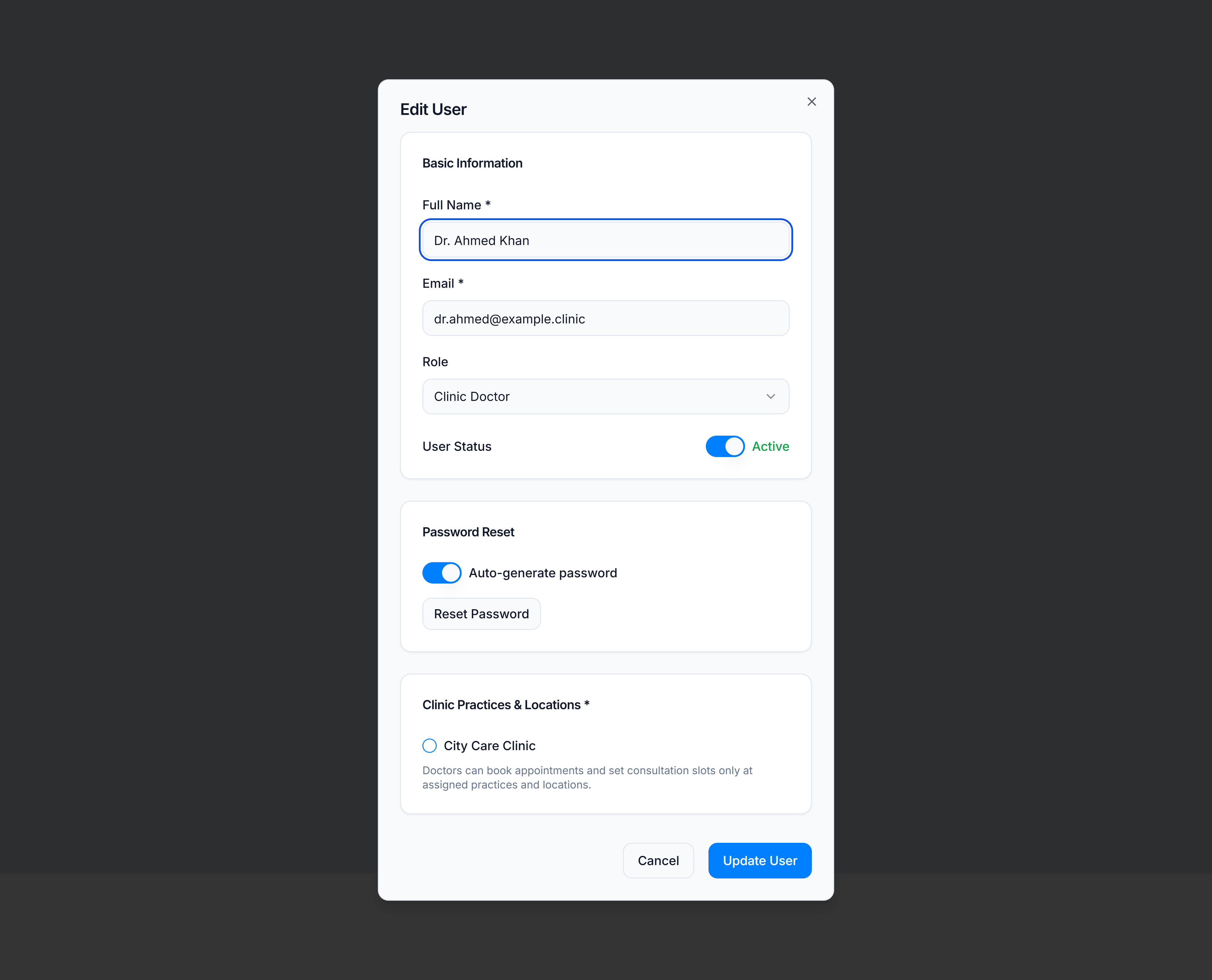
Removing a location immediately hides that site from their Clinic CMS menus.
You’re done when
| Role | Ready when |
|---|---|
| Clinic Doctor | User can sign in, appears on Doctors after first login, and has at least one location assigned |
| Clinic Receptionist | User can sign in to Reception desk, see assigned practices, and book on the day board |
If it goes wrong
| Situation | Fix |
|---|---|
| Clinic Practices & Locations card missing | Confirm Role is Clinic Doctor or Clinic Receptionist — pharmacy roles use store assignment instead |
| No practices listed | Create a practice first: Create a clinic practice |
| Practice shows but no locations | Add locations under Clinic → Practices → Clinic Locations or from Admin → System → Clinic Practices |
| Doctor cannot set slots | Verify they are assigned to the location where you expect them to consult |
| Receptionist sees wrong branch | Edit the user and adjust location checkboxes |