Stock Transfers
Audience: Warehouse staff and pharmacists who send, move, and receive stock between locations — plus anyone supporting the tools.
Purpose: This is the front door to the Stock Transfers guide. It explains the screen’s action-first shape at a glance, then points you to the right page — a single task, a rule, or why it’s built this way.
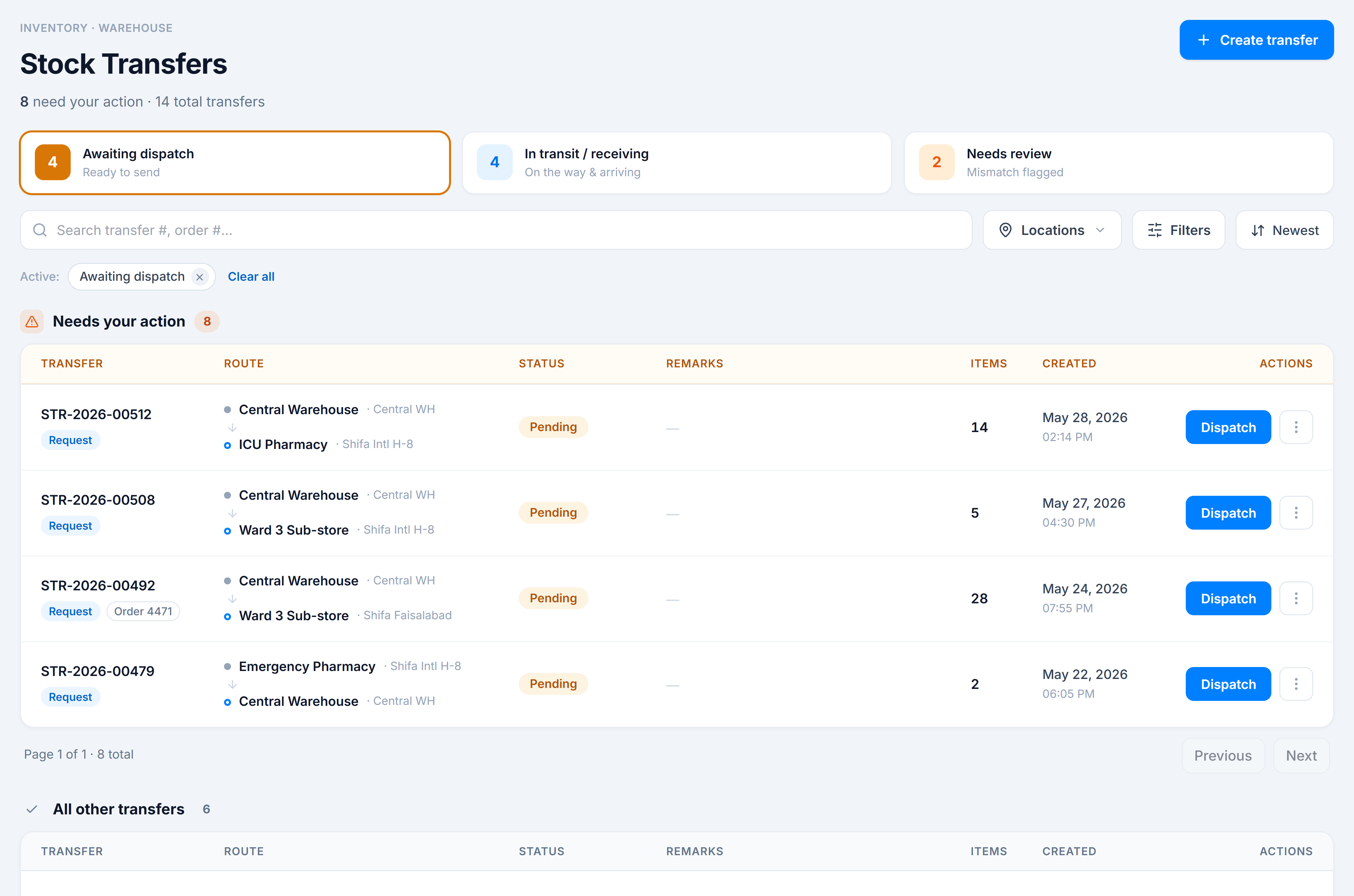
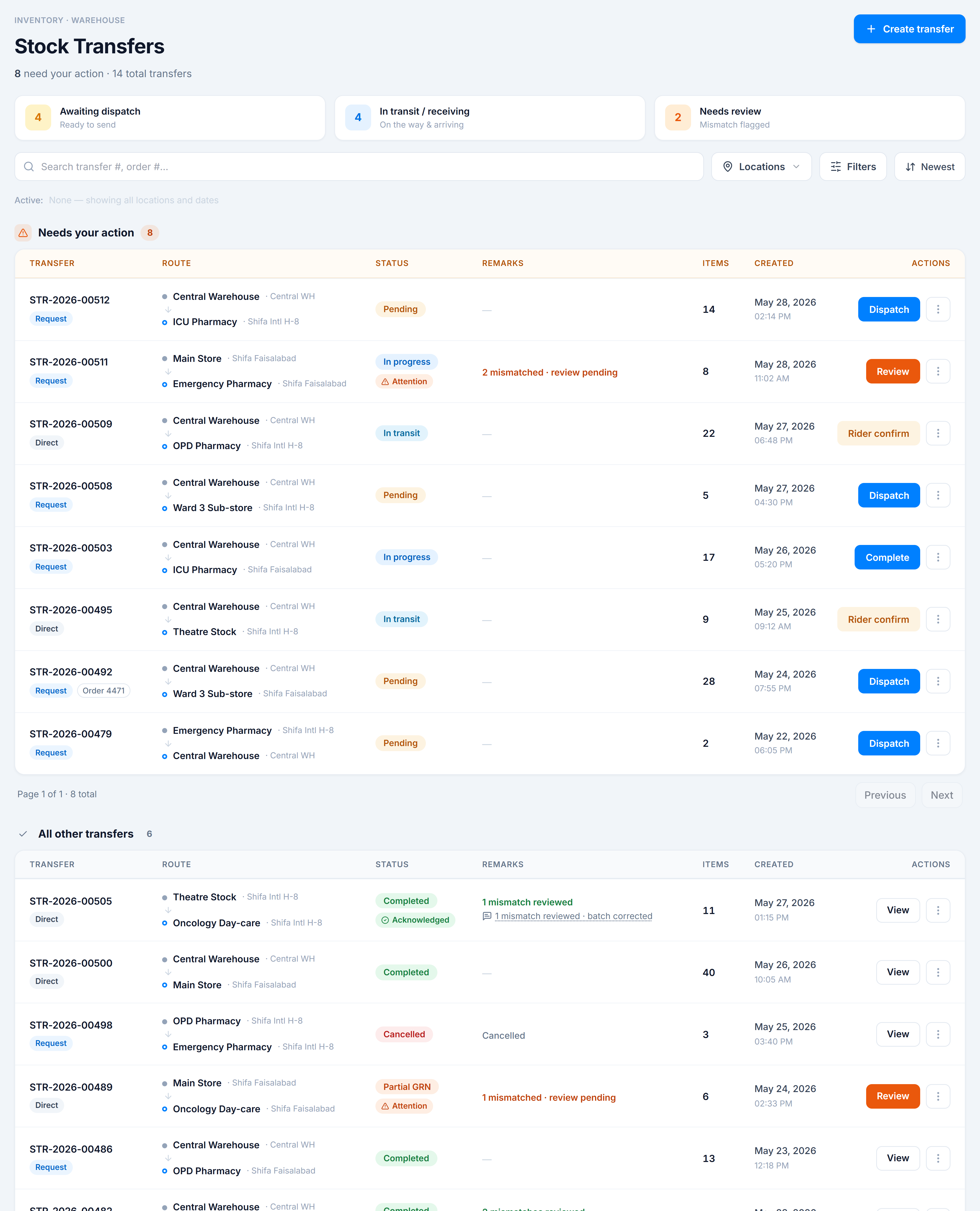
Stock Transfers is the working list for inventory moving between warehouses. Its defining idea is action-first: the page splits into two independent lists —
- Needs your action — open transfers (
pending,in transit,in progress) that have a next step: dispatch, rider-confirm, complete, or review a mismatch. - All other transfers — closed transfers (
completed,cancelled, andpartialGRNs) you’re just looking up.
Pick the kind of help you need
The Academy organises every guide as learn, do, look up, understand.
Each list fetches its own data by status and paginates independently, so paging through history never buries what’s waiting on you. Above them, a triage bar and a full set of filters (search, locations, status/type/product/date, attention) let you focus fast.
How to get there
In the app sidebar: Inventory → Stock Control → Stock Transfers.
The route is /wms/transfers.