View patient history
When to use this: reception or a doctor needs a quick timeline of a patient’s visits — past appointments, consultations, vitals, and billing — without opening each record separately.
Who can do this: Receptionists and doctors assigned to the practice.
Where to go
Clinical → Clinic CMS → Appointments → Patient history tab
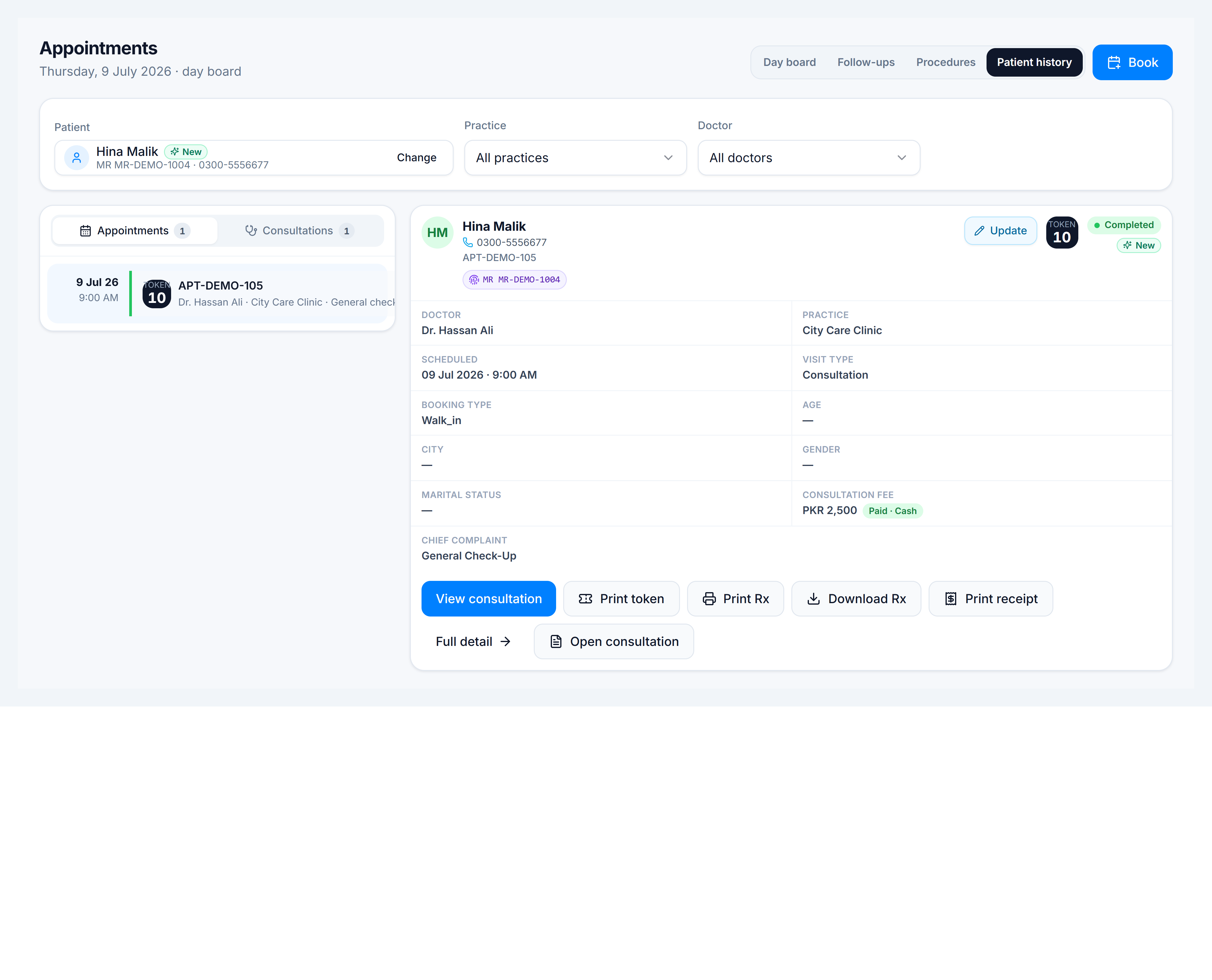
Steps
- Open Appointments and switch to Patient history.
- Search and select the patient in the Patient field.
- Optionally narrow by Practice or Doctor.
- Use the Appointments / Consultations sub-tabs to switch timelines.
- Click a row to see details — reschedule, reprint a token, open the consultation, or download a prescription when available.
Tips
- Use patient history when a walk-in says “I was here last week” — confirm the date and doctor before booking.
- Doctors can review prior notes before starting today’s consultation.