Formulary Brand Groups
Audience: Catalog managers and pharmacists who decide which brand to buy when several products share the same formulation.
Purpose: Front door to Formulary Brand Groups — see the library, open a group, and start a new one.
Demo data: Every screen in this topic uses Demo Pharmacy. The names, SKUs, and statuses below are sample data.
A formulary brand group collects products that are the same clinical item and ranks them Primary, Secondary, and Tertiary. Procurement then prefers the primary brand, and falls back only when that brand is unavailable.
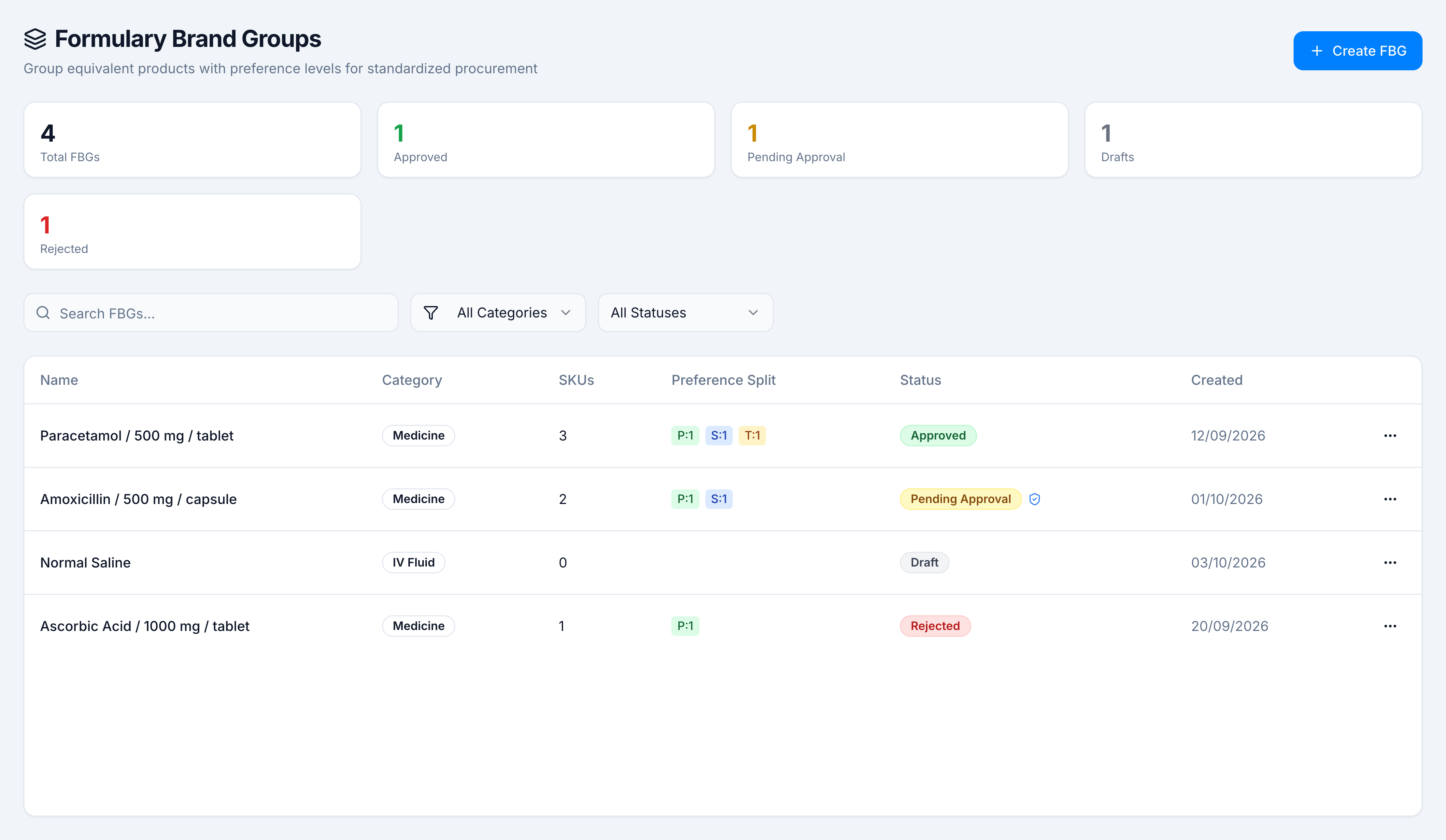
The sample library has four groups:
| Group | Category | SKUs | Split | Status |
|---|---|---|---|---|
| Paracetamol / 500 mg / tablet | Medicine | 3 | P:1 S:1 T:1 | Approved |
| Amoxicillin / 500 mg / capsule | Medicine | 2 | P:1 S:1 | Pending Approval |
| Normal Saline | IV Fluid | 0 | — | Draft |
| Ascorbic Acid / 1000 mg / tablet | Medicine | 1 | P:1 | Rejected |
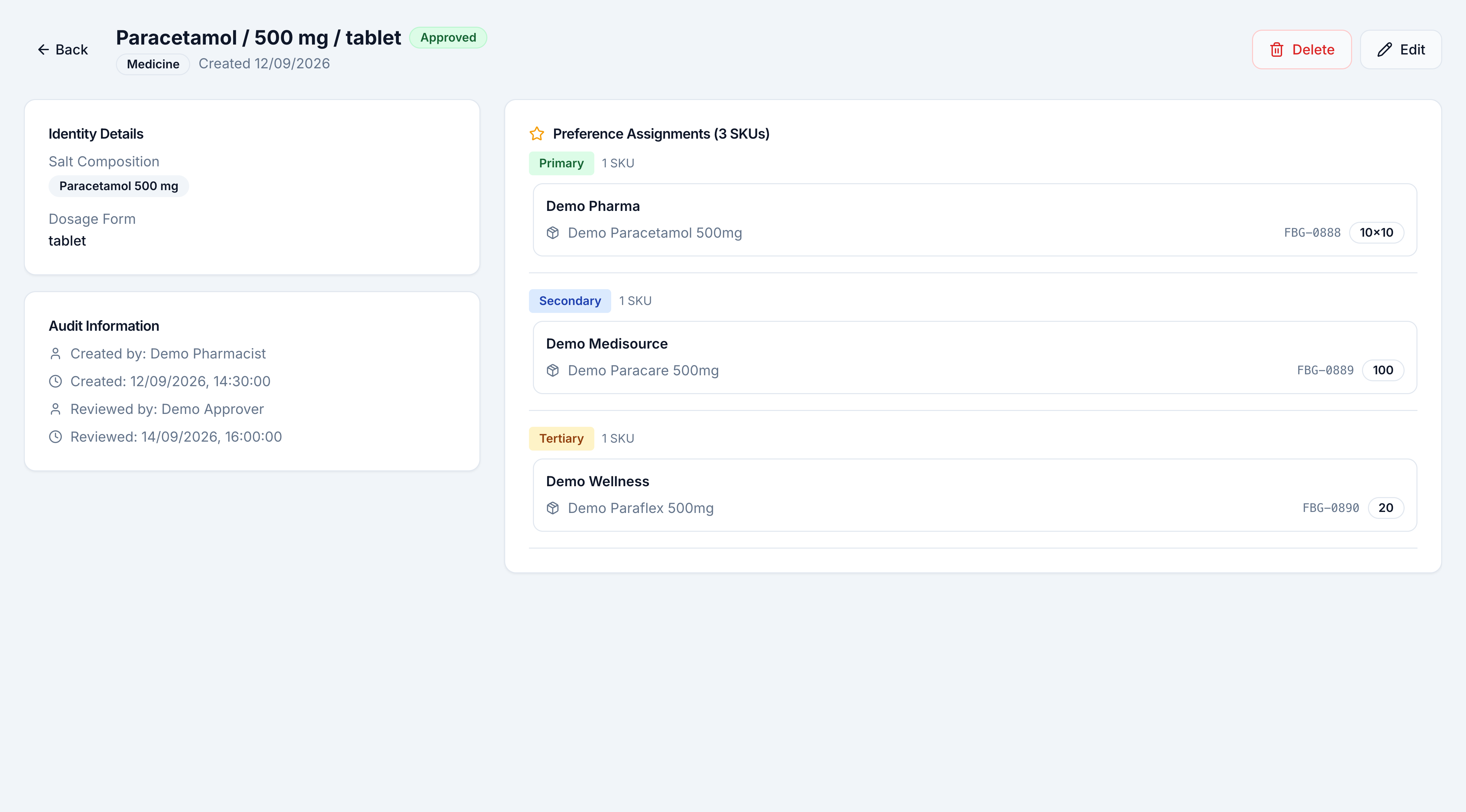
Open Paracetamol / 500 mg / tablet to see the ranking. Demo Pharma is primary, Demo Medisource is secondary, and Demo Wellness is tertiary.
Pick the kind of help you need
The Academy organises every guide as learn, do, look up, understand.
How to get there
In the left sidebar, open Catalog → Clinical → Formulary Brand Groups.
That opens /formulary-brand-groups. Create FBG starts the five-step wizard. A row opens the group. The ⋯ menu on a row is View Details, and, when your role allows it, Edit, Delete, Approve, or Reject.
Opening the list needs formulary.view. Creating, editing, deleting, and approving are separate permissions — see Permissions.