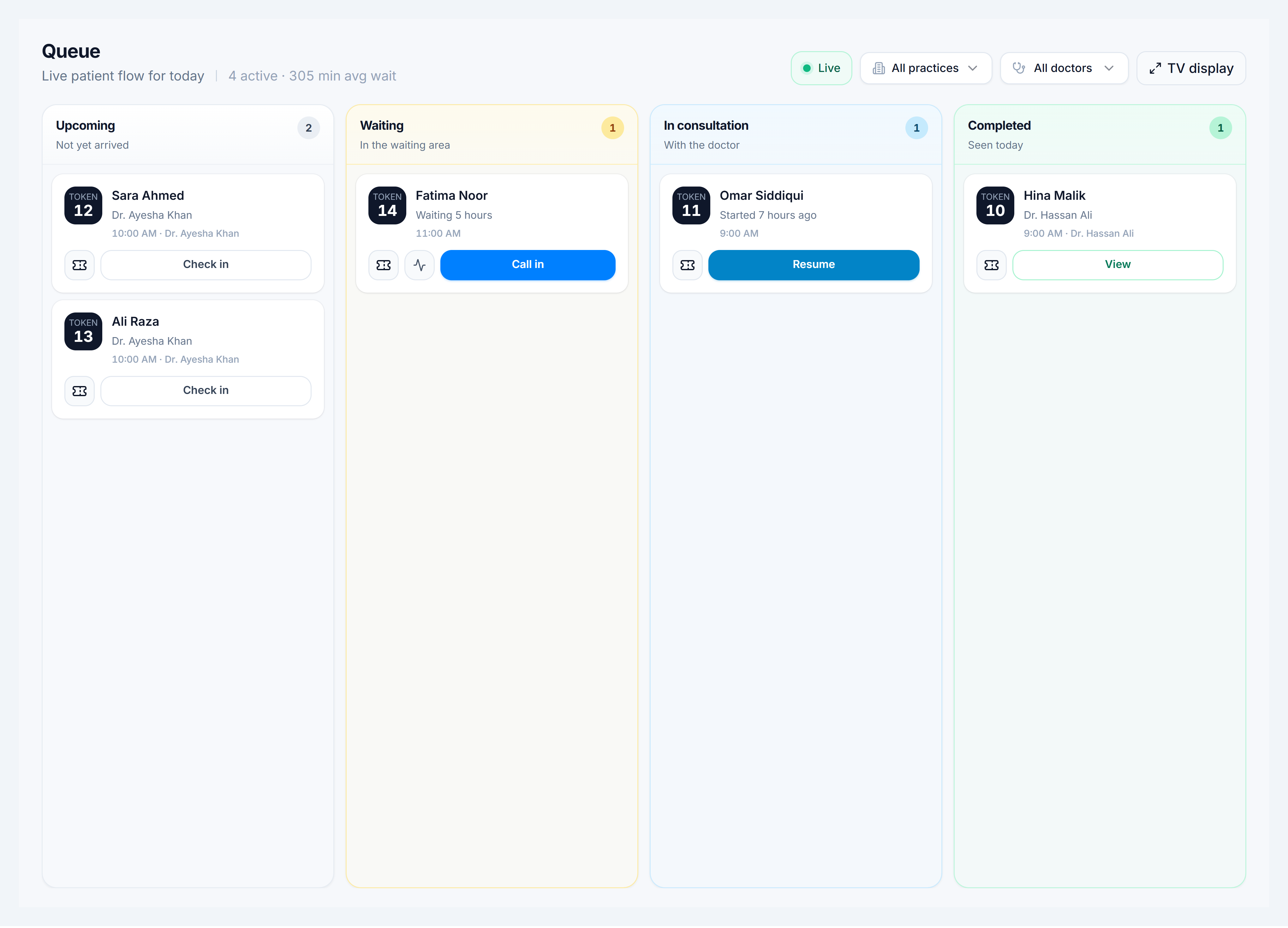
Triage the queue
Steps
- Open Queue (
/clinic/queue). - Filter by practice, doctor, or location if the board is busy.
- Read the four columns:
- Upcoming — not yet arrived (
scheduled,confirmed) - Waiting — checked in, in the waiting area (
arrived) - In room — consultation started (
in_progress) - Done — completed or no-show
- Upcoming — not yet arrived (
- On a token tile, use the column action: Check in, Call in, Resume, or View.
- Toggle Fullscreen for a wall display in the waiting area.