Set up your clinic
Goal: take a fresh tenant from zero to first bookable appointment.
Audience: Tenant owner (pharmacy/clinic administrator). Doctors follow Configure clinical fields separately; receptionists start with Run a clinic day.
Before you start
- Your tenant has the Clinic CMS module enabled.
- You know the branch name, at least one physical location, and which users are doctors vs reception.
1. Create the practice
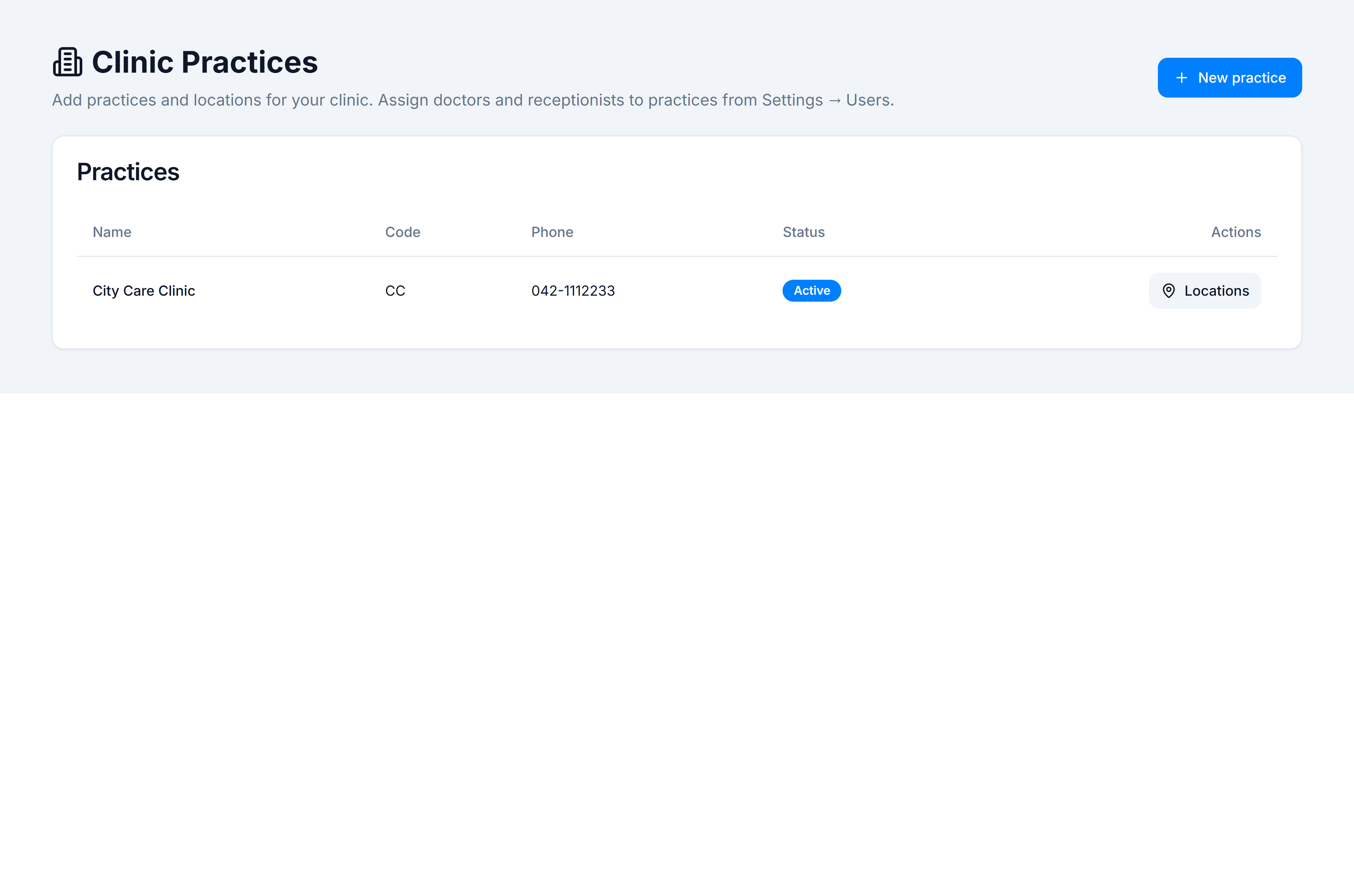
Create a clinic practice in Admin → System → Clinic Practices.
Record the code — it appears on invoices.
2. Add locations and hours
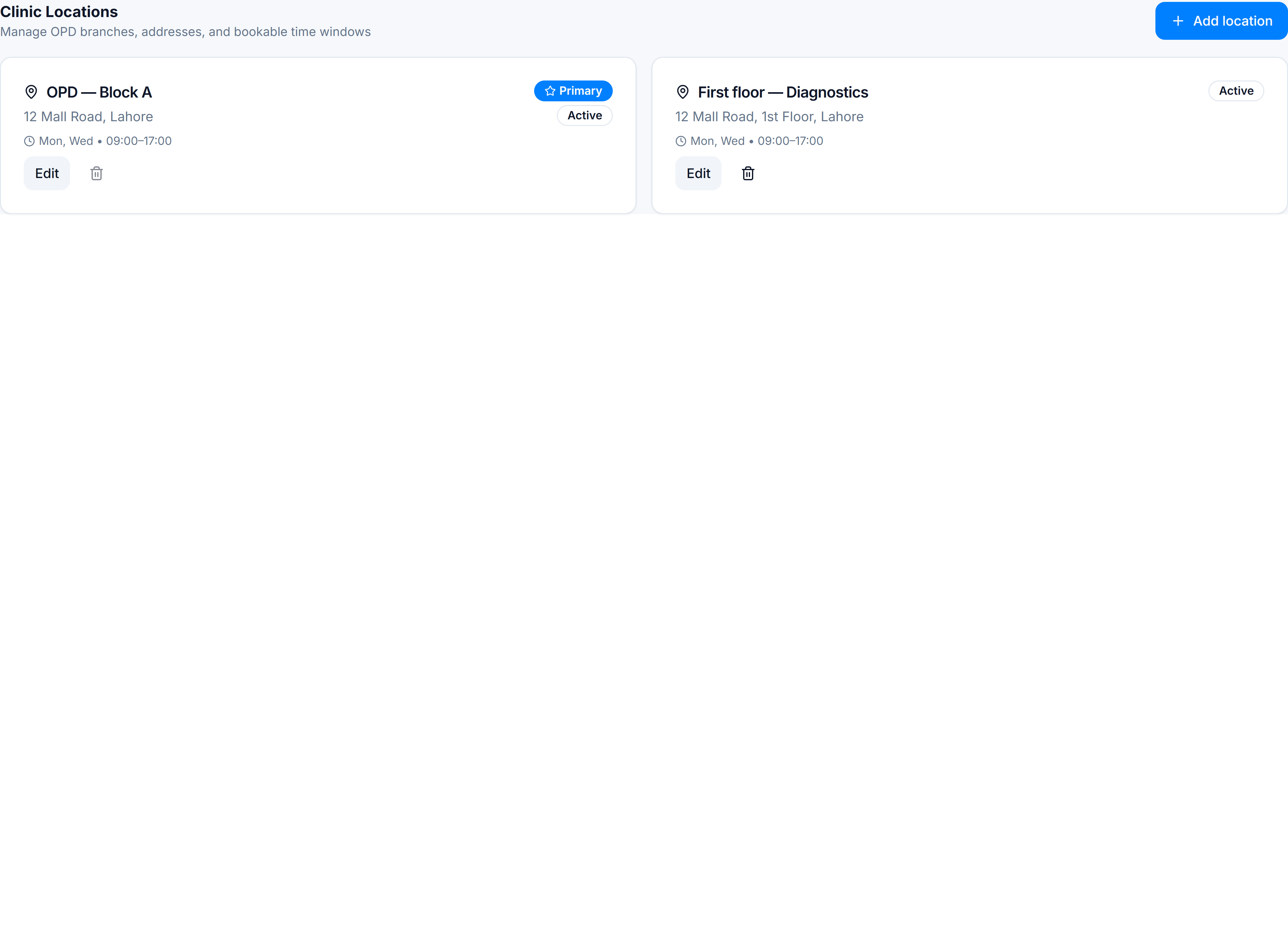
Configure practice locations — at least one active site with operating hours.
Without hours, doctor slots cannot be validated and booking may show empty calendars.
3. Assign clinic staff
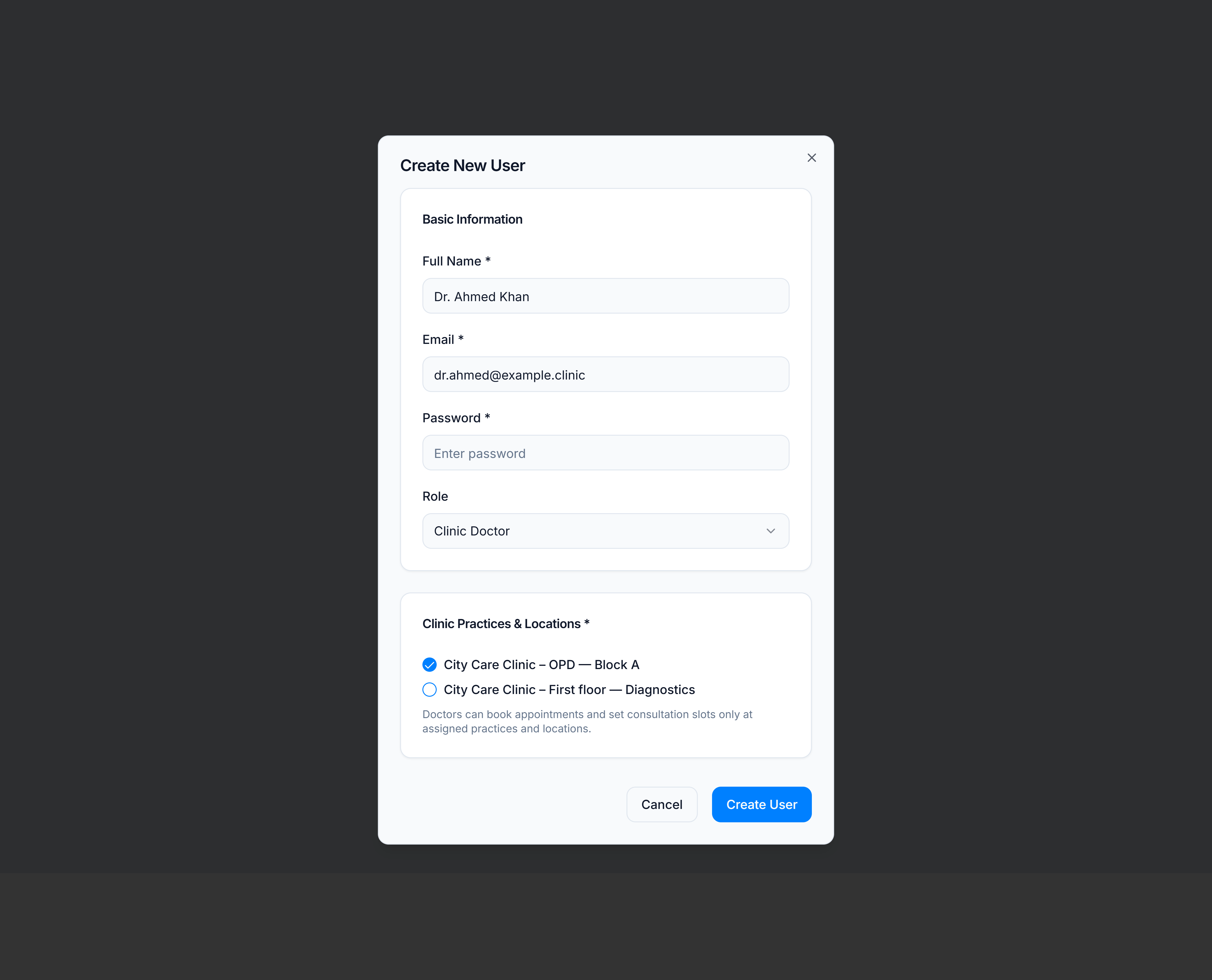
Assign clinic staff in Users settings — create Clinic Doctor and Clinic Receptionist accounts and tick Clinic Practices & Locations for each branch they work at.
Doctors need a practice assignment before their profile and slots work.
4. Configure practice rules
Open Clinic → Practices, select your branch, then open Settings and review:
- Queue — token behaviour for reception
- Billing — default consultation fee and currency
- Prescription — whether reception may edit Rx, header/footer text
5. Prescription print layout (optional)
If you print Rx on branded paper, set Prescription print template before go-live.
6. Doctor schedules and fees
Each doctor (or you on their behalf) opens Consultation slots & fees and saves weekly availability plus OPD procedure fees.
7. Doctor personal setup (parallel)
Doctors should configure:
- Clinical fields — note template
- Tags & favourites — quick prescribing shortcuts
8. Smoke test
- Book a test patient: Book an appointment
- Check in from the day board: Check in from appointments
- Move through queue: Triage the queue
- Run consult: Run a consultation
You’re done when
Reception can book against real slots, check in generates a token, and the doctor can open the consultation workspace.
Daily operations
Hand off to Run a clinic day for the reception and doctor shift workflow.