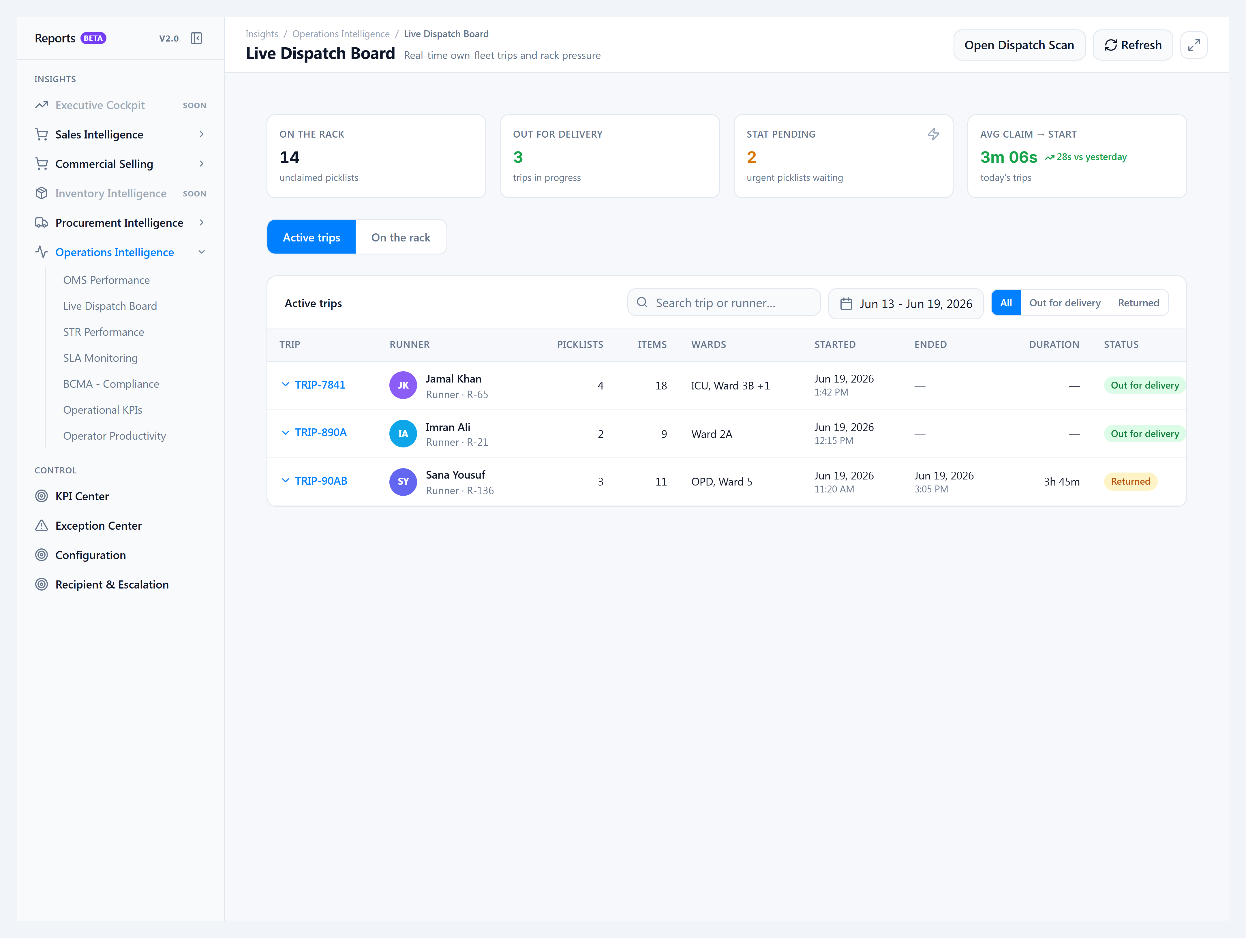
Claim on behalf of a runner (supervisor)
When to use this: a runner’s phone or badge failed, or you need to start a STAT run while coordinating from the desk — supervisors claim and start from the board instead of the public kiosk.
How to get there
Insights → Reports v2.0 → Live Dispatch Board → On the rack tab.
Steps
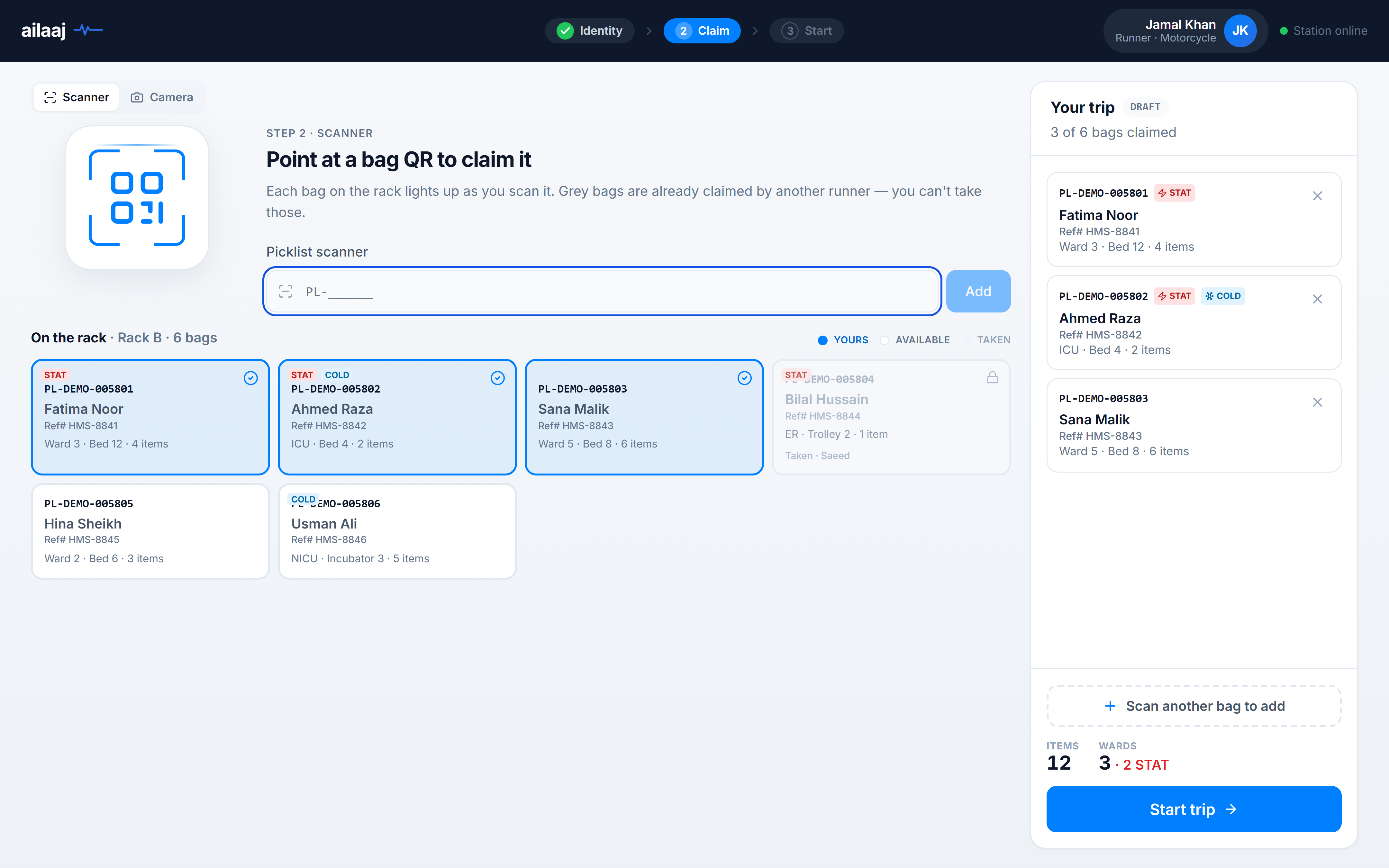
- Open the On the rack tab — packed picklists waiting for claim appear in a grid (same tile semantics as the kiosk: Available / Taken).
- Select a runner from the dropdown (only riders assigned to that warehouse).
- Tap or select the bags for this run — Yours highlights selected tiles.
- Click Start trip for runner — the trip is created the same way as kiosk start (dispatched picklists,
TRIP-XXXXlabel). - Hand the runner the printed trip sheet from the browser print dialog if needed.
The kiosk claim UI uses the same rack tile layout runners see at /dispatch:
You’re done when
- The trip appears under Out for delivery on the board.
- Picklists show dispatched in the ERP.