Print a rider badge QR
When to use this: a new runner joins, a badge is lost, or you need to rotate a compromised QR.
Steps
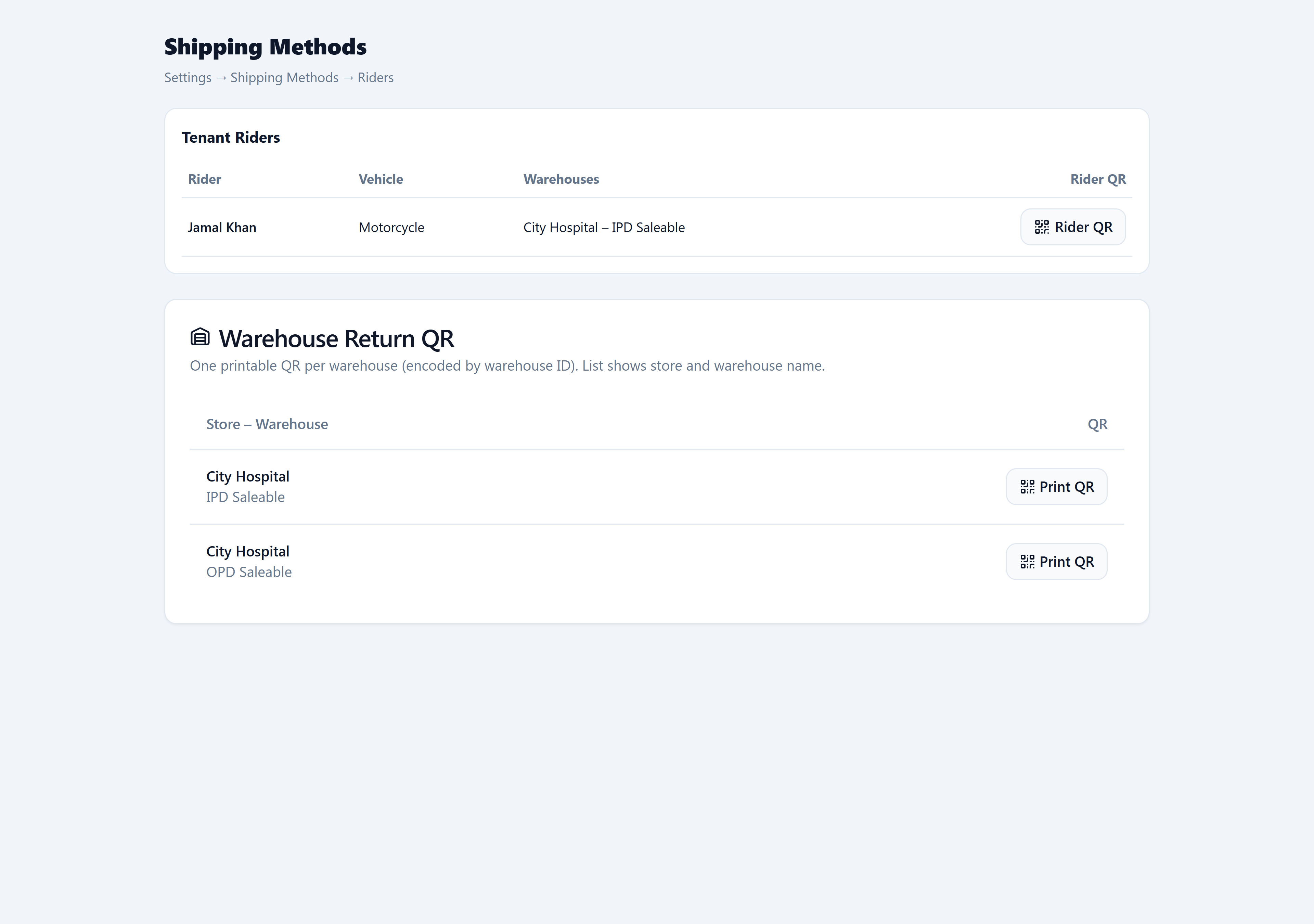
- Open Admin → Operations → Shipping Methods (Riders tab).
- On the rider row, click Generate QR (first time) or Rider QR (reprint).
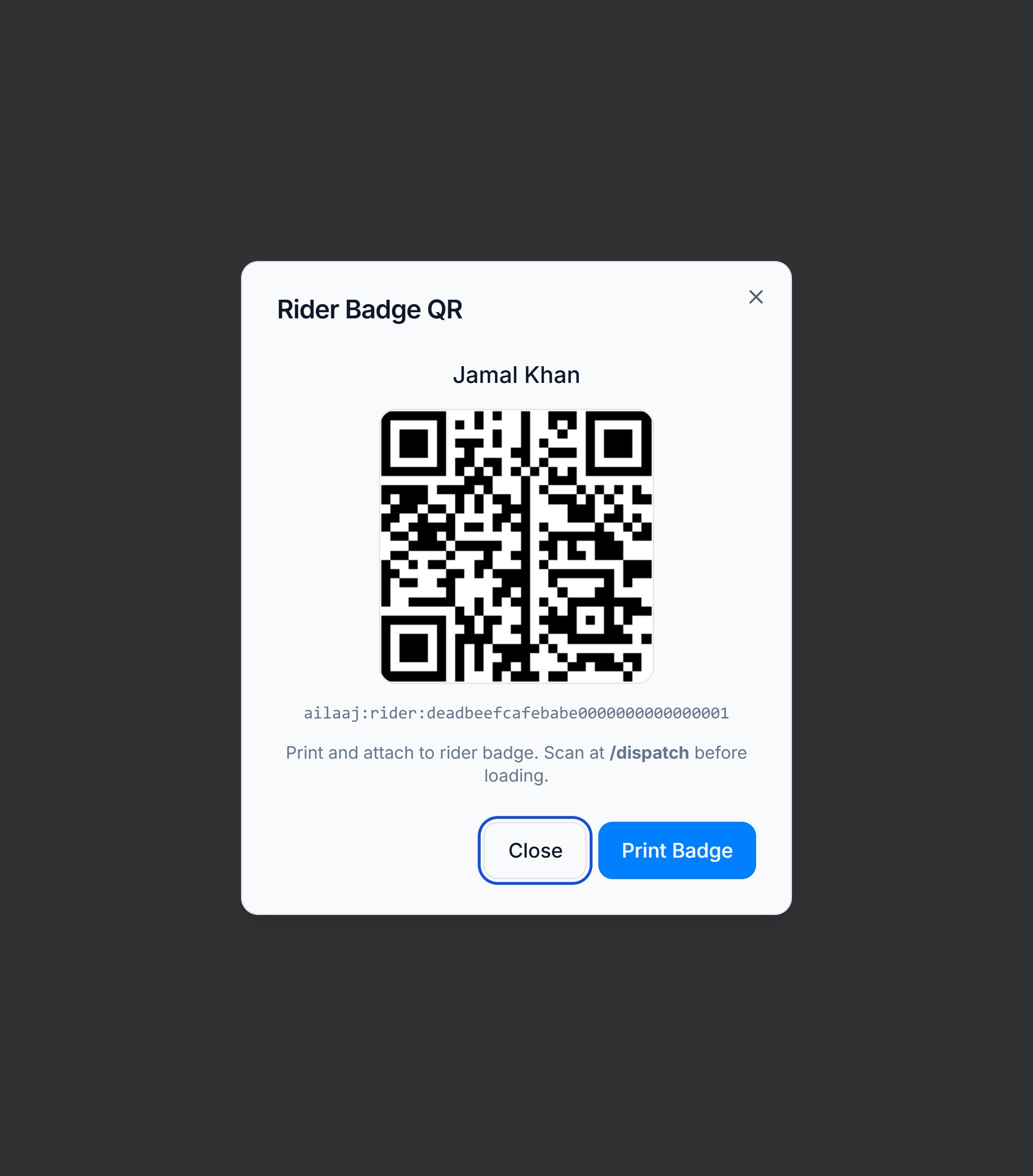
- In the dialog, review the runner name and encoded payload (
ailaaj:rider:<hash>). - Click Print Badge — a print layout opens with the QR and rider name.
- Laminate or sleeve the badge; runners scan it at
/dispatchbefore loading and again on return.
Good to know
- Regenerating a QR invalidates the old badge — reprint and replace any copies in the field.
- The hash is tenant-scoped; the kiosk resolves it to the rider record via
/api/dispatch/identify. - Manual entry at the kiosk accepts the bare 32-character hash if the QR is damaged.