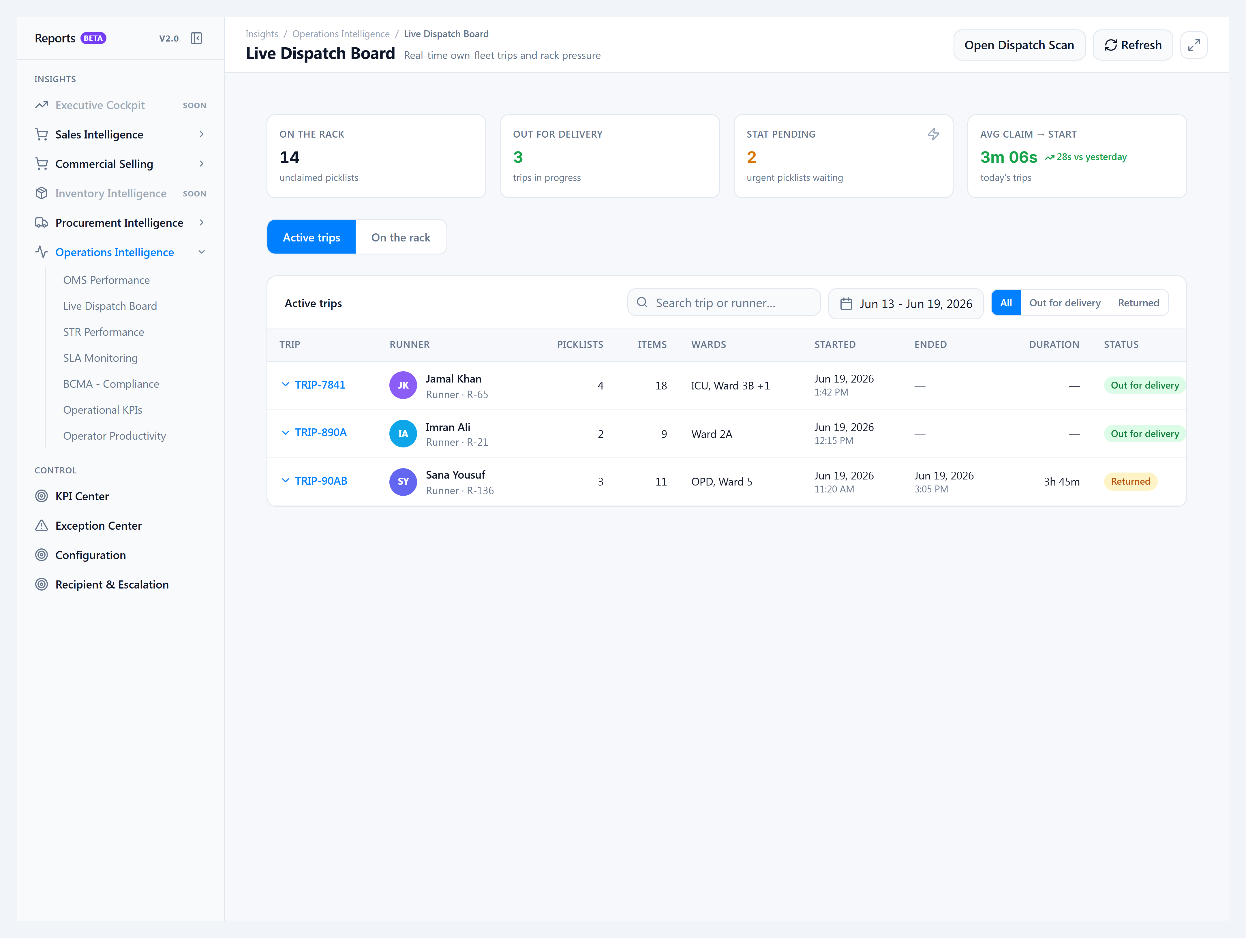
Read the Live Dispatch Board
Pharmacy supervisors use the Live Dispatch Board to watch own-fleet runs in real time. Staff no longer assign trips manually — runners claim at /dispatch; you supervise from the ERP console.
When to use this
- Morning rack review — how many packed bags are still unclaimed?
- Mid-shift — who is out for delivery and to which wards?
- STAT pressure — urgent picklists still on the rack?
- End-of-shift — how many trips were closed at the warehouse in the last week?
How to get there
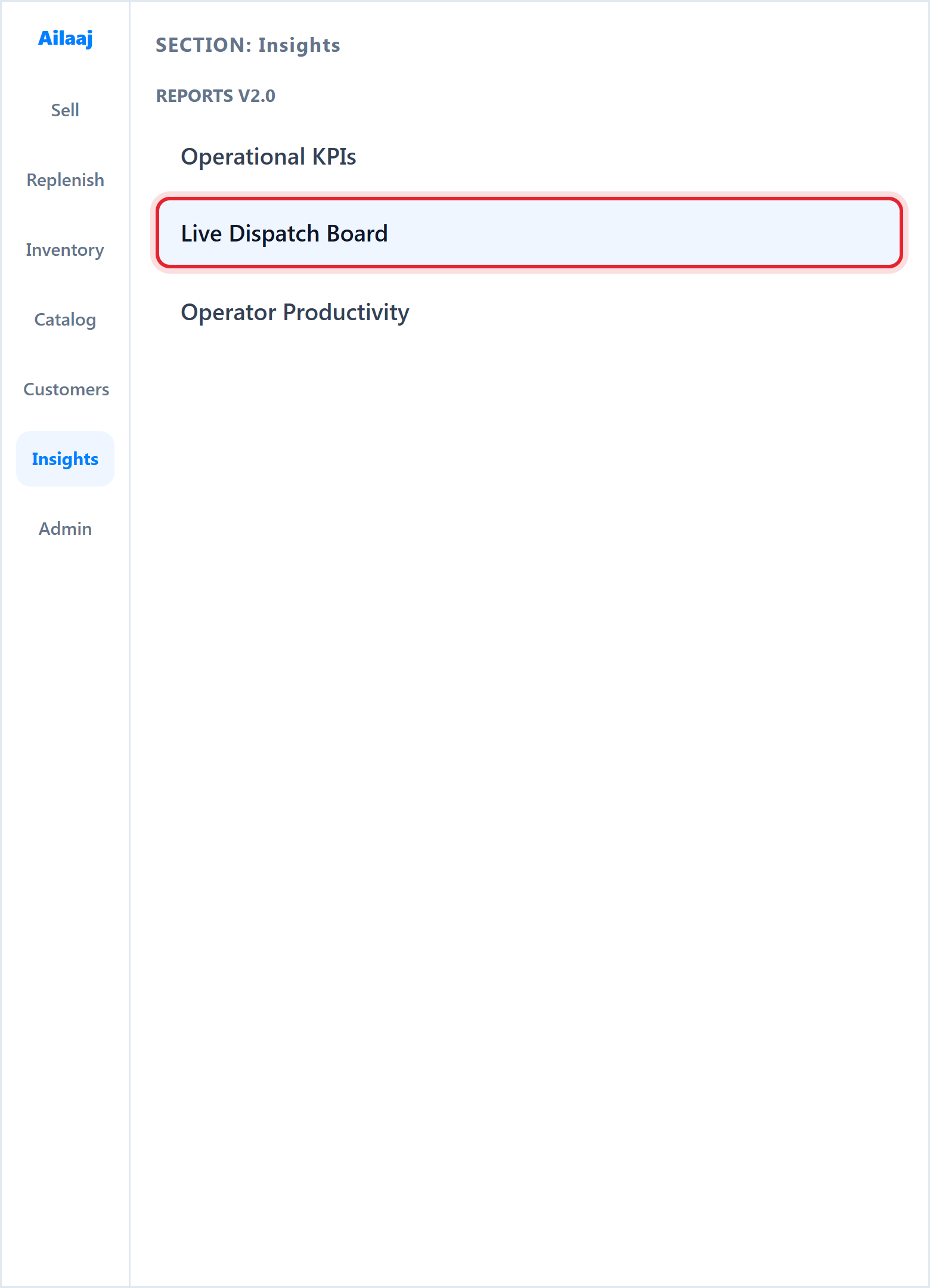
- Open Insights → Reports v2.0 → Live Dispatch Board (or go to
/reports/v2/operations/live-dispatch).
- You need Reports v2 access (
reports.v2.viewon your role). - Use Open Dispatch Scan in the header to jump to the kiosk in a new context if needed.
What you see
| Area | Meaning |
|---|---|
| On the rack | Packed picklists waiting for a runner to claim |
| Out for delivery | Active trips in progress |
| STAT pending | Urgent picklists still waiting on the rack |
| Avg claim → start | Time from pack to trip start (today vs yesterday) |
| Active trips tab | Trip table with status, runner, picklists, wards, started/ended times |
| On the rack tab | Supervisor claim grid — claim on behalf of a runner |
| Date range | Default last 7 days on All and Returned — limits historical completed trips |
| Out for delivery filter | Shows all active trips (no date cap) |
| Search | Filter by trip label (TRIP-XXXX), runner name, phone, or short runner code |
Click a trip row to expand picklists on that run. Pagination is server-side for large tenant volumes.
Runner code (e.g. R-65 under the name) is a short label derived from the rider record ID — it is not a printed badge number.