Statuses, categories, and columns
Lookup: the words on the list, the detail page, and the preference step.
List cards
| Card | Counts |
|---|---|
| Total FBGs | Every group |
| Approved | Groups in use |
| Pending Approval | Submitted, not yet decided |
| Drafts | Saved, not submitted |
| Rejected | Shown only when at least one group was rejected |
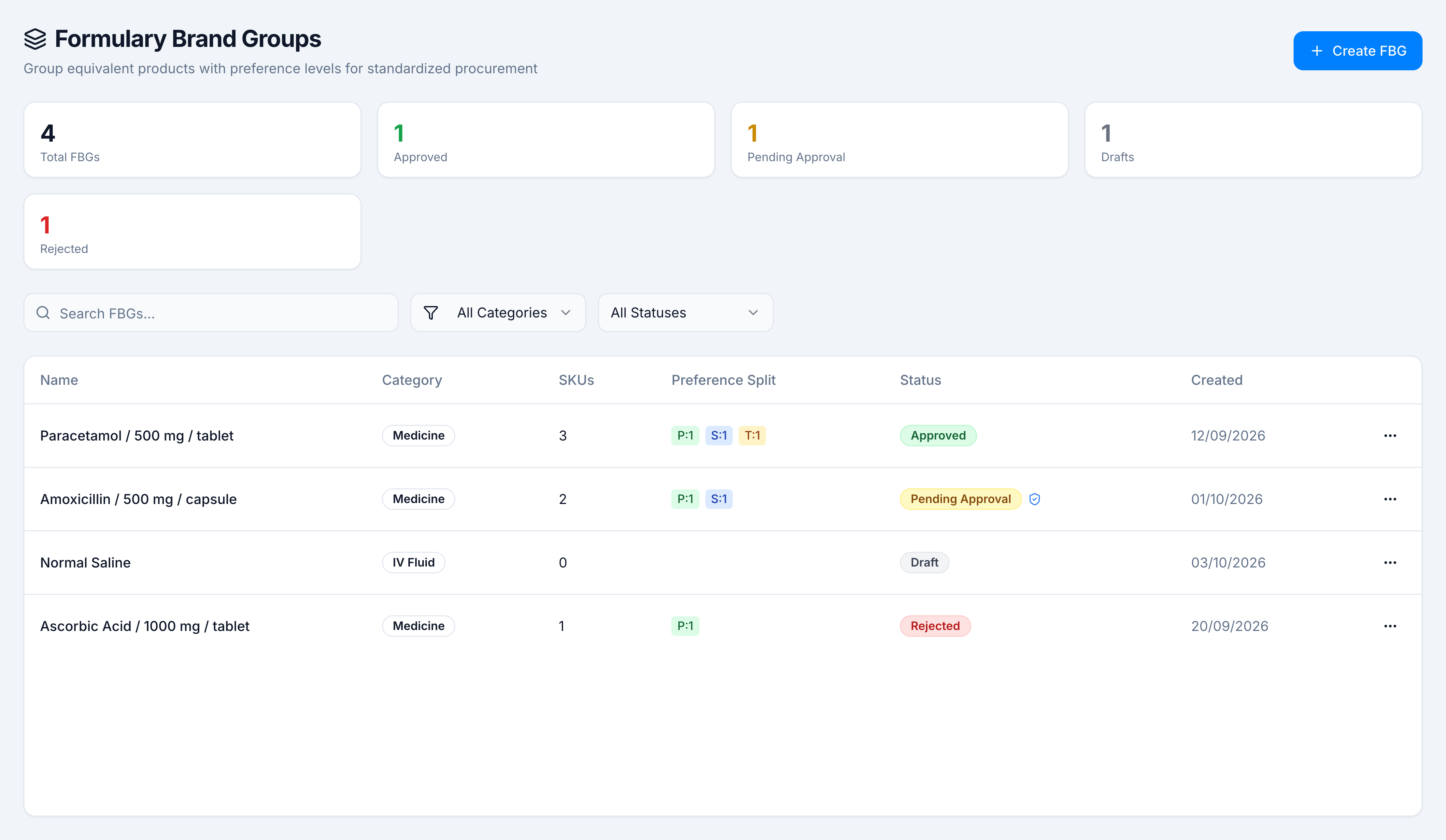
List columns
| Column | Meaning |
|---|---|
| Name | Generated identity, such as Paracetamol / 500 mg / tablet |
| Category | Medicine, Vaccine, Surgical, Disposable, IV Fluid, or Nutritional Product |
| SKUs | Products assigned to the group |
| Preference Split | P primary, S secondary, T tertiary, with a count. Empty when nothing is assigned |
| Status | Draft, Pending Approval, Approved, or Rejected |
| Created | The day the group was created |
| ⋯ | View Details, plus Edit, Delete, Approve, or Reject when the status and your role allow them |
A shield on Pending Approval means the group was routed through the Approval Center. Mod. Pending on an approved row means a later edit is waiting and the current assignments are still the live ones.
Search matches the group name and the category. All Categories and All Statuses narrow the table. An empty library says No Formulary Brand Groups found and offers Create FBG. A filter that matches nothing asks you to adjust the search or filters.
Statuses
| Status | What staff can do |
|---|---|
| Draft | Edit, delete, or submit later from the wizard |
| Pending Approval | Approve or reject. Edit and delete wait until it is decided |
| Approved | Edit and delete. A new edit goes for approval and the current group stays live |
| Rejected | Read the reason, then Edit & Resubmit, or delete |
Categories
| Category | Identity you define |
|---|---|
| Medicine | Salt composition, strength, unit, and dosage form |
| Vaccine | Vaccine type |
| Surgical | Item type, size, and material |
| Disposable | Item type and size |
| IV Fluid | Solution type, such as Normal Saline |
| Nutritional Product | Product type |
The generated name is built from that identity. For a medicine it is the salt names, the strengths, and the dosage form joined with slashes: Ibuprofen / 400 mg / tablet.
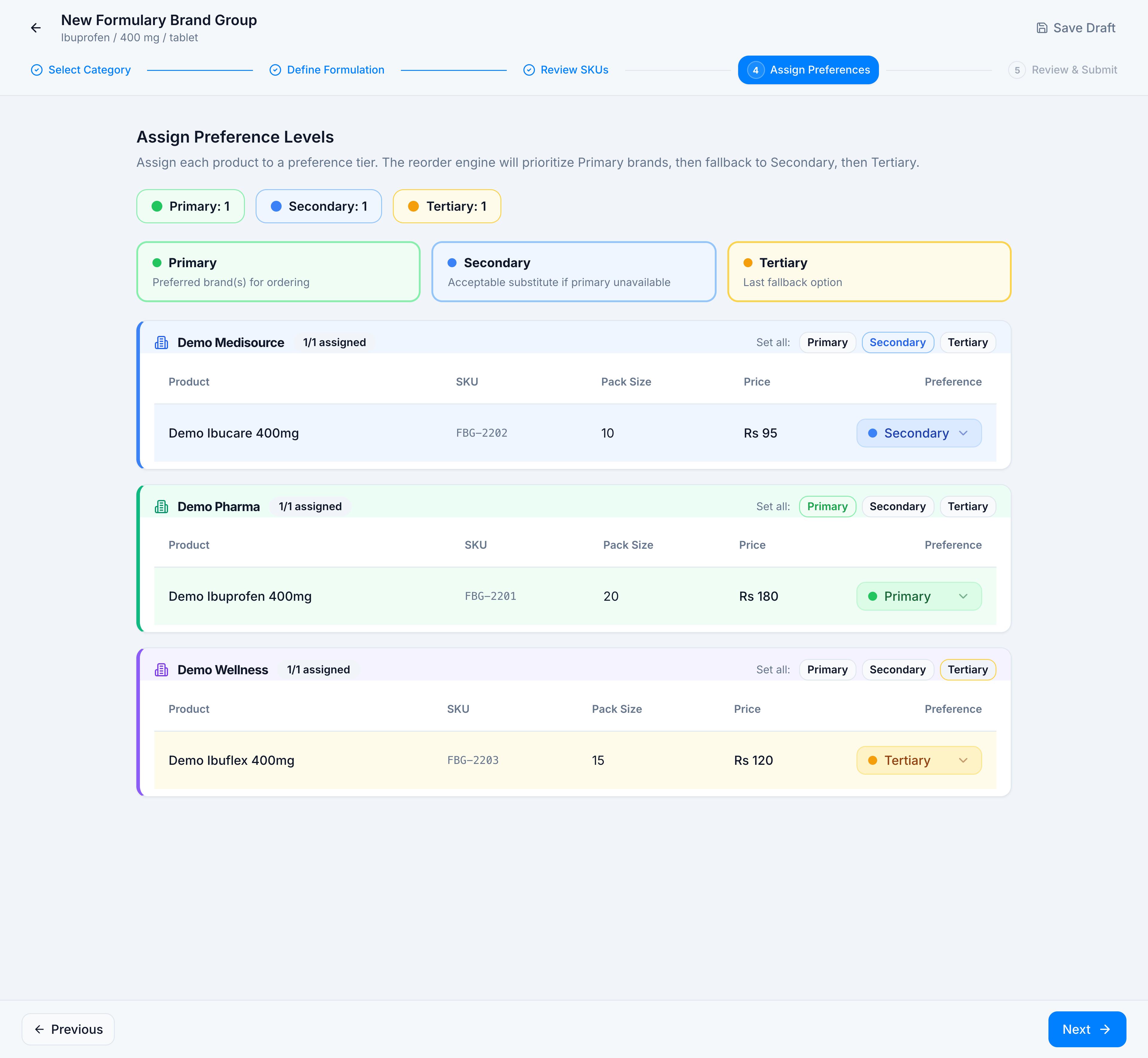
Preference levels
| Chip | Label | Meaning |
|---|---|---|
| P | Primary | Preferred brand for ordering |
| S | Secondary | Acceptable substitute if primary is unavailable |
| T | Tertiary | Last fallback |
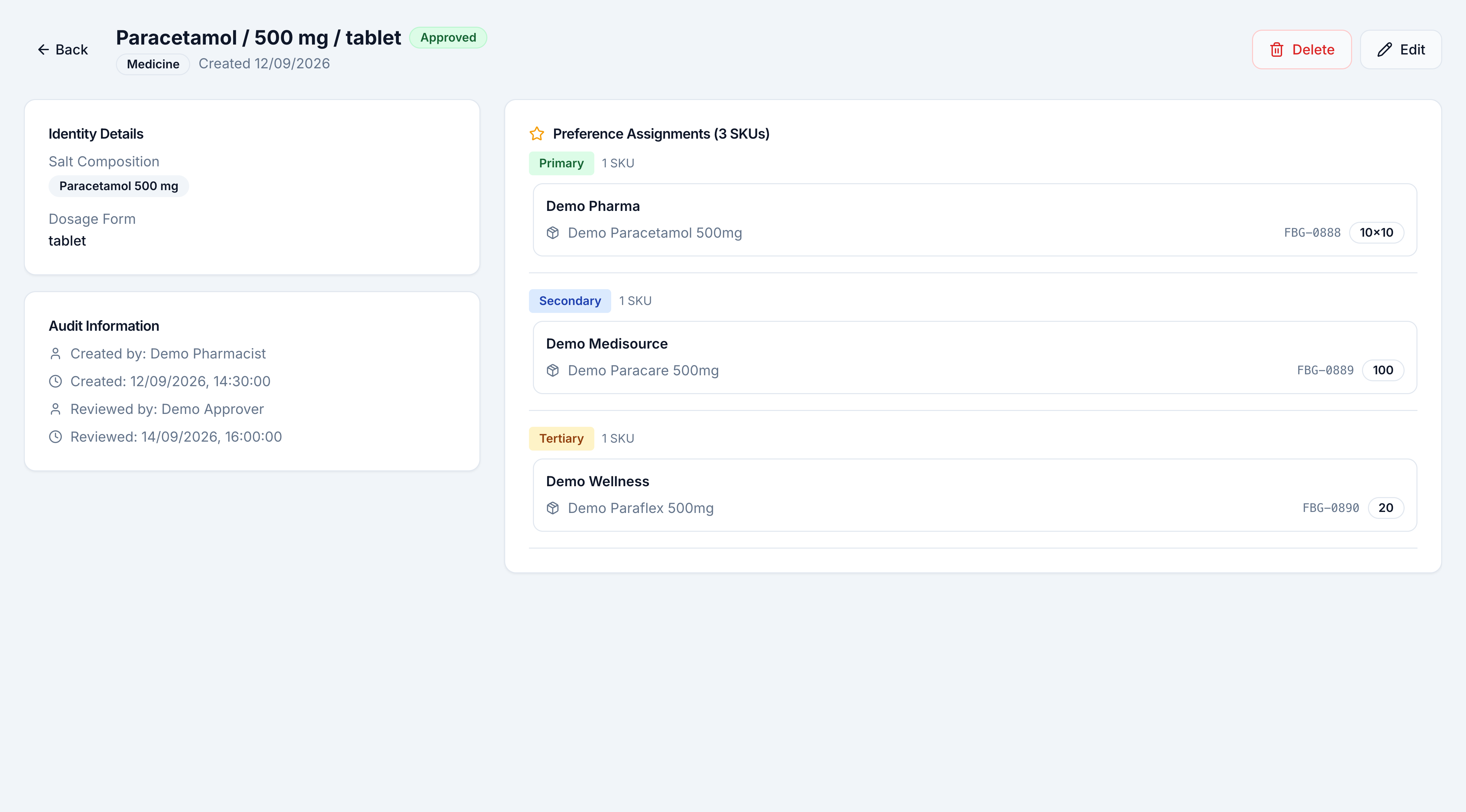
On the detail page the same ranking is grouped by level, then by brand, with the product name, SKU, and pack size.
Suggested groups dialog
| Column | Meaning |
|---|---|
| Group Name | A formulation detected in the product catalog |
| SKUs | How many catalog products match that formulation |
| Status New | No formulary brand group exists for this identity yet |
| Status Already Created | A group with this identity is already in the library |
| Use | Copies the identity onto the form |
The SKU count in that dialog is the catalog match. It can differ from the SKUs column on the list, which counts products you have assigned. Normal Saline on Demo Pharmacy is Already Created as a draft with 0 assigned products.