Approve or reject a group
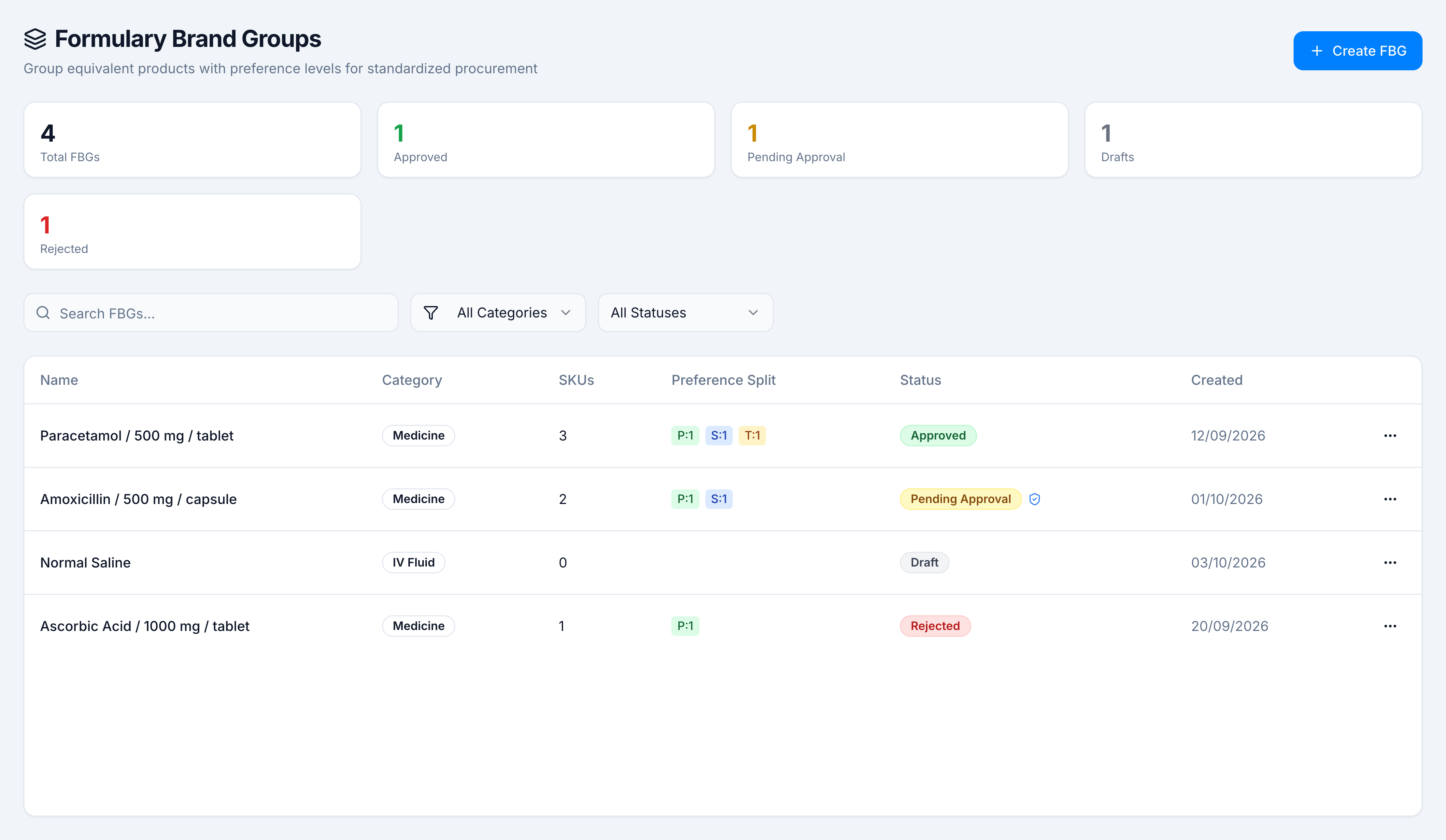
Goal: accept a submitted group, or return it with a reason the author can fix. Where: Catalog → Clinical → Formulary Brand Groups, then open a row whose status is Pending Approval.
You need formulary.approve. On Demo Pharmacy that row is Amoxicillin / 500 mg / capsule. The shield beside the status means the group was routed through the Approval Center.
Approve
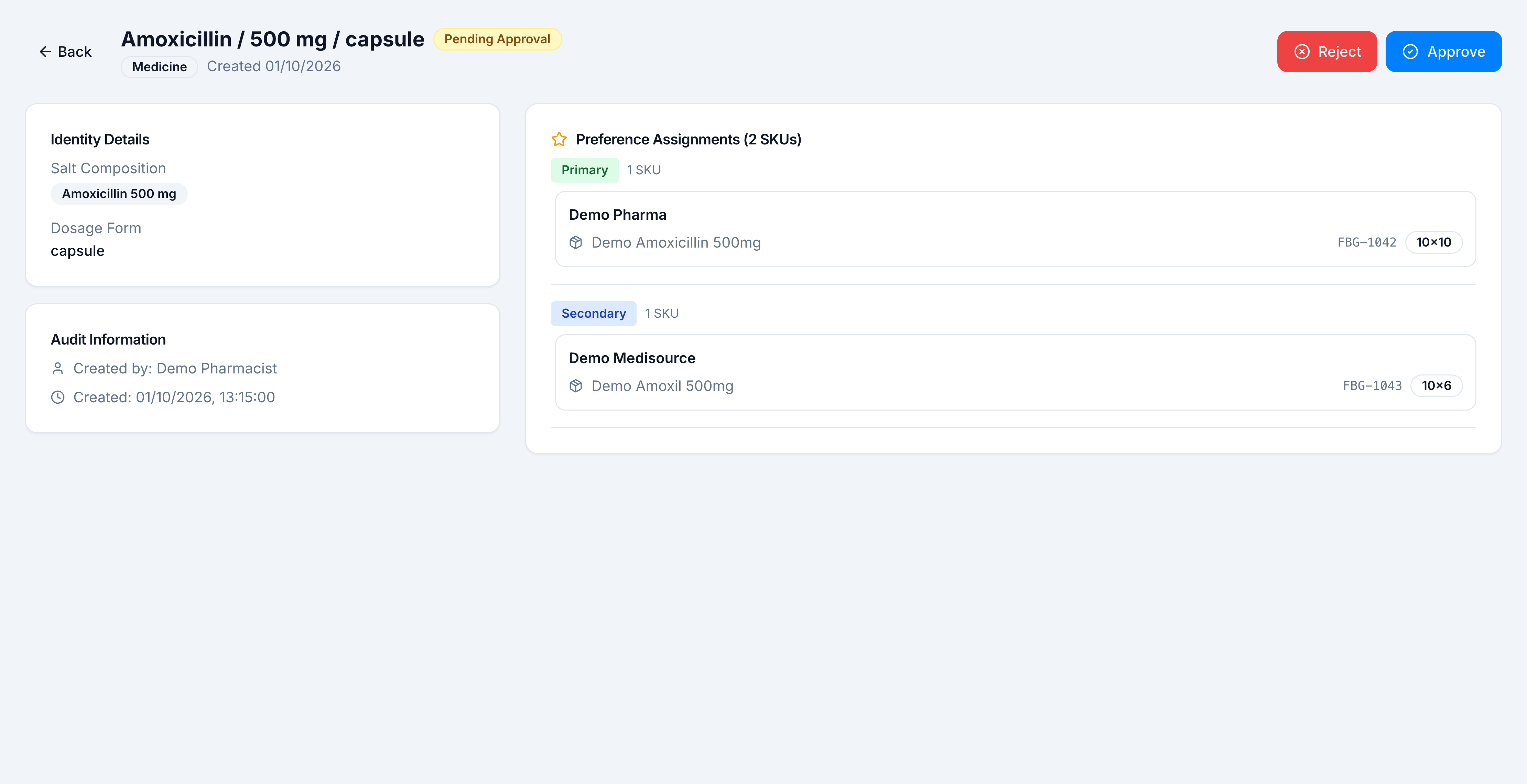
- Open the pending group.
- Read the identity and the preference list. Amoxicillin’s primary is Demo Amoxicillin 500mg (FBG-1042, Demo Pharma). The secondary is Demo Amoxil 500mg (FBG-1043, Demo Medisource).
- Click Approve.
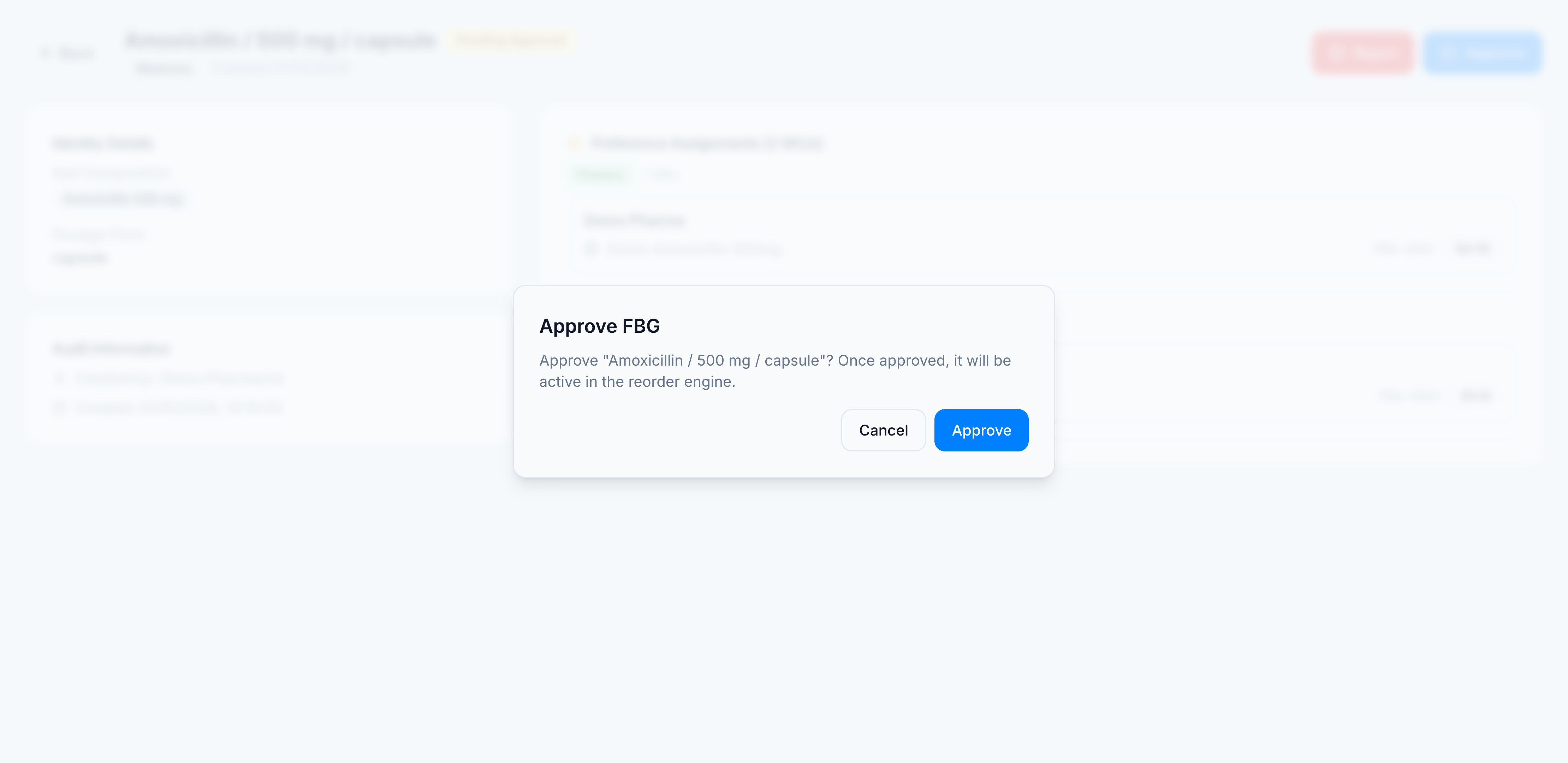
- Confirm Approve FBG. The dialog says that once approved, the group will be active in the reorder engine.
The same Approve and Reject commands are on the row ⋯ menu while the status is Pending Approval.
Reject
- Open the pending group and click Reject.
- The dialog asks you to reject the named group and provide a reason.
- Fill Rejection Reason. The field asks you to explain why this FBG is being rejected. An empty reason is not accepted.
- Confirm. The group becomes Rejected.
The author sees the reason on the group, with Edit & Resubmit. On the Demo Pharmacy list, Ascorbic Acid / 1000 mg / tablet is already in that state. Its reason is: strength on the group does not match the products in the catalog.
If the pending group has an Approval Center record, Approve and Reject are also recorded there.