Create purchase orders from reorder lines
Goal: raise purchase orders for the lines that still need one. Where: open the system from Replenish Stock → Planning → Reorders.
You need reorder.create_po. The Create PO controls are hidden while the register is on the offline hub. Use a cloud session.
Steps
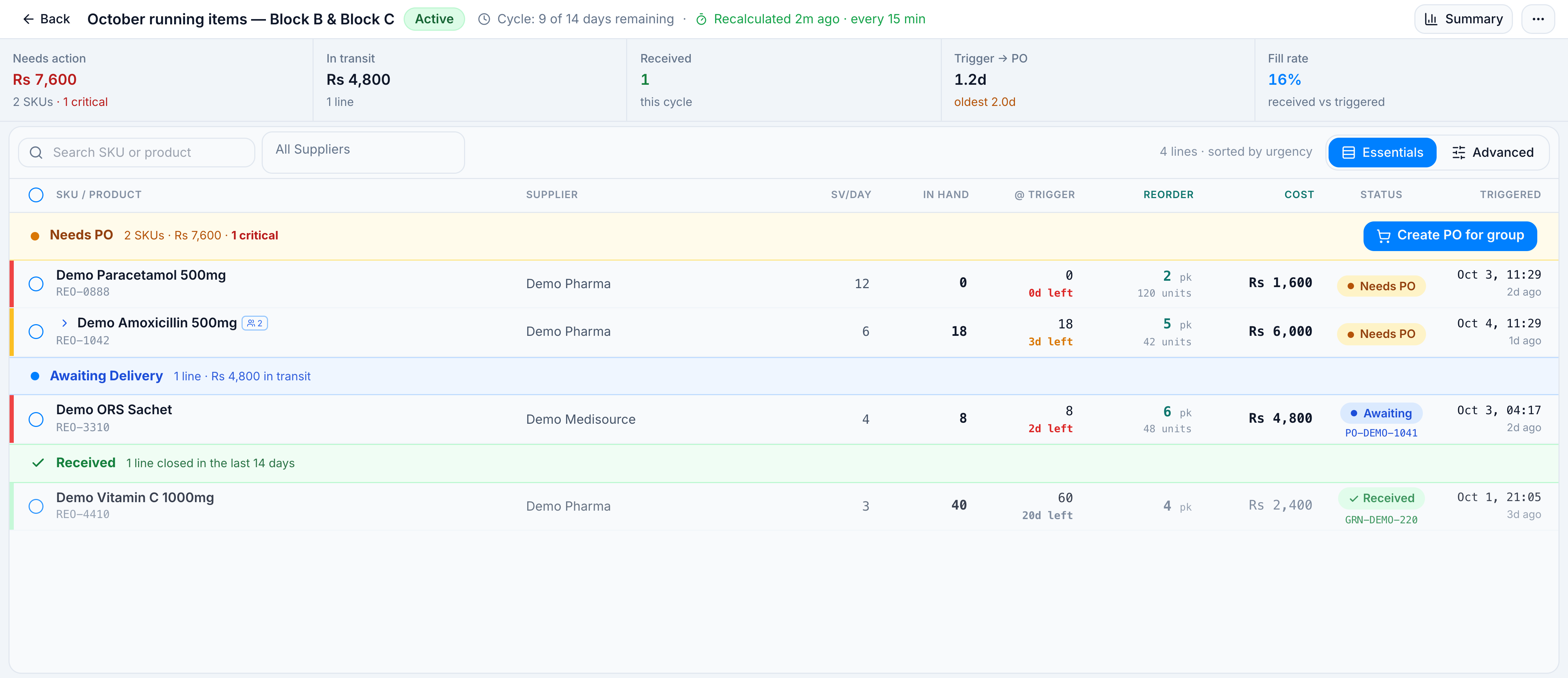
- Open October running items — Block B & Block C (or your own system).
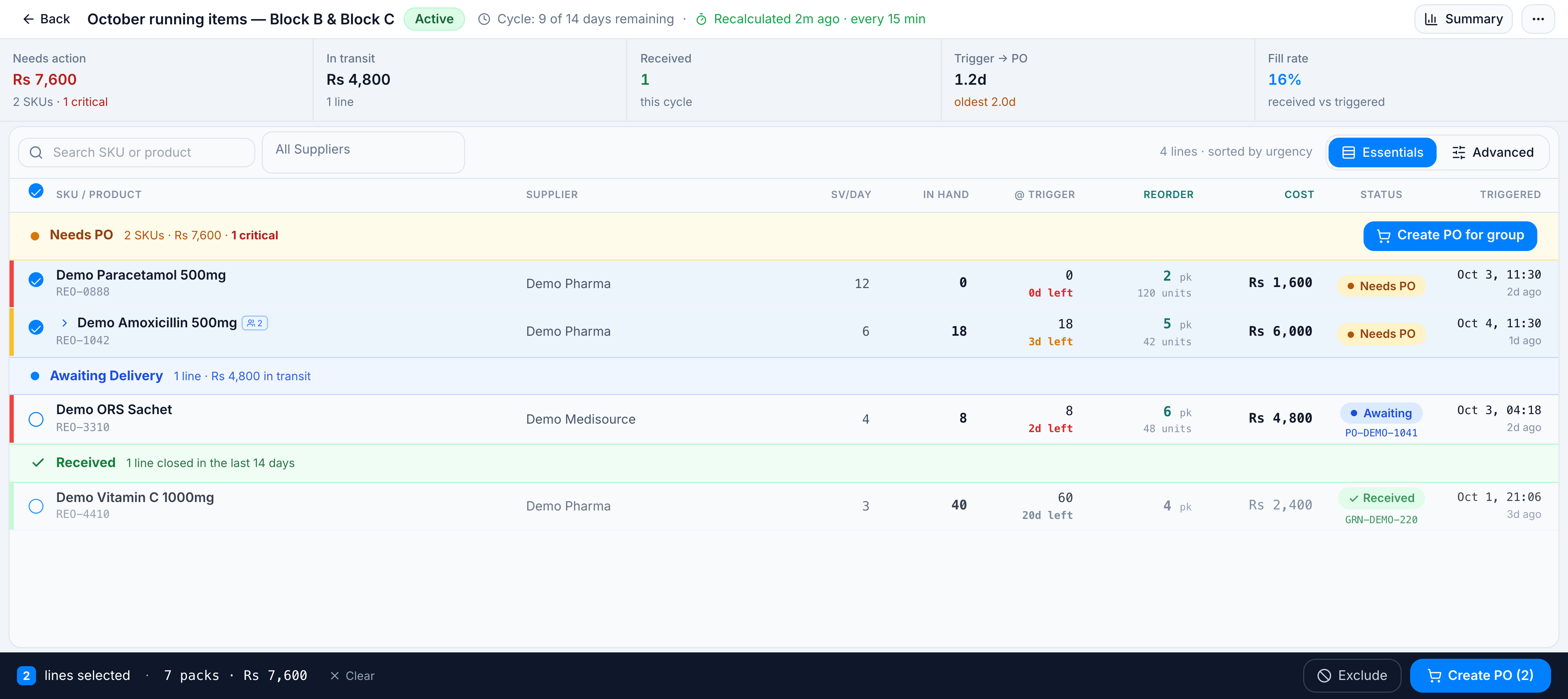
- On Essentials, either:
- click Create PO for group on the Needs PO header, which takes every actionable line in that section, or
- tick the rows you want. The footer shows Create PO (N).
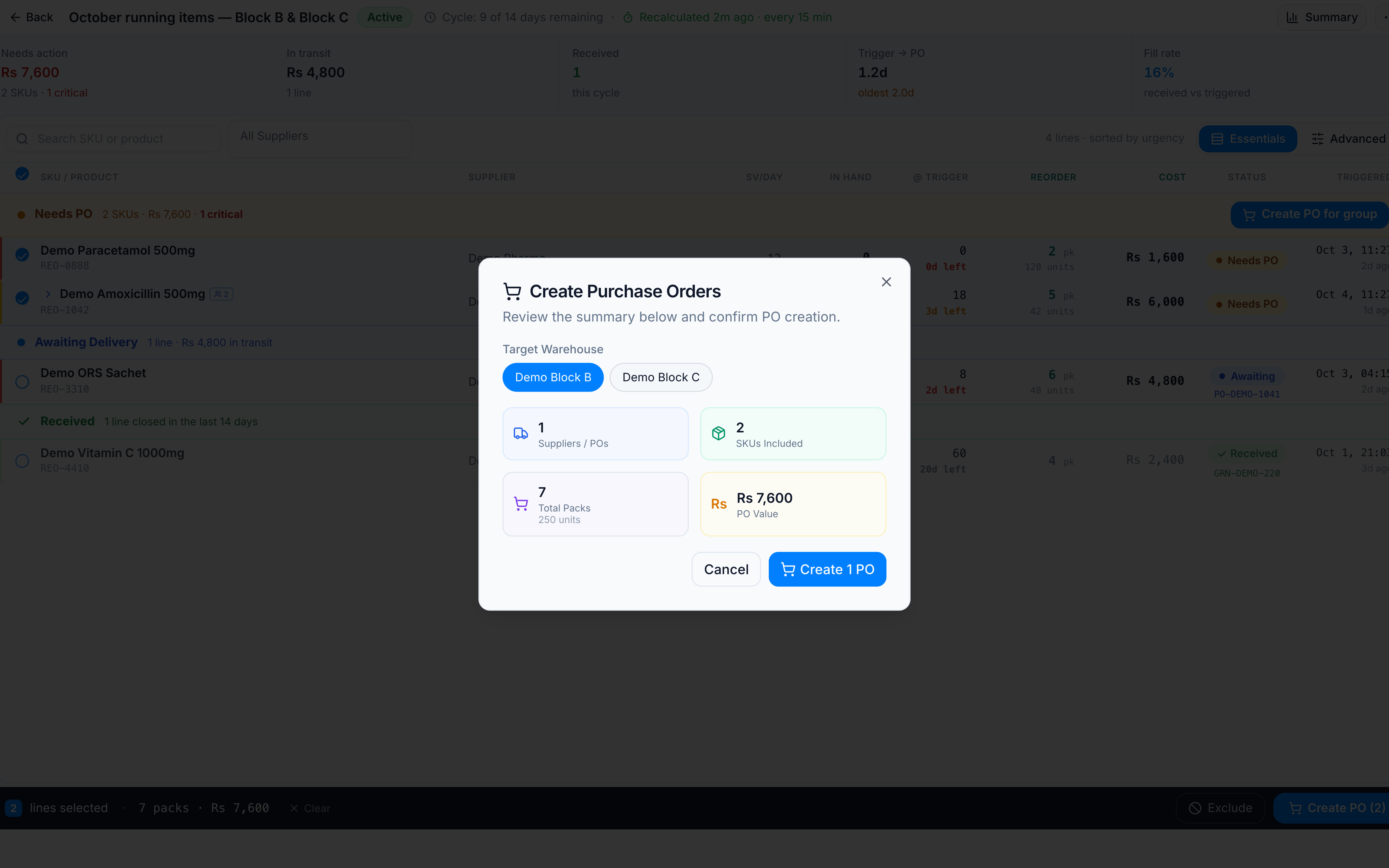
- In Create Purchase Orders, check Target Warehouse. The choices are the warehouses on this system. For the demo, Demo Block B is selected and Demo Block C is the other choice. Demo Central is not on the system, so it is not a destination.
- Read the summary. Lines with no supplier, lines that already have a PO, and lines marked excluded are skipped.
- Click Create N PO (one PO per supplier). Then Done.
For the demo, ticking paracetamol and amoxicillin (both Demo Pharma) shows:
| Demo value | |
|---|---|
| Suppliers / POs | 1 |
| SKUs included | 2 (REO-0888, REO-1042) |
| Total packs | 7 (250 units, because packs round up) |
| PO value | Rs 7,600 |
| Target Warehouse | Demo Block B (Demo Block C is the other choice) |
| Button | Create 1 PO |
ORS is already Awaiting Delivery on PO-DEMO-1041, so it is not in that set. The warning for it, if it were ticked, is N SKUs already have a PO — skipped automatically.
Success toast: Created N POs: PO-…. Those lines move to Awaiting Delivery. When a GRN posts against the PO, the line moves to GRN Received. You can also type an existing PO or GRN number on Advanced to link one by hand.
If it goes wrong
| What you see | Cause | What to do |
|---|---|---|
N SKUs without supplier — will be skipped. Assign a supplier first. | No supplier on the line | On Advanced, set Supplier, then create the PO again |
N SKUs excluded from PO — skipped (banned from PO creation). | The line is excluded | Click Excluded to include it, or wait for the 4-day expiry |
| Create N PO is disabled | Nothing left with a supplier, or no warehouse is selected | Assign suppliers, or pick Target Warehouse |
| Create PO is missing | Hub session, or the role lacks reorder.create_po | Open the cloud app, or ask an admin for the permission |
N lines excluded from PO creation | You clicked Exclude on the footer | Those lines stay off the next PO until they are included again |
Purchase orders created here are ordinary POs. Send, download, and receive them from Replenish Stock → Procurement → Purchase Orders and Goods Received.