Create a reorder system
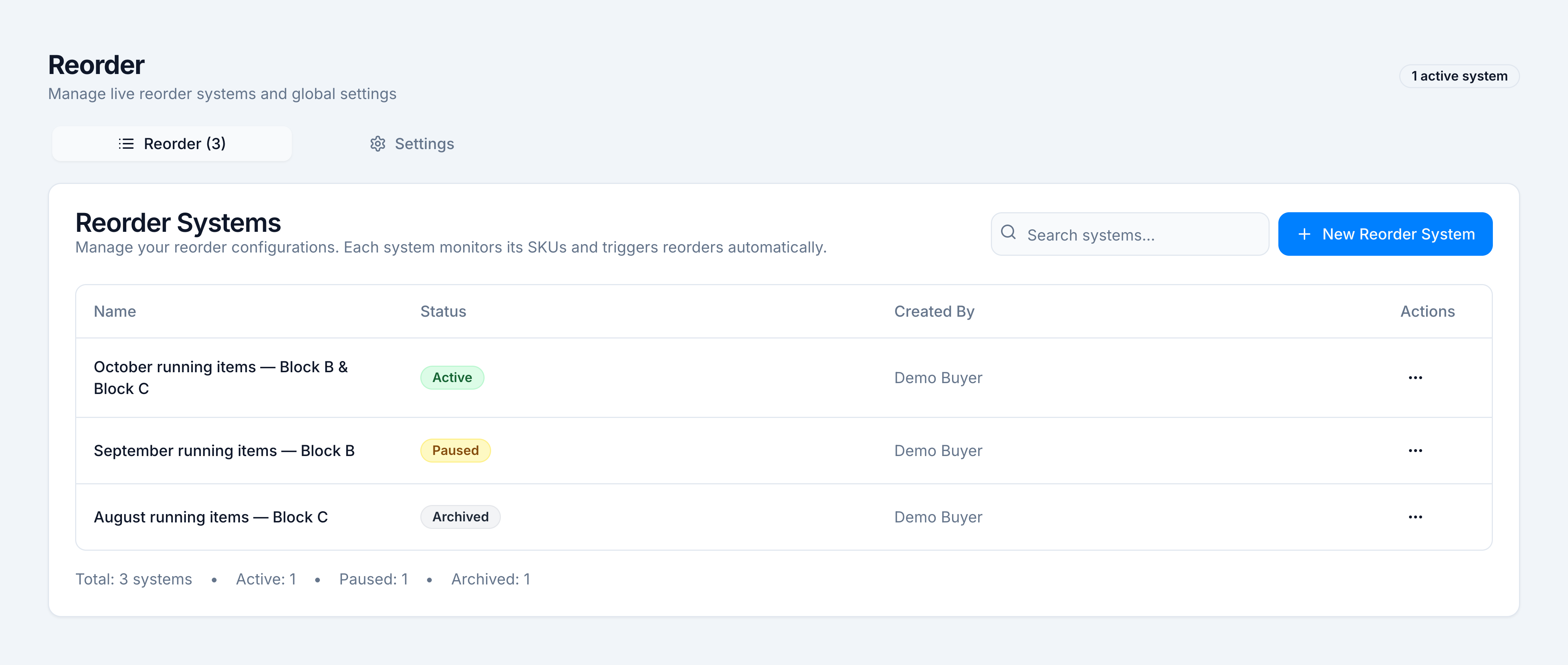
Goal: create a reorder system and land on its line list. Where: Replenish Stock → Planning → Reorders, then New Reorder System.
You need permission to create a system (reorder.create). Opening the screen itself needs reports.view or purchase.view.
Steps
- On Reorder Systems, click New Reorder System.
- Under System Configuration, type a System Name. Example:
October running items — Block B & Block C. - Tick the warehouses this system watches. For the demo, tick Demo Block B and Demo Block C. A warehouse marked Mapped shares central stock. Demo Central is the central warehouse from Settings; you do not treat it as a store you are replenishing.
- Under SKU Selection, choose how the list is filled. You can combine modes:
- Manual — search a name or SKU and add it.
- Top X by Units — set the count, then Load. The field opens at 100. The screenshot uses 6 so the sample list stays on one screen.
- Top 80% Sales — click Load Top 80% SKUs.
- Set the filters before you rely on a load:
- Include on demand off means products marked on-demand are left out.
- Include par level SKUs on adds every product that has a minimum order quantity. The toast is
Loaded N par level SKUs. - Alternate / duplicate merging on groups formulary equivalents. The member with the highest sales velocity becomes primary. The demo merge is Amoxicillin 500mg: primary REO-1042, alternate REO-1043.
- Optional: Import a sheet, or Add a SKU Group by hand so alternates reorder onto one primary.
- Leave Auto-Recalculation on Enabled at 60 minutes unless this system should stay still until someone clicks Recalculate.
- Click Create & Run Reorder System.
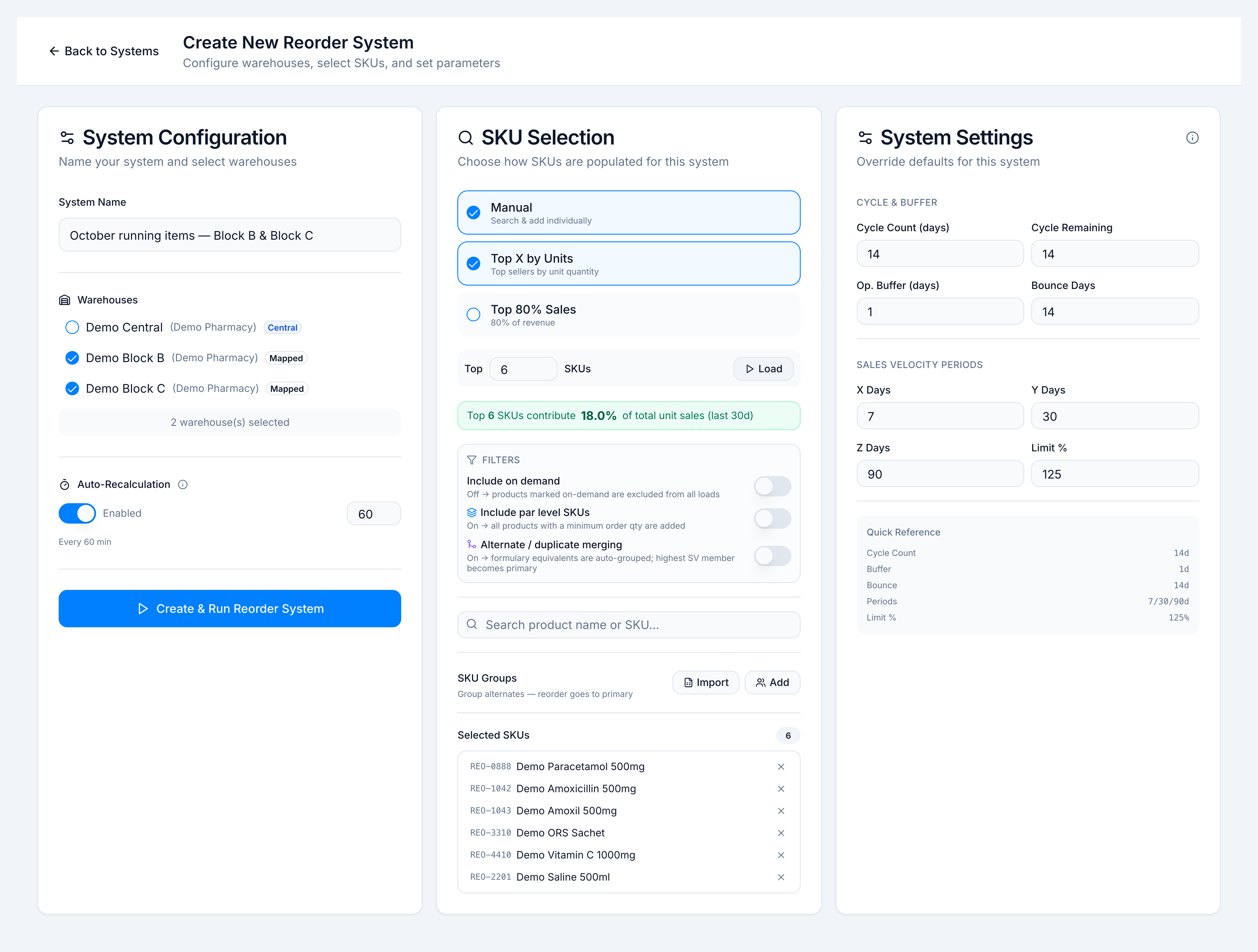
The amber box Complete to enable creation stays until the name, at least one warehouse, and at least one SKU are set. The button stays disabled until then.
Success looks like the toast Reorder system created. N SKUs need reorder. and the new system’s detail page. In the demo, 2 of the watched SKUs need a purchase order on the first run (amoxicillin and paracetamol). Saline is in the universe and does not trigger.
If it goes wrong
| Toast | Cause | What to do |
|---|---|---|
Please enter a system name | Name is blank | Type a name |
Please select at least one warehouse | No warehouse ticked | Tick at least one |
Please add at least one SKU | The selected list is empty | Search, load, or import |
SKU already added | That product is already in the list | Leave it, or group it with an alternate |
Select at least one warehouse to load par level SKUs | Par-level toggle before warehouses | Tick warehouses first |
Please select at least one warehouse first | Load with no warehouse | Tick warehouses, then Load |
No alternate/duplicate groups found for the current SKU universe | Merge found nothing to group | Add a group by hand, or leave SKUs standalone |
Failed to create reorder system | The save did not finish | Read the description on the toast and try again |
Some products have no pack size. Pack quantity defaults to unit-level rounding. | A selected product has no pack size | Fix the pack size in the catalogue, or accept unit rounding |
Cycle length, buffer, and the X / Y / Z windows on this page start from Settings. Change those before you create the system if this buy should differ from the tenant default. See Settings and permissions.