Change reorder settings
Goal: save the defaults that a new reorder system copies. Where: Replenish Stock → Planning → Reorders, then the Settings tab.
You need reorder.edit_settings. Without it, the Settings tab is hidden. If the tab is open and the role cannot edit, the screen says You don't have permission to edit settings. Contact your administrator.
Steps
- Open Settings. The heading is Reorder Settings.
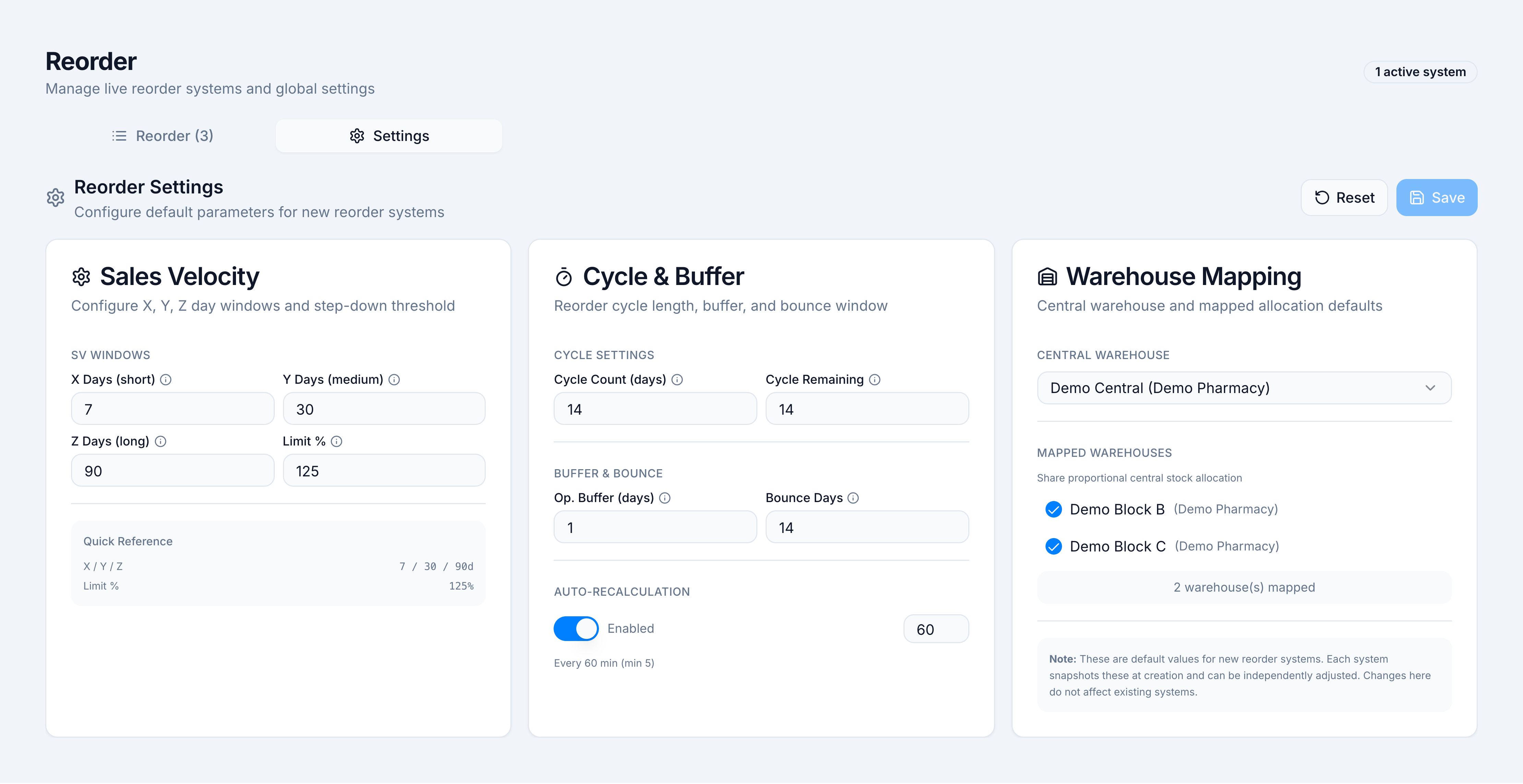
- Edit the three cards:
- Sales Velocity — X Days (short), Y Days (medium), Z Days (long), Limit %.
- Cycle & Buffer — Cycle Count (days), Op. Buffer (days), Bounce Days, and Auto-Recalculation.
- Warehouse Mapping — Central Warehouse and Mapped Warehouses.
- The bar shows Unsaved changes until you click Save. The toast is
Reorder settings saved. - Reset restores the built-in defaults and toasts
Reorder settings reset to defaults.
Demo Pharmacy defaults, which the October system was created from:
| Setting | Demo value |
|---|---|
| X / Y / Z Days | 7 / 30 / 90 |
| Limit % | 125 |
| Cycle Count (days) | 14 |
| Op. Buffer (days) | 1 |
| Bounce Days | 14 |
| Auto-Recalculation | Enabled, every 60 min |
| Central Warehouse | Demo Central |
| Mapped Warehouses | Demo Block B, Demo Block C |
Saving Settings does not rewrite a system that already exists. That system keeps the snapshot it was created with. To change one system, use its row menu Modify Configurations, then Save Changes. The toast is Configuration updated. Recalculate that system so open lines pick up the new cover.
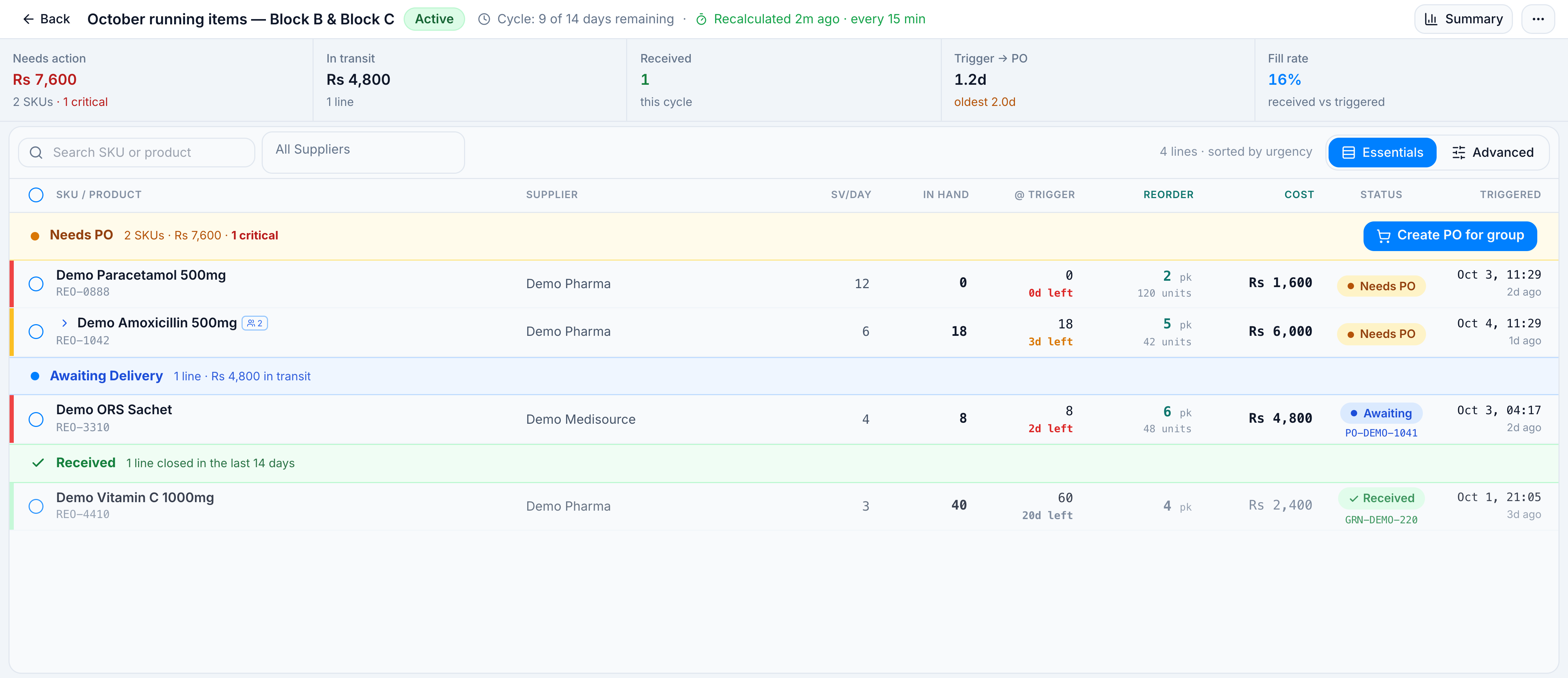
The live countdown (Cycle: 9 of 14 days remaining) is on the system header. It is counted from the cycle start. Cycle Remaining on the Settings card is not that countdown. The header also reports the cloud job as every 15 min. Auto-Recalculation on this tab is the interval a new system copies (demo: 60 min).
If it goes wrong
| Toast | Cause | What to do |
|---|---|---|
Failed to save reorder settings to database | The save did not finish | Stay on the tab and click Save again |
| Save stays disabled | Nothing has changed | Edit a field first. Unsaved changes must be showing |
| A new system still uses the old windows | It was created before this save | Modify Configurations on that system, or create a new one |