Tutorial: Work your first reorder
This is one continuous pass on the fixture system October running items — Block B & Block C. The numbers are demo data for Demo Pharmacy. Use the same system on every step.
1. Open the system
Go to Replenish Stock → Planning → Reorders.
On Reorder Systems, search October running. The row looks like this:
| Name | Status | Created by |
|---|---|---|
| October running items — Block B & Block C | Active | Demo Buyer |
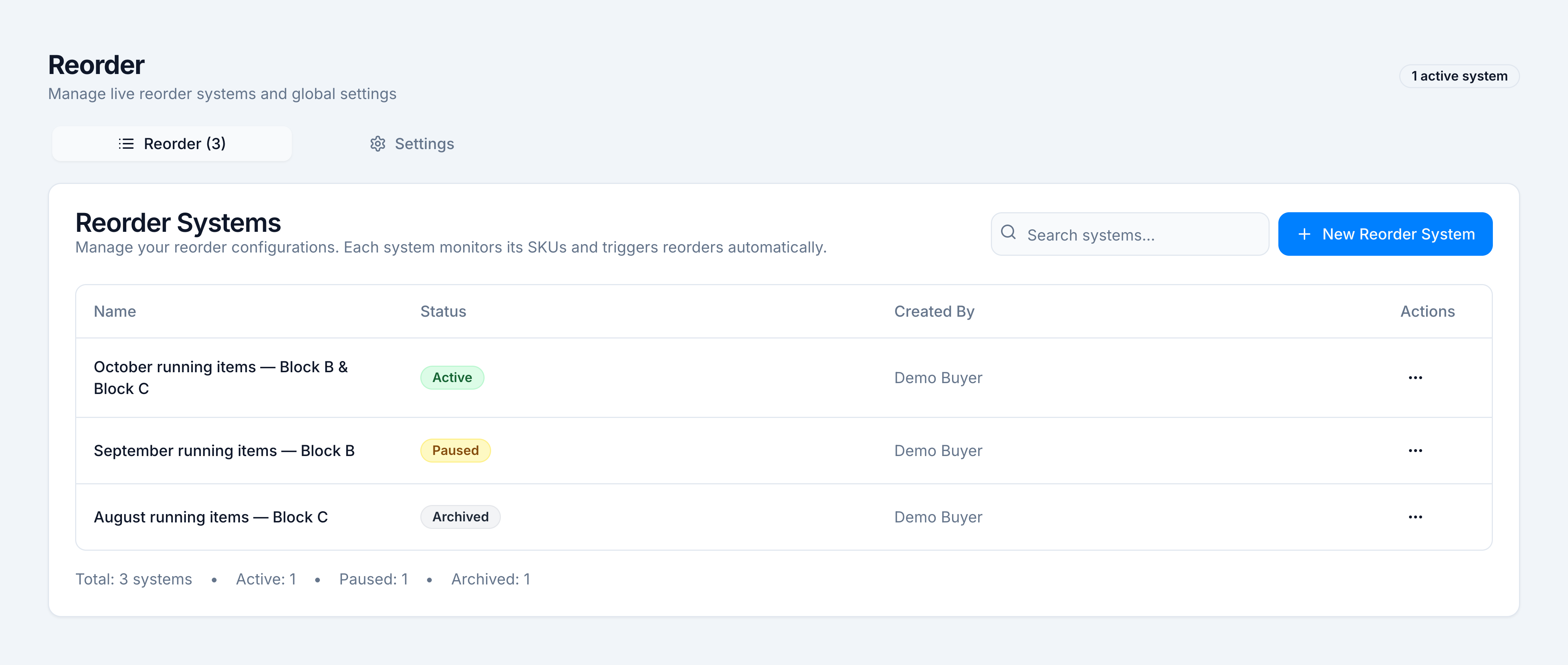
Click the name. The header reads Active and Cycle: 9 of 14 days remaining.
2. Read the strip
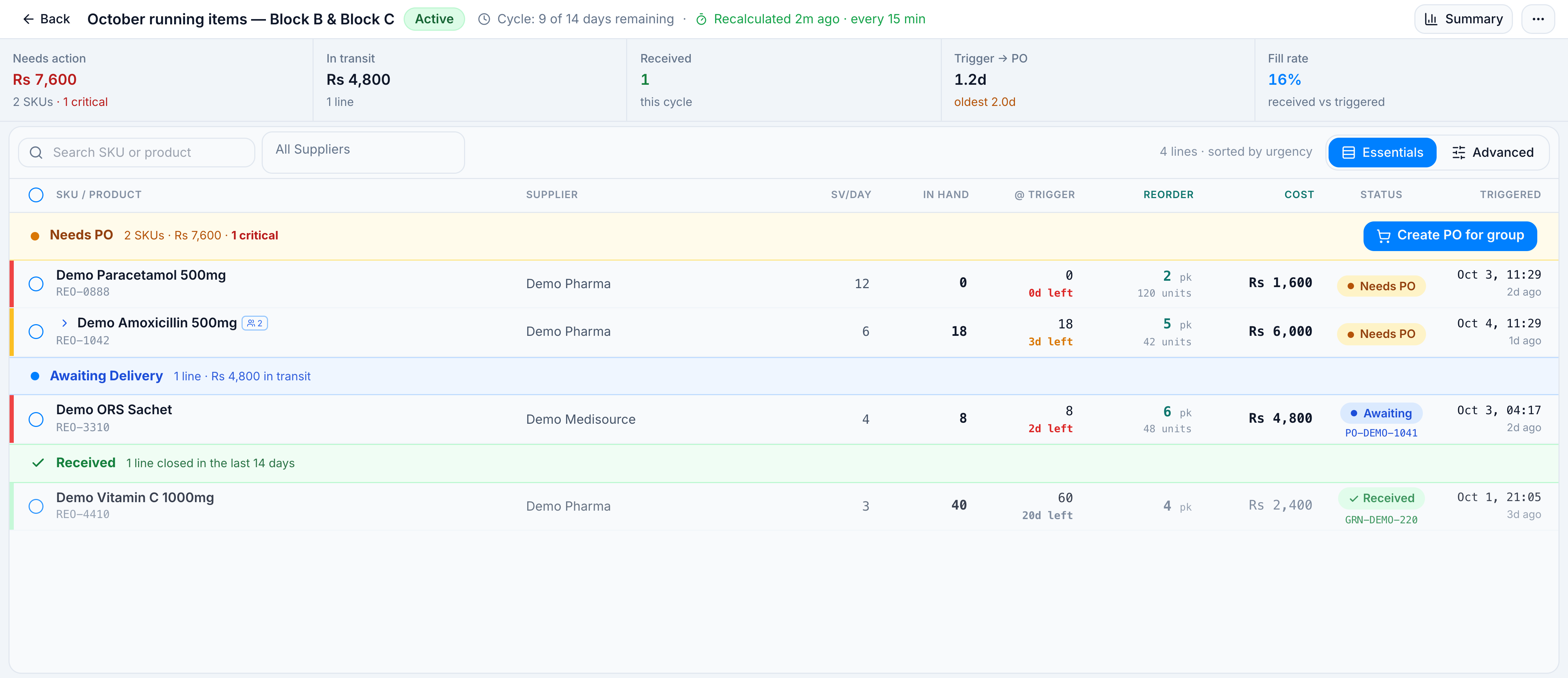
Stay on Essentials. The strip across the top of the demo system is:
| Needs action | In transit | Received | Trigger → PO | Fill rate |
|---|---|---|---|---|
| Rs 7,600 · 2 SKUs · 1 critical | Rs 4,800 · 1 line | 1 · this cycle | 1.2d · oldest 2.0d | 16% |
Needs action is money still waiting for a purchase order. In transit already has a PO. Fill rate is units received against units triggered in this cycle. Paracetamol is the critical line: zero days of stock.
3. Read Needs PO
The amber section Needs PO holds the two open lines. They are sorted so the shorter cover comes first.
| SKU / Product | Supplier | SV/day | In hand | Reorder | Cost | Status |
|---|---|---|---|---|---|---|
| REO-0888 Demo Paracetamol 500mg | Demo Pharma | 12.0 | 0 | 2 packs | Rs 1,600 | Needs PO |
| REO-1042 Demo Amoxicillin 500mg | Demo Pharma | 6.0 | 18 | 5 packs | Rs 6,000 | Needs PO |
In hand is live stock in the mapped warehouses. Reorder is packs to buy so the line lasts the 9 days left in the cycle.
The blue section Awaiting Delivery shows REO-3310 Demo ORS Sachet on PO-DEMO-1041. The green section Received shows REO-4410 Demo Vitamin C 1000mg on GRN-DEMO-220.
4. Open the amoxicillin group
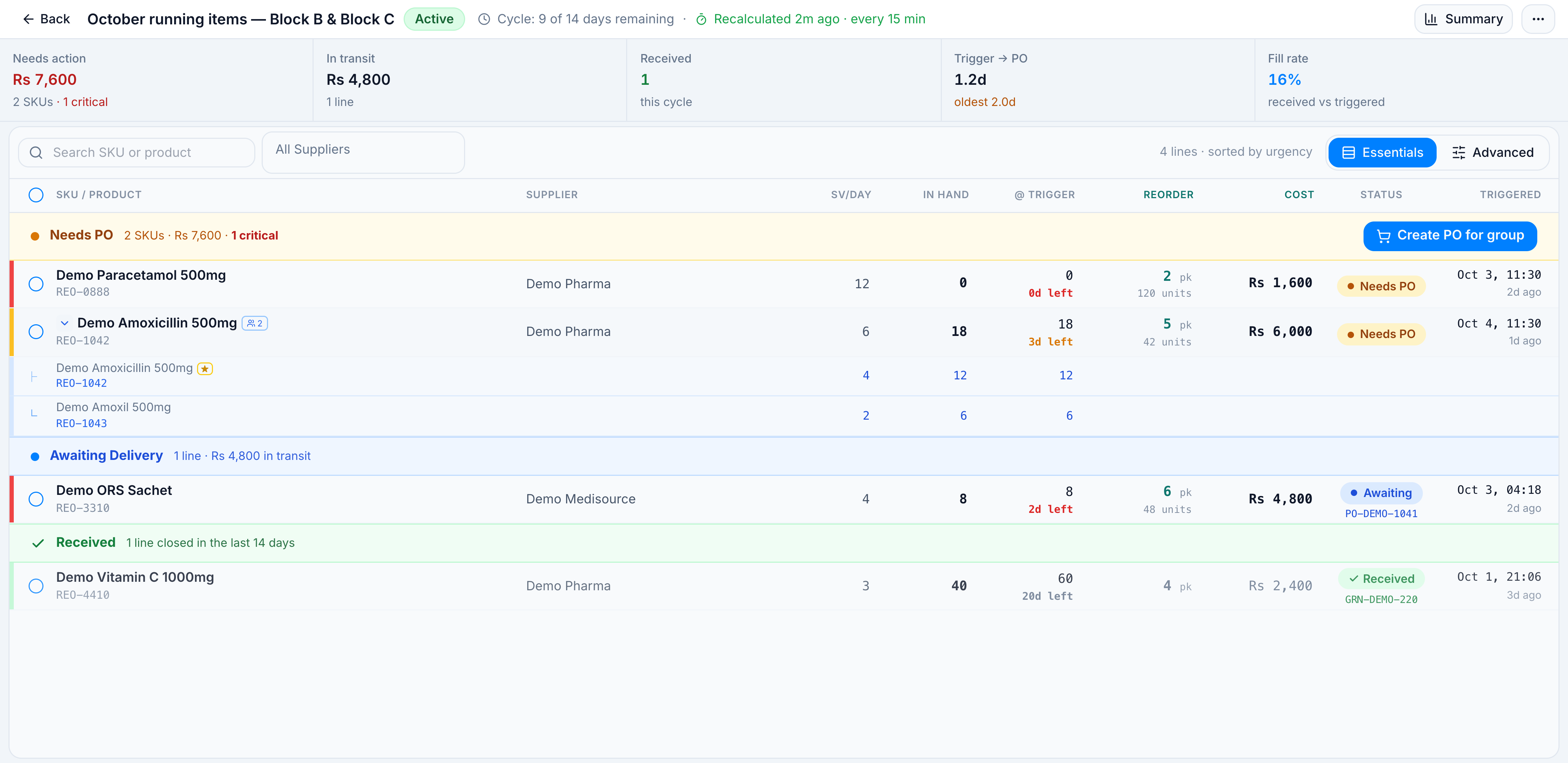
Click the amoxicillin row. It expands to the two members that were merged into one buy:
| SKU | Product | Role | SV/day | Stock |
|---|---|---|---|---|
| REO-1042 | Demo Amoxicillin 500mg | Primary | 4.0 | 12 |
| REO-1043 | Demo Amoxil 500mg | Alternate | 2.0 | 6 |
Sales and stock are added together (SV 6.0, 18 units). The purchase order line is the primary, REO-1042.
5. Switch to Advanced
Click Advanced. The same four lines are in one table, with Stock Days, Min Days, Units, and Packs.
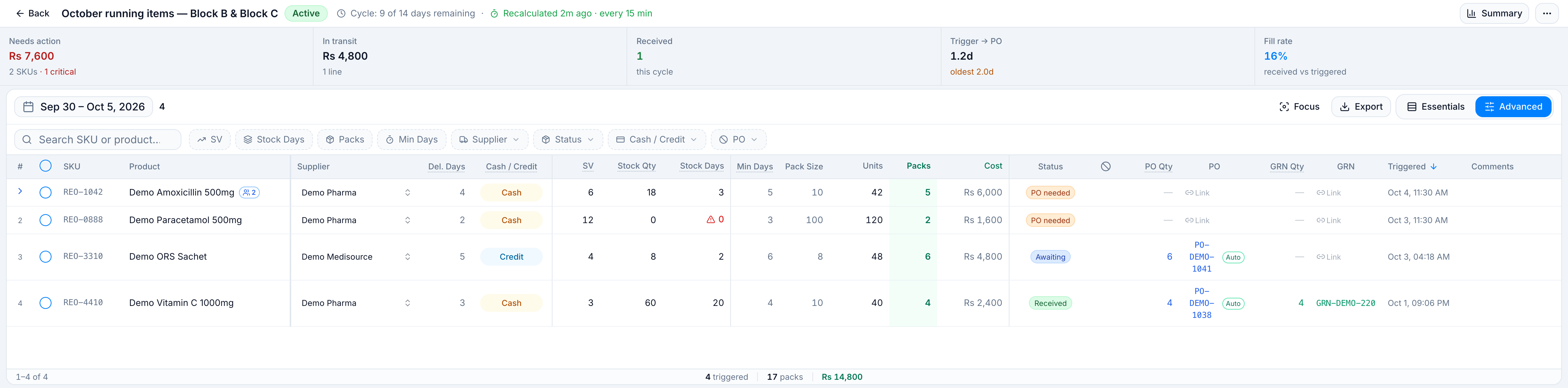
Set Stock Days to a maximum of 7. The chip reads ≤ 7 and the count drops to 3 of 4. Vitamin C (20 days) drops off. Paracetamol (0), ORS (2), and Amoxicillin (3) stay.
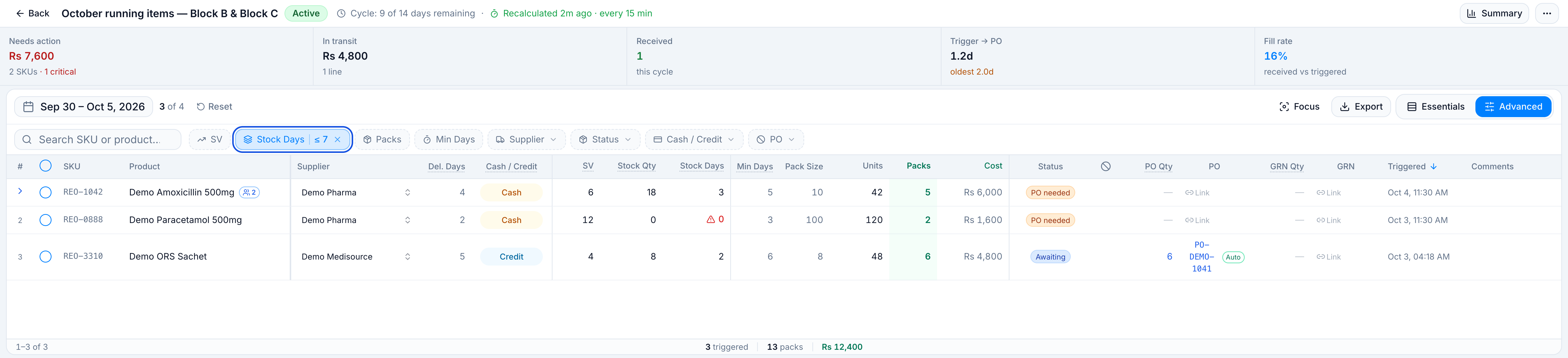
Clear the stock-days filter before the next step so you are looking at the cycle again.
6. Select the two lines that still need a PO
Tick REO-0888 and REO-1042 only.
The bar at the bottom reads 2 lines selected · 7 packs · Rs 7,600, with Exclude and Create PO (2).
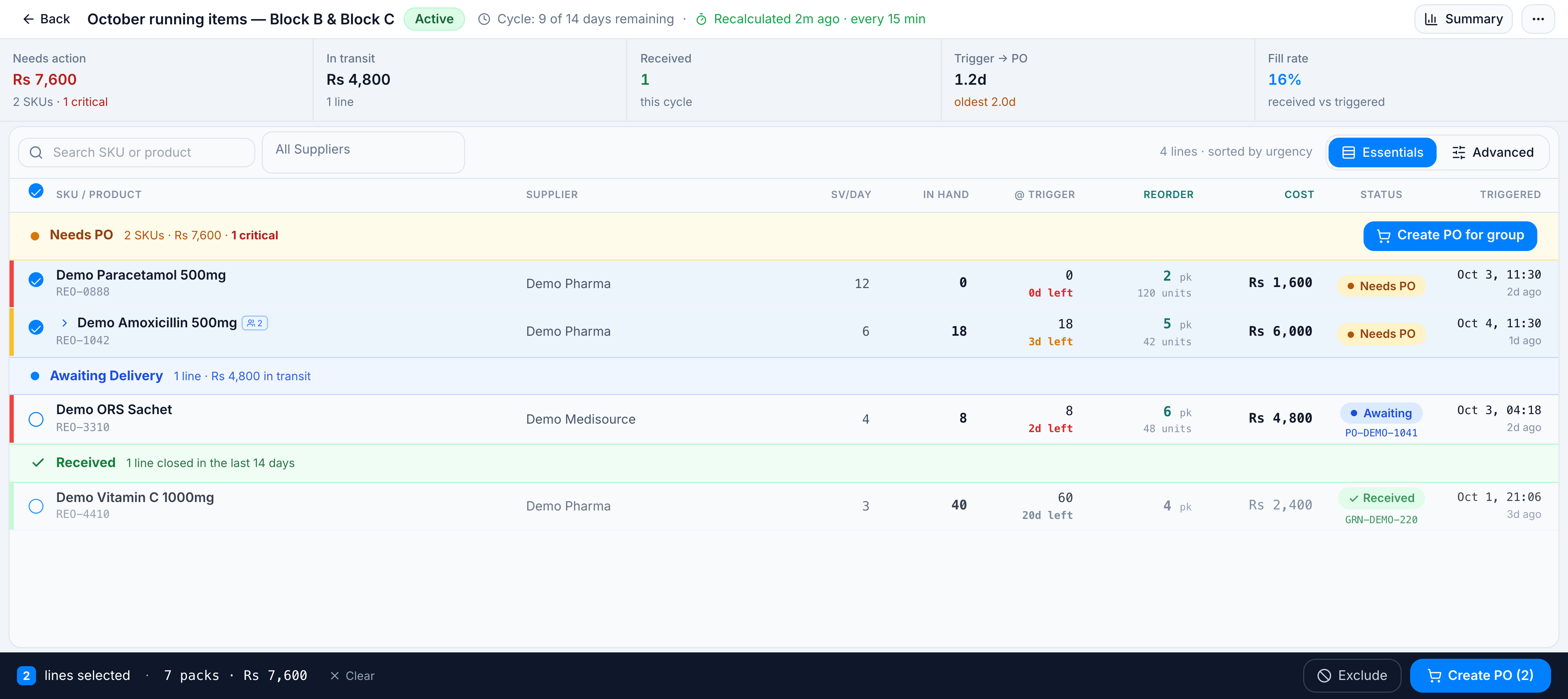
Do not confirm the purchase order on this pass. Both lines share Demo Pharma, so the confirm dialog would offer Create 1 PO for 7 packs (250 units) and Rs 7,600. Target Warehouse offers Demo Block B (selected) and Demo Block C. Creating the order is in Create purchase orders from reorder lines.
You have now opened a system, read urgency, expanded a group, and selected what to buy. For one job on its own, use the matching how-to. For column and status rules, see Line statuses and columns.