Settings and permissions
Scope: the Settings tab, the snapshot stored on each system, and the
reorder.*permissions.
Who can open the screen
Replenish Stock → Planning → Reorders (also Insights → Forecasting → Reorders) opens for a role with reports.view or purchase.view.
Admin and tenant owner roles get every action below. Other roles need the matching permission. A missing permission hides the control.
| Button or edit | What the screen does |
|---|---|
| New Reorder System, Modify Configurations, Purge & Regenerate Lines | Hidden without reorder.create |
| Settings tab | Hidden without reorder.edit_settings |
| Create Group / Add (SKU group) | Disabled without reorder.create_group |
| Remove a SKU, Exclude / include a line | Hidden without reorder.remove_sku |
| Create PO | Hidden without reorder.create_po, and also hidden on the offline hub |
| Delete | Hidden without reorder.archive |
Add SKU and Archive are on the screen for anyone who can open the system. reorder.add_sku, reorder.edit_buffer, reorder.edit_cycle_count, and reorder.view are role keys; this screen does not hide a control on those four.
Settings that new systems copy
Open Replenish Stock → Planning → Reorders, then Settings.
| Setting | Demo value | Meaning |
|---|---|---|
| X Days (short) | 7 | Short sales window |
| Y Days (medium) | 30 | Medium sales window |
| Z Days (long) | 90 | Long sales window |
| Limit % | 125 | If the longer window’s velocity is above this percent of the shorter one, the longer window is used. 125 = 1.25× |
| Cycle Count (days) | 14 | Length of one buying cycle. Order quantity covers the days left, not always the full 14 |
| Op. Buffer (days) | 1 | Added on top of supplier lead time. That sum is minimum stock days |
| Bounce Days | 14 | How far back missed sales are added onto the order quantity. They do not count as stock cover |
| Auto-Recalculation | On, 60 min | Interval a new system copies. Minimum 5 minutes. An open system’s header still reports the cloud job as every 15 min |
| Central Warehouse | Demo Central | Stock here is shared across mapped warehouses by their share of sales |
| Mapped Warehouses | Demo Block B, Demo Block C | Warehouses that receive a proportion of central stock |
Reset returns those fields to the built-in defaults (X 7, Y 30, Z 90, limit 125, cycle 14, buffer 1, bounce 14, auto-recalc on at 60 minutes).
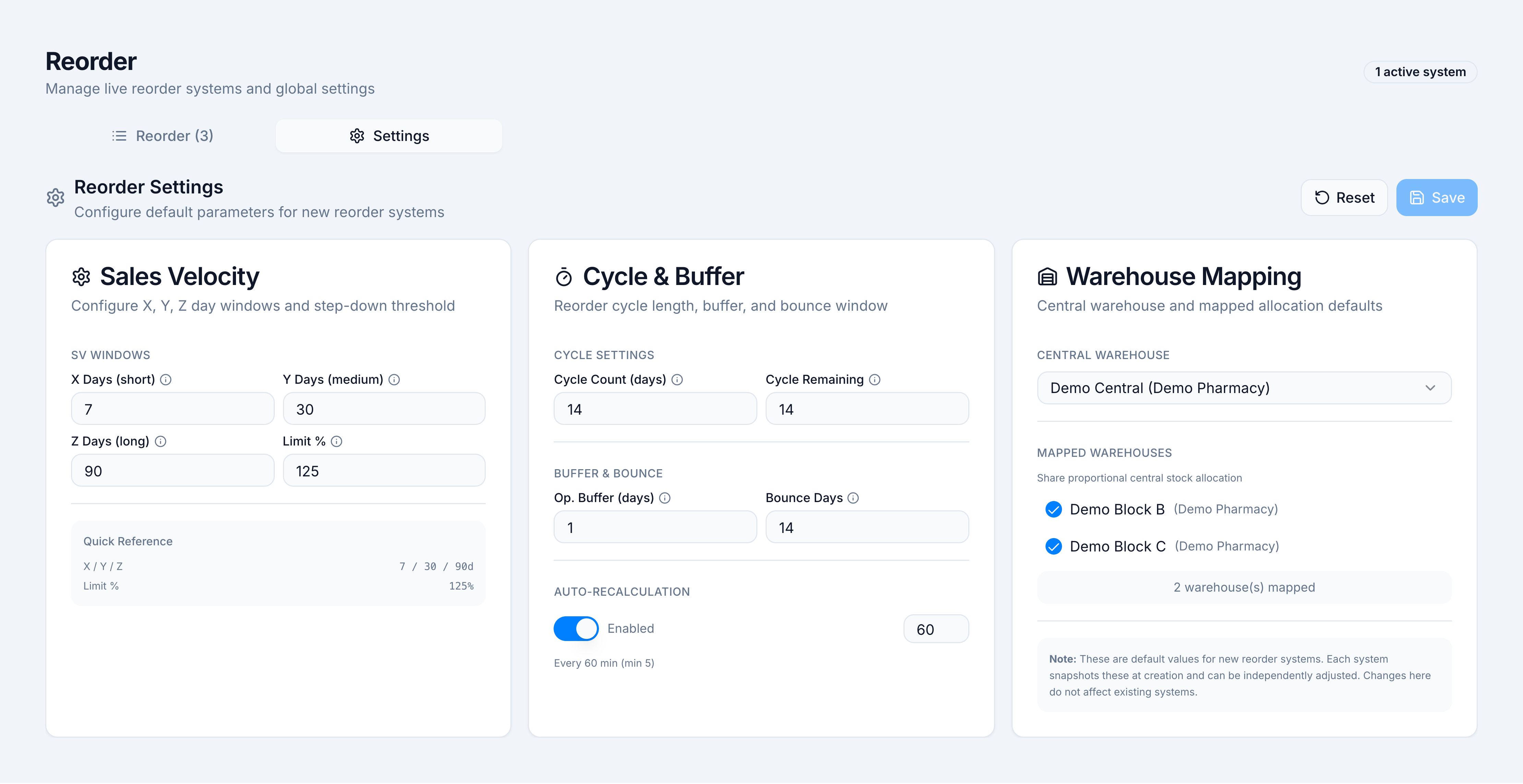
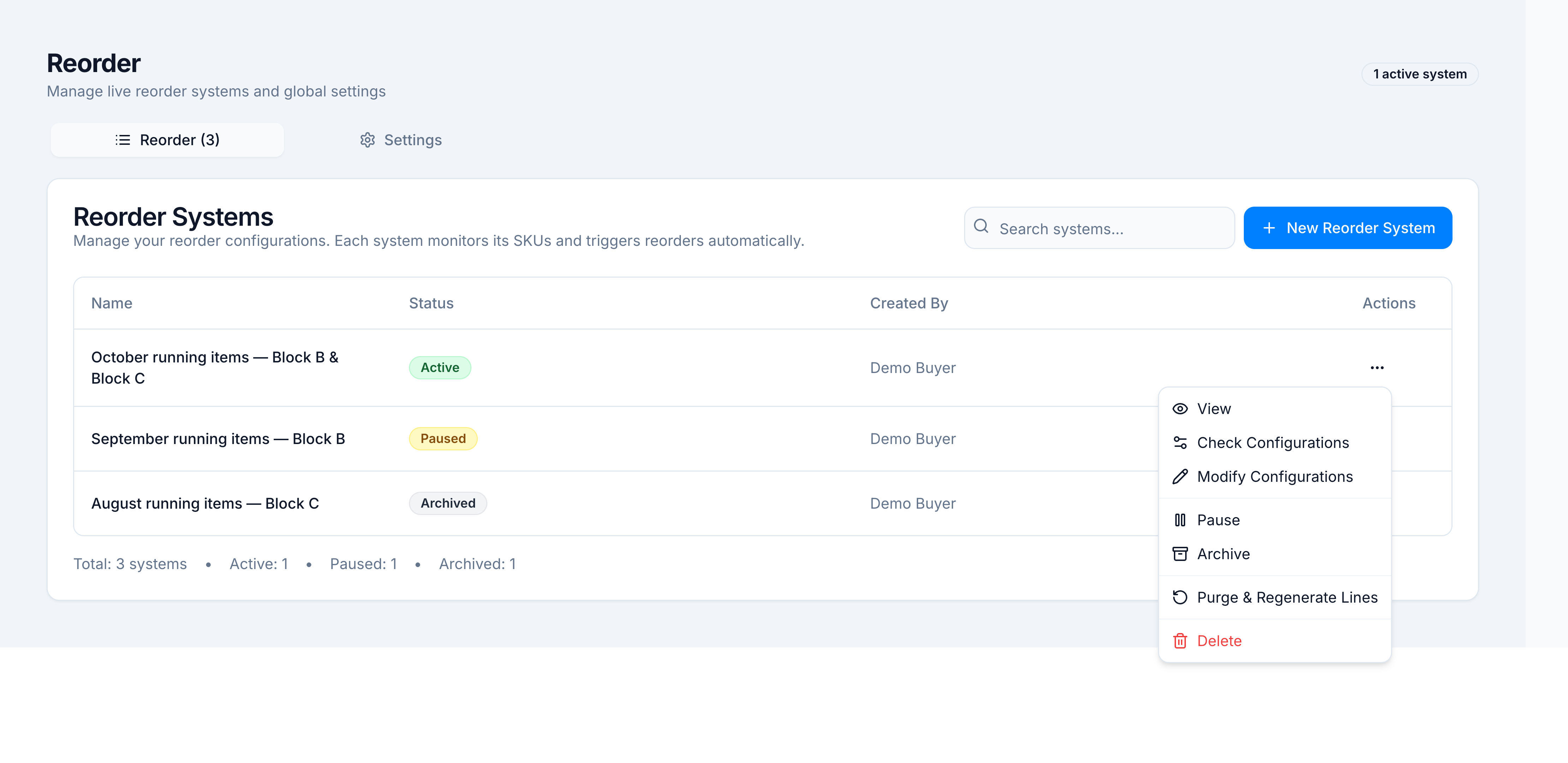
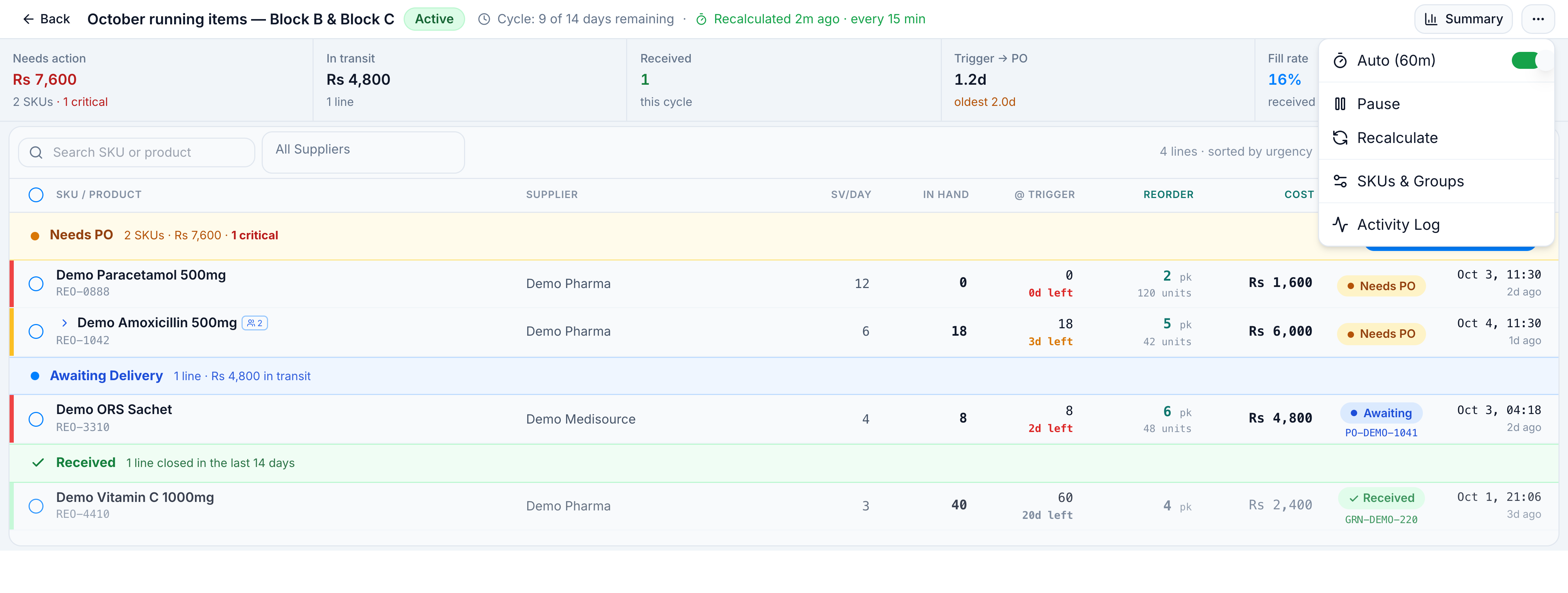
Saving Settings updates the tenant default. It does not change October running items — Block B & Block C, which keeps its own snapshot. Edit that snapshot with Modify Configurations (Coverage Days, buffer, warehouses), then Recalculate.
SKU universe
| Mode | What it adds |
|---|---|
| Manual | Products you search and add |
| Top X by Units | The top sellers by unit quantity in the selected warehouses. Load shows their share of unit sales over the last 30 days |
| Top 80% Sales | SKUs that make up 80% of sales |
| Include par level SKUs | Products with a minimum order quantity |
| Include on demand | When off, on-demand products are excluded from every load |
| Alternate / duplicate merging | Formulary equivalents become one group. Highest SV member is primary. The reorder is raised on that primary |
A group’s stock and velocity are the sum of its members. REO-1042 (SV 4.0, stock 12) plus REO-1043 (SV 2.0, stock 6) is one line at SV 6.0 and 18 units.
What Create PO will not include
| Skip | On-screen warning |
|---|---|
| No supplier | N SKUs without supplier — will be skipped. Assign a supplier first. |
| Already has a PO | N SKUs already have a PO — skipped automatically. |
| Excluded | N SKUs excluded from PO — skipped (banned from PO creation). |
| Pack quantity 0 | Not eligible |
| Offline hub session | Create PO is hidden |
One purchase order is created per supplier, into the Target Warehouse you pick. Default is the central warehouse.