Filter the put-away queue
When to do this
You need to audit completed lines, see everything in the warehouse, or return to pending work.
Steps
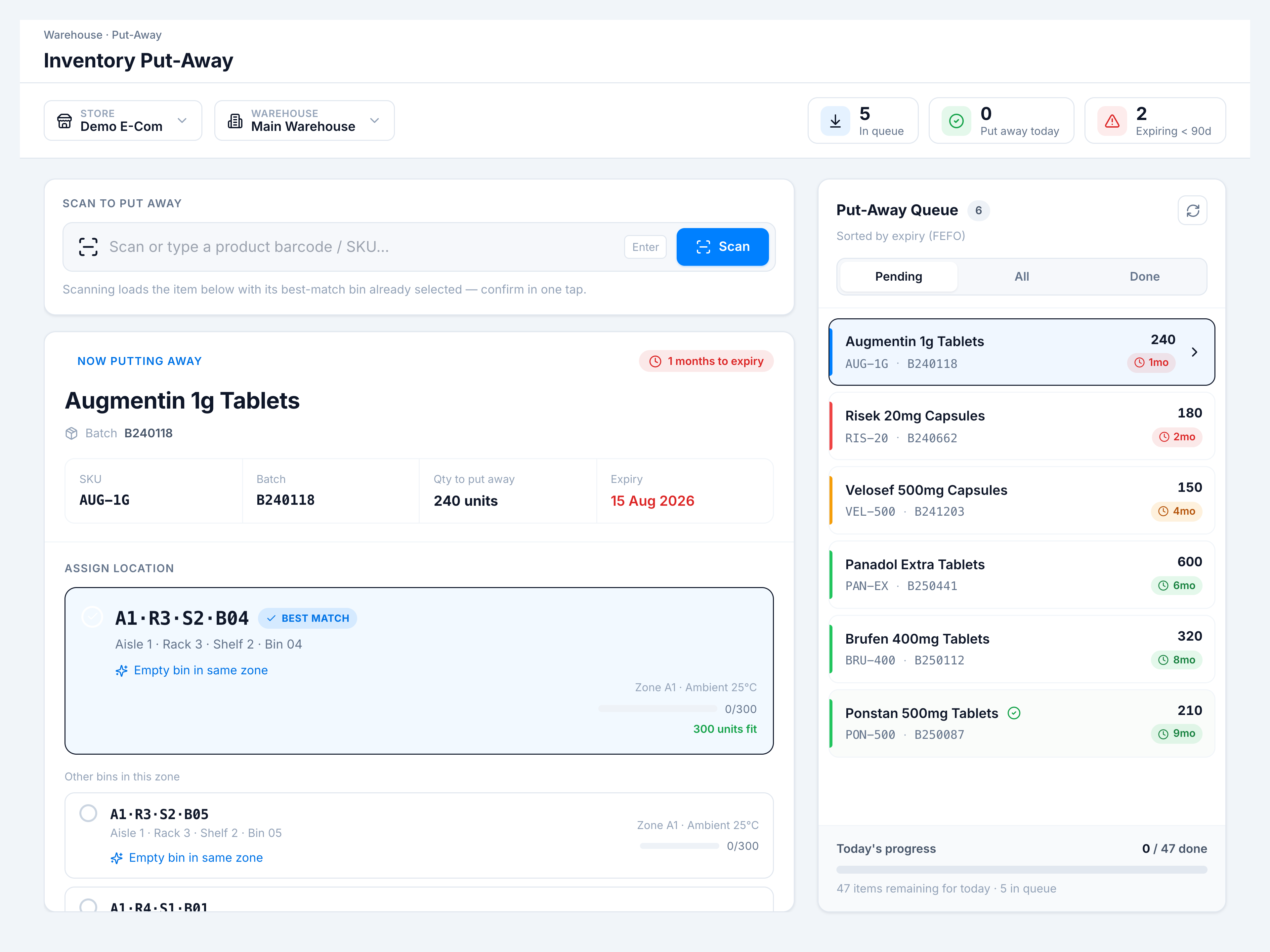
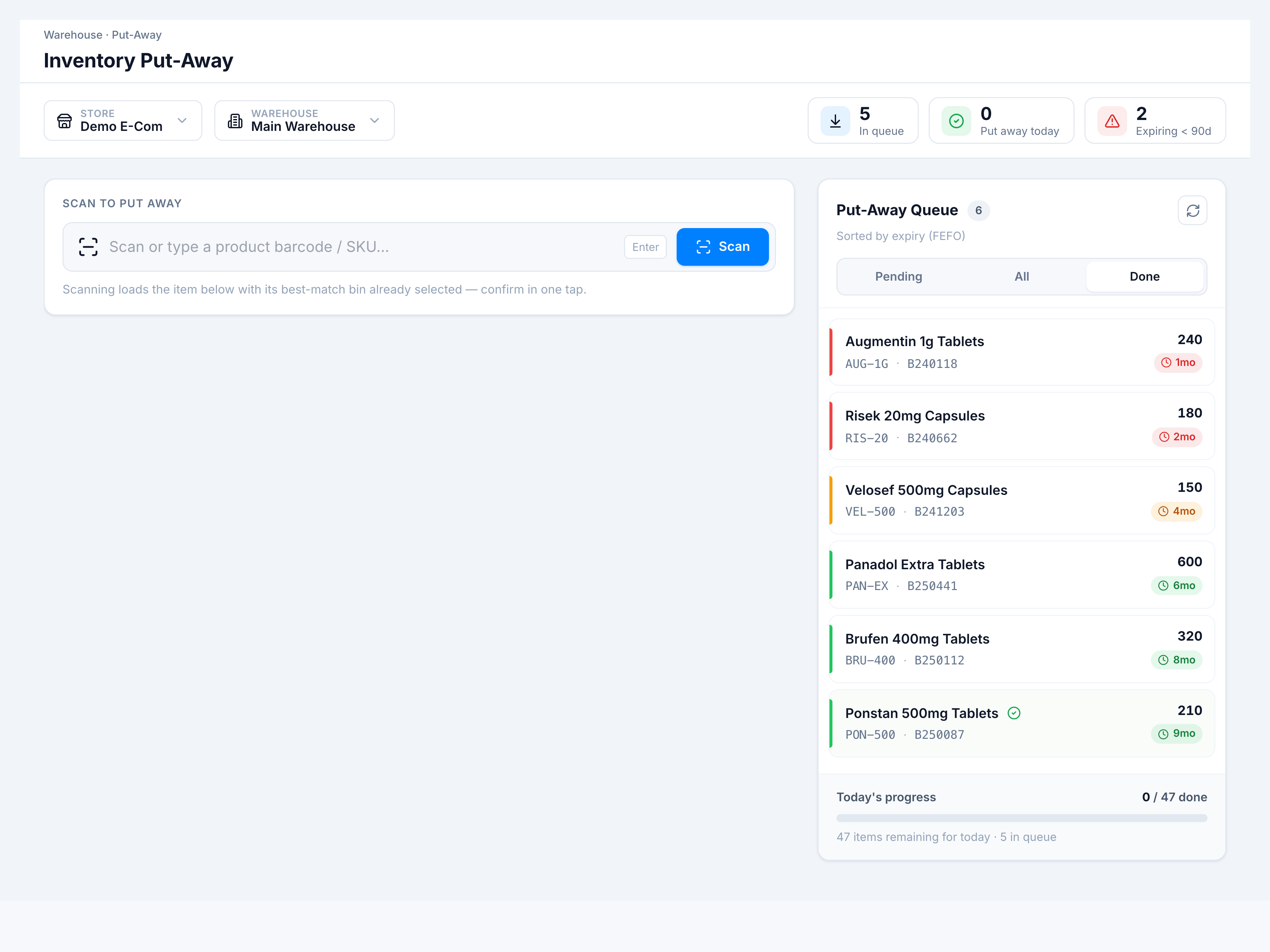
- In Put-Away Queue, use the segmented control:
- Pending — unassigned lines (default, FEFO sorted)
- All — pending + assigned in current fetch
- Done — assigned lines
- Click any row to load it as the active item (Pending/All).
- Use the refresh icon to reload from the server.
Success looks like
Tab highlight moves; list count badge updates; Today’s progress footer stays visible.