Edit a product
When to use this: you need regulated fields, ingredients, suppliers, storefront PDP content, or Shopify linkage — beyond what Quick Add covers.
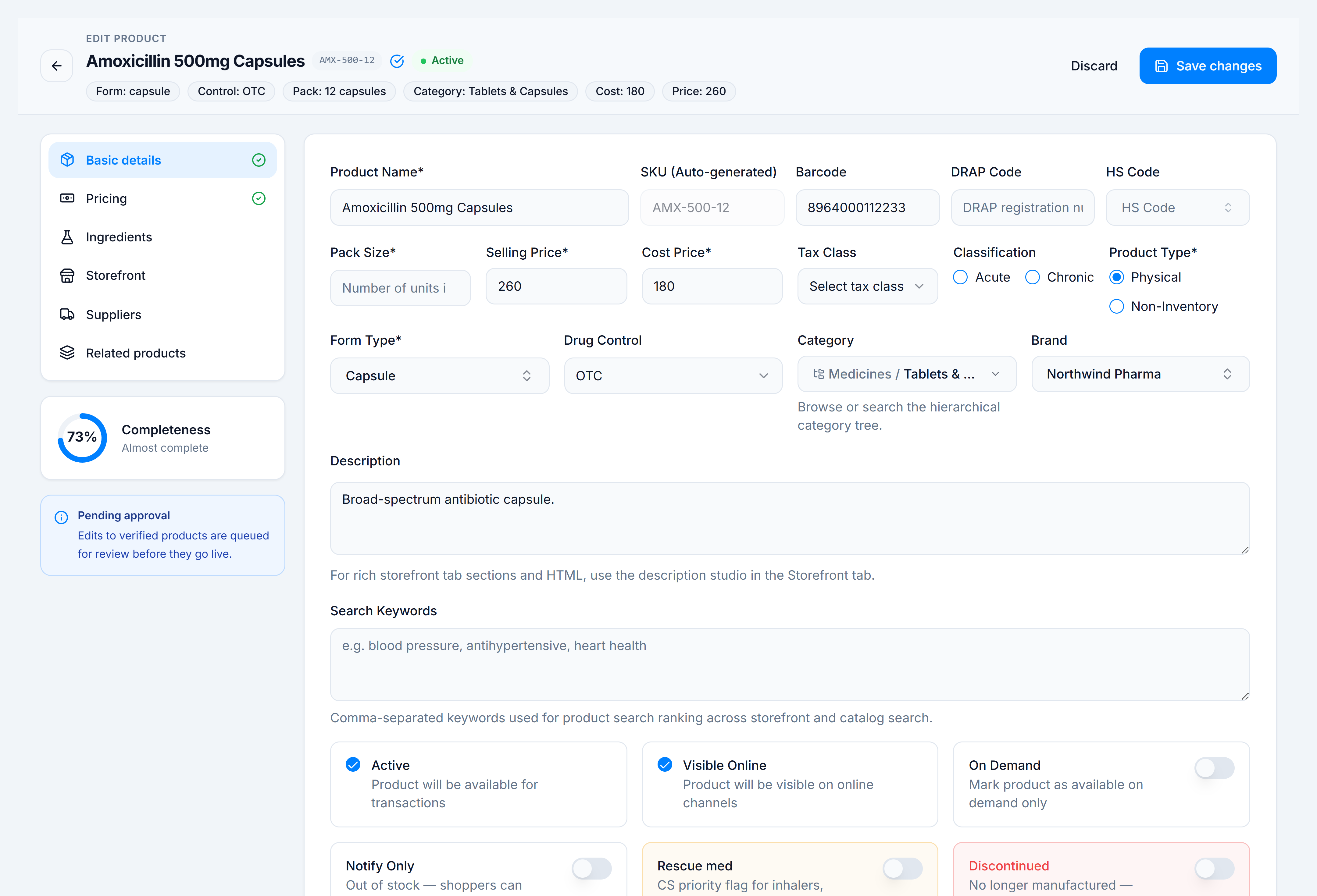
Steps
- On Products, click the green Edit icon on a row, or open a product name link for catalog view then navigate to edit.
- Use the left sidebar to switch tabs:
- Basic Details — core identity and classification
- Pricing — cost, price, tax
- Ingredients — composition
- Suppliers — vendor links
- Storefront — publish toggle, title, and tab builder (rich PDP sections)
- Related — variation groups
- Shopify — sync status (when linked)
- The completeness ring on each tab shows how much required data is filled.
- Click Save changes in the sticky header (or Resubmit when editing a rejected approval).
Header chips
Below the product name, read-only chips summarize Form, Control, Brand, Pack, Category, Generic, Cost, and Price — they update as you edit.
You’re done when
Toast confirms save and returning to the list shows updated values.