Add a product (Quick Add)
When to use this: you are entering several new SKUs and want identity, classification, and pricing in one lightweight dialog.
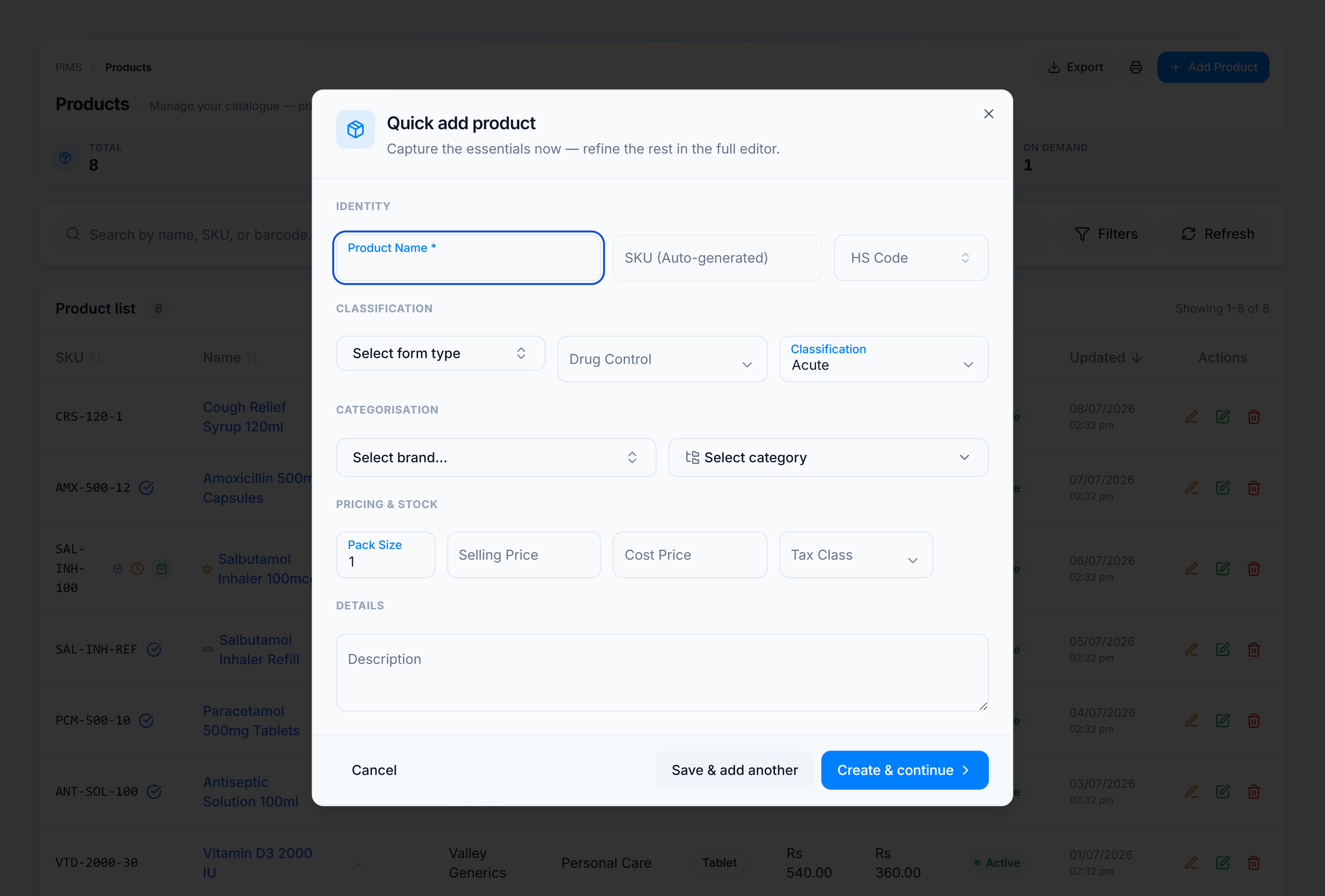
Steps
- Open Catalog → Products.
- Click Add Product in the page header.
- Complete the sections:
- Identity — name (required), optional SKU/barcode
- Classification — brand, category, form type
- Pricing — cost, price (margin badge updates live)
- Status — active toggle, on-demand if applicable
- Choose an action:
- Save & add another — saves, resets the form, keeps the dialog open
- Create & continue — saves and opens the full product editor
You’re done when
The new SKU appears in the product list and the Total KPI increases.
If it goes wrong
| Message | Cause | Fix |
|---|---|---|
| Product name is required | Name empty | Enter at least two characters. |
| Approval pending toast | Tenant requires product approval | Wait for approval or edit the pending request. |