Tutorial: Using the Counsellor in a sale
This walks through one sale where the Counsellor helps three times — a trade-up, a substitution, and a cross-sell. Follow it once to see how the layer behaves; for each task on its own, jump to its how-to page.
The Counsellor rack sits in the right column of the Smart Counter.
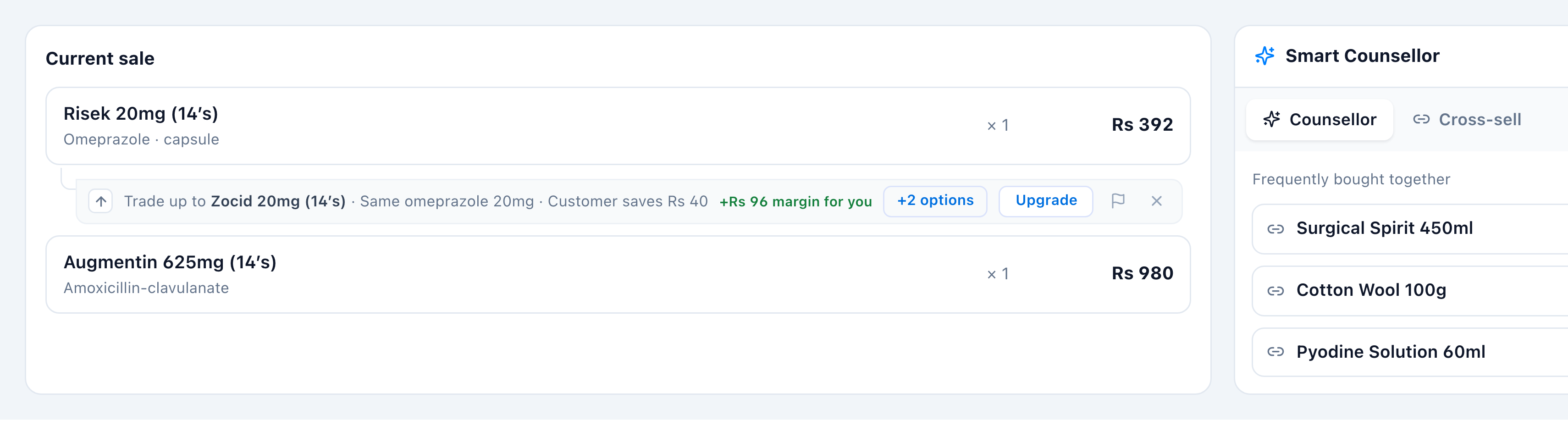
1. Trade up to a higher-margin line
Add a product. If a higher-margin equivalent is in stock, a trade-up ribbon appears under the line — “Trade up to the suggested product · +Rs N margin for you.” Tap Upgrade to swap the line (or +N options to pick a specific one).

(Detail: Trade up to higher margin.)
2. Substitute an out-of-stock item
Add something you don’t have in stock. The line stays calm with an “Out of stock here” chip, and just below it the Counsellor notes “{N} in-stock substitute(s) · see the Counsellor” (plus a Check other warehouses button). Select that line — the right-hand Counsellor tab shows its equivalents, ranked Same molecule → Diff. strength → Same class. Tap Swap on an interchangeable one.
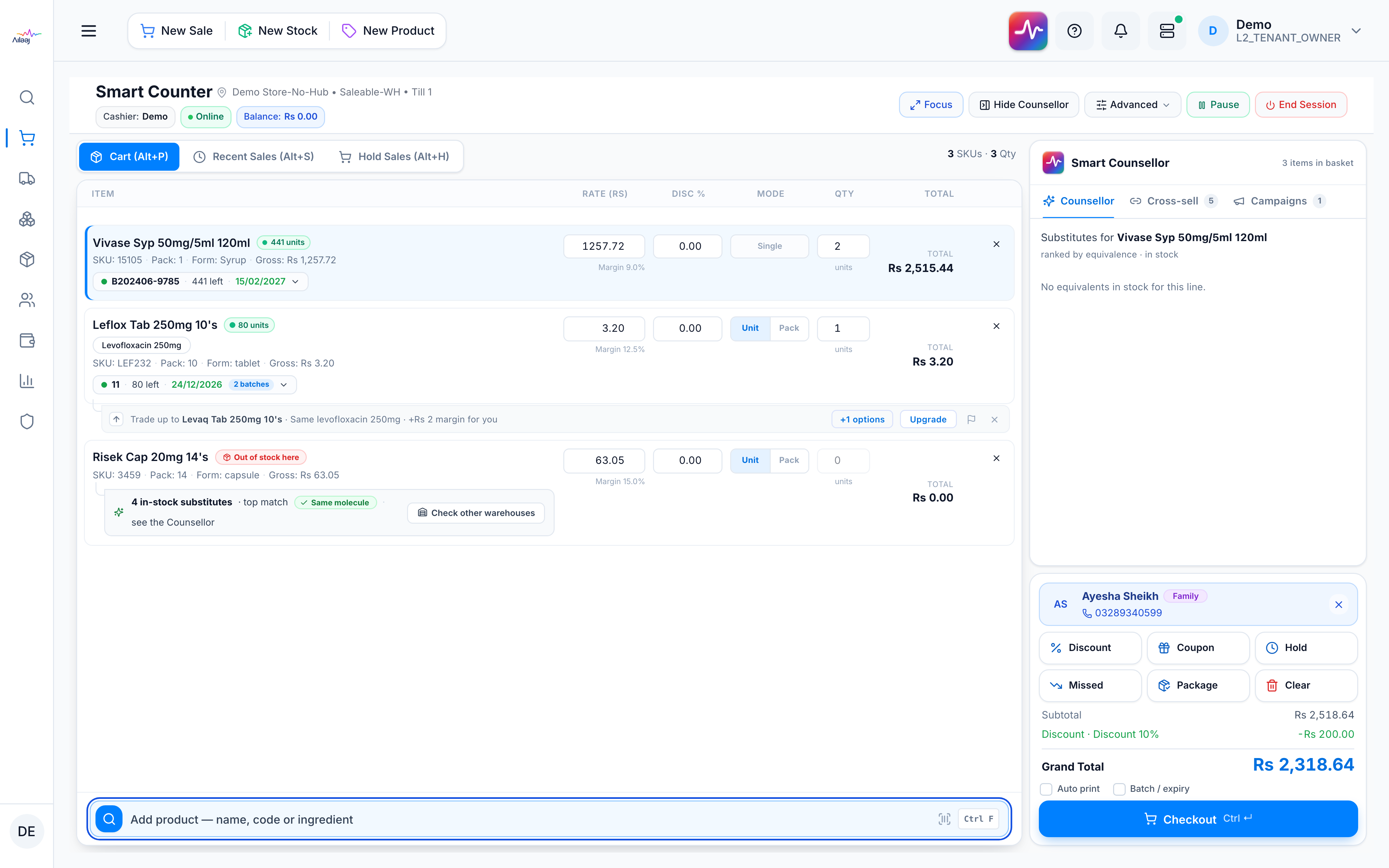
The out-of-stock line is replaced with an in-stock equivalent, so the sale goes through.

(Detail, including pharmacist-approved Swap*: Substitute an item.)
3. Cross-sell the basket
Open the Cross-sell tab in the rack. It lists products frequently bought alongside what’s already in the basket. Add any that fit the customer.
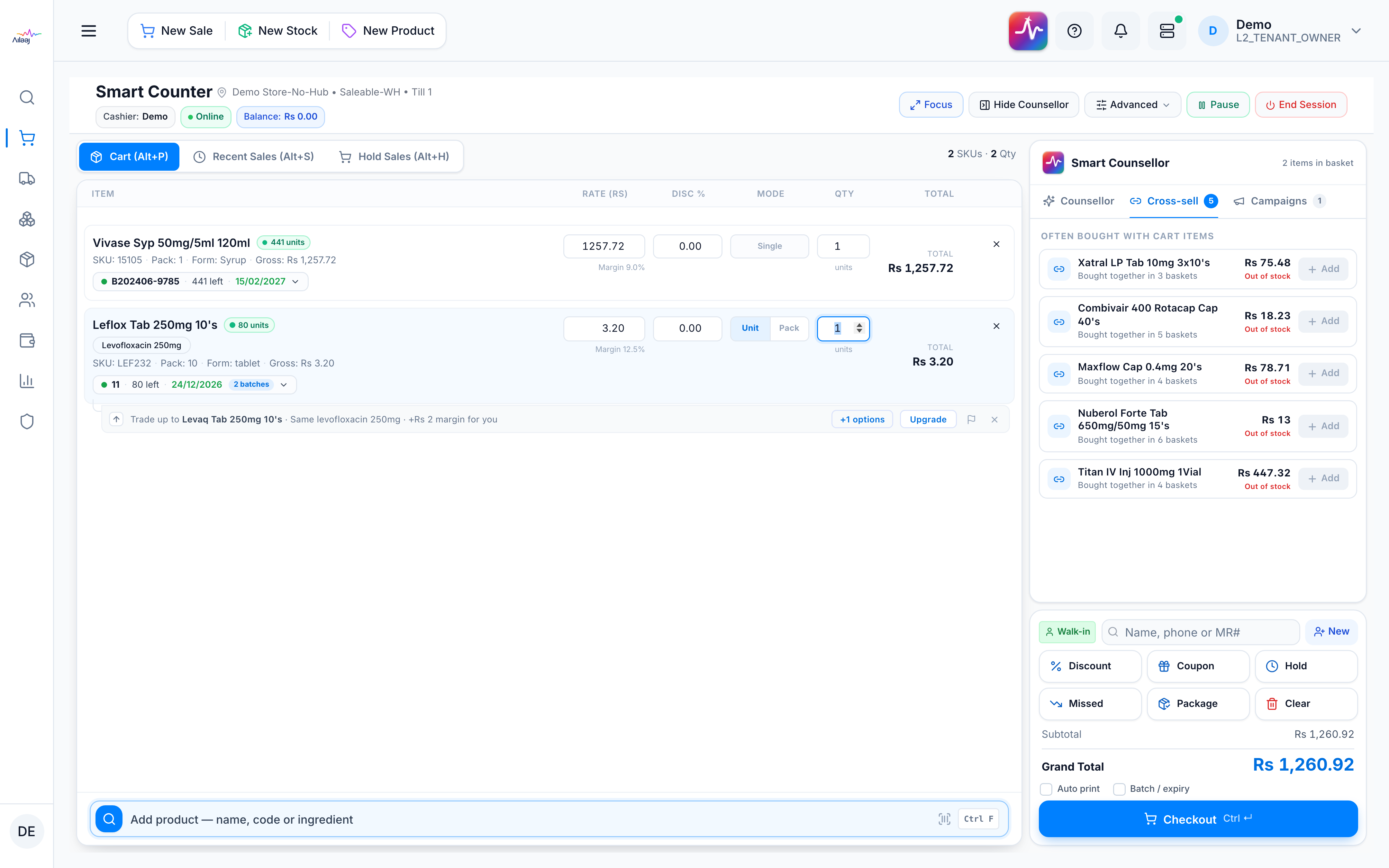
(Detail: Use cross-sell.)
That’s the Counsellor across one sale — a higher-margin line, a saved sale, and a bigger basket. Next: if a suggestion ever looks wrong, report it; to understand the safety locks behind it, read How it stays safe & self-improving.