Substitute an item (Swap / Swap*)
When to use this: an item is out of stock, or the customer wants “something similar.” The Counsellor offers in-stock equivalents so you can save the sale.
When a line is out of stock
The line stays calm — it doesn’t turn red or block the sale — and shows a small “Out of stock here” chip. Just beneath it, the Counsellor tells you whether there’s anything to offer:
- If equivalents are in stock: “{N} in-stock substitute(s) · top match … · see the Counsellor”, plus a Check other warehouses button (in case another branch still has the original).
- If nothing matches: “Find a substitute in the Counsellor.”
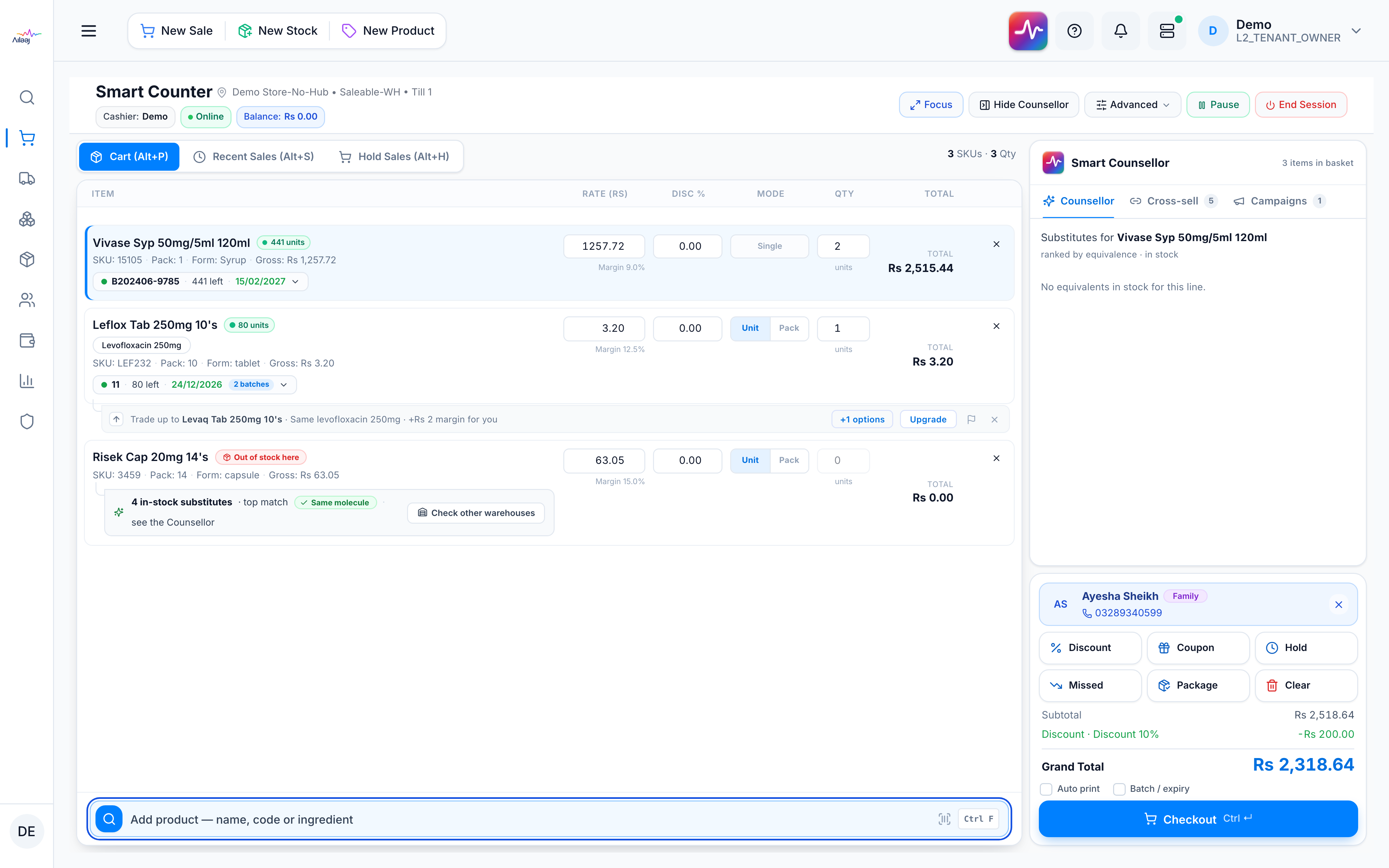
View and pick a substitute
- Select the cart line — click it, or arrow to it. The right-hand Counsellor tab switches to that line’s substitutes, headed “Substitutes for {product} · ranked by equivalence · in stock.”
- Rows are ranked Same molecule → Diff. strength → Same class, each showing live stock, the price delta (green = cheaper), and molecule·form.
- Tap Swap for an interchangeable equivalent. For a Swap* (same-class, different molecule) a pharmacist must approve — the approval is recorded on the sale.
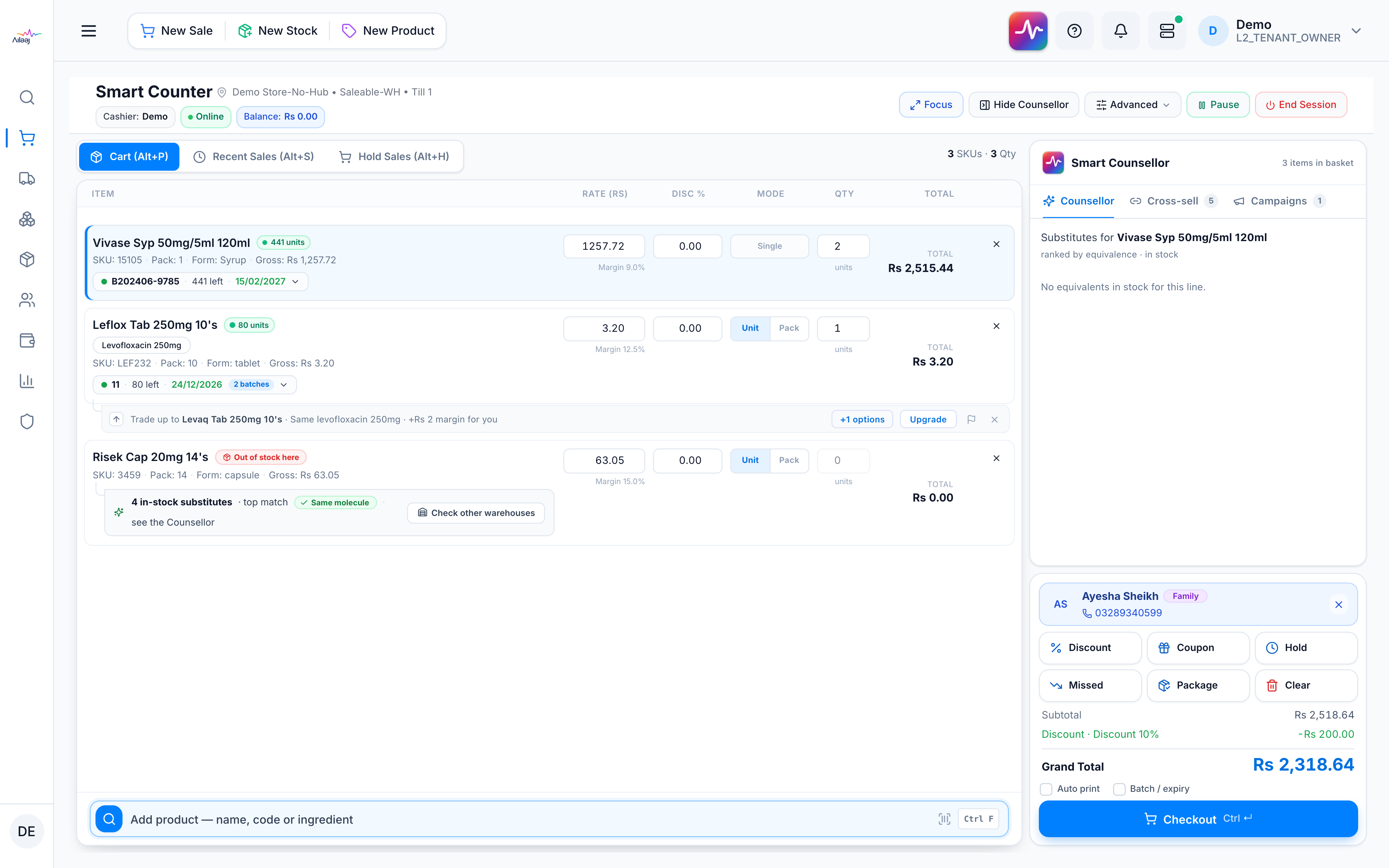
You’re done when
The out-of-stock or declined line is replaced with the in-stock equivalent and the total updates — the sale proceeds instead of being lost.

Good to know
- Substitutes always open in the Counsellor panel — selecting any cart line (not just out-of-stock ones) shows its equivalents there, for when a customer asks for an alternative. (The old inline ⇄ swap menu on the line has been retired.)
- Swap vs Swap*: plain Swap is a same-molecule / same-strength equivalent (interchangeable). Swap* is same-class, different-molecule — it needs pharmacist approval and is logged to the sale. Rules: Recommendation types.
- Clinical safety locks (route, form, release, strength) are never relaxed — see How it stays safe. A wrong-looking substitute should be reported.