Apply a coupon code
When to use this: when the customer presents a coupon code, or you want to apply one of the store’s running coupons.
Steps
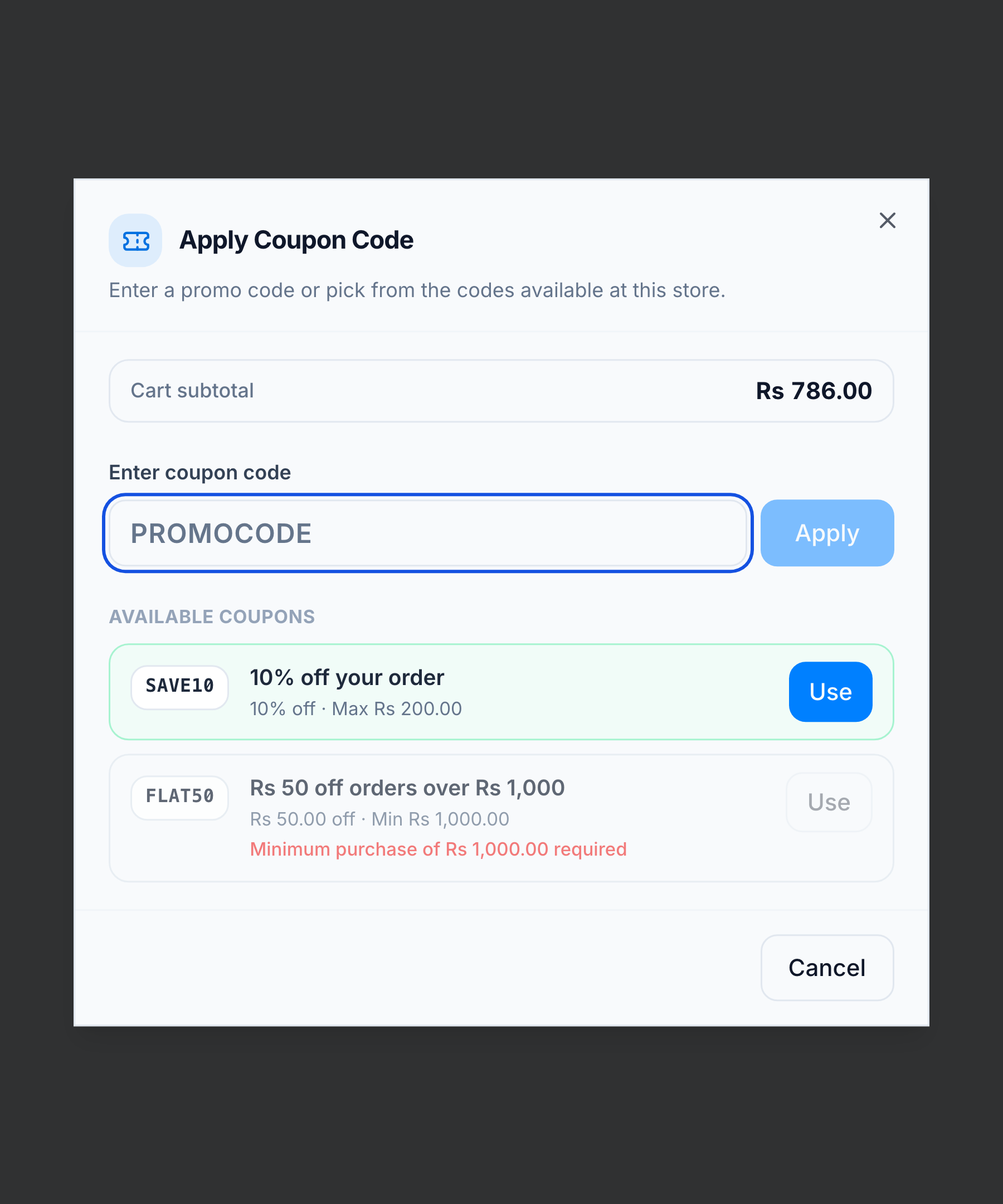
- Click Coupon (Ctrl+C) to open Apply Coupon Code.
- Type the code and press Apply — or pick one under Available coupons.
You’re done when
The coupon appears in the order summary.
Good to know
- In the Available coupons list, eligible codes are highlighted, and any below their minimum purchase are dimmed with the shortfall shown.
- Coupons are validated on apply: date window, minimum purchase, and store / group restriction. See Discounts, coupons & groups.
- Only one discount applies at a time — a coupon overrides a manual discount but is itself overridden by a customer-group discount.
If it goes wrong
- Code rejected — it’s outside its date window, below the minimum purchase, or restricted to another store / customer group. The dialog shows which.