Create an organization
Steps
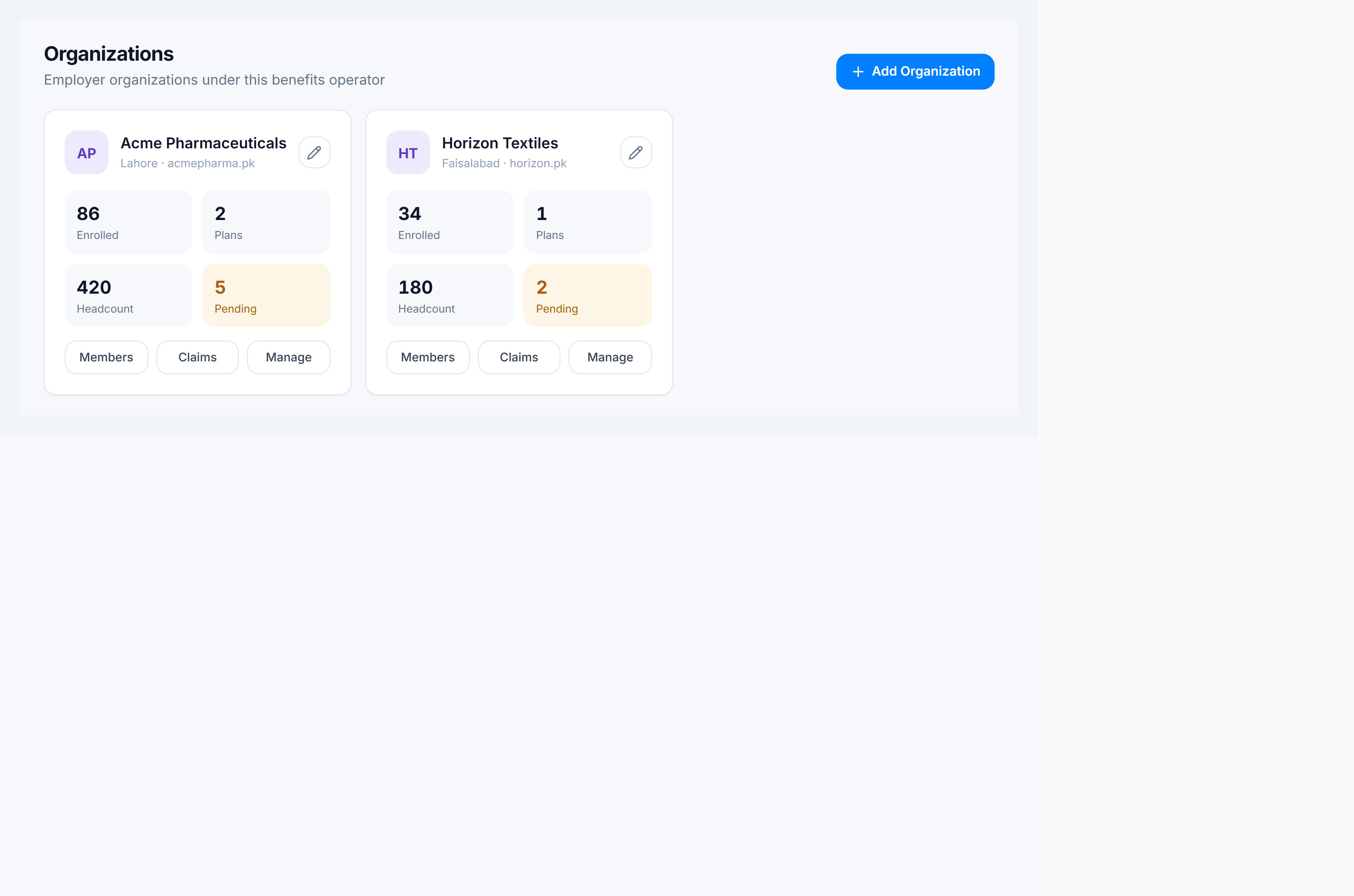
- Go to Claims Management → Organizations (
/corporate/organizations). - Click Add Organization.
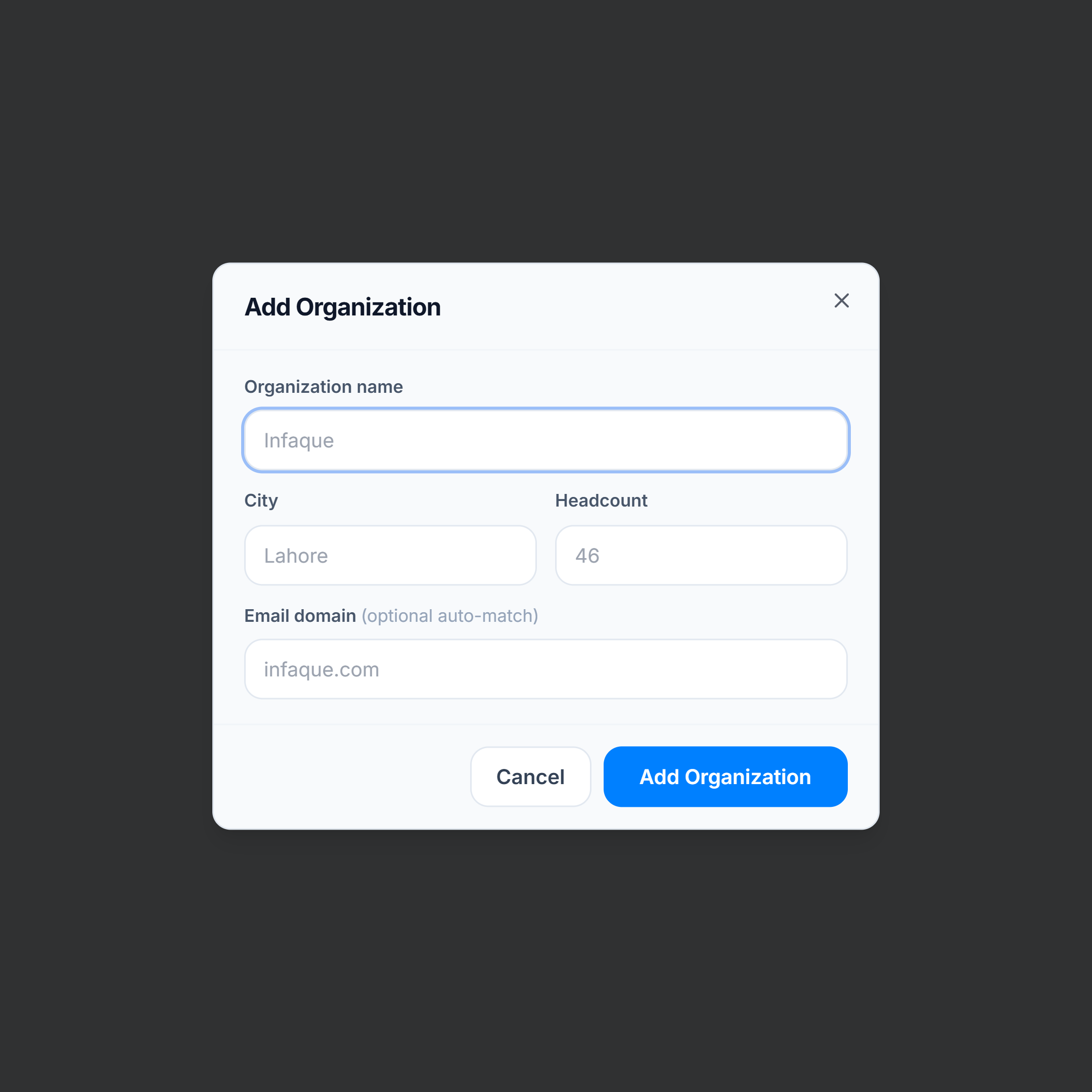
- Enter Organization name (required).
- Optionally set City, Headcount, and Email domain (used for auto-match hints when onboarding members).
- Click Add Organization to save.
After you create
- Open Manage on the card to configure that employer, or jump to Members / Claims filtered to the org.
- Create a Plan for the organization so members can enroll — see Create a benefit plan.