Create a benefit plan
Steps
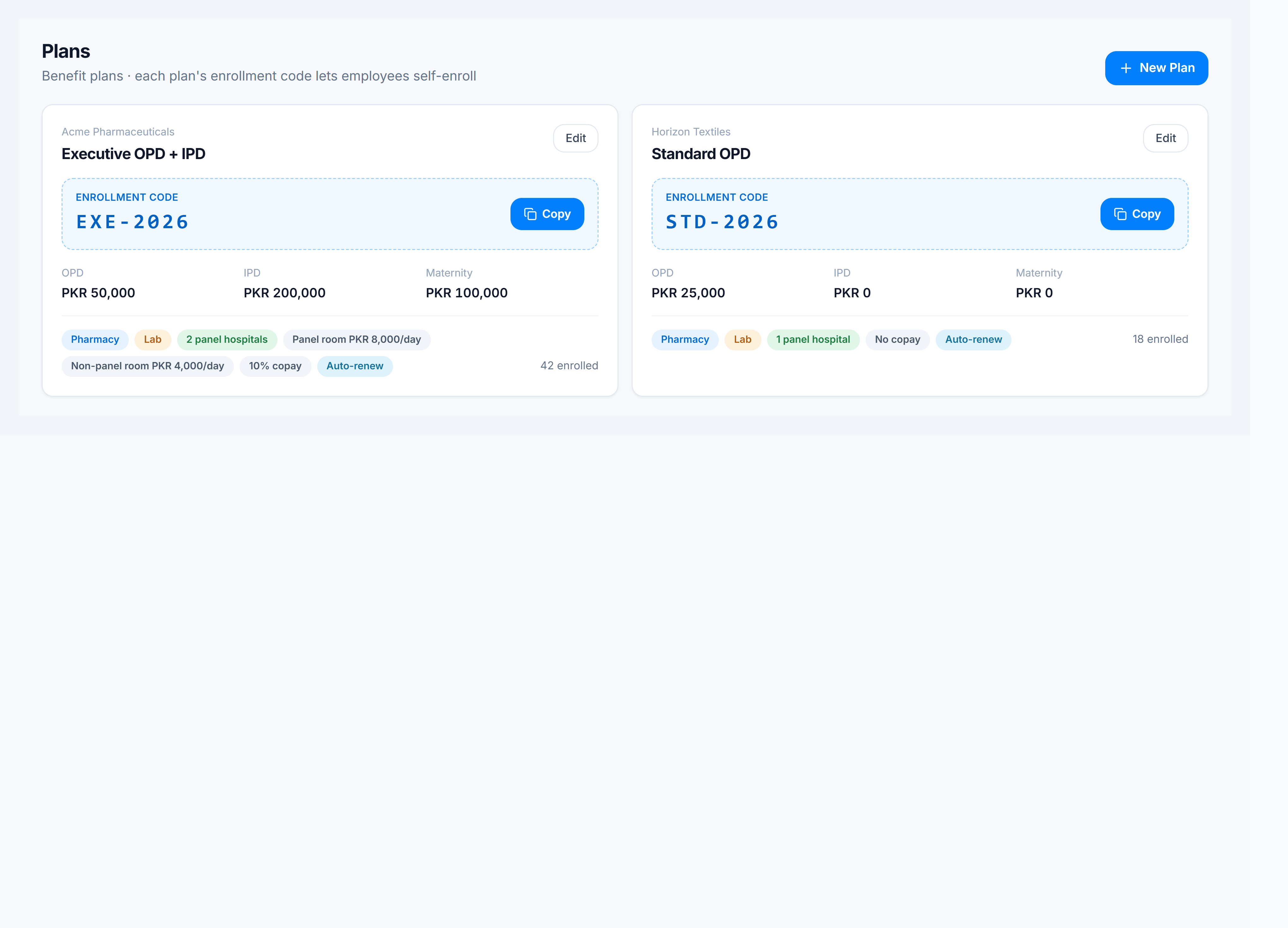
- Go to Claims Management → Plans (
/corporate/policies). - Click New Plan.
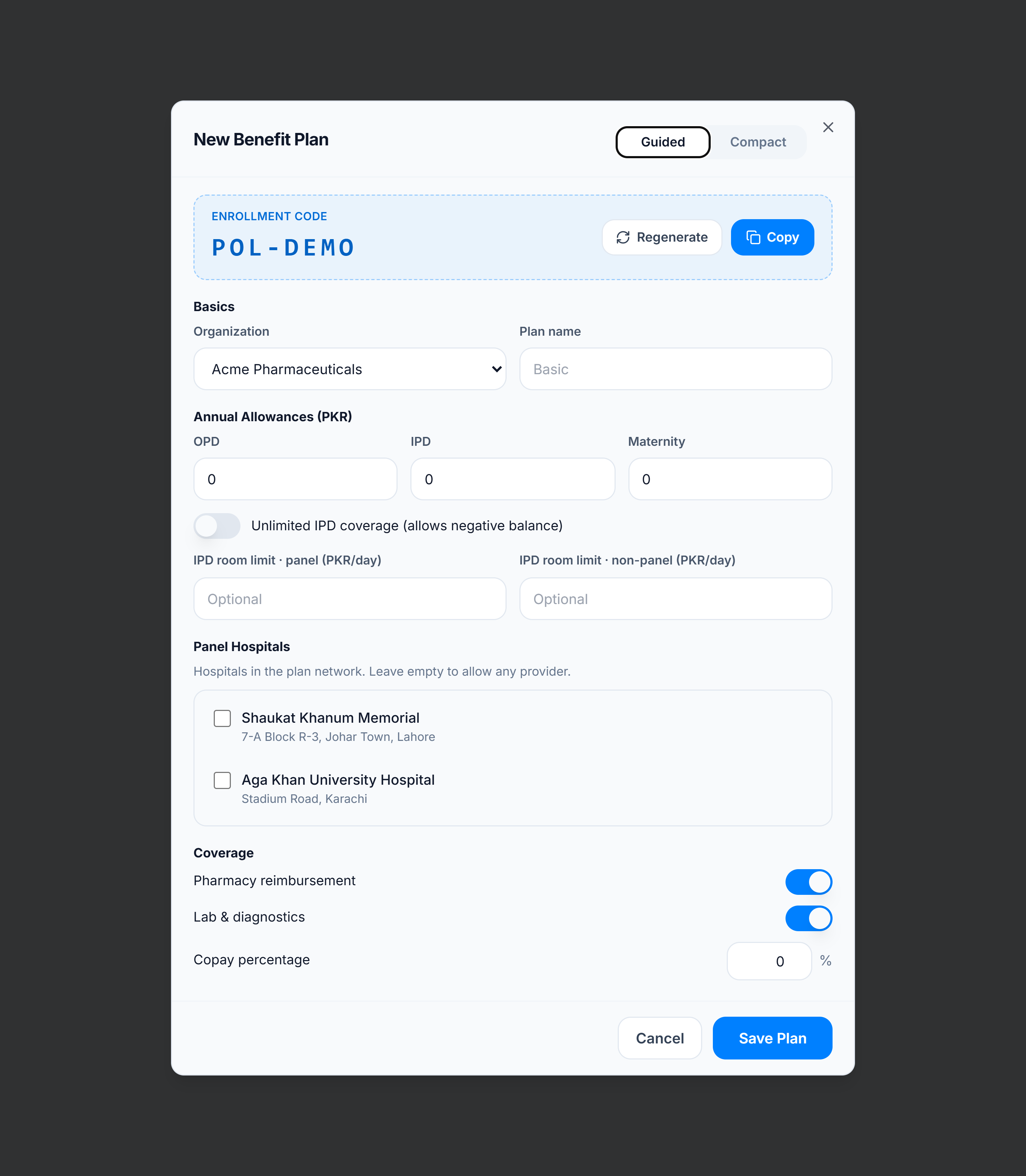
- Select the organization this plan belongs to.
- Enter the plan name and confirm or regenerate the enrollment code (employees use this to self-enroll).
- Set OPD / IPD / Maternity allowances (or mark IPD unlimited).
- Toggle Pharmacy and Lab coverage, set copay %, and optional room limits (panel vs non-panel).
- Pick panel hospitals from the tenant directory (add hospitals first if the list is empty).
- Set the plan period (start / end) and auto-renew if the cycle should roll forward.
- Choose which dependents are allowed (spouse, children, parents).
- Click Save Plan.
Tips
- Copy the enrollment code from the plan card to share with HR or employees.
- Panel hospital choices drive the on-panel advisory when staff process claims.
- Edit an existing plan with Edit on the card — the same dialog opens with values filled.