Add child locations
When to use this: to grow the tree one level at a time — aisles inside a zone, racks inside an aisle, and so on down to bins.
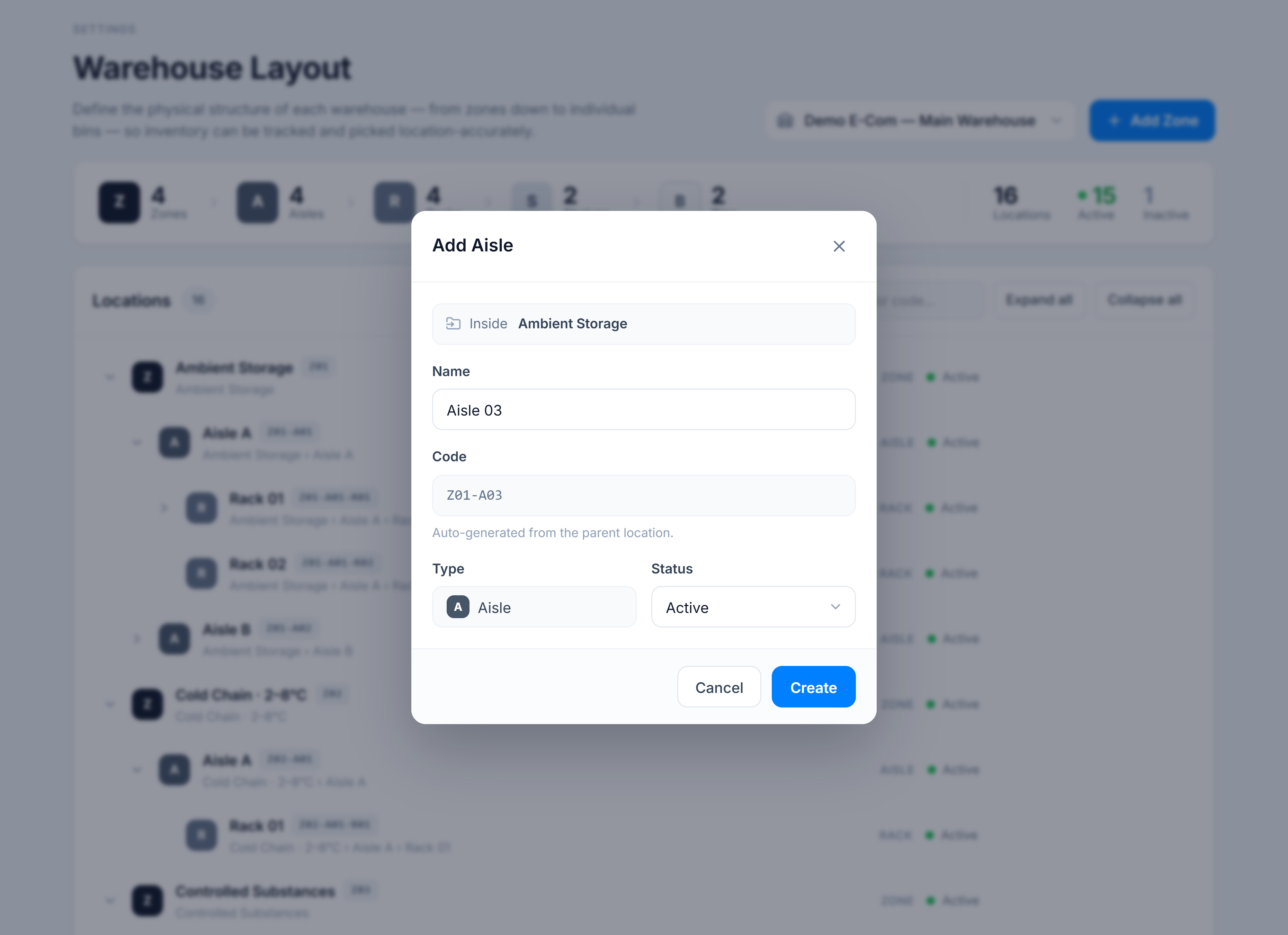
Steps
- Hover the parent row (e.g. a zone) in the tree — its actions appear on the right.
- Click the + <Type> button. It’s labelled with the single valid child type: a zone shows + Aisle, an aisle shows + Rack, a rack shows + Shelf, a shelf shows + Bin.
- The dialog opens with an Inside <parent> banner. Enter a Name; the Code is auto-generated from the parent (e.g.
Z01-A03). - Set Status and click Create.
You’re done when
The child appears nested under its parent (the parent auto-expands), and the matching count in the summary rail increases.
Good to know
- Each level only accepts the next type down — that’s why there’s one add button, not a type picker. A bin is the leaf, so it has no add action.
- Codes are assigned by counting existing siblings of the same type, so the third aisle under
Z01becomesZ01-A03. - Repeat down the levels to reach bins, which are where inventory is actually assigned.