Switch supplier
When to use this: you need to map or review products for a different vendor without leaving the screen.
Steps
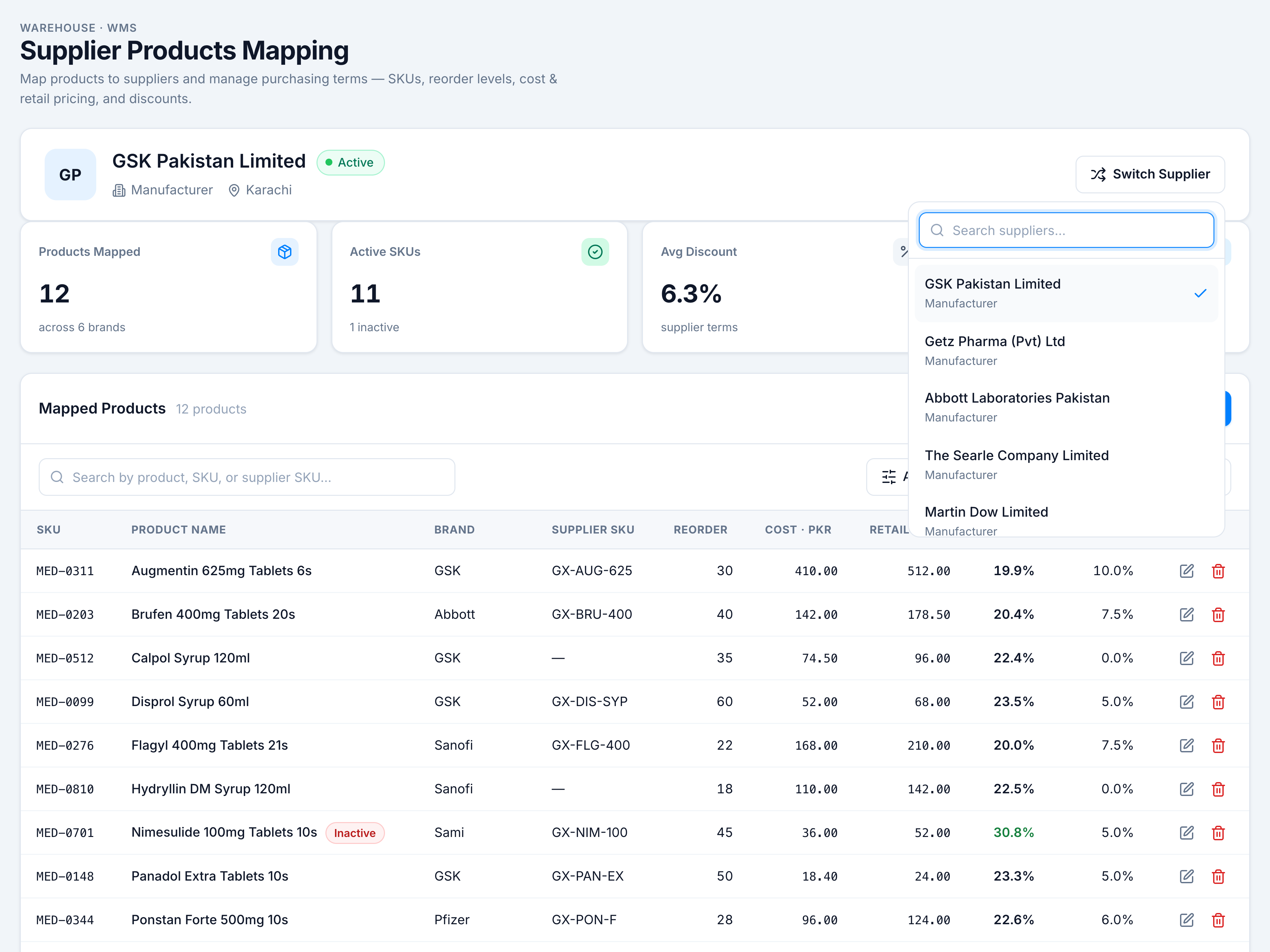
- Open Replenish Stock → Suppliers → Supplier Products Mapping.
- Click Switch Supplier on the context bar (top right).
- Type in Search suppliers… to filter by name or type.
- Click a supplier — the context bar, KPIs, and table reload for that vendor. A checkmark shows the current selection.
If it goes wrong
| Situation | Fix |
|---|---|
| Empty list | Add suppliers first — Add a supplier |
| Table shows “No products mapped yet” | Normal for a new vendor — use Add Product |