Tutorial: Review your first forecast
This is one continuous pass on the fixture run October cover — Block B & Block C. The numbers are demo data for Demo Pharmacy. Use the same run on every step. The screenshots show the three sample lines; the runs list is the full 48-SKU total.
1. Open the run
Go to Replenish Stock → Planning → Demand Forecast.
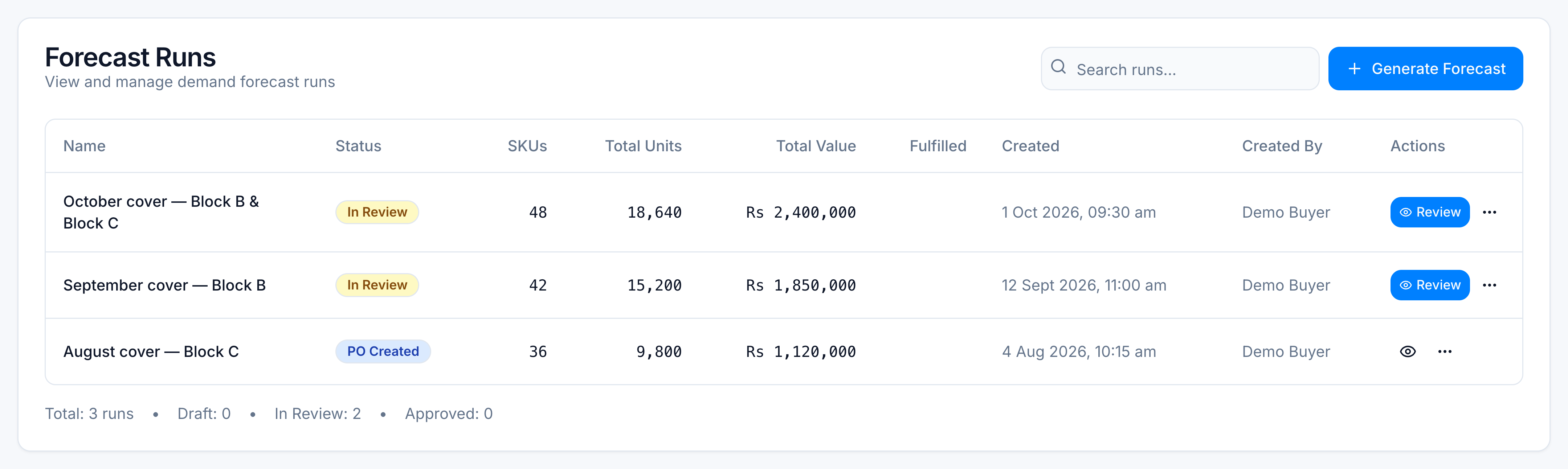
On Runs, search October cover. The row looks like this:
| Name | Status | SKUs | Total value | Fulfilled |
|---|---|---|---|---|
| October cover — Block B & Block C | In Review | 48 | Rs 2,400,000 | 0% |
Open it with Review.
2. Read the aggregate table
Stay on Aggregate. That tab is one row per product, covering every warehouse in the run.
The runs list is the whole buy: 48 SKUs, Rs 2,400,000. The review shots on this page show the three lines you will change. On those three, the header reads 3 SKUs, 21 packs, Rs 26,780.
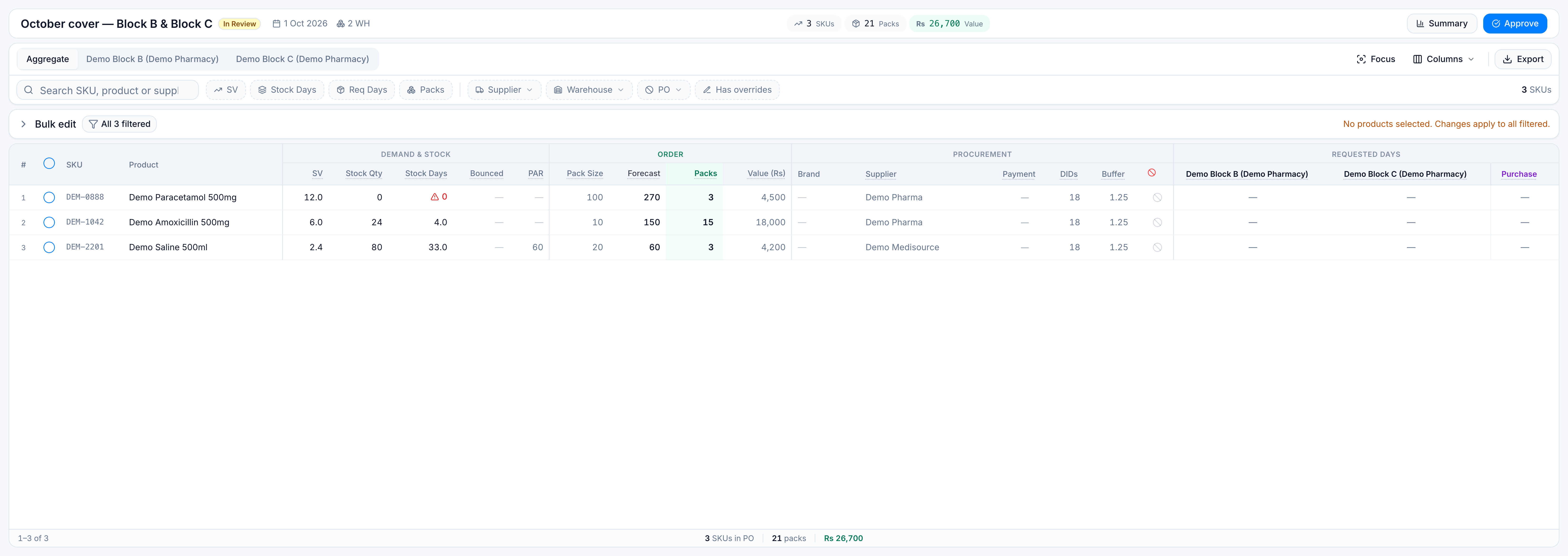
Find these three lines (search each SKU if you need to):
| SKU | Product | SV | Stock qty | Stock days | Pack size | Forecast | Packs | Value |
|---|---|---|---|---|---|---|---|---|
| DEM-1042 | Demo Amoxicillin 500mg | 6.0 | 24 | 4 | 10 | 150 | 15 | Rs 18,000 |
| DEM-2201 | Demo Saline 500ml | 2.4 | 80 | 33 | 20 | 60 | 3 | Rs 4,200 |
| DEM-0888 | Demo Paracetamol 500mg | 12.0 | 0 | 0 | 100 | 270 | 3 | Rs 4,500 |
SV is sales velocity (units per day). Stock days is how long current stock lasts at that pace. Paracetamol is at zero days of stock, so it is the line most likely to stock out. Saline still shows 3 packs because this demo run includes PAR (minimum stock), even though 80 units already cover about 33 days.
3. Filter to short stock
Set Stock Days to a maximum of 7. Saline (33 days) drops off. Amoxicillin (4) and Paracetamol (0) stay.
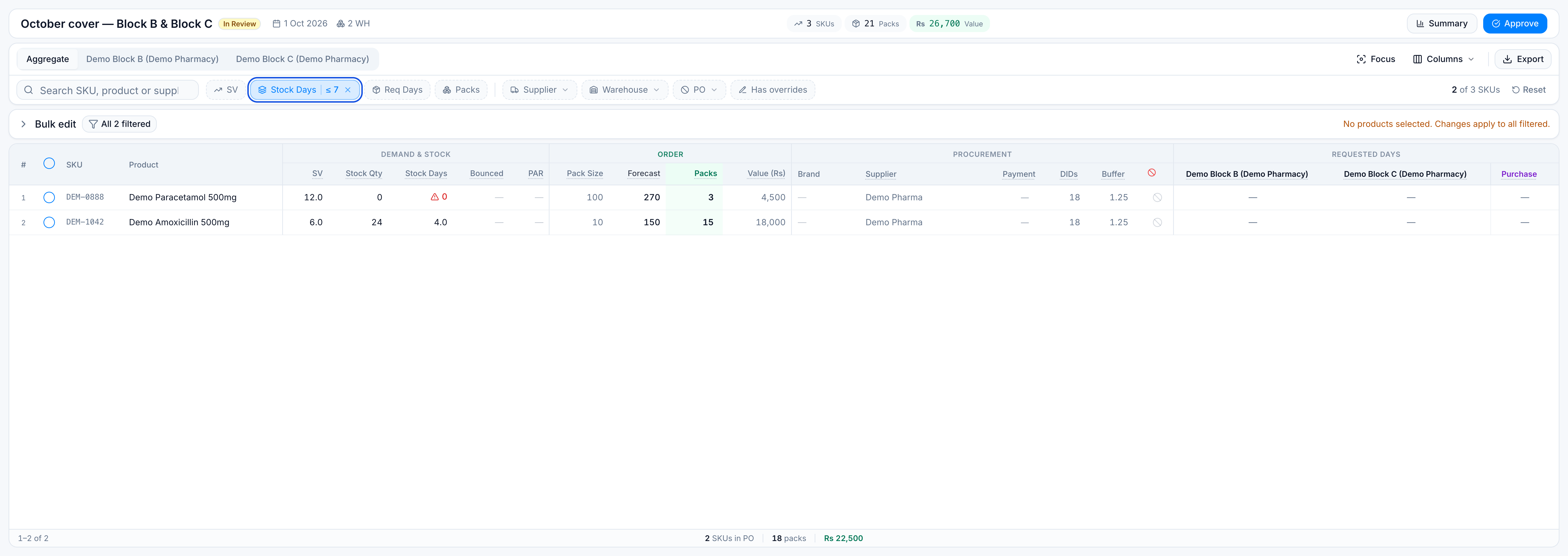
Clear the stock-days filter before the next step so Saline is back.
4. Set requested days on two warehouses
Tick DEM-1042 and DEM-0888 only.
Open Bulk edit (it starts collapsed). Under Requested days:
- Choose warehouse Demo Block B.
- Set 7 and apply.
- Choose warehouse Demo Block C.
- Set 5 and apply.
Those two products now ask Block B for 7 days of demand and Block C for 5. Saline is untouched, so its requested days stay at 0.
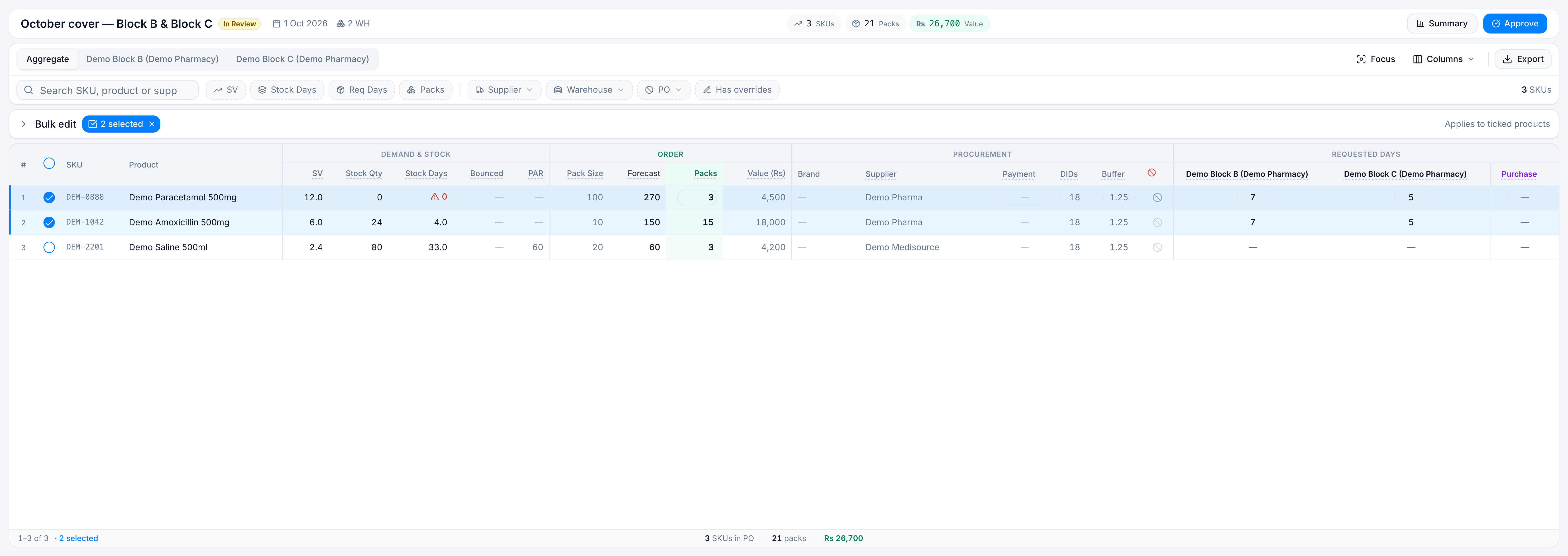
Because rows were ticked, the change applies only to those two SKUs. If the ticks were empty, the bar would warn No products are selected and ask you to confirm before it touched every filtered row.
5. Check one warehouse
Open the Demo Block B tab. The table uses the same columns, but quantities are that warehouse’s share.
For the demo, Block B’s share of the two edited lines is:
| SKU | SV at Block B | Stock qty | Requested days |
|---|---|---|---|
| DEM-1042 | 3.6 | 10 | 7 |
| DEM-0888 | 8.0 | 0 | 7 |
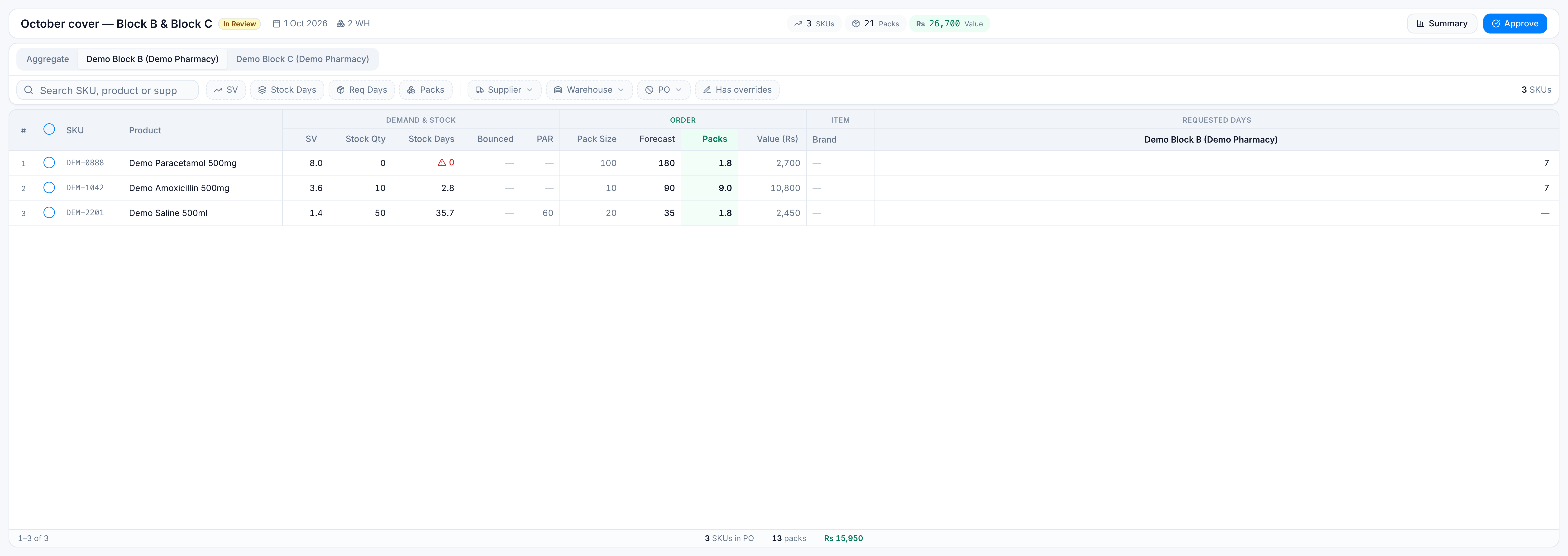
Return to Aggregate when you are done. The warehouse tab does not replace the combined order.
6. Leave the run as In Review
Do not approve this demo in your head as finished buying. A real run moves Draft → In Review → Approved → PO Created. Approval and purchase orders are in Approve and create purchase orders.
You have now read a forecast, filtered it, and set requested days on a selection. For one job on its own, use the matching how-to. For column and filter rules, see Review columns, filters, and bulk edit.