Review columns, filters, and bulk edit
Scope: the Aggregate review table and the Bulk edit bar on a forecast run.
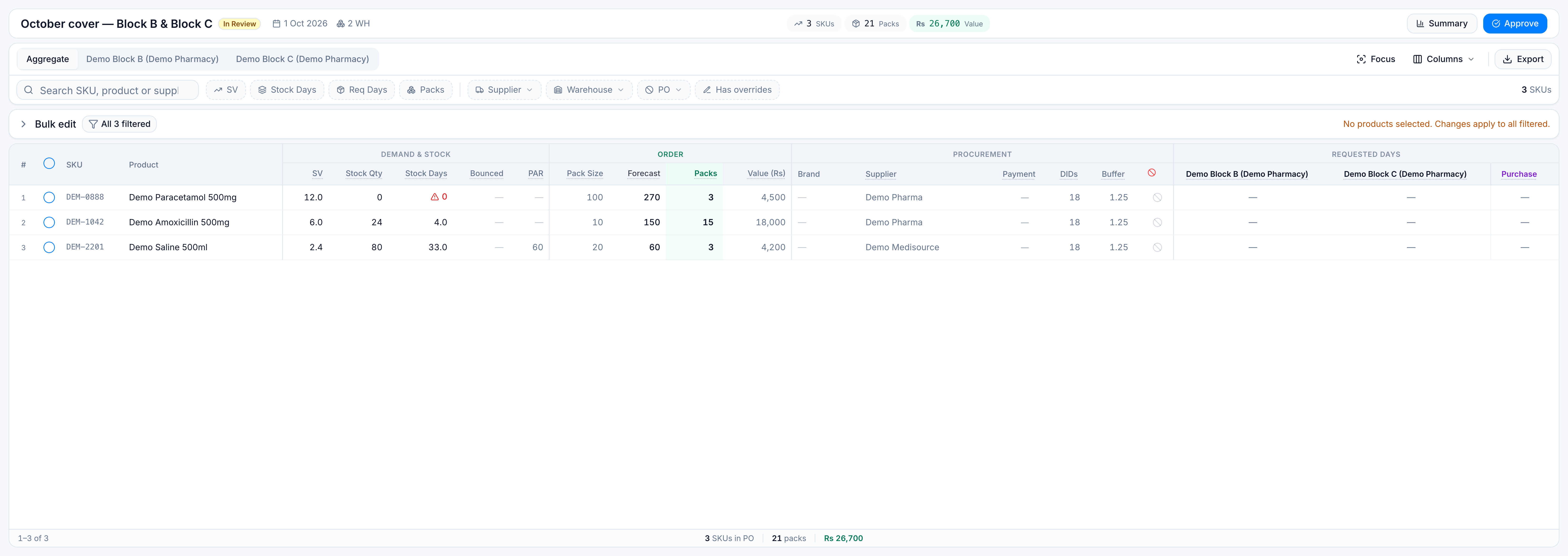
The screen shows one row per product. Stock and requested days still exist per warehouse; the aggregate row combines them. See Why one row per product.
Columns
Demo row: DEM-1042 Demo Amoxicillin 500mg.
| Column | Demo | Meaning |
|---|---|---|
| SV | 6.0 | Sales velocity, units per day, blended from the short, medium, and long windows |
| Stock Qty | 24 | Units on hand across the run’s warehouses |
| Stock Days | 4 | Stock qty ÷ SV |
| Bounced | — | Demand lost to stock-outs in the bounce window, when bounce is included |
| PAR | — | Minimum-stock units, when PAR is included |
| Pack Size | 10 | Units per pack |
| Forecast | 150 | Suggested units before a hand-typed pack quantity |
| Packs | 15 | Packs to buy. Emerald when they differ from a plain rounding of the forecast |
| Value | Rs 18,000 | Suggested units × purchase price |
| Supplier | Demo Pharma | Vendor that will receive this line’s PO |
| Requested days | Block B: 7, Block C: 5 | Extra days of demand asked from that warehouse |
Filters
Bulk edit uses the filtered rows, not only the page on screen (the table pages 100 rows at a time).
| Filter | Limits the bulk set? |
|---|---|
| Search | Yes |
| SV range | Yes |
| Stock Days range | Yes |
| Req Days range | Yes. With a warehouse chip selected, the range uses the highest requested days among the selected warehouses. |
| Packs range | Yes. Uses a hand-typed pack quantity when there is one. |
| Supplier | Yes. A blank supplier is its own choice. |
| PO included / excluded | Yes |
| Has overrides | Yes. An override is a buffer change, extra DIDs above zero, or a hand-typed pack quantity. Excluding a line from the PO is not, by itself, an override. |
| Warehouse chip alone | No. On a complete run every product already has a figure for each warehouse. |
| Hidden columns | No |
| Current page | No |
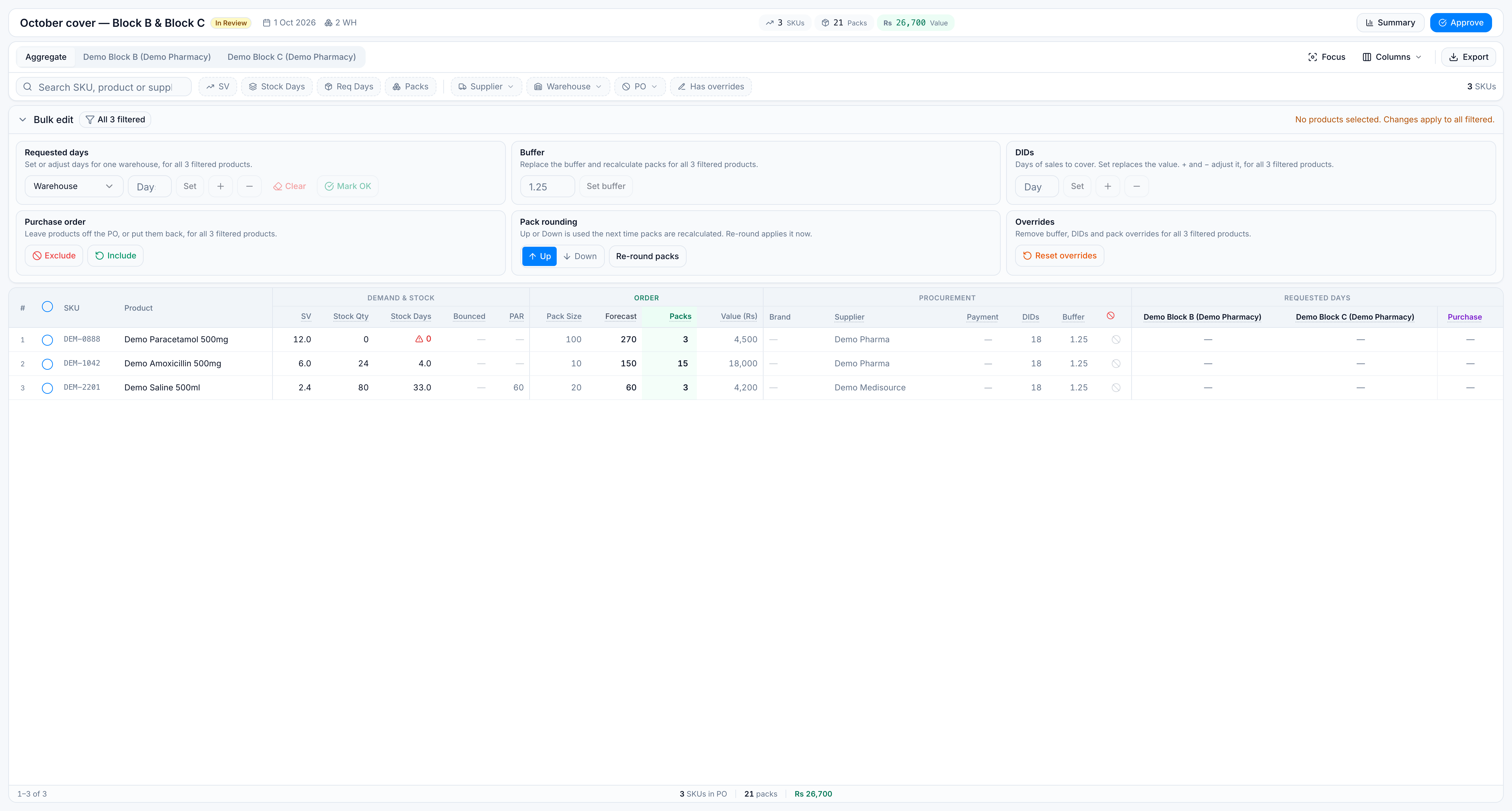
If any visible row is ticked, the action uses only the ticked rows, even when a filter is also on. Ticks on rows the filter has hidden are ignored.
Bulk edit rules
| Rule | Behaviour |
|---|---|
| Bar closed by default | Click Bulk edit to open the groups. |
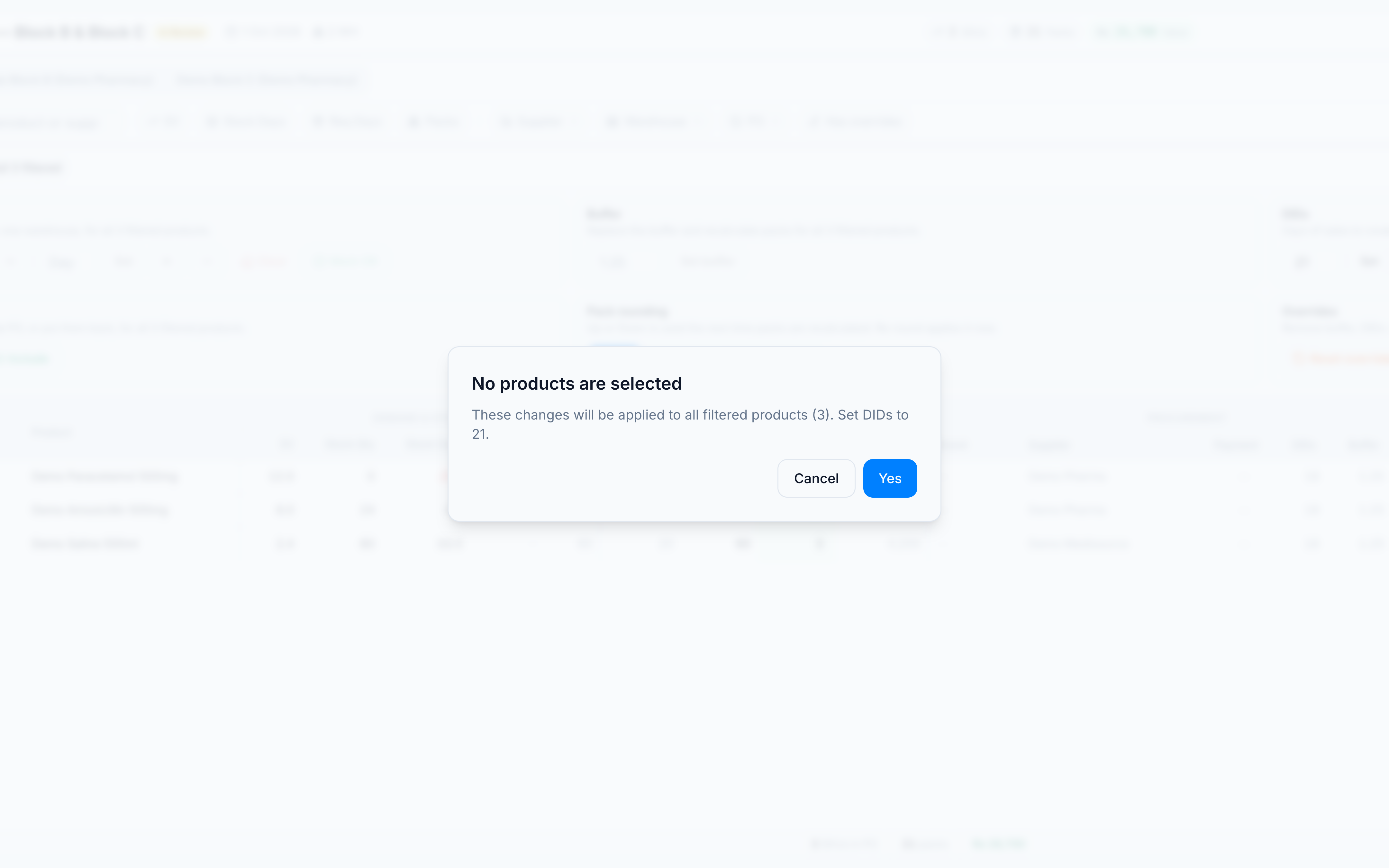
| Nothing ticked | Dialog: No products are selected. You must click Yes before the change hits every filtered product. |
| Something ticked | No “all filtered” warning. The scope chip shows how many are selected. |
| Set DIDs | Sets total Desired Inventory Days. Set 21 on a line that was 18 becomes 21, not 39. |
| DIDs + / − | Adds or subtracts extra days. |
| Reset overrides | Clears buffer override, extra DIDs, and hand-typed packs. Restores generated units and packs. Does not clear requested days, supplier, comment, or a manual exclude that happened while packs were above zero. |
| Re-round packs | Applies the Up or Down preference. A hand-typed pack quantity is left as typed until you reset overrides. |
| Locked run | PO Created and Archived reject edits. Approved rejects them unless the user may edit after approval. |
Warehouse tab footer
On Demo Block B, the footer rupee and pack figures are that warehouse’s share of the order, not the combined PO. The aggregate footer remains the figure that matches Create PO.