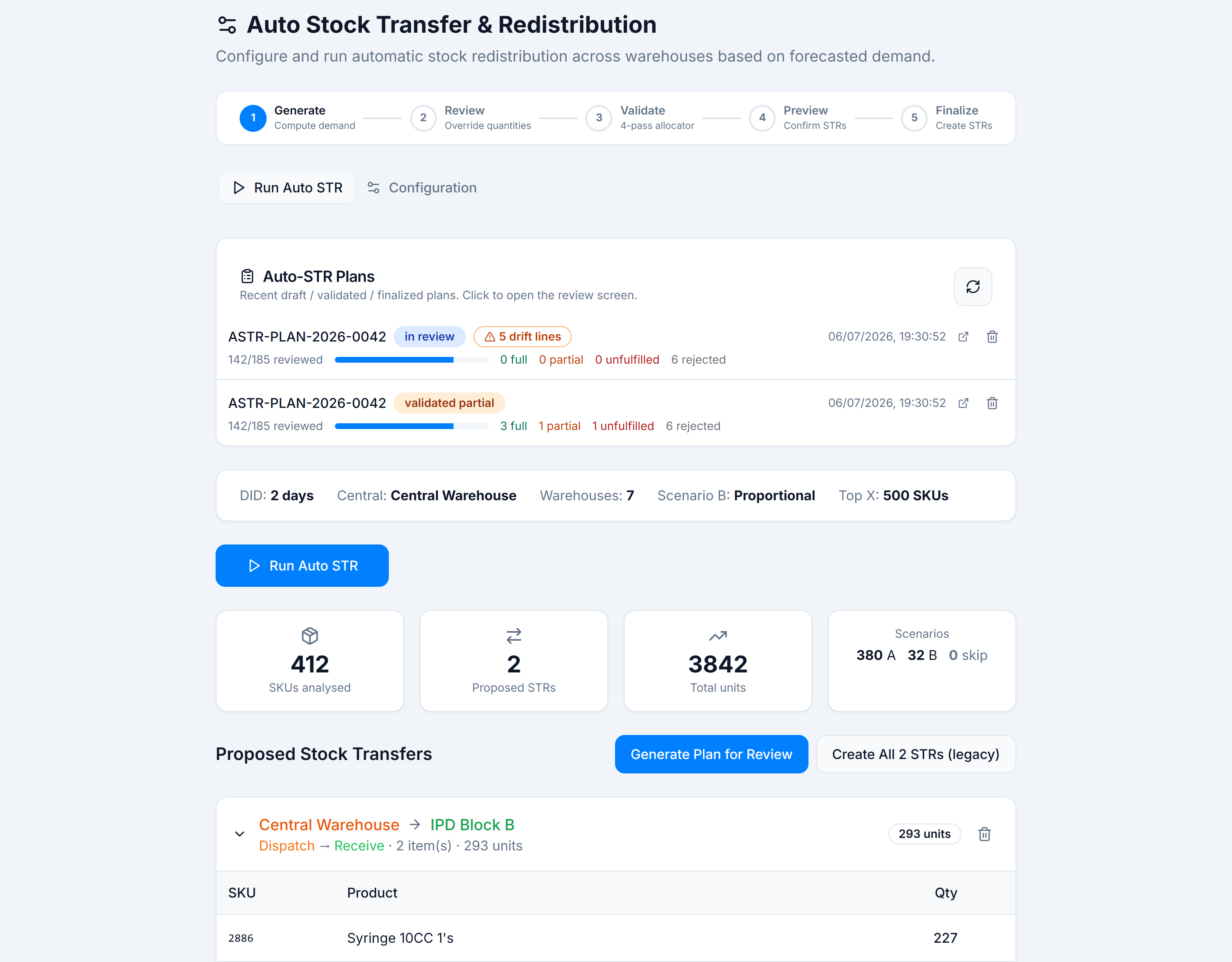
Generate a plan for review
When to use this: after Run Auto STR when you want pharmacist review before any stock moves.
Steps
- On the Run Auto STR tab, review proposed transfers. Remove unwanted STRs or SKU lines.
- Click Generate Plan for Review (requires
auto_str.plan.generate). - Wait for toast:
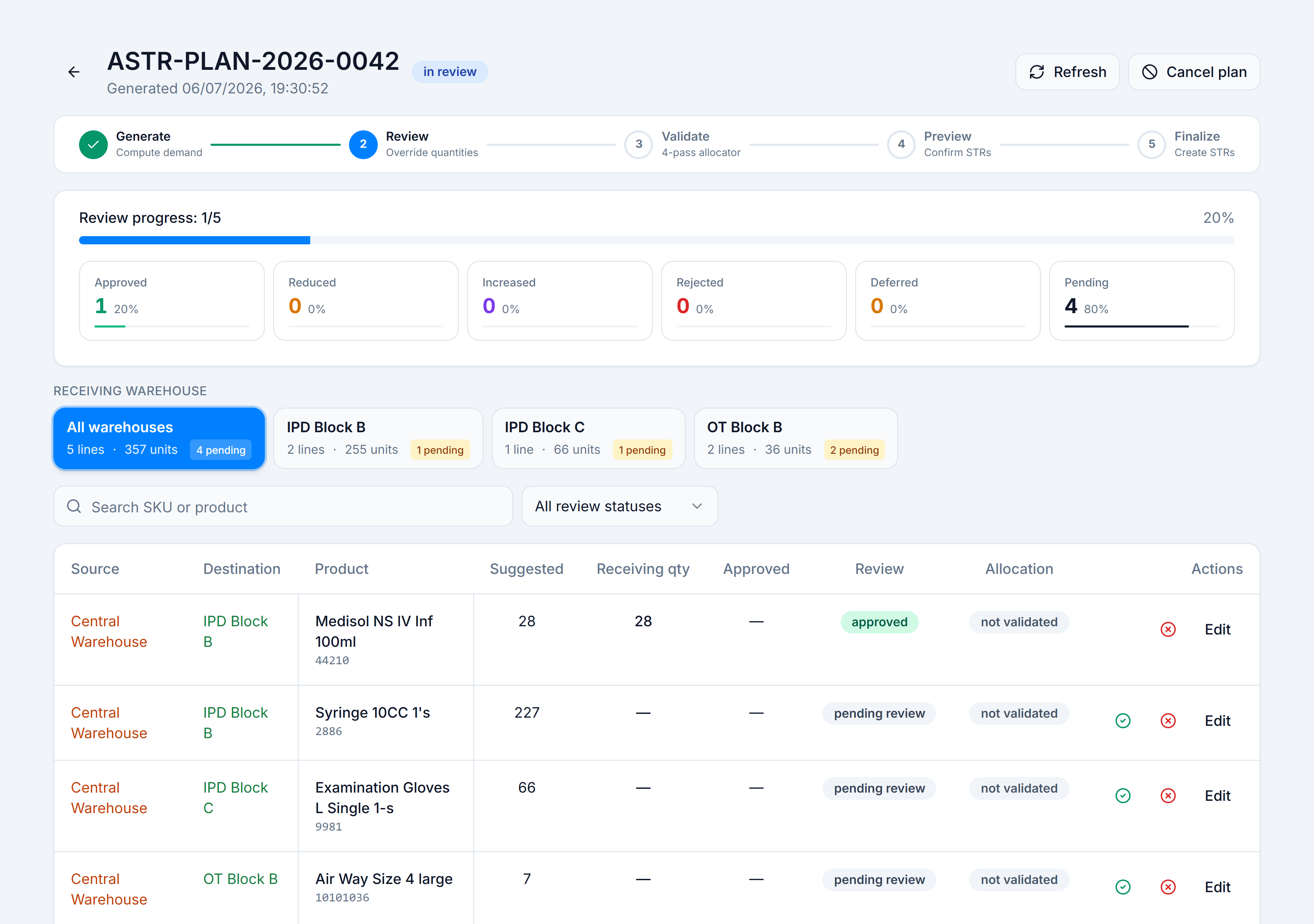
Plan <number> created. Sent for review. - You land on Plan Review (
/wms/auto-str/plans/:planId). The timeline shows Review.
You’re done when
Plan Review loads with line items, destination tabs, and counter tiles at Pending > 0.