Review and edit plan lines
When to use this: on Plan Review before submitting for validation. Requires auto_str.plan.review.
Steps
- Open the plan from Auto STR → recent plans widget, or
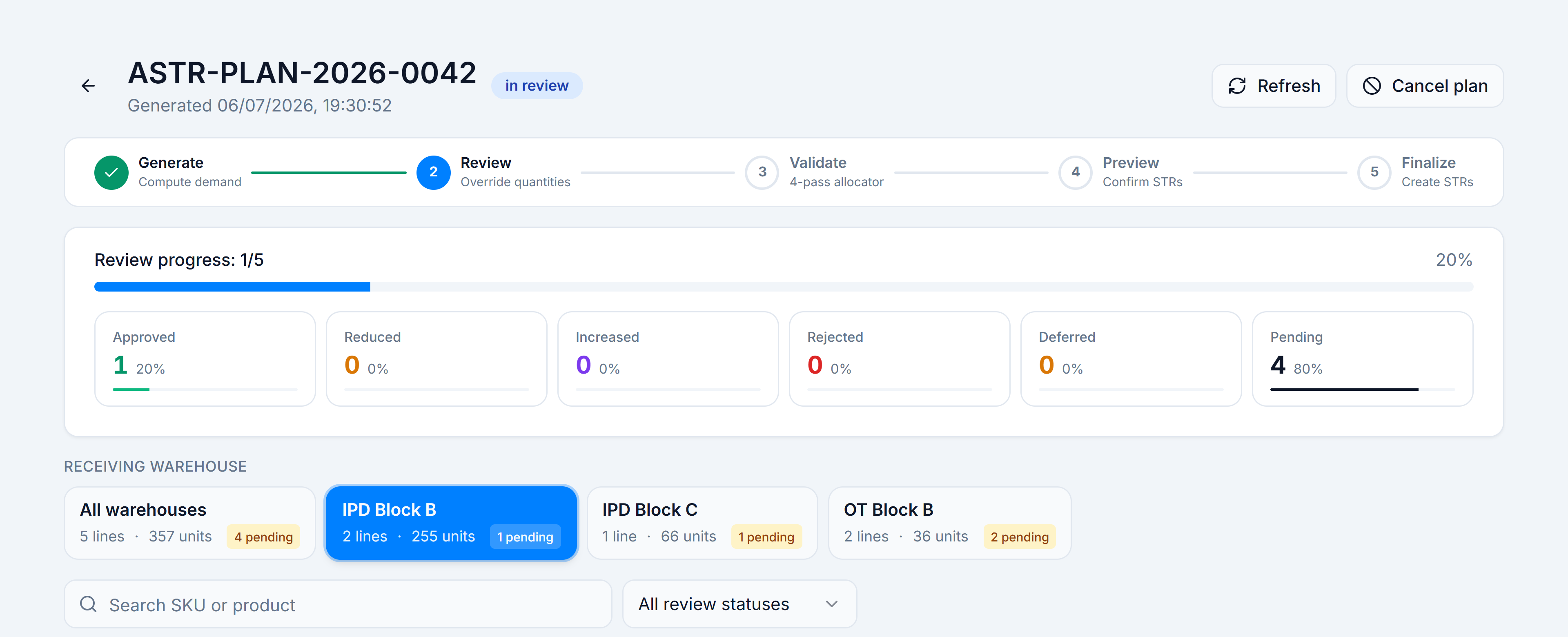
/wms/auto-str/plans/:planId. - Read the Review progress bar and counter tiles (Approved, Reduced, Increased, Rejected, Deferred, Pending).
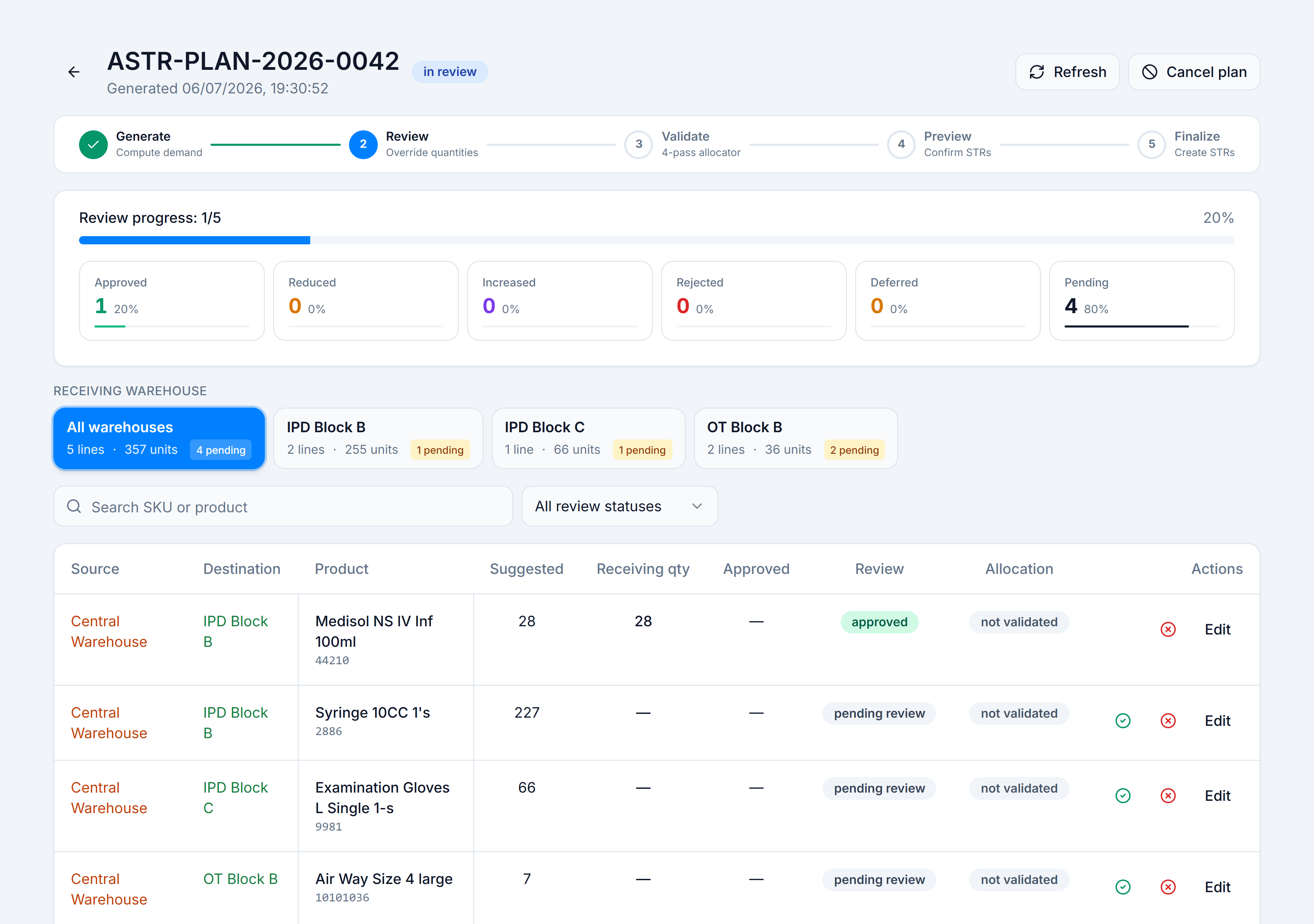
- Pick a destination tab (or All destinations) to focus on one receiving warehouse.
- In the lines table, scan Source, Suggested, Receiving qty, and Review status.
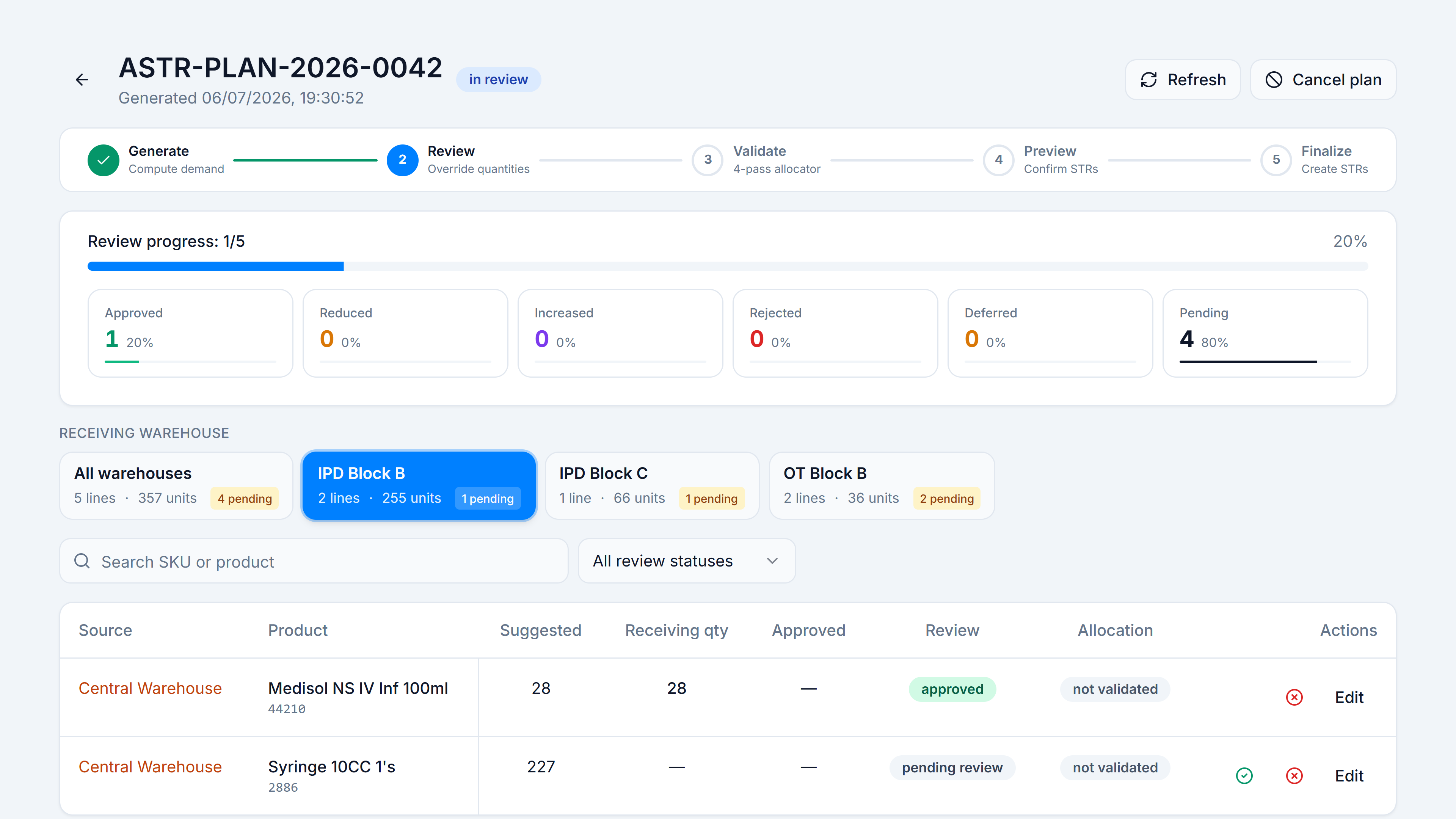
- For each pending_review line, either:
- Click ✓ (quick approve at suggested qty), or
- Click Edit to open the edit dialog.
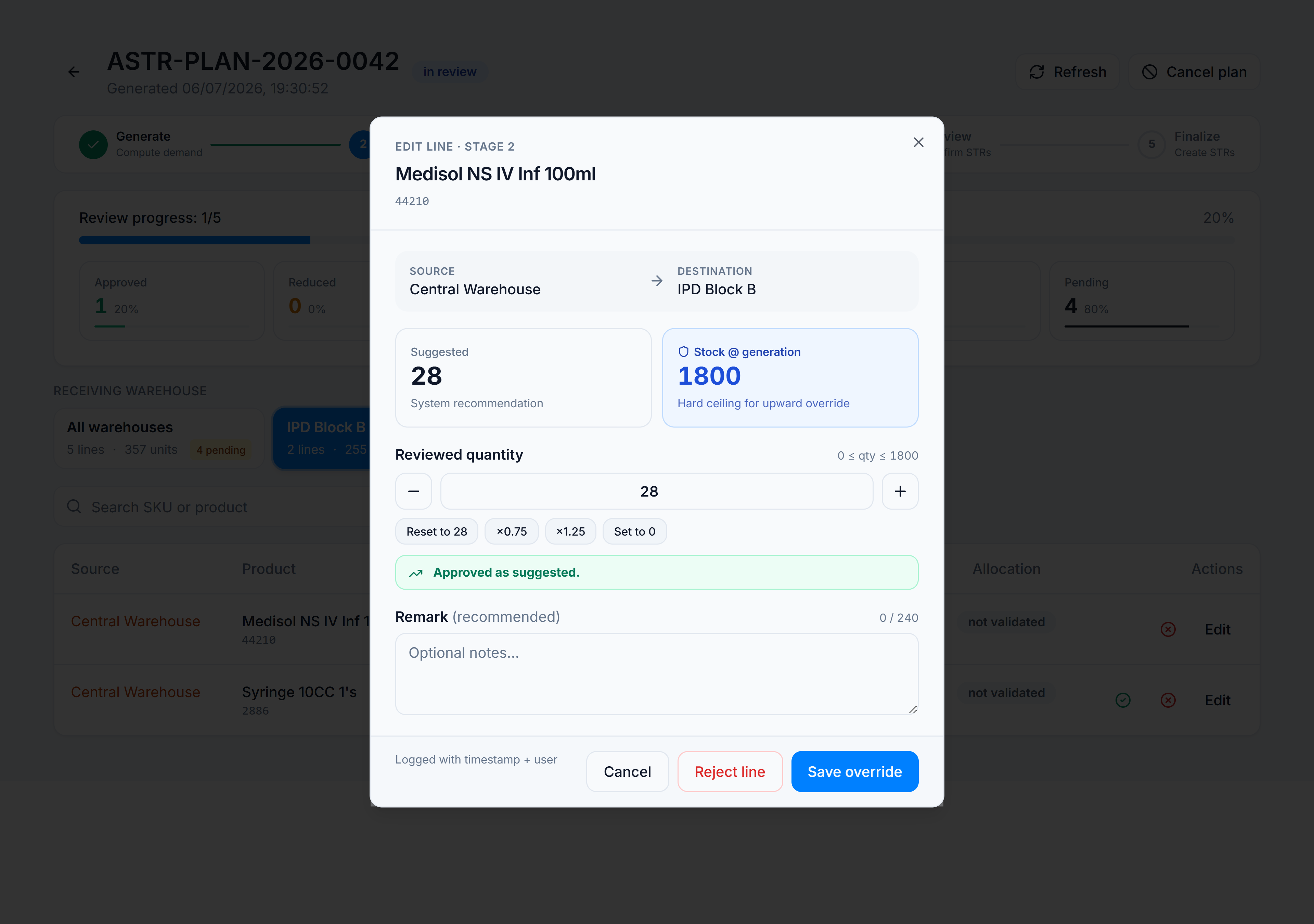
- In the edit dialog:
- Adjust quantity with the stepper or quick chips (+10, +50, etc.).
- If quantity differs from Suggested, pick a reason code and optional remark.
- Click Save, or Reject line to set approved qty to 0.
- Repeat until Pending is zero and Submit for validation appears.
You’re done when
Every line has a review status other than pending_review, and Submit for validation is enabled.
Good to know
- Auto-defer may mark redundant source lines deferred when a central warehouse already covers a destination’s need.
- Grouped rows (same product, multiple sources) show an N sources · X units total badge.
If it goes wrong
Enter a valid quantity.— quantity field is empty or non-numeric.Quantity exceeds stock at generation (N).— approved qty above the snapshot taken when the plan was generated.Reason required when changing quantity.— pick a reason when reducing or increasing vs suggested.