Close the till at end of shift
When to use this: at the end of your shift. Ending the session closes the till.
Steps
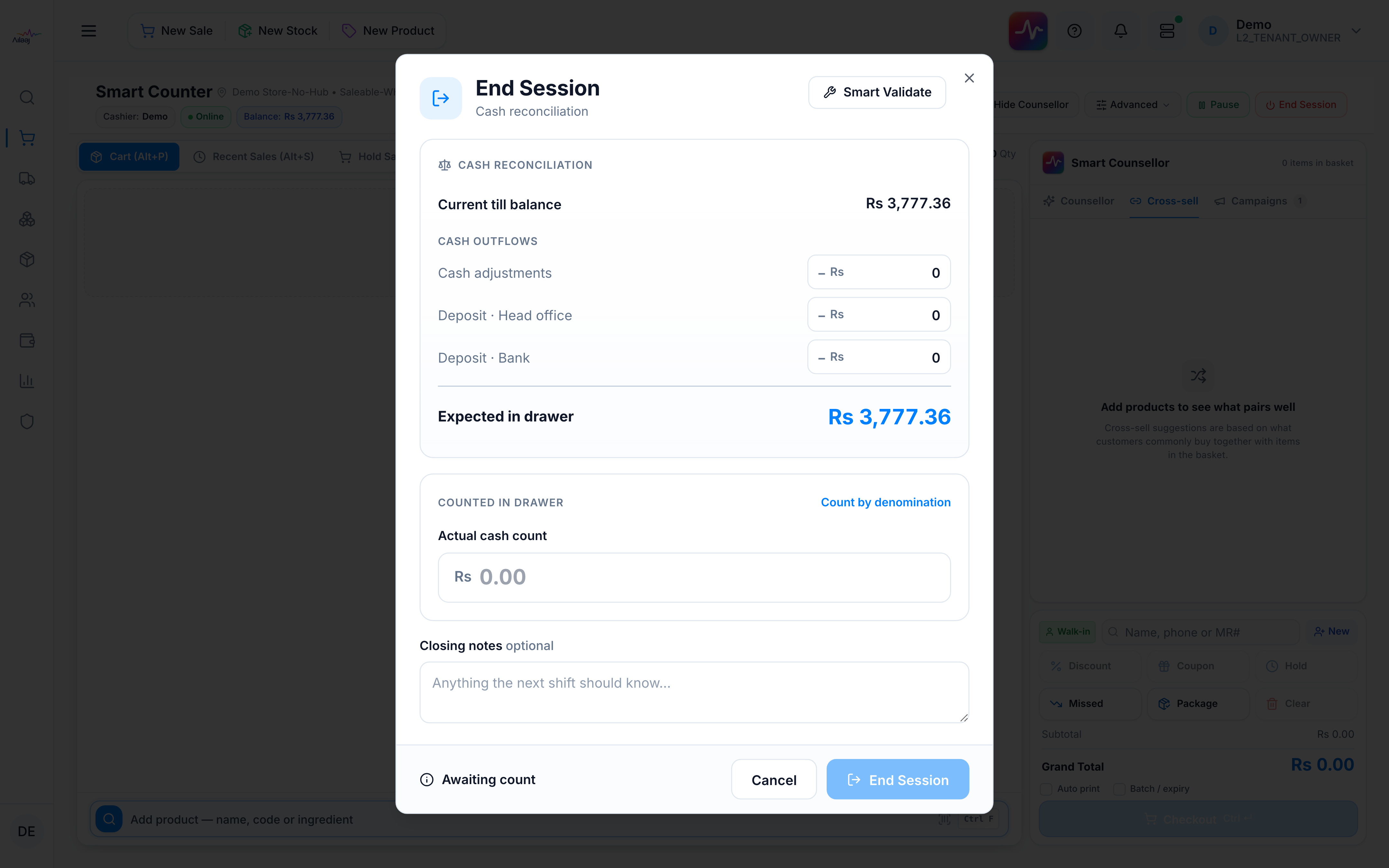
- Click End Session. The dialog shows the Current Till Balance (opening + sales − returns).
- Enter any Cash Adjustments, Deposits to Head Office, and Deposits to Bank — each lowers the Expected Closing Balance.
- If this warehouse has till expenses on, you can also enter Cash Expense, Cash Purchase, and Cash out. Those amounts leave the drawer and post to accounting when the books are set up (6410 / 6420 / 6430).
- Count the drawer and enter the Actual Cash Count. If the count is within ± Rs 10 of the expected balance, the drawer is treated as balanced — no reason needed. A variance of Rs 10 or more (over or short) shows as Overage or Shortage and requires a Reason for Discrepancy.
- Add optional Closing Notes and confirm.
You’re done when
A Session Summary Report (inflows, outflows, expected vs actual, discrepancy) is shown and can be printed. The till is closed.
Good to know
Full rules — what counts toward the expected balance, deposits, and the discrepancy reason: Till sessions & holds.
Related
- Start of next shift: Open a till session