Change the batch / expiry of a cart line
When to use this: the counter picks the batch for you (earliest expiry first), which is right almost always. Override it only when you need to dispense a specific batch — e.g. the physical pack in the customer’s hand differs from the one selected.
Steps
- On the cart line, click the batch summary — it shows the currently selected batch and expiry, with a “N batches” pill when there’s more than one. This opens the batch popover, listing every batch in FEFO order (earliest expiry first).
- Pick the batch you want.
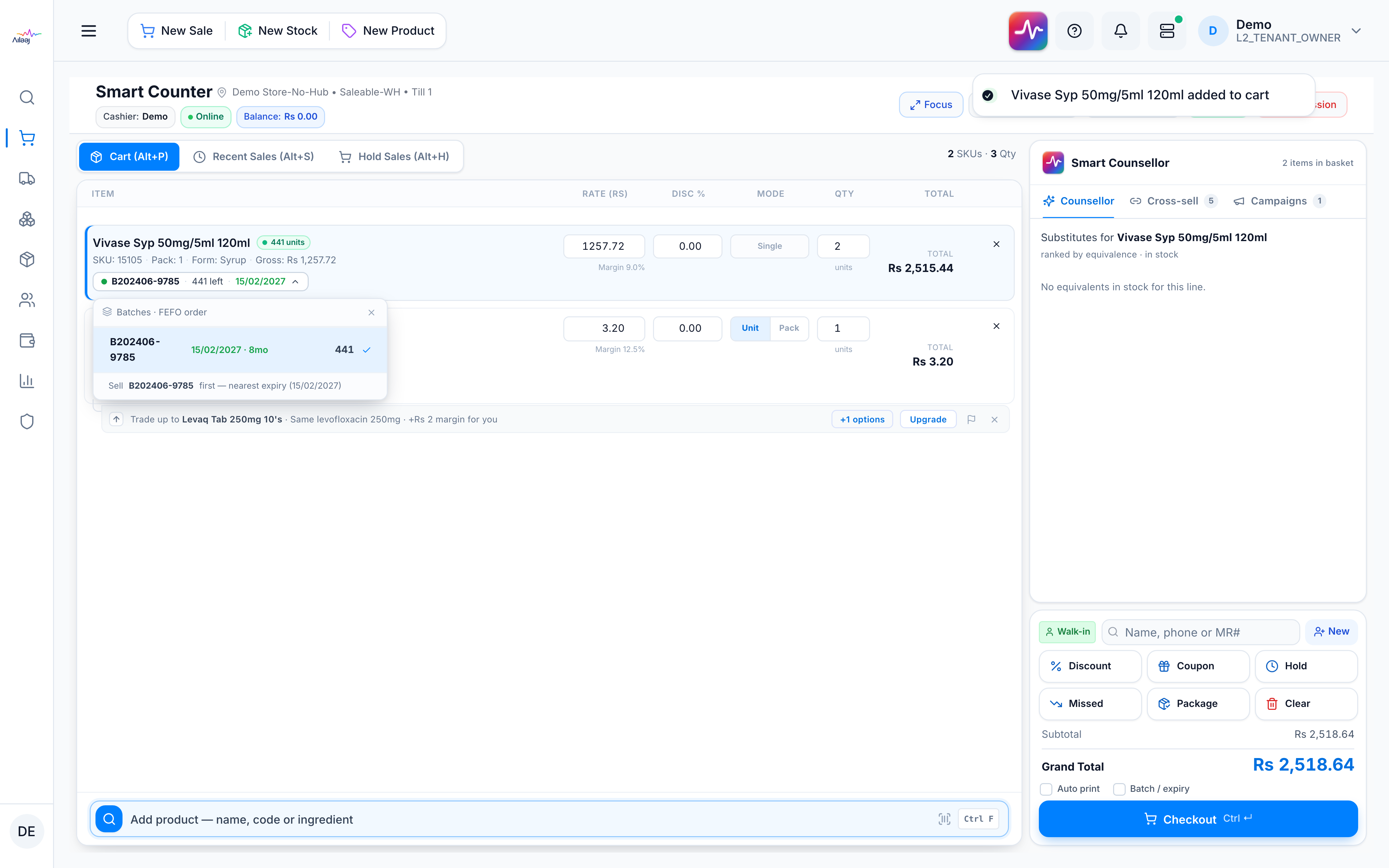
You’re done when
The cart line shows the batch and expiry you chose.
Good to know
- The default is FEFO — earliest expiry first, then oldest stock. Changing the batch affects only this line on this sale.
- The batch always shows on the cart line. To also print it on the receipt, tick the Batch / expiry option — see Print a receipt.
Related
- Add products · Why FEFO: Batch selection (FEFO)